1. Article에 대한 Comment와 그 Comment에 대한 Reply를 구현하였다. Comment와 Reply는 각각 모델을 만들지 않고, 하나의 ArticleComment를 이용하였고, Reply가 달린 Comment의 ID를 Reply에 paired_comment_id로 기입하여 ORM을 형성하게 하였다.
2. 게시글에 질문이나 댓글, 질문이나 댓글에 답글(대댓글)을 달 때, quills 에디터의 최소 설정(Minimal settings)을 적용하였고, 자바스크립트로 quills에디터를 붙였다가 띠었다가 하는 과정(동시에 두개의 에디터카 열려있지 않도록)이 정확하게 구현되도록 하였다.
3. vote(좋아요) 기능 구현: model로 구현하지 않고, many-to-many 테이블만 만들어 간단하게 적용하였다. 별도로 모델로 구현하는 것이 관리나, query구성에 있어 더 용이해 보인다.
4. article all list를 렌더링하는데, 페이지네이션을 오프셋 모드와 커서모드를 적용하여 구현하였다. 상당히 어려운 작업이었다. 더더군다나, 검색기능과 함께 적용해야 하므로 더욱더 난이도가 높아졌던 것 같다.
5. 검색 후 검색된 리스트를 오프셋 모드와 커서 모드로 페이지네이션 하도록 하였다. 이때, 중복 조인이 되지 않도록 쿼리를 작성하는 것이 핵심이었던 같다.
# Project_folder/requirements.txt

aiofiles==25.1.0
aiomysql==0.3.2
aiosmtplib==3.0.2
alembic==1.17.1
annotated-doc==0.0.4
annotated-types==0.7.0
anyio==4.11.0
bcrypt==4.0.1
blinker==1.9.0
cffi==2.0.0
click==8.3.1
colorama==0.4.6
cryptography==46.0.3
dnspython==2.8.0
ecdsa==0.19.1
email-validator==2.3.0
fastapi==0.121.1
fastapi-csrf-jinja==0.1.3
fastapi-mail==1.5.0
greenlet==3.2.4
h11==0.16.0
idna==3.11
itsdangerous==2.2.0
Jinja2==3.1.6
lxml==6.0.2
Mako==1.3.10
MarkupSafe==3.0.3
passlib==1.7.4
pyasn1==0.6.1
pycparser==2.23
pydantic==2.12.4
pydantic-settings==2.12.0
pydantic_core==2.41.5
PyMySQL==1.1.2
python-dotenv==1.2.1
python-jose==3.5.0
python-multipart==0.0.20
redis==7.0.1
regex==2025.11.3
rsa==4.9.1
six==1.17.0
sniffio==1.3.1
SQLAlchemy==2.0.44
starlette==0.49.3
typing-inspection==0.4.2
typing_extensions==4.15.0
uvicorn==0.38.0
# Project_folder/main.py
from app.core.inits import initialize_app
app = initialize_app()# Project_folder/app/core/database.py
import os
from datetime import datetime, timezone
from typing import AsyncGenerator
from sqlalchemy import Integer, DateTime
from sqlalchemy.ext.asyncio import create_async_engine, async_sessionmaker, AsyncSession
from sqlalchemy.orm import declarative_base, Mapped, mapped_column
from app.core.settings import CONFIG, MEDIA_DIR
PROFILE_IMAGE_UPLOAD_URL = os.path.join(MEDIA_DIR, CONFIG.PROFILE_IMAGE_URL)
ARTICLE_THUMBNAIL_UPLOAD_DIR = os.path.join(MEDIA_DIR, CONFIG.ARTICLE_THUMBNAIL_DIR)
ARTICLE_EDITOR_USER_IMG_UPLOAD_DIR = os.path.join(MEDIA_DIR, CONFIG.ARTICLE_EDITOR_USER_IMG_DIR)
ARTICLE_EDITOR_USER_VIDEO_UPLOAD_DIR = os.path.join(MEDIA_DIR, CONFIG.ARTICLE_EDITOR_USER_VIDEO_DIR)
ARTICLE_COMMENT_EDITOR_USER_IMG_UPLOAD_DIR = os.path.join(MEDIA_DIR, CONFIG.ARTICLE_COMMENT_EDITOR_USER_IMG_DIR)
ARTICLE_COMMENT_EDITOR_USER_VIDEO_UPLOAD_DIR = os.path.join(MEDIA_DIR, CONFIG.ARTICLE_COMMENT_EDITOR_USER_VIDEO_DIR)
DATABASE_URL = f"{CONFIG.DB_TYPE}+{CONFIG.DB_DRIVER}://{CONFIG.DB_USER}:{CONFIG.DB_PASSWORD}@{CONFIG.DB_HOST}:{CONFIG.DB_PORT}/{CONFIG.DB_NAME}?charset=utf8"
print("2. DATABASE_URL:", DATABASE_URL)#.split("//")[0])
ASYNC_ENGINE = create_async_engine(DATABASE_URL,
echo=CONFIG.DEBUG,
future=True,
pool_size=10, max_overflow=0, pool_recycle=300, # 5분마다 연결 재활용
# encoding="utf-8"
)
# 세션 로컬 클래스 생성
AsyncSessionLocal = async_sessionmaker(
ASYNC_ENGINE,
class_=AsyncSession, # add
expire_on_commit=False,
autocommit=False,
autoflush=False,
# poolclass=NullPool, # SQLite에서는 NullPool 권장
)
"""
autocommit=False 부분은 주의하자.
autocommit=False로 설정하면 데이터를 변경했을때 commit 이라는 사인을 주어야만 실제 저장이 된다.
만약 autocommit=True로 설정할 경우에는 commit이라는 사인이 없어도 즉시 데이터베이스에 변경사항이 적용된다.
그리고 autocommit=False인 경우에는 데이터를 잘못 저장했을 경우 rollback 사인으로 되돌리는 것이 가능하지만
autocommit=True인 경우에는 commit이 필요없는 것처럼 rollback도 동작하지 않는다는 점에 주의해야 한다.
"""
Base = declarative_base() # Base 클래스 (모든 모델이 상속)
class BaseModel(Base):
__abstract__ = True
id: Mapped[int] = mapped_column(Integer, primary_key=True)
created_at: Mapped[datetime] = mapped_column(DateTime(timezone=True),
nullable=False,
default=lambda: datetime.now(timezone.utc))
updated_at: Mapped[datetime] = mapped_column(DateTime(timezone=True),
nullable=False,
default=lambda: datetime.now(timezone.utc),
onupdate=lambda: datetime.now(timezone.utc))
async def get_db() -> AsyncGenerator[AsyncSession, None]:
session: AsyncSession = AsyncSessionLocal()
print(f"[get_session] new session: {id(session)}")
try:
yield session
except Exception as e:
print(f"Session rollback triggered due to exception: {e}")
await session.rollback()
raise
finally:
print(f"[get_session] close session: {id(session)}")
await session.close()# Project_folder/app/core/redis.py
from redis.asyncio import Redis, ConnectionPool
from app.core.settings import CONFIG
# # Connection Pool 기반 access ##############################
""" # AI Chat # 비동기적으로 ConnectionPool 적용
비동기 Redis 클라이언트와 함께 쓰려면 동기용 ConnectionPool이 아니라 asyncio 전용 풀을 써야 합니다.
즉, redis.ConnectionPool이 아니라 redis.asyncio.ConnectionPool을 사용해야 합니다.
from redis.asyncio import Redis, ConnectionPool
예시 1) asyncio용 ConnectionPool을 직접 생성해서 사용
"""
'''마땅히 설정할 곳이 없어서... 서버 구동시작시 여기를 지나가므로 전역변수처럼 사용'''
ACCESS_COOKIE_MAX_AGE = CONFIG.ACCESS_TOKEN_EXPIRE * 60 # 초 1800 : 30분
CODE_TTL_SECONDS = 10 * 60 # 10분
host = CONFIG.REDIS_HOST if CONFIG.APP_ENV == "production" else "localhost"
port = CONFIG.REDIS_PORT if CONFIG.APP_ENV == "production" else 6379
password = CONFIG.REDIS_PASSWORD if CONFIG.APP_ENV == "production" else None
db = CONFIG.REDIS_DB if CONFIG.APP_ENV == "production" else 0
redis_pool = ConnectionPool(
host=host,
port=port,
db=db,
password=password,
decode_responses=True, # 문자열 응답을 자동으로 디코딩
max_connections=10)
redis_client = Redis(connection_pool=redis_pool)# Project_folder/app/core/settings.py
import os
from functools import lru_cache
from pathlib import Path
from typing import Optional, List
from dotenv import load_dotenv
from fastapi.templating import Jinja2Templates
from fastapi_csrf_jinja.jinja_processor import csrf_token_processor
from pydantic import Field, model_validator
from pydantic_settings import BaseSettings, SettingsConfigDict
""" # SECRET_KEY 생성하는 방법
(.venv) PS D:\Python_FastAPI\My_Advanced\FastAPIjavaQuill_0.0.1> python
Python 3.13.5 (tags/v3.13.5:6cb20a2, Jun 11 2025, 16:15:46) [MSC v.1943 64 bit (AMD64)] on win32
Type "help", "copyright", "credits" or "license" for more information.
>>> import secrets
>>> secrets.token_hex(35)
"""
try:
'''
설정 모듈 최상단에서 반드시 .env를 먼저 로드한 뒤에 os.getenv를 호출하세요.
'''
load_dotenv(".env", override=False, encoding="utf-8")
except Exception as e:
print(f"load_dotenv error: {e}")
'''
python-dotenv 미설치 등인 경우에도, 설정 로딩은 pydantic-settings가 처리하므로 무시 가능
'''
pass
PRESENT_DIR = os.path.dirname(os.path.abspath(__file__))
APP_DIR = Path(__file__).resolve().parent.parent
ROOT_DIR = Path(__file__).resolve().parent.parent.parent ## root폴더
TEMPLATE_DIR = os.path.join(APP_DIR, 'templates')
STATIC_DIR = os.path.join(APP_DIR, 'static')
MEDIA_DIR = os.path.join(APP_DIR, 'media')
ADMINS = [os.getenv("ADMIN_1"), os.getenv("ADMIN_2")]
print("ADMINS: ", ADMINS)
templates = Jinja2Templates(
directory=TEMPLATE_DIR,
context_processors=[csrf_token_processor("csrf_token", "X-CSRF-Token")]
)
class Settings(BaseSettings):
"""여기에서 값이 비어있는 것은 .env 파일에서 채워진다.
그 값은 override 되지 않는다. 흐름상 그럴것 같기는 한데...???
최종적으로 .env에 설정된 값으로 채워져 버리는 것인것 같다."""
APP_ENV: str = "development"
APP_NAME: str = "FastAPI_Jinja"
APP_VERSION: str = "0.0.0"
APP_DESCRIPTION: str = ("FastAPI_Jinja/Javascript을 이용한 프로젝트 개발: \n"
"Jinja Template를 이용하여 Server Side Rendering을 적용하고, \n"
"데이터 입력과정을 pydantic schema적용하고 POST 메서드에서 vanilla javascript를 이용하여 개발 진행")
DEBUG: bool = False
# 기본값은 두지 않고 .env에서 읽히도록 둡니다.
SECRET_KEY: Optional[str] = None
ALGORITHM: str
DB_TYPE: str
DB_DRIVER: str
# 이메일/인증코드
SMTP_FROM: str # = os.getenv("SMTP_FROM", SMTP_USERNAME)
SMTP_USERNAME: str
SMTP_PASSWORD: str
SMTP_PORT: int # = int(os.getenv("SMTP_PORT", 587))
SMTP_HOST: str # = os.getenv("SMTP_HOST", "smtp.gmail.com")
# 액세스/리프페시 토큰
ACCESS_COOKIE_NAME: str
REFRESH_COOKIE_NAME: str
NEW_ACCESS_COOKIE_NAME: str
NEW_REFRESH_COOKIE_NAME: str
ACCESS_TOKEN_EXPIRE: int
REFRESH_TOKEN_EXPIRE: int
# Media Store Path
PROFILE_IMAGE_URL: str
ARTICLE_THUMBNAIL_DIR: str
ARTICLE_EDITOR_USER_IMG_DIR: str
ARTICLE_EDITOR_USER_VIDEO_DIR: str
ARTICLE_COMMENT_EDITOR_USER_IMG_DIR: str
ARTICLE_COMMENT_EDITOR_USER_VIDEO_DIR: str
ORIGINS: List[str] = Field(default_factory=list)
model_config = SettingsConfigDict(
env_file=".env",
env_file_encoding="utf-8",
extra="ignore",
case_sensitive=False,
)
class DevSettings(Settings):
DEBUG: bool = Field(..., validation_alias="DEBUG_TRUE")
ORIGINS: str = Field(..., validation_alias="DEV_ORIGINS")
DB_NAME: str = Field(..., validation_alias="DEV_DB_NAME")
DB_HOST: str = Field(..., validation_alias="DEV_DB_HOST")
DB_PORT: str = Field(..., validation_alias="DEV_DB_PORT")
DB_USER: str = Field(..., validation_alias="DEV_DB_USER")
DB_PASSWORD: str = Field(..., validation_alias="DEV_DB_PASSWORD")
class ProdSettings(Settings):
APP_NAME: str = Field(..., validation_alias="PROD_APP_NAME")
APP_VERSION: str = Field(..., validation_alias="PROD_APP_VERSION")
APP_DESCRIPTION: str = Field(..., validation_alias="PROD_APP_DESCRIPTION")
ORIGINS: str = Field(..., validation_alias="PROD_ORIGINS")
DB_NAME: str = Field(..., validation_alias="PROD_DB_NAME")
DB_HOST: str = Field(..., validation_alias="PROD_DB_HOST")
DB_PORT: str = Field(..., validation_alias="PROD_DB_PORT")
DB_USER: str = Field(..., validation_alias="PROD_DB_USER")
DB_PASSWORD: str = Field(..., validation_alias="PROD_DB_PASSWORD")
REDIS_HOST: str = Field(..., validation_alias="REDIS_HOST")
REDIS_PORT: str = Field(..., validation_alias="REDIS_PORT")
REDIS_DB: str = Field(..., validation_alias="REDIS_DB")
REDIS_PASSWORD: str = Field(..., validation_alias="REDIS_PASSWORD")
# 운영에서는 SECRET_KEY 필수
@model_validator(mode="after")
def ensure_secret_key(self):
if not self.SECRET_KEY or len(self.SECRET_KEY) < 16:
raise ValueError("In production, SECRET_KEY must be set and sufficiently long.")
return self
@lru_cache(maxsize=1)
def get_settings() -> Settings:
print("1. setting start... Only One")
# model_config의 env_file 설정만으로도 충분하지만, 아래 호출이 있어도 문제는 없습니다.
app_env = os.getenv("APP_ENV", "development").strip().lower()
if app_env == "production":
return ProdSettings()
print("2. settings...APP_ENV: ", app_env)
return DevSettings()
CONFIG = get_settings()# Project_folder/app/core/inits.py
from contextlib import asynccontextmanager
import redis
from fastapi import FastAPI
from fastapi.staticfiles import StaticFiles
from fastapi.middleware.cors import CORSMiddleware
from fastapi_csrf_jinja.middleware import FastAPICSRFJinjaMiddleware
from starlette.exceptions import HTTPException as StarletteHTTPException
from app.apis import accounts as apis_accounts
from app.apis.articles import articles as apis_articles
from app.apis.articles import comments as apis_articles_comments
from app.apis import auth as apis_auth
from app.apis import wysiwyg as apis_wysiwyg
from app.core.database import ASYNC_ENGINE
from app.core.redis import redis_client
from app.core.settings import STATIC_DIR, MEDIA_DIR, CONFIG, templates
from app.utils import exc_handler
from app.utils.commons import to_kst, num_format, urlencode_filter
from app.utils.middleware import AccessTokenSetCookieMiddleware
from app.views import index
from app.views import accounts as views_accounts
from app.views import articles as views_articles
@asynccontextmanager
async def lifespan(app: FastAPI):
print("Initializing database......")
# FastAPI 인스턴스 기동시 필요한 작업 수행.
try:
await redis_client.ping() # Redis 연결 테스트
print("Redis connection established......")
except redis.exceptions.ConnectionError:
print("Failed to connect to Redis......")
print("Starting up...")
yield
# FastAPI 인스턴스 종료시 필요한 작업 수행
await redis_client.aclose()
print("Redis connection closed......")
print("Shutting down...")
await ASYNC_ENGINE.dispose()
def including_middleware(app):
app.add_middleware(CORSMiddleware,
allow_origins=[
"http://localhost:5173", # 프론트엔드 origin (예시)
"http://127.0.0.1:5500", # 필요시 추가
"http://localhost:8000", # 백엔드가 템플릿 제공하는 경우
], # 실제 프론트 주소
allow_methods=["*"],
allow_headers=["*"],
allow_credentials=True,
max_age=-1)
app.add_middleware(FastAPICSRFJinjaMiddleware,
secret=CONFIG.SECRET_KEY,
cookie_name="csrf_token",
header_name="X-CSRF-Token",)
# swagger를 CSRF_TOKEN적용에서 제외시키는 방법: 라이브러리에서 제공하는 예외 옵션 이름에 맞춰 사용하세요.
# (예: exclude_paths, exempt_paths, exempt_urls 등)
# 이 프로젝트는 swagger로 커스터마이징해서 csrf_token을 적용시켰다.
# exempt_urls=["/swagger/custom/docs", "/swagger/custom/redoc", "/swagger/custom/openapi.json"])
""" AccessTokenSetCookieMiddleware: access_token이 만료되면,
get_current_user 리프레시로 폴백하면서 액세스토큰을 만들때 가로채서 쿠키에 심는다."""
app.add_middleware(AccessTokenSetCookieMiddleware)
def including_exception_handler(app):
app.add_exception_handler(StarletteHTTPException,
exc_handler.custom_http_exception_handler)
def including_router(app):
app.include_router(index.router, prefix="", tags=["IndexViews"])
app.include_router(apis_accounts.router, prefix="/apis/accounts", tags=["AccountsAPI"])
app.include_router(apis_auth.router, prefix="/apis/auth", tags=["AuthAPI"])
# from app.apis.articles import articles as apis_articles # articles 폴더로 refactoring
app.include_router(apis_articles.router, prefix="/apis/articles", tags=["ArticlesAPI"])
app.include_router(apis_articles_comments.router, prefix="/apis/articles/comments", tags=["ArticlesCommentsAPI"])
app.include_router(apis_wysiwyg.router, prefix="/apis/wysiwyg", tags=["WysiwygAPI"])
app.include_router(views_accounts.router, prefix="/views/accounts", tags=["AccountsViews"])
app.include_router(views_articles.router, prefix="/views/articles", tags=["ArticlesViews"])
def initialize_app():
app = FastAPI(title=CONFIG.APP_NAME,
version=CONFIG.APP_VERSION,
description=CONFIG.APP_DESCRIPTION,
lifespan=lifespan,
docs_url=None, redoc_url=None, openapi_url="/swagger/custom/openapi.json",
)
app.mount("/static", StaticFiles(directory=STATIC_DIR), name="static")
app.mount("/media", StaticFiles(directory=MEDIA_DIR), name="media")
templates.env.globals["STATIC_URL"] = "/static"
templates.env.globals["MEDIA_URL"] = "/media"
templates.env.filters["to_kst"] = to_kst
templates.env.filters["num_format"] = num_format
templates.env.filters["urlencode"] = urlencode_filter
including_middleware(app)
including_exception_handler(app)
including_router(app)
return app# Project_folder/app/models/users.py
from typing import Optional
from sqlalchemy import String, Boolean, Table, Column, Integer, ForeignKey, UniqueConstraint
from sqlalchemy.orm import Mapped, mapped_column
from app.core.database import BaseModel, Base
class User(BaseModel):
__tablename__ = "users"
# String은 제한 글자수를 지정해야 한다.
username: Mapped[str] = mapped_column(String(20), unique=True, nullable=False)
email: Mapped[str] = mapped_column(String(100), unique=True, nullable=False)
password: Mapped[str] = mapped_column(String(255), nullable=False)
img_path: Mapped[Optional[str]] = mapped_column(String(200), nullable=True)
is_admin: Mapped[bool] = mapped_column(Boolean, default=False, nullable=False)
"""
- unique 와 index 중복
- unique=True만으로도 고유 인덱스가 생성됩니다. index=True는 중복이므로 제거해도 됩니다(권장).
- 비밀번호 길이
- password는 해시를 저장하므로 길이를 넉넉히 두는 것이 안전합니다(예: String(255)). 해시 종류에 따라 100자를 넘길 수 있습니다.
- 기본 키/타입
- id는 Integer(primary_key=True)면 충분합니다. 아주 큰 규모를 예상하면 BigInteger도 고려할 수 있습니다.
"""
article_voter = Table('article_voters',
Base.metadata,
Column('user_id', Integer, ForeignKey('users.id'), primary_key=True),
Column('article_id', Integer, ForeignKey('articles.id'), primary_key=True),
# 중복 등록 방지(복합 PK로 이미 보장되지만, 이름 있는 제약 예시)
UniqueConstraint("user_id", "article_id", name="uq_article_voters")
)
articlecomment_voter = Table('articlecomment_voters',
Base.metadata,
Column('user_id', Integer, ForeignKey('users.id'), primary_key=True),
Column('articlecomment_id', Integer, ForeignKey('article_comments.id'), primary_key=True),
# 중복 등록 방지(복합 PK로 이미 보장되지만, 이름 있는 제약 예시)
UniqueConstraint("user_id", "articlecomment_id", name="uq_articlecomment_voters")
)# Project_folder/app/models/articles.py
from typing import Optional
from sqlalchemy import ForeignKey, Integer, String, func, Text, Boolean, select
from sqlalchemy.ext.hybrid import hybrid_property
from sqlalchemy.orm import relationship, Mapped, mapped_column, backref
from app.core.database import BaseModel
from app.models.users import article_voter, articlecomment_voter
class Article(BaseModel):
__tablename__ = "articles"
# String은 제한 글자수를 지정해야 한다.
title: Mapped[str] = mapped_column(String(100), index=True)
img_path: Mapped[Optional[str]] = mapped_column(String(200), nullable=True)
content: Mapped[Optional[str]] = mapped_column(Text, nullable=True)
# users.id에서 users는 테이블명
# 외래키를 사용할 때, 제약 조건에 name을 ForeignKey 안에 ForeignKey("users.id", name="fk_author_id") 이렇게 넣어라.
author_id: Mapped[int] = mapped_column(Integer, ForeignKey("users.id", name="article_author_id", ondelete='CASCADE'), nullable=False)
# author_id가 nullable=True 이므로 Optional["User"]가 일관됩니다.
author: Mapped["User"] = relationship("User", backref=backref("article_user",
lazy="selectin",
cascade="all, delete-orphan",
passive_deletes=True), lazy="selectin")
# 1. 모델 관계에 비동기에서는 lazy='selectin' 기본 적용 안그러면 빙글빙글 돈다.
voter = relationship('User', secondary=article_voter, backref='article_voters', lazy="selectin") # 1. 모델 관계에 lazy='selectin' 기본 적용 안그러면 빙글빙글 돈다.
@hybrid_property
def voter_count(self):
return len(self.voter)
@voter_count.expression
def voter_count(cls):
return (
select(func.count(article_voter.c.user_id))
# lambda로 감싸나 안싸나 결과는 같음 (파이참의 정적 검사기 오류?)
.where(lambda: article_voter.c.article_id == cls.id)
.correlate(cls)
.scalar_subquery()
)
""" author 속성은 User 모델에서 Article 모델을 참조하기 위해 추가했다. 위와 같이 relationship으로 author(User) 속성을 생성하면,
게시글 객체(예: article)에서 연결된 저자의 username 을 article.user.username 처럼 참조할 수 있다.
relationship의 첫 번째 파라미터는 참조할 모델명이고 두 번째 backref 파라미터는 역참조 설정이다. 역참조란 쉽게 말해 User 에서 Article을 거꾸로 참조하는 것을 의미한다.
한 User에는 여러 개의 Article이 생성 수 있는데 역참조는 이 User가 작성한 Article 들을 참조할 수 있게 한다.
예를 들어 어떤 User에 해당하는 객체가 a_user 라면 a_user.article_user_set 같은 코드로 해당 User가 작성한 Article 들을 참조할 수 있다.
"""
def __repr__(self):
return f"<Article(id={self.id}, title='{self.title}', author_id={self.author_id}, created_at={self.created_at})>"
"""
현재 템플릿 단에서 `<div class="uk-text-right">{{ article.author }}</div>` 여기에서
sqlalchemy.exc.StatementError: (sqlalchemy.exc.MissingGreenlet) greenlet_spawn has not been called; can't call await_only() here. Was IO attempted in an unexpected place?
[SQL: SELECT users.id AS users_id, users.username AS users_username, users.email AS users_email, users.password AS users_password, users.created_at AS users_created_at
FROM users
WHERE users.id = %s]
[parameters: [{'pk_1': 21}]]
에러가 발생한다. 해결방법은? AI Chat
해당 에러는 템플릿에서 article.author에 접근하는 순간, SQLAlchemy가 “지연 로딩(lazy load)”을 수행하려고 하며,
비동기 드라이버(aiomysql)를 쓰는 환경에서 Jinja2의 동기 렌더링 컨텍스트와 충돌해서 발생합니다.
즉, 템플릿 렌더링 중에 DB I/O가 필요해져서 MissingGreenlet가 납니다.
1. (선택) 모델 관계 기본 전략을 selectin으로 설정
- 매 쿼리마다 options를 달기 어렵다면, 관계 정의에서 lazy="selectin"으로 설정해 지연 로딩 대신 배치 로딩을 기본으로 사용합니다.
class Article(Base):
# ...
author = relationship("User", back_populates="articles", lazy="selectin")
"""
class ArticleComment(BaseModel):
__tablename__ = 'article_comments'
content: Mapped[Optional[str]] = mapped_column(Text, nullable=True)
is_secret: Mapped[bool] = mapped_column(Boolean, default=False, nullable=False)
paired_comment_id: Mapped[int] = mapped_column(Integer, nullable=True)
author_id: Mapped[int] = mapped_column(Integer, ForeignKey("users.id", name="articlecomment_author_id", ondelete='CASCADE'), nullable=False)
author: Mapped["User"] = relationship("User", backref=backref("articlecomment_user",
lazy="selectin",
cascade="all, delete-orphan",
passive_deletes=True), lazy="selectin")
article_id: Mapped[int] = mapped_column(Integer, ForeignKey("articles.id", name="fk_article_id", ondelete='CASCADE'), nullable=False)
article: Mapped["Article"] = relationship("Article", backref=backref("articlecomments_all",
lazy="selectin",
cascade="all, delete-orphan",
passive_deletes=True), lazy="selectin")
# 1. 모델 관계에 비동기에서는 lazy='selectin' 기본 적용 안그러면 빙글빙글 돈다.
voter = relationship('User', secondary=articlecomment_voter, backref='articlecomment_voters', lazy="selectin")
@hybrid_property
def voter_count(self):
return len(self.voter)
@voter_count.expression
def voter_count(cls):
return (
select(func.count(articlecomment_voter.c.user_id))
# lambda로 감싸나 안싸나 결과는 같음 (파이참의 정적 검사기 오류?)
.where(lambda: articlecomment_voter.c.articlecomment_id == cls.id)
.correlate(cls)
.scalar_subquery()
)# Project_folder/app/dependencies/auth.py
from typing import Optional, Set
from fastapi import Depends, HTTPException, Request, status, Response, Security
from fastapi.security import HTTPAuthorizationCredentials, HTTPBearer
from jose.exceptions import ExpiredSignatureError
from sqlalchemy.ext.asyncio import AsyncSession
from app.core.database import get_db
from app.core.redis import ACCESS_COOKIE_MAX_AGE
from app.core.settings import CONFIG
from app.models.users import User
from app.services.auth_service import AuthService
from app.utils.auth import payload_to_user
from app.utils.cookies import compute_cookie_attrs
# 헤더는 선택적으로만 받도록 설정 (없어도 에러 발생 X)
bearer_scheme = HTTPBearer(auto_error=False)
"""
토큰에서 현재 사용자 정보를 가져오는 의존성 함수
"""
async def get_current_user(
request: Request, response: Response,
credentials: Optional[HTTPAuthorizationCredentials] = Security(bearer_scheme),
db: AsyncSession = Depends(get_db),
):
# 1) 헤더
auth = request.headers.get("authorization")
print("1. get_current_user 시작 ::: auth::::::: ", auth)
access_token = auth.split(" ", 1)[1].strip() if auth and auth.lower().startswith("bearer ") else None
print("2. get_current_user 시작 ::: access_token::::::: ", access_token)
# 2) 쿠키 폴백
if not access_token:
access_token = request.cookies.get(CONFIG.ACCESS_COOKIE_NAME)
print("3. get_current_user 시작 ::: request.cookies.get access_token::::::: ", access_token)
if access_token:
try:
user = await payload_to_user(access_token, db)
print("get_current_user 끝 if access_token: user::::::: ", user)
return user
except ExpiredSignatureError:
pass # 3) 리프레시 시도
# 3) 리프레시 폴백 (공통 함수 호출)
refresh_token = request.cookies.get(CONFIG.REFRESH_COOKIE_NAME)
print("4. refresh_access_token_from_cookie: refresh_token: ", refresh_token)
if not refresh_token:
raise HTTPException(status_code=status.HTTP_401_UNAUTHORIZED, detail="Not authenticated")
auth_service = AuthService(db=db)
token_payload = await auth_service.refresh_access_token(refresh_token)
if not token_payload:
# refresh 토큰이 유효하지 않거나 만료된 경우
raise HTTPException(
status_code=status.HTTP_401_UNAUTHORIZED,
detail="Refresh Token is invalid or expired",
)
new_access = token_payload.get(CONFIG.ACCESS_COOKIE_NAME)
if not new_access:
raise HTTPException(status_code=status.HTTP_500_INTERNAL_SERVER_ERROR, detail="Failed to issue access token")
# request.state에 보관 (뷰에서 꺼내서 실제 TemplateResponse에 심을 수 있게)
request.state.new_access = new_access
attrs = compute_cookie_attrs(request, cross_site=False)
print("1. attrs['secure']: ", attrs["secure"])
print("2. attrs['samesite']: ", attrs["samesite"])
response.set_cookie(
key=CONFIG.ACCESS_COOKIE_NAME,
value=new_access,
httponly=True,
secure=attrs["secure"], # HTTPS라면 True
samesite=attrs["samesite"],
path="/",
max_age=ACCESS_COOKIE_MAX_AGE,
)
user = await payload_to_user(new_access, db)
print("get_current_user 끝 refresh_access_token) 리프레시 폴백: user::::::: ", user)
return user
async def get_optional_current_user(request: Request, response: Response,
db: AsyncSession = Depends(get_db)) -> Optional[User]:
"""
인증 토큰이 없거나 유효하지 않은 경우 None을 반환하고, 다른 예외는 그대로 전달합니다.
AI Chat:
- 익명 접근을 허용하는 엔드포인트에서는 Depends(get_optional_current_user)를 사용하세요.
이것을 적용하고 if current_user is None or current_user != user 로 분기하여 "Not authorized: 접근권한이 없습니다."로 raise 날려도 된다.
그러면, Depends(get_current_user) 주입해서, "Not authenticated: 로그인하지 않았습니다."를 raise 날리는 것과 효과가 같다.
효과는 같지만, 엄밀한 의미에서는 다르다.
- 인증이 반드시 필요한 엔드포인트는 기존처럼 Depends(get_current_user)를 유지하면 됩니다.
"""
try:
# 핵심: get_current_user를 직접 호출하되, db를 명시적으로 전달
return await get_current_user(request=request, response=response, db=db)
except HTTPException as e:
if e.status_code in (status.HTTP_401_UNAUTHORIZED, status.HTTP_403_FORBIDDEN):
return None
raise
# def allow_usernames(*allowed_names: str):
def allow_usernames(allowed_names: list):
""" AI Chat이 알려준 방식임
특정 username만 접근을 허용하는 FastAPI 의존성 팩토리.
ADMINS = ["admin", "owner"]
사용 예) Depends(allow_usernames(ADMINS))
"""
allowed: Set[str] = {n.strip() for n in allowed_names if n and n.strip()}
if not allowed:
raise ValueError("allow_usernames requires at least one non-empty username")
async def dependency(user = Depends(get_current_user)):
if user is None:
raise HTTPException(
status_code=status.HTTP_401_UNAUTHORIZED,
detail="Not authenticated",
)
username = getattr(user, "username", None)
if not username or username not in allowed:
raise HTTPException(
status_code=status.HTTP_403_FORBIDDEN,
detail="You Don't Have Permission to Access This Resource.",
)
return user # 필요 시 엔드포인트에서 user를 그대로 사용 가능
return dependency# Project_folder/alembic.ini
# A generic, single database configuration.
[alembic]
# path to migration scripts.
# this is typically a path given in POSIX (e.g. forward slashes)
# format, relative to the token %(here)s which refers to the location of this
# ini file
script_location = %(here)s/migrations
# template used to generate migration file names; The default value is %%(rev)s_%%(slug)s
# Uncomment the line below if you want the files to be prepended with date and time
# see https://alembic.sqlalchemy.org/en/latest/tutorial.html#editing-the-ini-file
# for all available tokens
# file_template = %%(year)d_%%(month).2d_%%(day).2d_%%(hour).2d%%(minute).2d-%%(rev)s_%%(slug)s
# sys.path path, will be prepended to sys.path if present.
# defaults to the current working directory. for multiple paths, the path separator
# is defined by "path_separator" below.
prepend_sys_path = .
# timezone to use when rendering the date within the migration file
# as well as the filename.
# If specified, requires the python>=3.9 or backports.zoneinfo library and tzdata library.
# Any required deps can installed by adding `alembic[tz]` to the pip requirements
# string value is passed to ZoneInfo()
# leave blank for localtime
# timezone =
# max length of characters to apply to the "slug" field
# truncate_slug_length = 40
# set to 'true' to run the environment during
# the 'revision' command, regardless of autogenerate
# revision_environment = false
# set to 'true' to allow .pyc and .pyo files without
# a source .py file to be detected as revisions in the
# versions/ directory
# sourceless = false
# version location specification; This defaults
# to <script_location>/versions. When using multiple version
# directories, initial revisions must be specified with --version-path.
# The path separator used here should be the separator specified by "path_separator"
# below.
# version_locations = %(here)s/bar:%(here)s/bat:%(here)s/alembic/versions
# path_separator; This indicates what character is used to split lists of file
# paths, including version_locations and prepend_sys_path within configparser
# files such as alembic.ini.
# The default rendered in new alembic.ini files is "os", which uses os.pathsep
# to provide os-dependent path splitting.
#
# Note that in order to support legacy alembic.ini files, this default does NOT
# take place if path_separator is not present in alembic.ini. If this
# option is omitted entirely, fallback logic is as follows:
#
# 1. Parsing of the version_locations option falls back to using the legacy
# "version_path_separator" key, which if absent then falls back to the legacy
# behavior of splitting on spaces and/or commas.
# 2. Parsing of the prepend_sys_path option falls back to the legacy
# behavior of splitting on spaces, commas, or colons.
#
# Valid values for path_separator are:
#
# path_separator = :
# path_separator = ;
# path_separator = space
# path_separator = newline
#
# Use os.pathsep. Default configuration used for new projects.
path_separator = os
# set to 'true' to search source files recursively
# in each "version_locations" directory
# new in Alembic version 1.10
# recursive_version_locations = false
# the output encoding used when revision files
# are written from script.py.mako
# output_encoding = utf-8
# database URL. This is consumed by the user-maintained env.py script only.
# other means of configuring database URLs may be customized within the env.py
# file.
# sqlalchemy.url = mysql+aiomysql://root:981011@localhost:3306/advanced_db?charset=utf8mb4
sqlalchemy.url =
[post_write_hooks]
# post_write_hooks defines scripts or Python functions that are run
# on newly generated revision scripts. See the documentation for further
# detail and examples
# format using "black" - use the console_scripts runner, against the "black" entrypoint
# hooks = black
# black.type = console_scripts
# black.entrypoint = black
# black.options = -l 79 REVISION_SCRIPT_FILENAME
# lint with attempts to fix using "ruff" - use the module runner, against the "ruff" module
# hooks = ruff
# ruff.type = module
# ruff.module = ruff
# ruff.options = check --fix REVISION_SCRIPT_FILENAME
# Alternatively, use the exec runner to execute a binary found on your PATH
# hooks = ruff
# ruff.type = exec
# ruff.executable = ruff
# ruff.options = check --fix REVISION_SCRIPT_FILENAME
# Logging configuration. This is also consumed by the user-maintained
# env.py script only.
[loggers]
keys = root,sqlalchemy,alembic
[handlers]
keys = console
[formatters]
keys = generic
[logger_root]
level = WARNING
handlers = console
qualname =
[logger_sqlalchemy]
level = WARNING
handlers =
qualname = sqlalchemy.engine
[logger_alembic]
level = INFO
handlers =
qualname = alembic
[handler_console]
class = StreamHandler
args = (sys.stderr,)
level = NOTSET
formatter = generic
[formatter_generic]
format = %(levelname)-5.5s [%(name)s] %(message)s
datefmt = %H:%M:%S# Project_folder/migrations/env.py
import asyncio
from logging.config import fileConfig
import os
import sys
from sqlalchemy import pool
from sqlalchemy.ext.asyncio import async_engine_from_config
from alembic import context
sys.path.insert(0, os.path.realpath(os.path.join(os.path.dirname(__file__), "..")))
from app.core.database import Base, DATABASE_URL
# this is the Alembic Config object, which provides
# access to the values within the .ini file in use.
config = context.config
# Interpret the config file for Python logging.
# This line sets up loggers basically.
# if config.config_file_name is not None:
# fileConfig(config.config_file_name)
if config.config_file_name is not None:
try:
fileConfig(config.config_file_name, encoding='utf-8')
except TypeError:
# older versions of fileConfig don't support the encoding parameter
fileConfig(config.config_file_name)
# add your model's MetaData object here
# for 'autogenerate' support
# from myapp import mymodel
''' 반드시 모델들을 임포트 하라. '''
from app.models import users
from app.models import articles
# from app.test import exam
# target_metadata = mymodel.Base.metadata
# target_metadata = None
target_metadata = Base.metadata
# other values from the config, defined by the needs of env.py,
# can be acquired:
# my_important_option = config.get_main_option("my_important_option")
# ... etc.
def run_migrations_offline() -> None:
"""Run migrations in 'offline' mode.
This configures the context with just a URL
and not an Engine, though an Engine is acceptable
here as well. By skipping the Engine creation
we don't even need a DBAPI to be available.
Calls to context.execute() here emit the given string to the
script output.
"""
url = config.get_main_option("sqlalchemy.url")
context.configure(
url=url,
target_metadata=target_metadata,
literal_binds=True,
dialect_opts={"paramstyle": "named"},
)
with context.begin_transaction():
context.run_migrations()
def do_run_migrations(connection):
context.configure(connection=connection, target_metadata=target_metadata)
with context.begin_transaction():
context.run_migrations()
async def run_migrations_online() -> None:
"""Run migrations in 'online' mode for an async application."""
# 환경 변수가 설정되지 않았다면 alembic.ini의 기본값을 사용하도록 폴백 설정 (선택 사항)
db_url = DATABASE_URL
if not db_url:
db_url = config.get_main_option("sqlalchemy.url") # alembic.ini의 sqlalchemy.url을 지정해 놓으면, DATABASE_URL이 없을 때 그곳으로 매칭된다.
if not db_url:
raise ValueError("데이터베이스 URL을 찾을 수 없습니다. .env 파일이나 환경 변수를 확인하세요.")
connectable = async_engine_from_config(
config.get_section(config.config_ini_section, {}),
prefix="sqlalchemy.",
poolclass=pool.NullPool,
future=True, # SQLAlchemy 2.0
url=db_url # 여기에 환경 변수에서 가져온 URL을 전달 (개발 및 배포모드 모두 커버)
)
async with connectable.connect() as connection:
await connection.run_sync(do_run_migrations)
await connectable.dispose()
if context.is_offline_mode():
run_migrations_offline()
else:
asyncio.run(run_migrations_online())# Project_folder/.jshintrc
# pycharm에서 .jshintrc 파일적용시키는 방법
# ---. .jshintrc 파일의 위치는 프로젝트 폴더 아래(main.py와 동일한 위치)
# ---. settings > Languages & Frameworks -> JavaScript -> Code Quality Tools -> JSHint
# ->Enable JSHint와 Use config files 체크박스를 활성화
{
"esversion": 11,
"module": true,
"browser": true,
"sub": true,
"undef": true,
"globals": {
"alert": true,
"fetch": true,
"URLSearchParams": true,
"AbortController": true
}
}# Project_folder/app/apis/articles/articles.py
from fastapi import APIRouter, Depends, HTTPException, status, Response, Form, UploadFile, File
from pydantic import ValidationError
from sqlalchemy import select
from sqlalchemy.ext.asyncio import AsyncSession
from app.core.database import get_db, ARTICLE_THUMBNAIL_UPLOAD_DIR, ARTICLE_EDITOR_USER_IMG_UPLOAD_DIR, ARTICLE_EDITOR_USER_VIDEO_UPLOAD_DIR
from app.core.redis import redis_client
from app.core.settings import APP_DIR, MEDIA_DIR
from app.dependencies.auth import get_current_user
from app.models.articles import ArticleComment
from app.models.users import User
from app.schemas.articles import articles as schema_article
from app.services.articles.article_service import ArticleService, get_article_service
from app.utils.commons import upload_single_image, old_image_remove, remove_file_path, remove_empty_dir
from app.utils.exc_handler import CustomErrorException
from app.utils.wysiwyg import redis_delete_candidates, cleanup_unused_images, cleanup_unused_videos, extract_img_srcs, object_delete_with_image_or_video, extract_video_srcs
router = APIRouter()
"""prefix="/apis/articles"""
@router.post("/post",
response_model=schema_article.ArticleOut,
summary="새 게시글 작성",
description="새로운 게시글을 생성합니다.",
responses={400: {
"description": "Bad Request: 잘못된 요청입니다.",
"content": {"application/json": {"example": {"detail": "Bad Request: 잘못된 요청을 하였습니다."}}}
}})
async def create_article(title: str = Form(...),
content: str = Form(...),
imagefile: UploadFile | None = File(None),
article_service: ArticleService = Depends(get_article_service),
current_user: User = Depends(get_current_user),
db: AsyncSession = Depends(get_db)):
try:
article_in = schema_article.ArticleIn(title=title, content=content)
except ValidationError as e:
# 요청 본문에 대한 자동 422 변환이 아닌, 수동으로 422로 변환해 주는 것이 좋습니다.
raise HTTPException(status_code=422, detail=e.errors())
img_path = None
if imagefile:
img_path = await upload_single_image(ARTICLE_THUMBNAIL_UPLOAD_DIR, current_user, imagefile)
created_article = await article_service.create_article(article_in, current_user, img_path=img_path)
# 생성된 게시글 ID 확인
article_id = created_article.id
if not article_id:
raise HTTPException(status_code=502, detail="Invalid response from article API: missing id")
# img 임시 후보 키(0)를 실제 article_id 키로 이동
temp_img_key = "delete_image_candidates:0"
real_img_key = f"delete_image_candidates:{article_id}"
print("await redis_client.exists(temp_img_key)::", await redis_client.exists(temp_img_key))
"""quills content에 이미지를 로드했다가 지우면,
await redis_client.exists(temp_img_key)이 1이 되고, if 문을 지나간다.
이미지를 로드하지 않거나, 로드했다가 지운 이미지가 없으면 그냥 if 문을 우회한다."""
await redis_delete_candidates(temp_img_key, real_img_key)
# video
temp_video_key = "delete_video_candidates:0"
real_video_key = f"delete_video_candidates:{article_id}"
print("await redis_client.exists(temp_video_key)::", await redis_client.exists(temp_video_key))
"""quills content에 이미지를 로드했다가 지우면,
await redis_client.exists(temp_video_key)이 1이 되고, if 문을 지나간다.
이미지를 로드하지 않거나, 로드했다가 지운 이미지가 없으면 그냥 if 문을 우회한다."""
await redis_delete_candidates(temp_video_key, real_video_key)
# 최종 저장 시 삭제 예정 이미지 정리
_type = "article"
''' _type은 is_media_used_elsewhere 이 함수에서 적용된다. '''
await cleanup_unused_images(_type, article_id, content, db)
await cleanup_unused_videos(_type, article_id, content, db)
return created_article
@router.patch("/update/{article_id}",
response_model=schema_article.ArticleOut,
summary="게시글 수정",
description="특정 게시글을 수정합니다.",
responses={404: {
"description": "게시글 수정 실패",
"content": {"application/json": {"example": {"detail": "해당 게시글을 찾을 수 없습니다."}}},
403: {
"description": "게시글 수정 권한 없슴",
"content": {"application/json": {"example": {"detail": "접근 권한이 없습니다."}}}
}
}})
async def update_article(article_id: int,
title: str = Form(...),
content: str = Form(...),
imagefile: UploadFile | None = File(None),
article_service: ArticleService = Depends(get_article_service),
current_user: User = Depends(get_current_user),
db: AsyncSession = Depends(get_db)):
try:
article_update = schema_article.ArticleUpdate(title=title, content=content)
except ValidationError as e:
# 요청 본문에 대한 자동 422 변환이 아닌, 수동으로 422로 변환해 주는 것이 좋습니다.
raise HTTPException(status_code=422, detail=e.errors())
_article = await article_service.get_article(article_id)
old_quills_imgs = extract_img_srcs(_article.content)
old_quills_videos = extract_video_srcs(_article.content)
if len(imagefile.filename.strip()) > 0:
## My Add ############## 이미지 교체하면, 예전에 있던 이미지 삭제하기
await old_image_remove(imagefile.filename, _article.img_path)
## Add End ##############
print("upload_image 직전==========:", imagefile.filename)
img_path = await upload_single_image(ARTICLE_THUMBNAIL_UPLOAD_DIR, current_user, imagefile)
print("img_path===================:", img_path)
else:
img_path = _article.img_path
updated_article = await article_service.update_article(article_id, article_update, current_user, img_path=img_path)
if not updated_article:
raise HTTPException(
status_code=status.HTTP_404_NOT_FOUND,
detail="게시글을 찾을 수 없습니다."
)
if updated_article is False:
raise HTTPException(
status_code=status.HTTP_403_FORBIDDEN,
detail="Not authorized: 접근 권한이 없습니다."
)
# 생성된 게시글 ID 확인
article_id = updated_article.id
if not article_id:
raise HTTPException(status_code=502, detail="Invalid response from article API: missing id")
# img 임시 후보 키(0)를 실제 article_id 키로 이동
temp_img_key = "delete_image_candidates:0"
real_img_key = f"delete_image_candidates:{article_id}"
print("await redis_client.exists(temp_img_key)::", await redis_client.exists(temp_img_key))
"""quills content에 이미지를 로드했다가 지우면,
await redis_client.exists(temp_img_key)이 1이 되고, if 문을 지나간다.
이미지를 로드하지 않거나, 로드했다가 지운 이미지가 없으면 그냥 if 문을 우회한다."""
await redis_delete_candidates(temp_img_key, real_img_key)
# video
temp_video_key = "delete_video_candidates:0"
real_video_key = f"delete_video_candidates:{article_id}"
print("await redis_client.exists(temp_video_key)::", await redis_client.exists(temp_video_key))
"""quills content에 이미지를 로드했다가 지우면,
await redis_client.exists(temp_video_key)이 1이 되고, if 문을 지나간다.
이미지를 로드하지 않거나, 로드했다가 지운 이미지가 없으면 그냥 if 문을 우회한다."""
await redis_delete_candidates(temp_video_key, real_video_key)
# 최종 저장 시 삭제 예정 이미지 정리
_type = "article"
''' _type은 is_media_used_elsewhere 이 함수에서 적용된다. '''
await cleanup_unused_images(_type, article_id, content, db)
await cleanup_unused_videos(_type, article_id, content, db)
# quills content의 이미지 중에서 예전것만 골라서 삭제
new_quills_imgs = extract_img_srcs(updated_article.content)
print("new_quills_imgs:", new_quills_imgs)
# only_old_quills_imgs = old_quills_imgs - new_quills_imgs
only_old_quills_imgs = old_quills_imgs.difference(new_quills_imgs)
for url in only_old_quills_imgs:
print("url:", url)
quill_img_path = f'{APP_DIR}{url}' # \\없어도 된다. url 맨 앞에 \\ 있다.
await remove_file_path(quill_img_path)
# 아래도 같은 작동을 한다.
# file_path = Path(APP_DIR) / url.lstrip("/\\")
# if file_path.exists():
# file_path.unlink()
# 삭제후 폴더가 비어 있으면 폴더도 삭제
img_dir = f'{ARTICLE_EDITOR_USER_IMG_UPLOAD_DIR}'+'/'+f'{current_user.id}'
await remove_empty_dir(img_dir)
# quills content의 동영상 중에서 예전것만 골라서 삭제
new_quills_videos = extract_video_srcs(updated_article.content)
print("new_quills_videos:", new_quills_videos)
only_old_quills_videos = old_quills_videos.difference(new_quills_videos)
for url in only_old_quills_videos:
print("url:", url)
quill_video_path = f'{APP_DIR}{url}' # \\없어도 된다. url 맨 앞에 \\ 있다.
await remove_file_path(quill_video_path)
# 삭제후 폴더가 비어 있으면 폴더도 삭제
video_dir = f'{ARTICLE_EDITOR_USER_VIDEO_UPLOAD_DIR}' + '/' + f'{current_user.id}'
await remove_empty_dir(video_dir)
# #### end
return updated_article
@router.delete("/{article_id}", status_code=status.HTTP_204_NO_CONTENT,
summary="게시글 삭제",
description="특정 게시글을 삭제합니다.",
responses={200: {
"description": "게시글 삭제 성공",
"content": {"application/json": {"example": {"detail": "게시글이 성공적으로 삭제되었습니다."}}},
404: {
"description": "게시글 삭제 실패",
"content": {"application/json": {"example": {"detail": "해당 게시글을 찾을 수 없습니다."}}}
}
}})
async def delete_article(article_id: int,
article_service: ArticleService = Depends(get_article_service),
current_user: User = Depends(get_current_user),
db: AsyncSession = Depends(get_db)):
_article = await article_service.get_article(article_id)
if not _article:
raise HTTPException(
status_code=status.HTTP_404_NOT_FOUND,
detail="게시글이 존재하지 않습니다."
)
query = (select(ArticleComment).where(ArticleComment.article_id == article_id))
result = await db.execute(query)
comments_of_article = result.scalars().all()
if len(comments_of_article) > 0:
raise CustomErrorException(status_code=416, detail="댓글이 있는 게시글은 삭제할 수 없습니다.")
# thumbnail 이미지 파일 삭제
thumbnail_img_path = _article.img_path
full_img_path = f'{MEDIA_DIR}'+'/'+f'{thumbnail_img_path}'
await remove_file_path(full_img_path)
img_dir = f'{ARTICLE_THUMBNAIL_UPLOAD_DIR}'+'/'+f'{current_user.id}'
await remove_empty_dir(img_dir) # 삭제후 폴더가 비어 있으면 폴더도 삭제
# quills content 이미지
img_key = f"delete_image_candidates:{article_id}"
await object_delete_with_image_or_video(_type="article", # is_media_used_elsewhere 에서 사용
_id=article_id,
html=_article.content,
_dir=ARTICLE_EDITOR_USER_IMG_UPLOAD_DIR,
current_user_id=current_user.id,
db=db,
key=img_key)
# quills content 동영상
video_key = f"delete_video_candidates:{article_id}"
await object_delete_with_image_or_video(_type="article", # is_media_used_elsewhere 에서 사용
_id=article_id,
html=_article.content,
_dir=ARTICLE_EDITOR_USER_VIDEO_UPLOAD_DIR,
current_user_id=current_user.id,
db=db,
key=video_key)
article = await article_service.delete_article(article_id, current_user)
if article is None:
raise HTTPException(
status_code=status.HTTP_404_NOT_FOUND,
detail="게시글을 찾을 수 없습니다."
)
if article is False:
raise HTTPException(
status_code=status.HTTP_403_FORBIDDEN,
detail="Not authorized: 접근 권한이 없습니다."
)
return Response(status_code=status.HTTP_204_NO_CONTENT)
@router.post("/vote/{article_id}")#, status_code=status.HTTP_204_NO_CONTENT)
async def article_vote(article_id: int,
article_service: ArticleService = Depends(get_article_service),
current_user: User = Depends(get_current_user)):
article = await article_service.get_article(article_id)
if not article:
raise HTTPException(status_code=status.HTTP_400_BAD_REQUEST,
detail="데이터를 찾을수 없습니다.")
data = await article_service.vote_article(article_id, current_user)
# return Response(status_code=status.HTTP_204_NO_CONTENT)
return data# Project_folder/app/apis/articles/comments.py
from fastapi import APIRouter, Depends, HTTPException, status, Response
from sqlalchemy.ext.asyncio import AsyncSession
from app.core.database import get_db, ARTICLE_COMMENT_EDITOR_USER_IMG_UPLOAD_DIR, ARTICLE_COMMENT_EDITOR_USER_VIDEO_UPLOAD_DIR
from app.core.redis import redis_client
from app.core.settings import APP_DIR
from app.dependencies.auth import get_current_user
from app.models.users import User
from app.schemas.articles import comments as schema_comment
from app.services.articles.article_service import ArticleService, get_article_service
from app.services.articles.comment_service import ArticleCommentService, get_articlecomment_service
from app.utils.commons import remove_file_path, remove_empty_dir
from app.utils.exc_handler import CustomErrorException
from app.utils.wysiwyg import redis_delete_candidates, cleanup_unused_images, cleanup_unused_videos, extract_img_srcs, extract_video_srcs, object_delete_with_image_or_video
router = APIRouter()
' prefix="/apis/articles/comments"'
@router.post("/post/{article_id}", response_model=schema_comment.CommentOut,)
async def comment_create(article_id: int,
comment_in: schema_comment.CommentIn,
article_service: ArticleService = Depends(get_article_service),
articlecomment_service: ArticleCommentService = Depends(get_articlecomment_service),
current_user: User = Depends(get_current_user),
db: AsyncSession = Depends(get_db)) -> schema_comment.CommentOut:
article = await article_service.get_article(article_id)
if article is None:
raise HTTPException(
status_code=status.HTTP_404_NOT_FOUND,
detail="해당 질문을 찾을 수 없습니다."
)
created_comment = await articlecomment_service.create_comment(article, comment_in, current_user)
comment_id = created_comment.id
if not comment_id:
raise HTTPException(status_code=502, detail="Invalid response from comment API: missing id")
# img 임시 후보 키(0)를 실제 article_id 키로 이동
temp_img_key = "delete_image_candidates:0"
real_img_key = f"delete_image_candidates:{comment_id}"
print("await redis_client.exists(temp_img_key)::", await redis_client.exists(temp_img_key))
"""quills content에 이미지를 로드했다가 지우면,
await redis_client.exists(temp_img_key)이 1이 되고, if 문을 지나간다.
이미지를 로드하지 않거나, 로드했다가 지운 이미지가 없으면 그냥 if 문을 우회한다."""
await redis_delete_candidates(temp_img_key, real_img_key)
# video
temp_video_key = "delete_video_candidates:0"
real_video_key = f"delete_video_candidates:{comment_id}"
print("await redis_client.exists(temp_video_key)::", await redis_client.exists(temp_video_key))
"""quills content에 이미지를 로드했다가 지우면,
await redis_client.exists(temp_video_key)이 1이 되고, if 문을 지나간다.
이미지를 로드하지 않거나, 로드했다가 지운 이미지가 없으면 그냥 if 문을 우회한다."""
await redis_delete_candidates(temp_video_key, real_video_key)
# 최종 저장 시 삭제 예정 이미지 정리
_type = "article_comment"
''' _type은 is_media_used_elsewhere 이 함수에서 적용된다. '''
await cleanup_unused_images(_type, comment_id, comment_in.content, db)
await cleanup_unused_videos(_type, comment_id, comment_in.content, db)
return created_comment # ORM 객체를 그대로 반환해도 Pydantic이 변환해 줍니다.
@router.patch("/update/{comment_id}",
response_model = schema_comment.CommentOut)
async def update_comment(comment_id: int,
comment_in: schema_comment.CommentIn,
articlecomment_service: ArticleCommentService = Depends(get_articlecomment_service),
current_user: User = Depends(get_current_user),
db: AsyncSession = Depends(get_db)):
_comment = await articlecomment_service.get_comment(comment_id)
old_quills_imgs = extract_img_srcs(_comment.content)
old_quills_videos = extract_video_srcs(_comment.content)
updated_comment = await articlecomment_service.update_comment(comment_id, comment_in, current_user)
if updated_comment is None:
raise HTTPException(
status_code=status.HTTP_404_NOT_FOUND,
detail="답변 데이터를 찾을 수 없습니다."
)
if updated_comment is False:
raise HTTPException(
status_code=status.HTTP_400_BAD_REQUEST,
detail="Not authorized: 접근 권한이 없습니다."
)
comment_id = updated_comment.id
if not comment_id:
raise HTTPException(status_code=502, detail="Invalid response from comment API: missing id")
# img 임시 후보 키(0)를 실제 article_id 키로 이동
temp_img_key = "delete_image_candidates:0"
real_img_key = f"delete_image_candidates:{comment_id}"
print("await redis_client.exists(temp_img_key)::", await redis_client.exists(temp_img_key))
"""quills content에 이미지를 로드했다가 지우면,
await redis_client.exists(temp_img_key)이 1이 되고, if 문을 지나간다.
이미지를 로드하지 않거나, 로드했다가 지운 이미지가 없으면 그냥 if 문을 우회한다."""
await redis_delete_candidates(temp_img_key, real_img_key)
# video
temp_video_key = "delete_video_candidates:0"
real_video_key = f"delete_video_candidates:{comment_id}"
print("await redis_client.exists(temp_video_key)::", await redis_client.exists(temp_video_key))
"""quills content에 이미지를 로드했다가 지우면,
await redis_client.exists(temp_video_key)이 1이 되고, if 문을 지나간다.
이미지를 로드하지 않거나, 로드했다가 지운 이미지가 없으면 그냥 if 문을 우회한다."""
await redis_delete_candidates(temp_video_key, real_video_key)
# 최종 저장 시 삭제 예정 이미지 정리
_type = "article_comment"
''' _type은 is_media_used_elsewhere 이 함수에서 적용된다. '''
await cleanup_unused_images(_type, comment_id, comment_in.content, db)
await cleanup_unused_videos(_type, comment_id, comment_in.content, db)
# quills content의 이미지 중에서 예전것만 골라서 삭제
new_quills_imgs = extract_img_srcs(updated_comment.content)
print("new_quills_imgs:", new_quills_imgs)
# only_old_quills_imgs = old_quills_imgs - new_quills_imgs
only_old_quills_imgs = old_quills_imgs.difference(new_quills_imgs)
for url in only_old_quills_imgs:
print("url:", url)
quill_img_path = f'{APP_DIR}{url}' # \\없어도 된다. url 맨 앞에 \\ 있다.
await remove_file_path(quill_img_path)
# 아래도 같은 작동을 한다.
# file_path = Path(APP_DIR) / url.lstrip("/\\")
# if file_path.exists():
# file_path.unlink()
# 삭제후 폴더가 비어 있으면 폴더도 삭제
img_dir = f'{ARTICLE_COMMENT_EDITOR_USER_IMG_UPLOAD_DIR}' + '/' + f'{current_user.id}'
await remove_empty_dir(img_dir)
# quills content의 동영상 중에서 예전것만 골라서 삭제
new_quills_videos = extract_video_srcs(updated_comment.content)
print("new_quills_videos:", new_quills_videos)
only_old_quills_videos = old_quills_videos.difference(new_quills_videos)
for url in only_old_quills_videos:
print("url:", url)
quill_video_path = f'{APP_DIR}{url}' # \\없어도 된다. url 맨 앞에 \\ 있다.
await remove_file_path(quill_video_path)
# 삭제후 폴더가 비어 있으면 폴더도 삭제
video_dir = f'{ARTICLE_COMMENT_EDITOR_USER_VIDEO_UPLOAD_DIR}' + '/' + f'{current_user.id}'
await remove_empty_dir(video_dir)
# #### end
# return updated_comment
# ORM -> Pydantic 변환
return schema_comment.CommentOut.model_validate(updated_comment, from_attributes=True)
@router.delete("/{comment_id}", status_code=status.HTTP_204_NO_CONTENT,
summary="게시글의 코멘트 삭제",
description="특정 게시글의 특정 코멘트를 삭제합니다.",
responses={200: {
"description": "코멘트 삭제 성공",
"content": {"application/json": {"example": {"detail": "코멘트이 성공적으로 삭제되었습니다."}}},
404: {
"description": "코멘트 삭제 실패",
"content": {"application/json": {"example": {"detail": "해당 코멘트을 찾을 수 없습니다."}}}
}
}})
async def delete_comment(comment_id: int,
articlecomment_service: ArticleCommentService = Depends(get_articlecomment_service),
current_user: User = Depends(get_current_user),
db: AsyncSession = Depends(get_db)):
_comment = await articlecomment_service.get_comment(comment_id)
if not _comment:
raise HTTPException(
status_code=status.HTTP_404_NOT_FOUND,
detail="게시글이 존재하지 않습니다."
)
""" # 댓글의 id가 다른 코멘트의 paired_comment_id 이면, 그 댓글은 삭제 불가
query = (select(ArticleComment).where(ArticleComment.paired_comment_id == comment_id))
result = await db.execute(query)
replies_with_paired_comment_id = result.scalars().all()
"""
replies_with_paired_comment_id = await articlecomment_service.get_replies_with_paired_comment_id(comment_id)
print("replies_with_paired_comment_id:", [reply.id for reply in replies_with_paired_comment_id])
if len(replies_with_paired_comment_id) > 0:
raise CustomErrorException(status_code=416, detail="답글이 있는 댓글은 삭제할 수 없습니다.")
# quills content 이미지
img_key = f"delete_image_candidates:{comment_id}"
await object_delete_with_image_or_video(_type="article_comment", # is_media_used_elsewhere 에서 사용
_id=comment_id,
html=_comment.content,
_dir=ARTICLE_COMMENT_EDITOR_USER_IMG_UPLOAD_DIR,
current_user_id=current_user.id,
db=db,
key=img_key)
# quills content 동영상
video_key = f"delete_video_candidates:{comment_id}"
await object_delete_with_image_or_video(_type="article_comment", # is_media_used_elsewhere 에서 사용
_id=comment_id,
html=_comment.content,
_dir=ARTICLE_COMMENT_EDITOR_USER_VIDEO_UPLOAD_DIR,
current_user_id=current_user.id,
db=db,
key=video_key)
comment = await articlecomment_service.delete_comment(comment_id, current_user)
if comment is None:
raise HTTPException(
status_code=status.HTTP_404_NOT_FOUND,
detail="게시글을 찾을 수 없습니다."
)
if comment is False:
raise HTTPException(
status_code=status.HTTP_403_FORBIDDEN,
detail="Not authorized: 접근 권한이 없습니다."
)
return Response(status_code=status.HTTP_204_NO_CONTENT)
@router.post("/vote/{comment_id}")#, status_code=status.HTTP_204_NO_CONTENT)
async def comment_vote(comment_id: int,
articlecomment_service: ArticleCommentService = Depends(get_articlecomment_service),
current_user: User = Depends(get_current_user)):
comment = await articlecomment_service.get_comment(comment_id)
print("comment:", comment)
if not comment:
raise HTTPException(status_code=status.HTTP_400_BAD_REQUEST,
detail="데이터를 찾을수 없습니다.")
data = await articlecomment_service.vote_comment(comment_id, current_user)
# return Response(status_code=status.HTTP_204_NO_CONTENT)
return data# Project_folder/app/apis/accounts.py
import os
import uuid
from typing import Optional
from fastapi import APIRouter, status, Depends, Response, Request, HTTPException, Form, UploadFile, File
from fastapi.encoders import jsonable_encoder
from fastapi.responses import JSONResponse
from fastapi_mail import MessageSchema, MessageType
from pydantic import EmailStr, TypeAdapter, ValidationError
from sqlalchemy.ext.asyncio import AsyncSession
from app.core.database import get_db, PROFILE_IMAGE_UPLOAD_URL, ARTICLE_THUMBNAIL_UPLOAD_DIR, ARTICLE_EDITOR_USER_IMG_UPLOAD_DIR, ARTICLE_EDITOR_USER_VIDEO_UPLOAD_DIR
from app.core.redis import ACCESS_COOKIE_MAX_AGE, redis_client, CODE_TTL_SECONDS
from app.core.settings import CONFIG
from app.dependencies.auth import get_optional_current_user, get_current_user
from app.models.users import User
from app.schemas.accounts import EmailRequest, VerifyRequest, UserOut, UserLostPasswordIn, UserPasswordUpdate, UserIn, UserUpdate, UserResetPasswordIn
from app.schemas.auth import TokenResponse, LoginRequest
from app.services.account_service import UserService, get_user_service
from app.services.auth_service import AuthService, get_auth_service
from app.services.token_service import AsyncTokenService, REFRESH_TOKEN_PREFIX
from app.utils.accounts import verify_password
from app.utils.auth import get_token_expiry
from app.utils.commons import refresh_expire, random_string, upload_single_image, remove_dir_with_files, old_image_remove
from app.utils.cookies import compute_cookie_attrs
from app.utils.email import AUTHCODE_EMAIL_HTML_TEMPLATE, fastapi_email
from app.utils.exc_handler import CustomErrorException
router = APIRouter()
@router.post("/authcode/request",
summary="인증 코드", description="인증 코드 생성",
responses={401: {
"description": "유효하지 않은 인증 코드 확인 시도",
"content": {"application/json": {"example": {"detail": "유효하지 않은 인증 코드입니다."}}}
}})
async def authcode_request_email(payload: EmailRequest,
current_user: Optional[User] = Depends(get_optional_current_user),
_user_service: UserService = Depends(get_user_service),
):
email = str(payload.email).lower().strip()
_type = payload.type
print("_type: ", _type)
existed_email_user = await _user_service.get_user_by_email(payload.email)
if _type == "register":
if existed_email_user:
print("신규 가입: 존재하는 이메일")
raise CustomErrorException(status_code=499, detail="존재하는 이메일입니다.")
else:
pass
elif _type == "lost":
if not existed_email_user:
print("비밀번호 분실/설정 요청중 본인 확인: 가입되어 있지 않은 이메일")
raise CustomErrorException(status_code=499, detail="가입되어 있지 않은 이메일입니다.")
else:
pass
elif _type == "email":
if existed_email_user and existed_email_user.email == current_user.email:
print("이메일 변경 요청중 본인 확인: 로그인한 사용자의 동일한 이메일")
raise CustomErrorException(status_code=499, detail="동일한 이메일입니다.")
if existed_email_user and existed_email_user.email != current_user.email: # 이런 경우는 없는 것 같은데...
print("이메일 변경 요청중 본인 확인: 다른 사용자 이메일")
raise CustomErrorException(status_code=499, detail="다른 사용자의 이메일입니다.")
else:
pass
else:
print("요청 type 없슴: Bad request")
raise CustomErrorException(status_code=410, detail="잘못된 요청입니다.")
# 비번 분실 그리고 통과한 신규가입과 이메일 변경
recent_key = f"verify_recent:{email}"
if await redis_client.exists(recent_key):
print("CustomErrorException STATUS_CODE: ", 439, "과도한 요청")
raise CustomErrorException(status_code=439, detail="과도한 요청: 잠시 후에 다시 진행해 주세요")
session_key = f"user:{email}" # Redis 해시 키 (세션 역할)
await redis_client.hset(session_key, mapping={"email": email}) # Redis에 이메일 저장 (hset)
await redis_client.expire(session_key, CODE_TTL_SECONDS)
""" Redis의 hset() 명령 자체는 **만료시간(TTL)**을 직접 지정할 수 없어요.
대신에 **키 전체(session_key)**에 대해 만료시간을 따로 expire() 또는 expireat()으로 설정해야 합니다.
즉, hset()으로 저장한 뒤에 expire()를 호출하는 방식으로 처리합니다. """
authcode = str(await random_string(7, "number"))
code_key = f"verify:{email}"
await redis_client.set(code_key, authcode, ex=CODE_TTL_SECONDS) # Redis에 인증코드 저장하고 TTL 설정 (10분)
await redis_client.set(recent_key, "1", ex=30) # 최근 요청 키(예: 30초 내 재요청 방지) - 선택
print("await redis_client.get(code_key): ", await redis_client.get(code_key))
title = None
if _type == "register":
title = "[서비스] 회원가입 인증번호"
elif _type == "lost":
title = "[서비스] 비밀번호 설정 인증번호"
elif _type == "email":
title = "[서비스] 이메일 변경 인증번호"
from jinja2 import Template
html_body = Template(AUTHCODE_EMAIL_HTML_TEMPLATE).render(code=authcode, title=title) # , verify_link=verify_link) # 직접 입력으로 교체
"""fastapi-mail 1.5.0(1.5.8버전은 recipients=[NameEmail(email=email)]을 쓰라는데
작동을 하지 않는다."""
message = MessageSchema(
subject=title,
recipients=[payload.email],
body=html_body,
subtype=MessageType.html,
)
try:
await fastapi_email.send_message(message)
except Exception as e:
await redis_client.delete(code_key) # 실패 시 Redis에 저장된 코드 제거
print("이메일 전송 실패: ", e)
raise CustomErrorException(status_code=600, detail="이메일 전송이 실패했습니다.")
return JSONResponse({"message": "인증번호를 이메일로 발송했습니다. (10분간 유효)"})
@router.post("/authcode/verify",
summary="인증 코드", description="인증 코드 확인",
responses={401: {
"description": "유효하지 않은 인증 코드 확인 시도",
"content": {"application/json": {"example": {"detail": "유효하지 않은 인증 코드입니다."}}}
}})
async def authcode_verify(payload: VerifyRequest,
current_user: Optional[User] = Depends(get_optional_current_user),
db: AsyncSession = Depends(get_db)):
""" 회원 가입시 인증 코드로 본인 확인(단순 인증하기)
### 이메일 변경 로직도 여기에 넣었다.(인증과 동시에 이메일 변경)
javascript 코드도 authVerifyForm.addEventListener('submit' 에서 같은 흐름의 로직을 유지했다."""
email = str(payload.email).lower().strip()
authcode = payload.authcode.strip()
_type = payload.type
password = payload.password
old_email = payload.old_email
code_key = f"verify:{email}"
session_key = f"user:{email}"
stored_code = await redis_client.get(code_key) # Redis에서 코드 확인
session_data = await redis_client.hgetall(session_key) # 세션에 저장된 이메일 확인
if not stored_code:
print("CustomErrorException STATUS_CODE: ", 410, "유효하지 않은 인증코드")
raise CustomErrorException(status_code=410, detail="유효하지 않은 인증코드입니다.") # 만료되었거나 존재하지 않습니다.
if stored_code != authcode:
print("CustomErrorException STATUS_CODE: ", 410, "인증코드 불일치")
raise CustomErrorException(status_code=410, detail="인증코드가 일치하지 않습니다.")
if not session_data or session_data.get("email") != email:
print("CustomErrorException STATUS_CODE: ", 410, "세션 이메일 불일치")
raise CustomErrorException(status_code=410, detail="세션 이메일이 일치하지 않습니다.")
if _type == "email":
""" email_update 과정 """
if not old_email:
raise HTTPException(status_code=400, detail="과거 이메일이 반드시 필요합니다.")
_user_service = UserService(db=db)
old_user = await _user_service.get_user_by_email(old_email)
if old_user and old_user.id == current_user.id:
password_ok = await verify_password(password, str(old_user.password))
if password_ok:
await _user_service.update_email(old_email, payload.email)
await redis_client.delete(code_key) # 검증 성공 -> 코드 삭제(한번만 사용)
return JSONResponse({"message": "이메일 변경 성공: 확인을 클릭하면, 새로운 이메일로 로그인됩니다."})
else:
raise CustomErrorException(status_code=411,
detail="비밀번호가 일치하지 않습니다.",
headers={"WWW-Authenticate": "Bearer"})
else:
raise HTTPException(
status_code=status.HTTP_403_FORBIDDEN,
detail="이메일 변경 권한이 없습니다."
)
await redis_client.delete(code_key) # 검증 성공 -> 코드 삭제(한번만 사용)
verified_token = str(uuid.uuid4())
verified_key = f"verified:{email}"
await redis_client.set(verified_key, verified_token, ex=CODE_TTL_SECONDS) # 10분 동안 유지
if _type == "register":
message = "이메일 인증 성공: 회원가입을 진행하세요."
else: # _type == "lost" # 비번 분실/설정
message = "이메일 인증 성공: 비밀번호 설정을 진행하세요."
return JSONResponse({"message": message,
"verified_token": verified_token})
@router.post("/register",
response_model=UserOut, )
async def register_user(username: str = Form(...),
email: str = Form(...),
token: str = Form(...),
password: str = Form(...),
password2: str = Form(...),
imagefile: UploadFile | None = File(None),
user_service: UserService = Depends(get_user_service), ):
"""이메일과 토큰은 입력값이 없어도 진입된다.
username(닉네임), 비밀번호는 js단에서 빈값 및 validation을 처리한다. 이미지는 없어도 들어온다.
이미지등의 파일을 받는 경우는 pydantic schema로 검증이 안된다. formData로 받아서 검증해야 한다.
하지만, 이미지등의 파일이 없는 경우는 json으로 받아서 pydantic schema로 검증할 수 있고, 그렇게 하는 것을 권장한다."""
print("In register_user: ", username, email, token, password, imagefile)
verified_key = f"verified:{email}"
session_key = f"user:{email}"
verified_token = await redis_client.get(verified_key)
session_data = await redis_client.hgetall(session_key)
if not verified_token: # email이 빈칸이어도 여기로 오지만, CustomError 발생시킨다.
print("CustomErrorException STATUS_CODE: ", 410, "유효하지 않은 인증토큰")
raise CustomErrorException(status_code=410, detail="유효하지 않은 인증토큰입니다.")
if verified_token != token: # token이 빈칸이어도 여기로 오지만, CustomError 발생시킨다.
print("CustomErrorException STATUS_CODE: ", 410, "인증토큰 불일치")
raise CustomErrorException(status_code=410, detail="인증토큰이 일치하지 않습니다.")
if not session_data or session_data.get("email") != email: # 들어온 이메일 값이 세션에 저장된 이메일과 다르면, CustomError 발생시킨다.
print("CustomErrorException STATUS_CODE: ", 410, "세션 이메일 불일치")
raise CustomErrorException(status_code=410, detail="세션 이메일이 일치하지 않습니다.")
try:
validated_email: EmailStr = TypeAdapter(EmailStr).validate_python(email)
user_in = UserIn(username=username, email=validated_email, password=password, confirmPassword=password2) # 템플릿 단에서 넘어온 UserIn validation
except ValidationError as e:
"""UserIn pydantic schema 검증 에러 결과의 첫번째 실제 메시지만 출력하기 위한 로직"""
first = next(iter(e.errors()), None)
if not first:
raise CustomErrorException(status_code=422, detail={"non_field": ["잘못된 입력입니다."]})
field = str((first.get("loc") or ["non_field"])[-1])
msg = first.get("msg", "잘못된 입력입니다.")
# 기존 포맷(dict of list)을 유지
raise CustomErrorException(status_code=422, detail={field: [msg]})
existed_username = await user_service.get_user_by_username(user_in.username)
if existed_username:
print("CustomErrorException STATUS_CODE: ", 499, "존재하는 닉네임")
raise CustomErrorException(status_code=499, detail="이미 사용하는 닉네임입니다.")
existed_user_email = await user_service.get_user_by_email(user_in.email)
if existed_user_email:
print("CustomErrorException STATUS_CODE: ", 499, "존재하는 이메일")
raise CustomErrorException(status_code=499, detail="이미 사용하고 있는 이메일입니다.")
created_user = await user_service.create_user(user_in)
img_path = None
if imagefile:
img_path = await upload_single_image(PROFILE_IMAGE_UPLOAD_URL, created_user, imagefile)
created_user = await user_service.user_image_update(created_user.id, img_path)
await redis_client.delete(verified_key)
await redis_client.delete(session_key)
return JSONResponse(status_code=201, content=jsonable_encoder(created_user))
@router.patch("/lost/password/resetting", response_model=UserOut,
summary="회원 비밀번호 분실/설정", description="특정 회원의 비밀번호를 분실하여 재설정합니다.",
responses={404: {
"description": "회원 비밀번호 설정 실패",
"content": {"application/json": {"example": {"detail": "회원을 찾을 수 없습니다."}}},
403: {
"description": "회원 비밀번호 수정 권한 없슴",
"content": {"application/json": {"example": {"detail": "접근 권한이 없습니다."}}}
}
}})
async def lost_password_resetting(lost_password_in: UserLostPasswordIn,
_user_service: UserService = Depends(get_user_service)):
email = str(lost_password_in.email).lower().strip()
token = lost_password_in.token
print("token: ", token)
newpassword = lost_password_in.newpassword
verified_key = f"verified:{email}"
session_key = f"user:{email}"
verified_token = await redis_client.get(verified_key)
print("verified_token: ", verified_token)
session_data = await redis_client.hgetall(session_key)
if not verified_token: # email이 빈칸이어도 여기로 오지만, CustomError 발생시킨다.
raise CustomErrorException(status_code=410, detail="유효하지 않은 인증토큰입니다.")
if verified_token != token: # token이 빈칸이어도 여기로 오지만, CustomError 발생시킨다.
raise CustomErrorException(status_code=410, detail="인증토큰이 일치하지 않습니다.")
if not session_data or session_data.get("email") != email: # 들어온 이메일 값이 세션에 저장된 이메일과 다르면, CustomError 발생시킨다.
raise CustomErrorException(status_code=410, detail="세션 이메일이 일치하지 않습니다.")
user = await _user_service.get_user_by_email(lost_password_in.email)
if user:
_password_update = UserPasswordUpdate(password=newpassword)
await _user_service.update_password(user.id, _password_update)
else:
raise HTTPException(
status_code=status.HTTP_404_NOT_FOUND,
detail="회원을 찾을 수 없습니다."
)
await redis_client.delete(verified_key)
await redis_client.delete(session_key)
return user
# return JSONResponse({"message": "비밀번호 설정 성공: 재설정된 비밀번호로 로그인됩니다."})
@router.post(
"/login",
response_model=TokenResponse,
summary="사용자 로그인",
description="사용자 로그인 후 JWT 토큰을 발급합니다.",
responses={
401: {
"description": "인증 실패",
"content": {"application/json": {"example": {"detail": "인증 실패"}}}
}})
async def login(response: Response, request: Request,
login_data: LoginRequest,
auth_service: AuthService = Depends(get_auth_service)):
user = await auth_service.authenticate_user(login_data)
if not user:
from app.utils.exc_handler import CustomErrorException
raise CustomErrorException(status_code=411,
detail="인증에 실패했습니다.",
headers={"WWW-Authenticate": "Bearer"})
token_data = await auth_service.create_user_token(user)
_access_token = token_data.get(CONFIG.ACCESS_COOKIE_NAME)
_refresh_token = token_data.get(CONFIG.REFRESH_COOKIE_NAME)
# 요청 정보로 HTTPS 여부 판별 (프록시가 있다면 x-forwarded-proto 우선)
attrs = compute_cookie_attrs(request, cross_site=False)
print("1. attrs['secure']: ", attrs["secure"])
print("2. attrs['samesite']: ", attrs["samesite"])
_REFRESH_COOKIE_EXPIRE = refresh_expire()
response.set_cookie(
key=CONFIG.ACCESS_COOKIE_NAME,
value=_access_token,
httponly=True,
secure=attrs["secure"], # HTTPS라면 True
samesite=attrs["samesite"],
max_age=ACCESS_COOKIE_MAX_AGE,
)
response.set_cookie(
key=CONFIG.REFRESH_COOKIE_NAME,
value=_refresh_token,
httponly=True, # JavaScript에서 쿠키에 접근 불가능하도록 설정
secure=attrs["secure"], # HTTPS 환경에서만 쿠키 전송
samesite=attrs["samesite"], # CSRF 공격 방지
expires=_REFRESH_COOKIE_EXPIRE
)
return token_data
@router.patch("/account/update/{user_id}", response_model=UserOut,
summary="회원 정보 수정", description="특정 회원의 정보를 수정합니다.",
responses={404: {
"description": "회원 정보 수정 실패",
"content": {"application/json": {"example": {"detail": "회원을 찾을 수 없습니다."}}},
403: {
"description": "회원 정보 수정 권한 없슴",
"content": {"application/json": {"example": {"detail": "접근 권한이 없습니다."}}}
}
}})
async def update_user(user_id: int,
username: str | None = Form(None),
email: EmailStr | None = Form(None), # 별도로 변경 라우터 만듦(여기서는 None으로 들어옴)
password: str | None = Form(None),
imagefile: UploadFile | None = File(None),
current_user: User = Depends(get_current_user),
_user_service: UserService = Depends(get_user_service)):
''' username, 프로필 이미지 변경용
email 변경은 별도로 이메일 인증코드 방식으로 구성
password은 변경 권한으로 사용함 '''
from app.utils.exc_handler import CustomErrorException
user = await _user_service.get_user_by_id(user_id)
if user != current_user:
raise CustomErrorException(status_code=411, detail="접근 권한이 없습니다.")
if username:
existed_username_user = await _user_service.get_user_by_username(username)
if username == user.username:
raise CustomErrorException(status_code=499, detail="기존 닉네임과 동일합니다.")
if existed_username_user and existed_username_user.username != user.username:
raise CustomErrorException(status_code=499, detail="이미 사용하는 닉네임입니다.")
if email: # 여기서는 None으로 들어옴(우선 코드는 남겨두었다.)
existed_email_user = await _user_service.get_user_by_email(email)
if existed_email_user and existed_email_user.email != user.email:
raise CustomErrorException(status_code=499, detail="이미 가입되어 있는 이메일입니다.")
try:
user_update = UserUpdate(username=username, email=email)
password_ok = await verify_password(password, str(user.password))
if password_ok:
updated_user = await _user_service.update_user(user_id, user_update)
if imagefile is not None:
filename_only, ext = os.path.splitext(imagefile.filename)
if len(imagefile.filename.strip()) > 0 and len(filename_only) > 0:
if user.img_path:
await old_image_remove(imagefile.filename, user.img_path)
img_path = await upload_single_image(PROFILE_IMAGE_UPLOAD_URL, updated_user, imagefile)
updated_user = await _user_service.user_image_update(updated_user.id, img_path)
else:
img_path = user.img_path # user.img_path인 경우도 적용된다.
updated_user = await _user_service.user_image_update(updated_user.id, img_path)
else:
raise CustomErrorException(status_code=411, detail="비밀번호가 일치하지 않습니다.")
if not updated_user:
raise HTTPException(
status_code=status.HTTP_404_NOT_FOUND,
detail="회원을 찾을 수 없습니다."
)
return updated_user
except ValidationError as e:
print("except ValidationError as e:", e.errors())
print("except ValidationError as e.errors():", e.errors()[0]["loc"][0])
# 요청 본문에 대한 자동 422 변환이 아닌, 수동으로 422로 변환해 주는 것이 좋습니다.
if email is not None and e.errors()[0]["loc"][0] == "email":
raise CustomErrorException(status_code=432, detail="이메일 형식 부적합")
elif username is not None and e.errors()[0]["loc"][0] == "username":
raise CustomErrorException(status_code=432, detail="닉네임 정책 위반")
@router.patch("/account/password/update/{user_id}", response_model=UserOut,
summary="회원 비밀번호 수정", description="특정 회원의 비밀번호를 수정합니다.",
responses={404: {
"description": "회원 비밀번호 수정 실패",
"content": {"application/json": {"example": {"detail": "회원을 찾을 수 없습니다."}}},
403: {
"description": "회원 비밀번호 수정 권한 없슴",
"content": {"application/json": {"example": {"detail": "접근 권한이 없습니다."}}}
}
}})
async def password_update(password_in: UserResetPasswordIn,
current_user: User = Depends(get_current_user),
_user_service: UserService = Depends(get_user_service)):
user = await _user_service.get_user_by_id(password_in.user_id)
if user != current_user:
raise CustomErrorException(status_code=411, detail="접근 권한이 없습니다.")
if user:
_password_update = UserPasswordUpdate(password=password_in.newpassword)
password_ok = await verify_password(password_in.password, str(user.password))
if password_ok:
await _user_service.update_password(password_in.user_id, _password_update)
else:
raise CustomErrorException(status_code=411, detail="기존의 비밀번호와 일치하지 않습니다.")
else:
raise HTTPException(
status_code=status.HTTP_404_NOT_FOUND,
detail="회원을 찾을 수 없습니다."
)
return user
@router.patch("/account/email/update/{user_id}")
async def email_update(user_id: int):
"""email_update 과정은
@router.post("/authcode/verify")
async def authcode_verify
authcode_verify 에 담았다."""
pass
@router.post(
"/logout",
summary="사용자 로그아웃",
description="로그아웃 후 JWT 토큰을 삭제합니다.",
responses={
200: {
"description": "로그아웃 성공",
"content": {"application/json": {"example": {"message": "로그아웃 되었습니다."}}}
}})
async def logout(response: Response,
request: Request):
access_token = request.cookies.get(CONFIG.ACCESS_COOKIE_NAME)
refresh_token = request.cookies.get(CONFIG.REFRESH_COOKIE_NAME)
# 쿠키 삭제
response.delete_cookie(key=CONFIG.ACCESS_COOKIE_NAME, path="/")
response.delete_cookie(key=CONFIG.REFRESH_COOKIE_NAME, path="/")
# 블랙리스트 처리
if access_token:
expiry = get_token_expiry(access_token)
await AsyncTokenService.blacklist_token(access_token, expiry)
if refresh_token:
expiry = get_token_expiry(refresh_token)
await AsyncTokenService.blacklist_token(refresh_token, expiry)
print("로그아웃")
return {"message": "로그아웃되었습니다."}
@router.delete("/account/delete/{user_id}",
summary="회원 탈퇴",
description="특정 회원을 탈퇴 시킵니다.",
responses={200: {
"description": "회원 탈퇴 성공",
"content": {"application/json": {"example": {"detail": "회원의 탈퇴가 성공적으로 이루어 졌습니다."}}},
404: {
"description": "회원 탈퇴 실패",
"content": {"application/json": {"example": {"detail": "회원을 찾을 수 없습니다."}}}
}
}})
async def delete_user(user_id: int,
request: Request,
current_user: User = Depends(get_current_user),
_user_service: UserService = Depends(get_user_service)):
_user = await _user_service.get_user_by_id(user_id)
if _user != current_user:
raise CustomErrorException(status_code=411, detail="접근 권한이 없습니다.")
if _user is False:
raise HTTPException(
status_code=status.HTTP_404_NOT_FOUND,
detail="회원을 찾을 수 없습니다."
)
# article(게시글)의 썸네일, quills 내용의 이미지/동영상 삭제
# article(게시글)의 내용 자체는 모델에서 삭제되도록 ORM정의해놓음 """cascade="all, delete-orphan","""
article_thumb_dir = f'{ARTICLE_THUMBNAIL_UPLOAD_DIR}' + '/' + f'{user_id}'
content_img_dir = f'{ARTICLE_EDITOR_USER_IMG_UPLOAD_DIR}' + '/' + f'{user_id}'
content_video_dir = f'{ARTICLE_EDITOR_USER_VIDEO_UPLOAD_DIR}' + '/' + f'{user_id}'
await remove_dir_with_files(article_thumb_dir)
await remove_dir_with_files(content_img_dir)
await remove_dir_with_files(content_video_dir)
user_thumb_dir = f'{PROFILE_IMAGE_UPLOAD_URL}' + '/' + f'{user_id}'
await remove_dir_with_files(user_thumb_dir)
"""프로필 이미지는 삭제한다. 하지만,
게시글의 author_id는 남겨두고, 해당 회원이 작성했던 게시글은 비활성화 하는 것으로 처리하자."""
print("delete_user user_id:", user_id)
await _user_service.delete_user(user_id)
#############################
access_token = request.cookies.get(CONFIG.ACCESS_COOKIE_NAME)
refresh_token = request.cookies.get(CONFIG.REFRESH_COOKIE_NAME)
resp = JSONResponse(
status_code=200,
content={"detail": "회원의 탈퇴가 성공적으로 이루어졌습니다."}
)
domain = request.url.hostname
resp.delete_cookie(
key=CONFIG.ACCESS_COOKIE_NAME,
path="/",
domain=domain, # 필요 시 명시적으로 지정
httponly=True
)
resp.delete_cookie(
key=CONFIG.REFRESH_COOKIE_NAME,
path="/",
domain=domain,
httponly=True
)
if access_token:
access_exp = get_token_expiry(access_token)
await AsyncTokenService.blacklist_token(access_token, access_exp)
if refresh_token:
refresh_exp = get_token_expiry(refresh_token)
await AsyncTokenService.blacklist_token(refresh_token, refresh_exp)
# 만약 Redis에 별도 키로 저장했다면 삭제:
await redis_client.delete(f"{REFRESH_TOKEN_PREFIX}{user_id}")
request.state.skip_set_cookie = True
print("Final headers:", resp.headers.getlist("set-cookie"))
print("쿠키 삭제 확인 request.cookies.get(ACCESS_COOKIE_NAME): ", request.cookies.get(CONFIG.ACCESS_COOKIE_NAME))
print("쿠키 삭제 확인 request.cookies.get(REFRESH_COOKIE_NAME): ", request.cookies.get(CONFIG.REFRESH_COOKIE_NAME))
print("response.raw_headers: ", resp.raw_headers)
return resp# Project_folder/app/apis/auth.py
from fastapi import APIRouter, Request
router = APIRouter()
@router.get("/csrf_token", summary="CSRF_TOKEN End Point",)
def csrf_token_endpoint(request: Request):
# middleware sets cookie 'csrf_token' and possibly request.state.csrf_token
token = request.cookies.get("csrf_token")
if not token:
token = getattr(request.state, "csrf_token", "")
return {"csrf_token": token}# Project_folder/app/apis/wysiwyg.py
from typing import List
from fastapi import status, UploadFile, Depends, APIRouter, Body, File, HTTPException
from app.core.database import ARTICLE_EDITOR_USER_VIDEO_UPLOAD_DIR, ARTICLE_EDITOR_USER_IMG_UPLOAD_DIR, ARTICLE_COMMENT_EDITOR_USER_IMG_UPLOAD_DIR, ARTICLE_COMMENT_EDITOR_USER_VIDEO_UPLOAD_DIR
from app.dependencies.auth import get_current_user
from app.models.users import User
from app.utils.commons import file_write_return_url
from app.utils.wysiwyg import redis_add, redis_rem
router = APIRouter()
"""prefix="/apis/wysiwyg"""
@router.post("/article/image/upload")
async def article_image_upload(imagefile: UploadFile,
current_user: User = Depends(get_current_user)):
try:
upload_dir = f'{ARTICLE_EDITOR_USER_IMG_UPLOAD_DIR}' + '/' + f'{current_user.id}' + '/' # d/t Linux
url = await file_write_return_url(upload_dir, current_user, imagefile, "app", _type="image")
return {"url": url}
except Exception as e:
print("upload_image error:::", e)
raise HTTPException(status_code=status.HTTP_500_INTERNAL_SERVER_ERROR,
detail="에디터의 이미지 파일이 제대로 Upload되지 않았습니다. ")
@router.post("/article/video/upload")
async def article_video_upload(videofile: UploadFile = File(...),
current_user: User = Depends(get_current_user)):
try:
upload_dir = f'{ARTICLE_EDITOR_USER_VIDEO_UPLOAD_DIR}' + '/' + f'{current_user.id}' + '/' # d/t Linux
url = await file_write_return_url(upload_dir, current_user, videofile, "app", _type="video")
return {"url": url}
except Exception as e:
print("upload_video error:::", e)
raise HTTPException(status_code=status.HTTP_500_INTERNAL_SERVER_ERROR,
detail="에디터의 동영상 파일이 제대로 Upload되지 않았습니다. ")
@router.post("/article/comment/image/upload")
async def article_comment_image_upload(imagefile: UploadFile,
current_user: User = Depends(get_current_user)):
try:
upload_dir = f'{ARTICLE_COMMENT_EDITOR_USER_IMG_UPLOAD_DIR}' + '/' + f'{current_user.id}' + '/' # d/t Linux
url = await file_write_return_url(upload_dir, current_user, imagefile, "app", _type="image")
return {"url": url}
except Exception as e:
print("upload_image error:::", e)
raise HTTPException(status_code=status.HTTP_500_INTERNAL_SERVER_ERROR,
detail="에디터의 이미지 파일이 제대로 Upload되지 않았습니다. ")
@router.post("/article/comment/video/upload")
async def article_comment_video_upload(videofile: UploadFile = File(...),
current_user: User = Depends(get_current_user)):
try:
upload_dir = f'{ARTICLE_COMMENT_EDITOR_USER_VIDEO_UPLOAD_DIR}' + '/' + f'{current_user.id}' + '/' # d/t Linux
url = await file_write_return_url(upload_dir, current_user, videofile, "app", _type="video")
return {"url": url}
except Exception as e:
print("upload_video error:::", e)
raise HTTPException(status_code=status.HTTP_500_INTERNAL_SERVER_ERROR,
detail="에디터의 동영상 파일이 제대로 Upload되지 않았습니다. ")
#############################################################################################################
@router.post("/mark_delete_images/{mark_id}")
async def mark_delete_images(mark_id: int, srcs: List[str] = Body(...)):
print("mark_delete_images:::mark_id:::", mark_id)
key = f"delete_image_candidates:{mark_id}"
added_count = await redis_add(srcs, key)
return {"marked": srcs, "added": added_count}
@router.post("/unmark_delete_images/{mark_id}")
async def unmark_delete_images(mark_id: int, srcs: List[str]):
print("unmark_delete_images:::mark_id:::", mark_id)
key = f"delete_image_candidates:{mark_id}"
removed_count = await redis_rem(srcs, key)
return {"unmarked": srcs, "removed": removed_count}
###############################################################################################################
@router.post("/mark_delete_videos/{mark_id}")
async def mark_delete_videos(mark_id: int, srcs: List[str] = Body(...)):
print("mark_delete_videos:::mark_id:::", mark_id)
key = f"delete_video_candidates:{mark_id}"
added_count = await redis_add(srcs, key)
return {"marked": srcs, "added": added_count}
@router.post("/unmark_delete_videos/{mark_id}")
async def unmark_delete_videos(mark_id: int, srcs: List[str]):
print("unmark_delete_videos:::mark_id:::", mark_id)
key = f"delete_video_candidates:{mark_id}"
removed_count = await redis_rem(srcs, key)
return {"unmarked": srcs, "removed": removed_count}
# Project_folder/app/media/default/server/
# Project_folder/app/media/default/
# Project_folder/app/schemas/articles/articles.py

from datetime import datetime
from pydantic import BaseModel, ConfigDict


class ArticleIn(BaseModel):
    title: str
    content: str

class ArticleUpdate(BaseModel):
    title: str | None = None
    content: str | None = None

class ArticleOut(BaseModel):
    id: int
    author_id: int
    title: str | None
    content: str | None
    img_path: str | None
    created_at: datetime
    updated_at: datetime
    model_config = ConfigDict(from_attributes=True)
# Project_folder/app/schemas/comments.py
from datetime import datetime
from typing import Optional
from pydantic import BaseModel, field_validator, ConfigDict
from pydantic_core import PydanticCustomError
from app.schemas.accounts import UserOrm
class CommentIn(BaseModel):
# paired_comment_id: reply Comment 들어 올때 사용 (ArticleComment 모델과 같은 이름으로...)
paired_comment_id: int | None = None
content: str
@field_validator('content')
def not_empty(cls, v):
if not v or not v.strip():
# 'msg': 'Value error, 빈 값은 허용되지 않습니다.' 이렇게 프론트로 넘어간다.
# raise ValueError('빈 값은 허용되지 않습니다.')
# 접두사 없이 메시지 그대로 내려감
raise PydanticCustomError('empty_value', '빈 값은 허용되지 않습니다.')
return v
class CommentOut(BaseModel):
id: int
content: str | None = None
created_at: datetime
updated_at: datetime
author: Optional[UserOrm] = None
article_id: int
voter: list[UserOrm] = []
model_config = ConfigDict(from_attributes=True)
"""
- model_config = ConfigDict(from_attributes=True)의 의미
- Pydantic v2 방식입니다.
- 딕셔너리(dict) 같은 매핑 타입뿐 아니라, ORM 인스턴스나 일반 파이썬 객체처럼 “속성 접근”으로 값을 꺼내는 객체로부터 모델을 생성/검증하도록 허용합니다.
- 즉, SQLAlchemy 모델 인스턴스 같은 객체를 QuestionOut.model_validate(obj)로 바로 검증/직렬화할 수 있게 해줍니다.
- class Config: orm_mode = True는 올바른가?
- Pydantic v1에서 쓰던 방식으로, v2에서는 권장되지 않으며 무시되거나 동작하지 않습니다.
- v2에서는 model_config = ConfigDict(from_attributes=True)로 대체해야 합니다.
"""# Project_folder/app/schemas/accounts.py
from datetime import datetime
from pydantic import BaseModel, field_validator, EmailStr, ConfigDict, Field
from pydantic_core import PydanticCustomError
from pydantic_core.core_schema import FieldValidationInfo
from app.utils.accounts import optimal_password
from app.utils.commons import strict_email
class UserBase(BaseModel):
username: str
email: EmailStr
@field_validator('username')
def validate_username_min_length(cls, v: str):
if len(v) < 3:
raise PydanticCustomError('value_error', '닉네임은 최소 3글자이상 이어야 합니다.')
return v
@field_validator('email', mode='before')
def validate_email_strict(cls, v):
email = strict_email(v)
return email
class UserOrm(UserBase):
id: int
model_config = ConfigDict(from_attributes=True)
class UserIn(UserBase):
password: str
confirmPassword: str
@field_validator('username', 'password', 'confirmPassword', 'email')
def not_empty(cls, v):
if not v or not v.strip():
# raise ValueError('빈 값은 허용되지 않습니다.')
# 접두사 없이 메시지 그대로 내려감
raise PydanticCustomError('empty_value', '빈 값은 허용되지 않습니다.')
return v
@field_validator("password")
def password_validator(cls, password: str | None) -> str | None:
if not password:
return password
optimal_password(password)
return password
@field_validator('confirmPassword')
def passwords_match(cls, v, info: FieldValidationInfo):
if 'password' in info.data and v != info.data['password']:
# raise ValueError('비밀번호가 일치하지 않습니다')
# 접두사 없이 메시지 그대로 내려감
raise PydanticCustomError('empty_value', '비밀번호가 일치하지 않습니다.')
return v
class UserOut(UserBase):
id: int
created_at: datetime
model_config = ConfigDict(from_attributes=True)
class UserUpdate(BaseModel):
username: str | None = Field(None)
email: EmailStr | None = None
@field_validator('username')
def validate_username_min_length(cls, v: str):
if v is None:
print("username is None")
return None
if isinstance(v, str) and v.strip() == '':
return None
if len(v) < 3:
raise PydanticCustomError('value_error', '닉네임은 최소 3글자이상 이어야 합니다.')
return v
@field_validator('email', mode='before')
def validate_email_none(cls, v):
if v is None:
print("email is None")
return None
if isinstance(v, str) and v.strip() == '':
return None
email = strict_email(v)
return email
class UserResetPasswordIn(BaseModel):
user_id: int
password: str
newpassword: str
confirmPassword: str
@field_validator('password', 'newpassword', 'confirmPassword')
def not_empty(cls, v):
if not v or not v.strip():
# raise ValueError('빈 값은 허용되지 않습니다.')
# 접두사 없이 메시지 그대로 내려감
raise PydanticCustomError('empty_value', '빈 값은 허용되지 않습니다.')
return v
@field_validator("newpassword")
def password_validator(cls, v: str | None) -> str | None:
if not v:
return v
optimal_password(v)
return v
@field_validator('confirmPassword')
def passwords_match(cls, v, info: FieldValidationInfo):
if 'newpassword' in info.data and v != info.data['newpassword']:
# raise ValueError('비밀번호가 일치하지 않습니다')
# 접두사 없이 메시지 그대로 내려감
raise PydanticCustomError('empty_value', '비밀번호가 일치하지 않습니다.')
return v
class UserLostPasswordIn(BaseModel):
email: EmailStr
token: str
newpassword: str
confirmPassword: str
@field_validator('email', mode='before')
def validate_email_strict(cls, v):
email = strict_email(v)
return email
@field_validator('token', 'newpassword', 'confirmPassword')
def not_empty(cls, v):
if not v or not v.strip():
raise PydanticCustomError('empty_value', '빈 값은 허용되지 않습니다.')
return v
@field_validator("newpassword")
def password_validator(cls, v: str | None) -> str | None:
if not v:
return v
optimal_password(v)
return v
@field_validator('confirmPassword')
def passwords_match(cls, v, info: FieldValidationInfo):
if 'newpassword' in info.data and v != info.data['newpassword']:
# raise ValueError('비밀번호가 일치하지 않습니다')
# 접두사 없이 메시지 그대로 내려감
raise PydanticCustomError('empty_value', '비밀번호가 일치하지 않습니다.')
return v
class UserPasswordUpdate(BaseModel):
password: str | None = Field(None)
@field_validator("password")
def password_validator(cls, password: str | None) -> str | None:
if not password:
return password
optimal_password(password)
return password
class EmailRequest(BaseModel):
email: EmailStr
type:str
@field_validator('email', mode='before')
def validate_email_strict(cls, v):
email = strict_email(v)
return email
class VerifyRequest(BaseModel):
type: str | None = None
old_email: EmailStr | None = None
email: EmailStr | None = None # ← 이메일도 상황에 따라 비울 수 있게 None 허용
authcode: str | None = None # ← type에 따라 필수가 다르므로 None 허용
password: str | None = None
@field_validator('old_email', 'email', mode='before')
def validate_email_strict(cls, v):
"""인증코드만 검증할 때는 old_email/email이 들어오지 않는다.
이메일 변경할 때는 인증코드와 함께 old_email과 email이 들어온다.
old_email과 email이 들어오지 않는 경우는 인증코드만 검증할 수 있도록 None을 반환"""
if v is None or v == "":
return None
"""# 그 외는 strict_email 통과"""
email = strict_email(v)
return email# Project_folder/app/schemas/auth.py
from pydantic import BaseModel, EmailStr, field_validator
from pydantic_core import PydanticCustomError
from app.utils.commons import strict_email
class TokenResponse(BaseModel):
access_token: str
refresh_token: str
token_type: str
class LoginRequest(BaseModel):
email: EmailStr
password: str
@field_validator('email', mode='before')
def validate_email_strict(cls, v):
email = strict_email(v)
return email
@field_validator('password')
def not_empty(cls, v):
print(f"Login Request: ", v)
if not v or not v.strip():
# raise ValueError('빈 값은 허용되지 않습니다.')
# 접두사 없이 메시지 그대로 내려감
raise PydanticCustomError('empty_value', '빈 값은 허용되지 않습니다.')
return v# Project_folder/app/services/articles/article_service.py
from __future__ import annotations
import base64
import json
from dataclasses import dataclass
from enum import StrEnum
from typing import Optional, Tuple, Sequence
from fastapi import Depends
from sqlalchemy import and_, func, select, or_, delete, distinct
from sqlalchemy.ext.asyncio import AsyncSession
from sqlalchemy.orm import selectinload, aliased
from app.core.database import get_db
from app.models.articles import Article, ArticleComment
from app.models.users import User, article_voter
from app.schemas.articles.articles import ArticleIn, ArticleUpdate
class KeysetDirection(StrEnum):
NEXT = "next"
PREV = "prev"
@dataclass
class CursorPage:
items: list[Article]
has_next: bool
has_prev: bool
next_cursor: Optional[str]
prev_cursor: Optional[str]
def _encode_cursor(ts_iso: str, id_: int) -> str:
payload = {"ts": ts_iso, "id": id_}
raw = json.dumps(payload, separators=(",", ":")).encode("utf-8")
return base64.urlsafe_b64encode(raw).decode("ascii").rstrip("=")
def _decode_cursor(token: str) -> Tuple[str, int]:
# URL-safe base64 패딩 보정
padding = "=" * ((4 - len(token) % 4) % 4)
raw = base64.urlsafe_b64decode((token + padding).encode("ascii"))
obj = json.loads(raw.decode("utf-8"))
return obj["ts"], int(obj["id"])
def _row_to_cursor(row: Article) -> Optional[str]:
if not row:
return None
# created_at은 UTC ISO 문자열로 저장
ts_iso = row.created_at.isoformat()
return _encode_cursor(ts_iso, row.id)
def _apply_article_search_filter(stmt, q: Optional[str]):
if not q:
return stmt
pattern = f"%{q.strip()}%"
comment_user = aliased(User)
# 조인: 작성자 / 댓글 / 댓글 작성자
stmt = (
stmt
.join(User, User.id == Article.author_id)
.outerjoin(ArticleComment, ArticleComment.article_id == Article.id)
.outerjoin(comment_user, comment_user.id == ArticleComment.author_id)
)
stmt = stmt.where(
or_(
Article.title.ilike(pattern),
Article.content.ilike(pattern),
User.username.ilike(pattern),
ArticleComment.content.ilike(pattern),
comment_user.username.ilike(pattern),
)
)
return stmt
class ArticleService:
def __init__(self, db: AsyncSession):
self.db = db
async def create_article(self, article_in: ArticleIn, user: User, img_path: str = None):
create_article = Article(**article_in.model_dump())
author_id = user.id
create_article.author_id = author_id
create_article.img_path = img_path
self.db.add(create_article)
await self.db.commit()
await self.db.refresh(create_article)
return create_article
async def get_articles(self):
query = (select(Article).order_by(Article.created_at.desc()))
result = await self.db.execute(query)
created_desc_articles = result.scalars().all()
return created_desc_articles
async def get_article(self, article_id: int):
query = (select(Article).where(Article.id == article_id))
result = await self.db.execute(query)
article = result.scalar_one_or_none()
return article
async def update_article(self, article_id: int, article_update: ArticleUpdate, user: User, img_path: str = None):
article = await self.get_article(article_id)
if article is None:
return None
if article.author_id != user.id:
return False
if img_path is not None:
article.img_path = img_path
if article_update.title is not None:
article.title = article_update.title
if article_update.content is not None:
article.content = article_update.content
await self.db.commit()
await self.db.refresh(article)
return article
async def delete_article(self, article_id: int, user: User):
article = await self.get_article(article_id)
if article is None:
return None
if article.author_id != user.id:
return False
await self.db.delete(article)
await self.db.commit()
return True
# Pagination
async def count_articles(self, *, query: Optional[str] = None) -> int:
stmt = select(func.count(distinct(Article.id))).select_from(Article)
# 이 안에서 ArticleComment 를 join 한다면, 동일 테이블을 또 join 하지 않도록 주의
stmt = _apply_article_search_filter(stmt, q=query)
result = await self.db.execute(stmt)
total = result.scalar_one()
return int(total or 0)
async def list_articles_offset(
self,
page: int,
size: int,
query: Optional[str] = None,
) -> tuple[list[Article], int]:
total = await self.count_articles(query=query)
if total == 0:
return [], 0
start = (page - 1) * size
# 검색 조건이 있을 때는 전체 데이터를 가져와서 메모리에서 페이지네이션 처리
if query and query.strip():
# 검색이 있을 때는 limit 없이 전체 결과를 가져옴
stmt = (
select(Article)
.options(
selectinload(getattr(Article, "author", None)),
)
.order_by(Article.created_at.desc(), Article.id.desc())
)
# 검색 조건 적용
stmt = _apply_article_search_filter(stmt, query)
result = await self.db.execute(stmt)
all_items: Sequence[Article] = result.scalars().unique().all()
# 메모리에서 페이지네이션 적용
items = list(all_items)[start:start + size]
else:
# 검색이 없을 때는 DB에서 직접 페이지네이션
stmt = (
select(Article)
.options(
selectinload(getattr(Article, "author", None)),
)
.order_by(Article.created_at.desc(), Article.id.desc())
.offset(start)
.limit(size)
)
result = await self.db.execute(stmt)
items = list(result.scalars().all())
return items, total
# 검색 후 커서 모드 전환을 위한 헬퍼 메서드 추가
async def get_first_cursor_for_search(self, query: Optional[str] = None) -> Optional[str]:
"""검색 결과의 첫 번째 항목으로부터 커서를 생성"""
if not query or not query.strip():
return None
stmt = (
select(Article)
.order_by(Article.created_at.desc(), Article.id.desc())
.limit(1)
)
stmt = _apply_article_search_filter(stmt, query)
result = await self.db.execute(stmt)
first_row = result.scalar_one_or_none()
return _row_to_cursor(first_row) if first_row else None
async def list_articles_keyset(
self,
size: int,
cursor: Optional[str] = None,
direction: KeysetDirection = KeysetDirection.NEXT,
query: Optional[str] = None,
preserve_search_order: bool = False, # 새로운 파라미터 추가
) -> CursorPage:
# 검색 시 정렬 순서 조정
if query and query.strip() and preserve_search_order:
# 검색 시에는 관련성 기준 정렬 (옵션)
order_main = [Article.created_at.desc(), Article.id.desc()]
else:
# 기본 정렬: created_at DESC, id DESC
order_main = [Article.created_at.desc(), Article.id.desc()]
limit = size + 1 # 다음/이전 페이지 존재 확인용
# 기본 select
stmt = (
select(Article)
.options(
selectinload(getattr(Article, "author", None)),
selectinload(getattr(Article, "articlecomments_all", None)), # 필요 시
)
)
# 우선 검색조건 적용
stmt = _apply_article_search_filter(stmt, query)
if cursor:
ts_iso, cid = _decode_cursor(cursor)
if direction == KeysetDirection.NEXT:
# created_at < ts OR (created_at == ts AND id < cid)
cond = or_(
Article.created_at < ts_iso,
and_(Article.created_at == ts_iso, Article.id < cid),
)
stmt = (
stmt
.where(cond)
.order_by(*order_main)
.limit(limit)
)
else:
# PREV: created_at > ts OR (created_at == ts AND id > cid)
cond = or_(
Article.created_at > ts_iso,
and_(Article.created_at == ts_iso, Article.id > cid),
)
stmt = (
stmt
.where(cond)
.order_by(Article.created_at.asc(), Article.id.asc())
.limit(limit)
)
else:
# 커서가 없으면 최초 페이지(NEXT)로 가정
if direction == KeysetDirection.NEXT:
stmt = (
stmt
.order_by(*order_main)
.limit(limit)
)
else:
# PREV인데 커서 없음: 정책상 NEXT와 동일하게 시작
stmt = (
stmt
.order_by(*order_main)
.limit(limit)
)
result = await self.db.execute(stmt)
rows: list[Article] = list(result.scalars().unique().all())
if direction == KeysetDirection.PREV and rows:
rows.reverse()
has_more = len(rows) > size
if has_more:
rows = rows[:size]
first_row = rows[0] if rows else None
last_row = rows[-1] if rows else None
next_cursor = _row_to_cursor(last_row) if rows else None
prev_cursor = _row_to_cursor(first_row) if rows else None
if direction == KeysetDirection.NEXT:
has_next = has_more
has_prev = cursor is not None
else:
has_prev = has_more
has_next = cursor is not None
return CursorPage(
items=rows,
has_next=bool(has_next),
has_prev=bool(has_prev),
next_cursor=next_cursor,
prev_cursor=prev_cursor,
)
async def vote_article(self, article_id: int, user: User):
article = await self.get_article(article_id)
if article is None:
return None
if article.author_id == user.id:
# (에러 반환으로 수정하자))
return False
# 2) 이미 투표했는지 확인
query = select(article_voter.c.user_id).where(
and_(article_voter.c.article_id == article_id,
article_voter.c.user_id == user.id)
)
result = await self.db.execute(query)
exists = result.scalar_one_or_none()
if exists is not None:
# 이미 투표했다면 아무 것도 하지 않음(또는 에러 반환으로 수정하자)
# raise CustomErrorException(status_code=416, detail="이미 '좋아요' 하셨습니다.")
await self.db.execute(
delete(article_voter).where(
and_(article_voter.c.article_id == article_id,
article_voter.c.user_id == user.id, )
)
)
await self.db.commit()
await self.db.refresh(article) # article을 refresh해도 적용된다. 좋아요 테이블은 객체가 않이라서...
print("4. exists id: ", exists)
print("5. vote delete post: ", article.voter_count)
# return None
return {"result": "delete", "voter_count": article.voter_count}
# 3) 직접 연결 테이블에 insert (관계 접근 없음 -> MissingGreenlet 회피)
await self.db.execute(
article_voter.insert().values(
article_id=article_id,
user_id=user.id,
)
)
await self.db.commit()
await self.db.refresh(article)
print("6. vote add post: ", article.voter_count)
# return True
return {"result": "insert", "voter_count": article.voter_count}
def get_article_service(db: AsyncSession = Depends(get_db)) -> 'ArticleService':
return ArticleService(db)# Project_folder/app/services/articles/comment_service.py
from fastapi import Depends
from sqlalchemy import select, and_, delete, func
from sqlalchemy.ext.asyncio import AsyncSession
from app.core.database import get_db
from app.models.articles import Article, ArticleComment
from app.models.users import User, articlecomment_voter
from app.schemas.articles.comments import CommentIn
from app.utils.exc_handler import CustomErrorException
class ArticleCommentService:
def __init__(self, db: AsyncSession):
self.db = db
async def create_comment(self, article: Article, comment_in: CommentIn, user: User):
create_comment = ArticleComment(**comment_in.model_dump())
print("comment_in.paired_comment_id", comment_in.paired_comment_id)
print("create_comment", create_comment)
create_comment.article_id = article.id
create_comment.author_id = user.id
self.db.add(create_comment)
await self.db.commit()
await self.db.refresh(create_comment)
return create_comment
async def get_comment(self, comment_id: int):
query = (select(ArticleComment).where(ArticleComment.id == comment_id))
result = await self.db.execute(query)
comment = result.scalar_one_or_none()
return comment
async def get_replies_with_paired_comment_id(self, comment_id: int):
# 댓글의 id가 다른 코멘트의 paired_comment_id(즉, 해당 댓글의 답글(reply)들을 모두 골라낸다.)
query = (select(ArticleComment).where(ArticleComment.paired_comment_id == comment_id))
result = await self.db.execute(query)
replies_with_paired_comment_id = result.scalars().all()
return replies_with_paired_comment_id
async def update_comment(self, comment_id: int, comment_in: CommentIn, user: User):
comment = await self.get_comment(comment_id)
if comment is None:
return None
if comment.author_id != user.id:
return False
comment.content = comment_in.content
await self.db.commit()
await self.db.refresh(comment)
return comment
async def delete_comment(self, comment_id: int, user: User):
comment = await self.get_comment(comment_id)
if comment is None:
return None
if comment.author_id != user.id:
return False
await self.db.delete(comment)
await self.db.commit()
return True
async def vote_comment(self, comment_id: int, user: User):
comment = await self.get_comment(comment_id)
if comment is None:
return None
if comment.author_id == user.id:
# (에러 반환으로 수정하자))
print("comment.author_id == user.id")
return False
# 2) 이미 투표했는지 확인
query = select(articlecomment_voter.c.user_id).where(
and_(articlecomment_voter.c.articlecomment_id == comment_id,
articlecomment_voter.c.user_id == user.id)
)
print("1. comment vote query", query)
result = await self.db.execute(query)
print("2. comment vote query", result)
exists = result.scalar_one_or_none()
print("3.comment vote query", exists)
if exists is not None:
# 이미 투표했다면 아무 것도 하지 않음(또는 에러 반환으로 수정하자)
# return None
# raise CustomErrorException(status_code=416, detail="이미 '좋아요' 하셨습니다.")
await self.db.execute(
delete(articlecomment_voter).where(
and_(articlecomment_voter.c.articlecomment_id == comment_id,
articlecomment_voter.c.user_id == user.id, )
)
)
await self.db.commit()
await self.db.refresh(comment) # comment를 refresh해도 적용된다. 좋아요 테이블은 객체가 않이라서...
print("4. exists id: ", exists)
print("5. vote delete post: " , comment.voter_count)
# return None
return { "result": "delete", "voter_count": comment.voter_count}
# 3) 직접 연결 테이블에 insert (관계 접근 없음 -> MissingGreenlet 회피)
await self.db.execute(
articlecomment_voter.insert().values(
articlecomment_id=comment_id,
user_id=user.id,
)
)
await self.db.commit()
await self.db.refresh(comment)
"""
# articlecomment_voter: ArticleComment <-> User 를 잇는 association Table
query = (select(func.count())
.select_from(articlecomment_voter)
.where(lambda: articlecomment_voter.c.articlecomment_id == comment_id))
result = await self.db.execute(query)
count = result.scalar() # AsyncSession 기준
print("투표 콜: 새로 추가 후 해당 Comment의 좋아요 갯수: ", count)
model에 함수로 넣었다."""
print("6. vote add post", comment.voter_count)
# return True
return { "result": "insert", "voter_count": comment.voter_count}
def get_articlecomment_service(db: AsyncSession = Depends(get_db)) -> 'ArticleCommentService':
return ArticleCommentService(db)# Project_folder/app/services/account_service.py
from pydantic import EmailStr
from sqlalchemy import select
from sqlalchemy.ext.asyncio import AsyncSession
from fastapi import Depends
from app.core.database import get_db
from app.models.users import User
from app.schemas.accounts import UserIn, UserPasswordUpdate, UserUpdate
from app.utils.accounts import get_password_hash
class UserService:
def __init__(self, db: AsyncSession):
self.db = db
async def create_user(self, user_in: UserIn):
hashed_password = await get_password_hash(user_in.confirmPassword)
db_user = User(
email=str(user_in.email),
username=user_in.username,
password=hashed_password,
)
self.db.add(db_user)
await self.db.commit()
await self.db.refresh(db_user)
return db_user
async def get_user_by_email(self, email: EmailStr):
query = (select(User).where(User.email == email))
result = await self.db.execute(query) # await 추가
return result.scalar_one_or_none()
async def get_user_by_username(self, username: str):
query = (select(User).where(User.username == username))
result = await self.db.execute(query) # await 추가
return result.scalar_one_or_none()
async def get_users(self):
query = (select(User).order_by(User.created_at.desc()))
result = await self.db.execute(query)
users = result.scalars().all()
return users
async def get_user_by_id(self, user_id: int):
query = (select(User).where(User.id == user_id))
result = await self.db.execute(query)
user = result.scalar_one_or_none()
return user
async def update_user(self, user_id: int, user_update: UserUpdate):
user = await self.get_user_by_id(user_id)
if user is None:
return None
if user_update.username is not None:
user.username = user_update.username
if user_update.email is not None:
user.email = str(user_update.email)
await self.db.commit()
await self.db.refresh(user)
return user
async def update_email(self, old_email: EmailStr, email: EmailStr):
user = await self.get_user_by_email(old_email)
print("user", user)
if user is None:
return None
user.email = str(email)
await self.db.commit()
await self.db.refresh(user)
return user
async def update_password(self, user_id: int, password_update: UserPasswordUpdate):
user = await self.get_user_by_id(user_id)
if user is None:
return None
hashed_password = await get_password_hash(password_update.password)
user.password = hashed_password
await self.db.commit()
await self.db.refresh(user)
return user
async def user_image_update(self, user_id: int, img_path: str):
user = await self.get_user_by_id(user_id)
if user is None:
return None
user.img_path = img_path
await self.db.commit()
await self.db.refresh(user)
return user
async def delete_user(self, user_id: int):
user = await self.get_user_by_id(user_id)
if user is None:
return False
await self.db.delete(user)
await self.db.commit()
return True
def get_user_service(db: AsyncSession = Depends(get_db)) -> 'UserService':
return UserService(db)# Project_folder/app/services/auth_service.py
from datetime import timedelta, datetime, timezone
from fastapi import Depends
from jose import jwt
from sqlalchemy import select
from sqlalchemy.ext.asyncio import AsyncSession
from app.core.database import get_db
from app.core.settings import CONFIG
from app.models.users import User
from app.schemas.auth import LoginRequest
from app.services.token_service import AsyncTokenService
from app.utils.accounts import verify_password
from app.utils.auth import create_access_token, create_refresh_token, verify_token
from app.utils.exc_handler import CustomErrorException
class AuthService:
def __init__(self, db: AsyncSession):
self.db = db
"""
사용자 인증을 수행합니다.
"""
async def authenticate_user(self, login_data: LoginRequest):
# 사용자 조회
print("login_data: ", login_data)
print("login_data.email: ", login_data.email)
if not login_data.email or not login_data.password:
raise CustomErrorException(status_code=410,
detail="인증 실패: 빈칸을 채워주세요.",
headers={"WWW-Authenticate": "Bearer"})
query = (
select(User).
where(User.email == login_data.email)
)
result = await self.db.execute(query)
user = result.scalar_one_or_none()
print("user: ", user)
print("user.email: ", user.email)
print("login_data.email: ", login_data.email)
print("login_data.password: ", login_data.password)
print("user.password: ", user.password)
if not user:
# return None
# 사용자 없음
raise CustomErrorException(status_code=411,
detail="인증 실패: 가입된 이메일이 존재하지 않습니다.",
headers={"WWW-Authenticate": "Bearer"})
password_ok = await verify_password(login_data.password, str(user.password))
if not password_ok:
# return None
# raise PydanticCustomError를 던지면 Internal Server Error가 터져버린다.
# raise PydanticCustomError('empty_value', '비밀번호 불일치')
# 비밀번호 불일치
raise CustomErrorException(status_code=411,
detail="인증 실패: 비밀번호가 일치하지 않습니다.",
headers={"WWW-Authenticate": "Bearer"})
print("user: ", user)
return user
"""
사용자 정보를 기반으로 액세스 토큰을 생성합니다.
"""
# AI Chat 권장: 정말 self/cls를 쓰지 않는다면 정적 메서드로 전환
# - 메서드 선언에 @staticmethod를 붙이고 self 인자를 제거하세요.
@staticmethod
async def create_user_token(user: User):
# async def create_user_token(self, user: User):
# 토큰에 포함될 데이터
token_data = {
"username": user.username,
"email": user.email,
"user_id": user.id,
}
# 만료 시간 설정
access_token_expires = timedelta(minutes=CONFIG.ACCESS_TOKEN_EXPIRE)
# 액세스 토큰 생성
access_token = await create_access_token(
data=token_data,
expires_delta=access_token_expires
)
try:
unverified = jwt.get_unverified_claims(access_token)
exp_ts = unverified.get("exp")
if exp_ts:
print("============== access_token의 만료기간 관련 정보 ==============")
print("exp:", datetime.fromtimestamp(exp_ts, tz=timezone.utc))
print("now:", datetime.now(timezone.utc))
print("seconds_left:", int(exp_ts - datetime.now(timezone.utc).timestamp()))
except Exception as e:
print("get_unverified_claims 실패는 단순 디버깅 용도이므로 그대로 진행", e)
pass
# 리프레시 토큰 생성
refresh_token = await create_refresh_token(
data=token_data
)
try:
unverified = jwt.get_unverified_claims(refresh_token)
exp_ts = unverified.get("exp")
if exp_ts:
print("============== refresh_token의 만료기간 관련 정보 ==============")
print("exp:", datetime.fromtimestamp(exp_ts, tz=timezone.utc))
print("now:", datetime.now(timezone.utc))
print("seconds_left:", int(exp_ts - datetime.now(timezone.utc).timestamp()))
except Exception as e:
print("get_unverified_claims 실패는 단순 디버깅 용도이므로 그대로 진행", e)
pass
# refresh_token을 Redis에 저장
await AsyncTokenService.store_refresh_token(user.id, refresh_token)
return {
CONFIG.ACCESS_COOKIE_NAME: access_token,
CONFIG.REFRESH_COOKIE_NAME: refresh_token,
"token_type": "bearer"
}
"""
리프레시 토큰을 사용하여 새 액세스 토큰을 발급합니다.
"""
async def refresh_access_token(self, refresh_token: str):
print("refresh_access_token 리프레시 토큰으로 액세스 토큰 생성 시작: refresh_token: ", refresh_token)
# 리프레시 토큰 검증
payload = verify_token(refresh_token)
if not payload:
print("refresh_access_token payload 없다.: ", payload)
return None
user_id = payload.get("user_id")
if not user_id:
print("refresh_access_token user_id 없다.: ", user_id)
return None
""" # refresh_token이 만료기간이 남아 있는 경우 redis에 저장하는 로직을 한번 더 실행
# 뭔가 redis 관련 문제로 인해 is_valid가 None으로 반환되어 버리는 오류?를 없애기 위해 인위적으로 redis에 저장하는 로직을 한번더 실행한다. """
print("refresh_token 인위적 다시 redis 저장 시작")
await AsyncTokenService.store_refresh_token(user_id, refresh_token)
print("refresh_token 인위적 다시 저장 끝 ===> Redis에서 리프레시 토큰 유효성 확인")
# Redis에서 리프레시 토큰 유효성 확인
is_valid = await AsyncTokenService.validate_refresh_token(user_id, refresh_token)
if not is_valid:
print("refresh_access_token is_valid 안됐다.: ", is_valid)
return None
# 사용자 조회
query = (select(User).where(User.id == user_id))
result = await self.db.execute(query)
user = result.scalar_one_or_none()
if not user:
print("refresh_access_token user 없다.: ", user)
return None
# 토큰에 포함될 데이터
token_data = {
"username": user.username,
"email": user.email,
"user_id": user.id,
}
# 새 액세스 토큰 생성
access_token = await create_access_token(token_data)
print("refresh_access_token access_token 만들었다.: ", access_token)
return {
CONFIG.ACCESS_COOKIE_NAME: access_token,
"token_type": "bearer"
}
def get_auth_service(db: AsyncSession = Depends(get_db)):
return AuthService(db)# Project_folder/app/services/token_service.py
from datetime import timedelta
from typing import Optional
from app.core.redis import redis_client
from app.core.settings import CONFIG
TOKEN_BLACKLIST_PREFIX = "blacklist:" # 토큰 블랙리스트 키 접두사
REFRESH_TOKEN_PREFIX = "refresh:" # Refresh 토큰 저장 접두사
DEFAULT_TOKEN_EXPIRY = 60 * 30 # 토큰 유효 기간 (초)
class AsyncTokenService:
"""
Redis asyncio 클라이언트를 사용하는 비동기 토큰 서비스
"""
@classmethod
async def blacklist_token(cls, token: str, expires_in: int = DEFAULT_TOKEN_EXPIRY) -> bool:
key = f"{TOKEN_BLACKLIST_PREFIX}{token}"
await redis_client.set(key, "1", ex=expires_in)
return True
@classmethod
async def is_token_blacklisted(cls, token: str) -> bool:
key = f"{TOKEN_BLACKLIST_PREFIX}{token}"
return bool(await redis_client.exists(key))
@classmethod
async def clear_blacklist(cls) -> None:
# 대량 삭제 최적화: 일괄 수집 후 delete(*keys)
keys = []
async for key in redis_client.scan_iter(match=f"{TOKEN_BLACKLIST_PREFIX}*"):
keys.append(key)
if keys:
await redis_client.delete(*keys)
@classmethod
async def store_refresh_token(cls, user_id: int, refresh_token: str) -> bool:
user_key = f"{REFRESH_TOKEN_PREFIX}{user_id}"
print("store_refresh_token user_key: ", user_key)
expire_seconds = int(timedelta(days=CONFIG.REFRESH_TOKEN_EXPIRE + 1).total_seconds())
print("store_refresh_token expire_seconds: ", expire_seconds)
# asyncio 파이프라인
async with redis_client.pipeline(transaction=True) as pipe:
await pipe.sadd(user_key, refresh_token)
await pipe.expire(user_key, expire_seconds)
await pipe.execute()
return True
@classmethod
async def validate_refresh_token(cls, user_id: int, refresh_token: str) -> bool:
user_key = f"{REFRESH_TOKEN_PREFIX}{user_id}"
return bool(await redis_client.sismember(user_key, refresh_token))
@classmethod
async def revoke_refresh_token(cls, user_id: int, refresh_token: Optional[str] = None) -> bool:
user_key = f"{REFRESH_TOKEN_PREFIX}{user_id}"
if refresh_token:
await redis_client.srem(user_key, refresh_token)
else:
await redis_client.delete(user_key)
return True# Project_folder/app/utils/accounts.py
import asyncio
import re
from passlib.context import CryptContext
from app.core.settings import ADMINS
from app.models.users import User
from app.utils.exc_handler import CustomErrorException
""" 아래의 순서대로,
pip install "bcrypt==4.0.1" # 반드시 bcrypt==4.0.1로 설치해야 한다.
pip install "passlib[bcrypt]"
"""
pwd_context = CryptContext(schemes=["bcrypt"], deprecated="auto")
# 미리 컴파일된 정규식 (알파벳, 숫자, 특수문자 포함 9~50자)
# PASSWORD_REGEX = re.compile(r"^(?=.*[A-Za-z])(?=.*\d)(?=.*[!@#$%^&*?_=+-])[A-Za-z\d!@#$%^&*?_=+-]{9,50}$")
async def get_password_hash(password: str) -> str:
# CPU 바운드 작업: 스레드 풀로 오프로드
return await asyncio.to_thread(pwd_context.hash, password)
async def verify_password(plain_password: str, hashed_password: str) -> bool:
# CPU 바운드 작업: 스레드 풀로 오프로드
return await asyncio.to_thread(pwd_context.verify, plain_password, hashed_password)
def optimal_password(password: str):
# password_optimal = PASSWORD_REGEX.search(str(password))
# 가벼운 연산이라 굳이 비동기 함수가 필요하지는 않는다. 또한 field_validator는 비동기 함수를 지원하지 않는다.
password_reg = r"^(?=.*[A-Za-z])(?=.*\d)(?=.*[!@#$%^&*?_=+-])[A-Za-z\d!@#$%^&*?_=+-]{9,50}$"
regex = re.compile(password_reg)
password_optimal = re.search(regex, str(password))
print("password_optimal: password : ", password)
if not password_optimal:
from app.utils.exc_handler import CustomErrorException
raise CustomErrorException(status_code=432, detail="비밀번호는 알파벳, 특수문자와 숫자를 모두 포함한 9자리 이상이어야 합니다.")
async def validate_self_user(user_id: int, current_user, user_service):
user = await user_service.get_user_by_id(user_id)
if current_user is None:
raise CustomErrorException(status_code=403, detail="로그인하지 않았습니다.")
if user is None:
raise CustomErrorException(status_code=404, detail="존재하지 않는 사용자입니다.")
if current_user.id != user_id:
raise CustomErrorException(status_code=403, detail="접근권한이 없습니다.")
return user
def is_admin(current_user: User) -> bool:
try:
if current_user.username in ADMINS:
return True
else:
return False
except Exception as e:
print("is_admin False error: ", e, f"==> False")
return False# Project_folder/app/utils/auth.py
import asyncio
from datetime import datetime, timedelta, timezone
import time
from typing import Optional, Any
from jose import jwt, JWTError, ExpiredSignatureError
from sqlalchemy import select
from sqlalchemy.ext.asyncio import AsyncSession
from fastapi import Depends, HTTPException
from app.core.database import get_db
from app.core.settings import CONFIG
from app.models.users import User
from app.utils.commons import refresh_expire
"""
JWT 액세스 토큰을 생성합니다.
"""
async def create_access_token(data: dict, expires_delta: Optional[timedelta] = None) -> str:
to_encode = data.copy()
# 만료 시간 설정(30분)
if expires_delta:
expire = datetime.now(timezone.utc) + expires_delta # 넘어온 값: timedelta(minutes=ACCESS_TOKEN_EXPIRE)
else:
expire = datetime.now(timezone.utc) + timedelta(minutes=CONFIG.ACCESS_TOKEN_EXPIRE)
# JWT 페이로드에 만료 시간 추가
to_encode.update({
"exp": expire,
})
# JWT 토큰 생성 (스레드로 오프로드)
encoded_jwt = await asyncio.to_thread(jwt.encode,
to_encode,
CONFIG.SECRET_KEY,
algorithm=CONFIG.ALGORITHM)
print("create_access_token ", encoded_jwt)
return encoded_jwt
"""
JWT refresh 토큰을 생성합니다.
"""
async def create_refresh_token(data: dict) -> str:
user_id = data["user_id"]
# 만료 시간 설정(7일)
_REFRESH_COOKIE_EXPIRE = refresh_expire()
expire = _REFRESH_COOKIE_EXPIRE
# JWT 페이로드에 만료 시간과 고유 ID 추가
refresh_payload = {
"user_id": user_id,
"exp": expire,
"type": "refresh" # 토큰 타입 명시
}
# JWT 토큰 생성 (스레드로 오프로드)
encoded_jwt = await asyncio.to_thread(jwt.encode,
refresh_payload,
CONFIG.SECRET_KEY,
algorithm=CONFIG.ALGORITHM)
print("create_refresh_token ", encoded_jwt)
return encoded_jwt
"""
JWT 토큰을 검증하고 페이로드를 반환합니다.
"""
# AI Chat 권장: 동기 함수로 두는 것이 좋습니다.
def verify_token(token: str, *, type_: Optional[str] = None) -> Optional[dict[str, Any]]:
# 디버깅용 로그 (원한다면 유지)
try:
unverified = jwt.get_unverified_claims(token)
exp_ts = unverified.get("exp")
if exp_ts:
print("============== 해당 token의 만료기간 관련 정보 ==============")
print("exp:", datetime.fromtimestamp(exp_ts, tz=timezone.utc))
print("now:", datetime.now(timezone.utc))
print("seconds_left:", int(exp_ts - datetime.now(timezone.utc).timestamp()))
except Exception as e:
print("get_unverified_claims 실패는 단순 디버깅 용도이므로 그대로 진행", e)
pass
try:
payload = jwt.decode(token, CONFIG.SECRET_KEY, algorithms=[CONFIG.ALGORITHM])
print("verify_token payload == :::::", payload)
if type_ is not None and payload.get("type") != type_:
# 타입 불일치 시 무효
return None
return payload
except ExpiredSignatureError:
print("verify_token: token expired")
return None
except JWTError as e:
print("verify_token: jwt error:", repr(e))
return None
async def payload_to_user(access_token: str, db: AsyncSession = Depends(get_db) ):
payload = verify_token(access_token)
print("payload_to_user: payload:::: ", payload)
if payload is None:
raise HTTPException(
status_code=401,
detail="존재하지 않는 사용자입니다.",
headers={"WWW-Authenticate": "Bearer"},
)
# 토큰에서 사용자명 추출
# username = payload.get("username") # username 변경시 변경된 username때문데 User를 찾을 수 없다.
# if username is None:
user_id = payload.get("user_id")
if user_id is None:
raise HTTPException(
status_code=401,
detail="인증되지 않은 사용자입니다.",
headers={"WWW-Authenticate": "Bearer"},
)
# 사용자 조회
# query = (select(User).where(User.username == username)) # username 변경시 변경된 username때문데 User를 찾을 수 없다.
query = (select(User).where(User.id == user_id))
result = await db.execute(query)
user = result.scalar_one_or_none()
if user is None:
raise HTTPException(
status_code=401,
detail="사용자를 찾을 수 없습니다.",
headers={"WWW-Authenticate": "Bearer"},
)
print("payload_to_user: user:::: : ", user)
return user
"""
JWT 토큰의 남은 만료 시간을 초 단위로 계산
"""
# AI chat: 요약: 대부분의 경우 동기 함수로 두는 것이 더 낫습니다.
def get_token_expiry(token: str) -> int:
try:
payload = jwt.decode(token, CONFIG.SECRET_KEY, algorithms=[CONFIG.ALGORITHM])
# payload = await asyncio.to_thread(
# jwt.decode,
# token,
# SECRET_KEY,
# algorithms=[ALGORITHM]
# )
exp = payload.get("exp")
if exp is not None:
# exp가 숫자 타임스탬프이거나 datetime일 수 있음
if isinstance(exp, (int, float)):
remaining = exp - time.time()
elif isinstance(exp, datetime):
remaining = (exp - datetime.now()).total_seconds()
else:
remaining = 0
# 최소 1초 이상 설정
return max(int(remaining), 1)
except:
pass
# 기본값 (30분)
return CONFIG.ACCESS_TOKEN_EXPIRE * 60# Project_folder/app/utils/commons.py
import datetime
import random
import re
import shutil
import urllib.parse
import uuid
from typing import LiteralString
from email_validator import validate_email, EmailNotValidError
from fastapi import status, UploadFile, HTTPException, Request
import os
import aiofiles as aio
from pydantic_core import PydanticCustomError
from starlette.concurrency import run_in_threadpool
from app.core.settings import MEDIA_DIR, CONFIG, templates
from app.models.users import User
# 로컬파트/도메인 유효성 정규식
EMAIL_LOCAL_RE = re.compile(
r"^(?![.])(?!.*[.]{2})[A-Za-z0-9!#$%&'*+/=?^_`{|}~-]+(?:\.[A-Za-z0-9!#$%&'*+/=?^_`{|}~-]+)*(?<!\.)$"
)
DOMAIN_LABEL_RE = re.compile(r"^(?!-)[A-Za-z0-9-]{1,63}(?<!-)$")
TLD_ALPHA_RE = re.compile(r"^[A-Za-z]{2,24}$")
INVALID_EMAIL: LiteralString = "올바른 이메일 형식이 아닙니다."
#
def strict_email(v):
if v is None:
print(f"Email Strict Validation Error: ", '빈 값은 허용되지 않습니다.')
raise PydanticCustomError('empty_value', "올바른 이메일 형식이 아닙니다.")
s = str(v).strip()
if not s:
print(f"Email Strict Validation Error: ", '빈 값은 허용되지 않습니다.')
raise PydanticCustomError('empty_value', INVALID_EMAIL)
if s.count('@') != 1:
print(f"Email Strict Validation Error: ", '올바른 이메일 형식이 아닙니다.')
raise PydanticCustomError('invalid_email', INVALID_EMAIL)
local, domain = s.split('@', 1)
# 길이 제한
if len(s) > 254:
print(f"Email Strict Validation Error: ", '이메일 전체 길이가 너무 깁니다(최대 254).')
raise PydanticCustomError('invalid_email', INVALID_EMAIL)
if len(local) > 64:
print(f"Email Strict Validation Error: ", '로컬파트 길이가 너무 깁니다(최대 64).')
raise PydanticCustomError('invalid_email', INVALID_EMAIL)
# 로컬파트(dot-atom) 검증
if not EMAIL_LOCAL_RE.fullmatch(local):
print(f"Email Strict Validation Error: ", '허용되지 않는 이메일 로컬파트입니다.')
raise PydanticCustomError('invalid_email', INVALID_EMAIL)
# 도메인 정규화 및 검증
domain = domain.lower().rstrip('.') # 끝의 점(FQDN 표기) 제거
if not domain:
print(f"Email Strict Validation Error: ", '올바른 이메일 형식이 아닙니다.')
raise PydanticCustomError('invalid_email', INVALID_EMAIL)
if len(domain) > 253:
print(f"Email Strict Validation Error: ", '도메인 길이가 너무 깁니다(최대 253).')
raise PydanticCustomError('invalid_email', INVALID_EMAIL)
labels = domain.split('.')
if len(labels) < 2:
print(f"Email Strict Validation Error: ", '도메인에 점(.)이 최소 1개 포함되어야 합니다.')
raise PydanticCustomError('invalid_email', INVALID_EMAIL)
for label in labels:
if not DOMAIN_LABEL_RE.fullmatch(label):
print(f"Email Strict Validation Error: ", '허용되지 않는 도메인 라벨이 포함되어 있습니다.')
raise PydanticCustomError('invalid_email', INVALID_EMAIL)
tld = labels[-1]
# TLD: 영문 2~24자 또는 punycode(xn--)
if tld.startswith('xn--'):
if not (5 <= len(tld) <= 63):
print(f"Email Strict Validation Error: ", '유효하지 않은 최상위 도메인입니다.')
raise PydanticCustomError('invalid_email', INVALID_EMAIL)
else:
if not TLD_ALPHA_RE.fullmatch(tld):
print(f"Email Strict Validation Error: ", '유효하지 않은 최상위 도메인입니다.')
raise PydanticCustomError('invalid_email', INVALID_EMAIL)
if tld.isdigit():
print(f"Email Strict Validation Error: ", '유효하지 않은 최상위 도메인입니다.')
raise PydanticCustomError('invalid_email', INVALID_EMAIL)
# 정상: 정규화(도메인은 소문자)
return f"{local}@{domain}"
#
async def random_string(length:int, _type:str):
if _type == "full":
string_pool = "0za1qw2sc3de4rf5vb6gt7yh8nm9juiklop"
elif _type == "string":
string_pool = "abcdefghijklmnopqrstuvwxyz"
else:
string_pool = "0123456789"
result = random.choices(string_pool, k=length)
seperator = ""
return seperator.join(result)
#
async def file_renaming(username:str, ext:str):
date = datetime.datetime.now().strftime("%Y%m%d_%H%M_%S%f")
random_str = await random_string(8, "full")
new_filename = f"{username}_{date}{random_str}"
return f"{new_filename}{ext}"
#
async def upload_single_image(path:str, user: User, imagefile: UploadFile = None):
try:
upload_dir = f"{path}"+"/"+f"{user.id}"+"/" # d/t Linux
print("upload_dir: ", upload_dir)
url = await file_write_return_url(upload_dir, user, imagefile, "media", _type="image")
return url
except Exception as e:
print(e)
raise HTTPException(status_code=status.HTTP_500_INTERNAL_SERVER_ERROR,
detail="이미지 파일이 제대로 Upload되지 않았습니다. ")
#
async def file_write_return_url(upload_dir: str, user: User, file: UploadFile, _dir: str, _type: str):
if not os.path.exists(upload_dir):
os.makedirs(upload_dir)
filename_only, ext = os.path.splitext(file.filename)
if len(file.filename.strip()) > 0 and len(filename_only) > 0:
upload_filename = await file_renaming(user.username, ext)
file_path = upload_dir + upload_filename
async with aio.open(file_path, "wb") as outfile:
if _type == "image":
_CHUNK = 1024 * 1024
while True:
chunk = await file.read(_CHUNK)
if not chunk:
break
await outfile.write(chunk)
elif _type == "video":
# await outfile.write(await file.read())
# 대용량 업로드: 청크 단위로 읽어서 바로 쓰기 (메모리 사용 최소화)
_CHUNK = 8 * 1024 * 1024 # 8MB
while True:
chunk = await file.read(_CHUNK)
if not chunk:
break
await outfile.write(chunk)
await outfile.flush()
url = file_path.split(_dir)[1]
return url
else:
return None
#
"""# 존재 체크-후-삭제 사이에 경쟁 상태가 생길 수 있슴,
권장: 존재 여부 체크 없이 바로 삭제 시도 (경쟁 상태 방지)"""
async def remove_file_path(path:str): # 파일 삭제
try:
await run_in_threadpool(os.remove, path)
except FileNotFoundError:
pass # 이미 없으면 무시
#
async def remove_empty_dir(_dir:str): # 빈 폴더 삭제
try:
await run_in_threadpool(os.rmdir, _dir) # 비어 있을 때만 성공
except FileNotFoundError:
pass # 이미 사라졌다면 무시
except OSError as e:
print("비어있지 않거나 잠겨 있는 경우: ", e)
pass # 비어있지 않거나 잠겨 있으면 무시(필요 시 로깅)
async def remove_dir_with_files(_dir:str): # 파일을 포함하여 폴더 삭제
try:
await run_in_threadpool(shutil.rmtree, _dir)
# 이미지 저장 디렉토리 및 파일을 삭제, ignore_errors, onerror 파라미터 넣지 않아도 작동한다.
except FileNotFoundError:
pass
#
async def old_image_remove(filename:str, path:str):
try:
filename_only, ext = os.path.splitext(filename)
if len(filename.strip()) > 0 and len(filename_only) > 0 and path is not None:
# old_image_path = f'{APP_DIR}{path}' # \\없어도 된다. url 맨 앞에 \\ 있다.
old_image_path = f'{MEDIA_DIR}'+'/'+f'{path}'
await remove_file_path(old_image_path)
except Exception as e:
print(e)
raise HTTPException(status_code=status.HTTP_500_INTERNAL_SERVER_ERROR,
detail="이미지 파일이 제대로 Upload되지 않았습니다. ")
# ----------------- 유틸: 이메일 유효성 체크 -----------------
def is_valid_email(email: str) -> bool:
try:
validate_email(email)
return True
except EmailNotValidError:
return False
def refresh_expire():
return datetime.datetime.now(datetime.timezone.utc) + datetime.timedelta(days=CONFIG.REFRESH_TOKEN_EXPIRE)
try:
from zoneinfo import ZoneInfo # Python 3.9+
KST = ZoneInfo("Asia/Seoul")
except Exception as e:
print("zoneInfo error: ", e)
# tzdata가 없을 때를 위한 안전한 폴백(고정 +09:00)
KST = datetime.timezone(datetime.timedelta(hours=9), name="KST")
#
def get_times():
"""# 시간 표시는 전역변수로 두지 말고, 매번 불러서 렌더링해야한다."""
# 1) 항상 UTC aware부터 시작
_NOW_TIME_UTC= datetime.datetime.now(datetime.timezone.utc)
# 2) 필요한 지역시간(KST)으로 변환
_NOW_TIME = _NOW_TIME_UTC.astimezone(KST)
return _NOW_TIME_UTC, _NOW_TIME
async def render_with_times(request: Request, template: str, extra_context: dict | None = None):
now_time_utc, now_time = get_times()
context = {
"request": request,
"now_time_utc": now_time_utc.strftime('%Y-%m-%d %H:%M:%S.%f'),
"now_time": now_time.strftime('%Y-%m-%d %H:%M:%S.%f'),
}
if extra_context:
context.update(extra_context)
return templates.TemplateResponse(template, context)
######## jinja filter start ################
def to_kst(dt: datetime.datetime | None, fmt: str = "%Y-%m-%d %H:%M:%S") -> str:
"""
UTC(또는 타임존 정보가 있는) datetime을 KST로 변환해 문자열로 반환합니다.
- dt가 naive(타임존 없음)이면 UTC로 간주합니다.
- dt가 None이면 빈 문자열을 반환합니다.
- fmt로 출력 포맷을 지정할 수 있습니다.
"""
if dt is None:
return ""
if dt.tzinfo is None:
dt = dt.replace(tzinfo=datetime.timezone.utc)
return dt.astimezone(KST).strftime(fmt)
def num_format(value):
return '{:,}'.format(value)
def urlencode_filter(value: str) -> str:
if value is None:
return ""
# 문자열로 변환 후 URL 인코딩
return urllib.parse.quote_plus(str(value))
######## jinja filter end ################
def create_orm_id(objs_all, user):
"""비동기 함수로 바꿔야 하나???"""
try:
unique_num = str(objs_all[0].id + 1) # 고유해지지만, model.id와 일치하지는 않는다. 삭제된 놈들이 있으면...
print("unique_num:::::::::::::: ", unique_num,)
except Exception as e:
print("c_orm_id Exception error::::::::: 임의로 1로... 할당 ", e)
unique_num = str(1) # obj가 첫번째 것인 경우: 임의로 1로... 할당
_random_string = str(uuid.uuid4())
username = user.username
orm_id = unique_num + ":" + username + "_" + _random_string
return orm_id# Project_folder/app/utils/cookies.py
from typing import Literal, TypedDict
from fastapi import Request
from app.core.settings import CONFIG
class CookieAttrs(TypedDict):
secure: bool
samesite: Literal["lax", "strict", "none"]
def _is_https(request: Request) -> bool:
forwarded = request.headers.get("x-forwarded-proto")
scheme = (forwarded or request.url.scheme or "").lower()
return scheme == "https"
def compute_cookie_attrs(request: Request, *, cross_site: bool = False) -> CookieAttrs:
"""
cross_site=True: 다른 사이트로 전송이 필요한 쿠키(예: 제3자 컨텍스트)일 때만 사용.
개발 환경에서는 SameSite=None을 강제로 금지하고 Lax로 대체합니다.
"""
is_https = _is_https(request)
app_env = (CONFIG.APP_ENV or "").lower()
# 기본값: same-site 시나리오
if not cross_site:
return CookieAttrs(secure=False if app_env == "development" else is_https, samesite="lax")
# cross-site 시나리오
if app_env == "development":
# 개발에서는 None 금지 -> 경고 회피 및 로컬 디버깅 편의성
return CookieAttrs(secure=False, samesite="lax")
# 프로덕션: HTTPS일 때만 None + Secure
if is_https:
return CookieAttrs(secure=True, samesite="none")
# 프로덕션이지만 http 인식인 경우(프록시 미설정 등): 안전하게 Lax로 폴백
return CookieAttrs(secure=False, samesite="lax")# Project_folder/app/utils/email.py
from fastapi_mail import FastMail, ConnectionConfig
from pydantic import EmailStr, TypeAdapter, SecretStr
from app.core.settings import CONFIG
# fastapi-mail==1.5.0 (1.5.8로 해본다.)
# -------------- FastMail 설정 --------------
if not CONFIG.SMTP_FROM:
raise RuntimeError("SMTP_FROM environment variable is not set")
# 유효한 이메일인지 검증
MAIL_FROM: EmailStr = TypeAdapter(EmailStr).validate_python(CONFIG.SMTP_FROM)
mail_conf = ConnectionConfig(
MAIL_USERNAME=CONFIG.SMTP_USERNAME,
MAIL_PASSWORD=SecretStr(CONFIG.SMTP_PASSWORD or ""),
MAIL_FROM=MAIL_FROM,
MAIL_PORT=CONFIG.SMTP_PORT,
MAIL_SERVER=CONFIG.SMTP_HOST,
MAIL_STARTTLS=True,
MAIL_SSL_TLS=False,
USE_CREDENTIALS=True,
VALIDATE_CERTS=True,
)
# ----------------- 인증코드 이메일 HTML 템플릿(스트링) -----------------
AUTHCODE_EMAIL_HTML_TEMPLATE = """
<!doctype html>
<html>
<head>
<meta charset="utf-8" />
<title>{{ title }}</title>
<style>
/* 이메일에서 간단히 적용되는 스타일 (대부분 이메일 클라이언트에서 지원) 직접 태그에 스타일을 먹여야 네이버에서도 적용된다.*/
body { font-family: -apple-system, BlinkMacSystemFont, "Segoe UI", Roboto, "Helvetica Neue", Arial; margin:0; padding:0; background:#f6f9fc; }
.container { max-width:600px; margin:30px auto; background:#ffffff; border-radius:8px; padding:24px; box-shadow:0 2px 8px rgba(0,0,0,0.06); }
.logo { text-align:center; margin-bottom:8px; }
h1 { font-size:20px; margin:6px 0 14px; color:#111827; }
p { color:#374151; font-size:15px; line-height:1.5; }
.code { display:block; text-align:center; font-size:28px; font-weight:700; letter-spacing:4px; background:#f3f4f6; padding:12px 18px; margin:18px auto; border-radius:8px; width:fit-content; color:#111827; }
.small { font-size:13px; color:#6b7280; margin-top:12px; }
.footer { font-size:12px; color:#9ca3af; text-align:center; margin-top:18px; }
.btn { display:inline-block; text-decoration:none; background:#2563eb; color:white; padding:10px 16px; border-radius:6px; }
</style>
</head>
<body style="font-family: -apple-system, BlinkMacSystemFont, "Segoe UI", Roboto, "Helvetica Neue", Arial; margin:0; padding:0; background:#f6f9fc;">
<div class="container" style="max-width:600px; margin:30px auto; background:#ffffff; border-radius:8px; padding:24px; box-shadow:0 2px 8px rgba(0,0,0,0.06);">
<div class="logo" style="text-align:center; margin-bottom:8px;">
<!-- 로고를 원하면 img 태그 추가 -->
</div>
<h1 style="font-size:20px; margin:6px 0 14px; color:#111827;">회원가입을 위한 인증번호</h1>
<p style="color:#374151; font-size:15px; line-height:1.5;">안녕하세요. 회원가입 절차를 위해 아래 인증번호를 입력해주세요. 인증번호는 <strong>10분</strong> 동안 유효합니다.</p>
<div class="code" style="display:block; text-align:center; font-size:28px; font-weight:700; letter-spacing:4px; background:#f3f4f6; padding:12px 18px; margin:18px auto; border-radius:8px; width:fit-content; color:#111827;">{{ code }}</div>
<p class="small" style="font-size:13px; color:#6b7280; margin-top:12px;">인증요청을 직접 하신 적이 없다면 이 메일을 무시하셔도 됩니다.</p>
<div class="footer" style="font-size:12px; color:#9ca3af; text-align:center; margin-top:18px;">© 2025 Your Company — 안전한 서비스</div>
</div>
</body>
</html>
"""
fastapi_email = FastMail(mail_conf)# Project_folder/app/utils/exc_handler.py
import asyncio
import datetime
from typing import Any
from starlette.exceptions import HTTPException as StarletteHTTPException
from fastapi.responses import JSONResponse
from fastapi.requests import Request
from fastapi import status, HTTPException, Response
from app.core.database import get_db
from app.core.settings import templates, CONFIG
"""
400 == 410: Bad Request Error
401 == 411: Unauthorized Error
402 == 412: Payment Required Error
403 == 413: Forbidden Error
404 == 414: Not Found Error
405 == 415: Method Not Allowed Error
406 == 416: Not Acceptable Error
407 == 417: Proxy Authentication Required Error
408 == 418: Request Timeout Error
409 == 499: Existed Conflict Error
421 == 431: Misdirected Request Error
422 == 432: Unprocessable Entity Error
423 == 433: Locked Error
429 == 439: Too Many Requests Error
500 == 600: Internal Server Error
"""
class CustomErrorException(HTTPException):
def __init__(self, status_code: int, detail: Any, headers: dict = None):
super().__init__(status_code=status_code, detail=detail, headers=headers)
async def custom_http_exception_handler(request: Request, exc: Exception):
'''
if exc.status_code == 401 and exc.detail == "refresh 실패":
return RedirectResponse(url="/", status_code=status.HTTP_302_FOUND)
return JSONResponse(
status_code=exc.status_code,
content={"detail": exc.detail},
)'''
# 필요하다면 내부에서 Response 인스턴스 생성
response = Response()
if isinstance(exc, StarletteHTTPException):
'''
FastAPI에서 `isinstance()`는 특정 객체가 지정된 클래스 또는 타입의 인스턴스인지 확인하는 데 사용되는 파이썬 내장 함수입니다.
FastAPI에서는 주로 데이터 유효성 검증, 요청 데이터 처리, 또는 로직 분기 등을 위해 사용됩니다.
'''
status_code = exc.status_code
detail = exc.detail
else:
status_code = status.HTTP_500_INTERNAL_SERVER_ERROR
detail = "Internal Server Error"
'''아래처럼 if 문으로 등록하면, 상태코드는 200으로 바뀌면서 json을 반환하게 된다.
js 단에서 잡아내서 errorTag.innerHTML하기 위해서...'''
if status_code in (410, 411, 413, 415, 432, 439, 499, 600):
return JSONResponse({"detail": f'{detail}'})
if (status_code in (400, 401, 403)) and (getattr(exc, "detail", None) == "refresh 실패"):
print("커스텀 exception handler refresh 실패", (getattr(exc, "detail", None)))
current_user = None
try:
async for db in get_db():
from app.dependencies.auth import get_optional_current_user
maybe_user = get_optional_current_user(request, response, db)
# 의존성 함수가 동기일 수도 있으므로 안전하게 처리
if asyncio.iscoroutine(maybe_user):
current_user = await maybe_user
else:
current_user = maybe_user
break
except Exception as e:
print("Error: ", e)
current_user = None
now_time_utc = datetime.datetime.now(datetime.timezone.utc)
now_time = datetime.datetime.now()
access_token = request.cookies.get(CONFIG.ACCESS_COOKIE_NAME)
refresh_token = request.cookies.get(CONFIG.REFRESH_COOKIE_NAME)
template = "common/index.html"
context = {
"request": request,
"title": "Hello World!!!",
"now_time_utc": now_time_utc,
"now_time": now_time,
"access_token": access_token,
"refresh_token": refresh_token,
"current_user": current_user,
}
return templates.TemplateResponse(template, context, status_code=status.HTTP_200_OK)
print("NOT REFRESH: 400 or 401 or 403: ", status_code)
return templates.TemplateResponse(
request = request,
name="common/exceptions/http_error.html",
context={
"status_code": status_code,
"title_message": "불편을 드려 죄송합니다.",
"detail": detail
},
status_code = status_code
)# Project_folder/app/utils/middleware.py
from __future__ import annotations
from typing import Optional, List, Tuple
from urllib.parse import urlparse
from starlette.middleware.base import BaseHTTPMiddleware, RequestResponseEndpoint
from fastapi import Response, Request
from app.core.database import get_db
from app.core.redis import ACCESS_COOKIE_MAX_AGE
from app.core.settings import CONFIG
from app.services.auth_service import AuthService
def _is_cross_site(request: Request) -> bool:
"""
Origin 헤더와 요청 URL을 비교하여 크로스 사이트 여부를 판단합니다.
Origin이 없으면 동일 사이트로 간주합니다(첫 네비게이션 등).
"""
origin = request.headers.get("origin")
if not origin:
return False
try:
o = urlparse(origin)
req_host = request.url.hostname
req_port = request.url.port or (443 if request.url.scheme == "https" else 80)
o_port = o.port or (443 if o.scheme == "https" else 80)
return (o.scheme != request.url.scheme) or (o.hostname != req_host) or (o_port != req_port)
except Exception as e:
print("Exception: _is_cross_site: ", e)
return False
def _cookie_attrs_for(request: Request) -> dict:
"""
요청 특성에 맞춘 쿠키 속성 결정:
- 동일 사이트: SameSite=Lax, Secure=(https일 때만)
- 크로스 사이트: SameSite=None, Secure=True(브라우저 정책상 필수)
"""
cross = _is_cross_site(request)
if cross:
return dict(httponly=True,
samesite="none",
secure=True,
path="/",
max_age=ACCESS_COOKIE_MAX_AGE # 초 # 필요 시 만료 설정
)
else:
print("secure: ", request.url.scheme == "https")
return dict(httponly=True,
samesite="lax",
secure=(request.url.scheme == "https"),
# secure=False, # https라면 True로 조정
path="/",
max_age=ACCESS_COOKIE_MAX_AGE # 초 # 필요 시 만료 설정
)
class AccessTokenSetCookieMiddleware(BaseHTTPMiddleware):
async def dispatch(self, request: Request, call_next: RequestResponseEndpoint) -> Response:
print("AccessTokenSetCookieMiddleware 시작 request.url: ", request.url)
access_cookie: Optional[str] = request.cookies.get(CONFIG.ACCESS_COOKIE_NAME)
refresh_cookie: Optional[str] = request.cookies.get(CONFIG.REFRESH_COOKIE_NAME)
new_access: Optional[str] = None
# 1) access_token이 없고 refresh_token만 있으면, 먼저 액세스 토큰을 발급
if not access_cookie and refresh_cookie:
async for db in get_db():
try:
auth_service = AuthService(db=db)
refreshed = await auth_service.refresh_access_token(refresh_cookie)
if isinstance(refreshed, dict):
new_access = refreshed.get(CONFIG.ACCESS_COOKIE_NAME)
print("1. new_access: ", new_access)
elif isinstance(refreshed, str):
new_access = refreshed
print("2. new_access: ", new_access)
except Exception as e:
# 개발 편의를 위해 로그만 남기고, refresh_token은 보존
print(f"[AccessTokenSetCookieMiddleware] refresh failed: {e}")
new_access = None
finally: # get_db는 async generator이므로 한 번만 사용하고 빠져나옵니다.
print("AccessTokenSetCookieMiddleware 0.2.1 get_db finally: ", db)
break
print("AccessTokenSetCookieMiddleware new_access: ", new_access)
# 2) 첫 요청부터 인증이 통과되도록 Authorization 헤더 주입
if new_access:
try:
raw_headers: List[Tuple[bytes, bytes]] = list(request.scope.get("headers", []))
raw_headers.append((b"authorization", f"Bearer {new_access}".encode("utf-8")))
request.scope["headers"] = raw_headers
except Exception as e: # 헤더 주입 실패 시에도 응답 쿠키로는 설정됨
print(f"[AccessTokenSetCookieMiddleware] set auth header failed: {e}")
pass
# 3) 애플리케이션 처리
response = await call_next(request)
# 4) 응답에 access_token 쿠키 설정(첫 응답부터 브라우저 저장)
if new_access:
attrs = _cookie_attrs_for(request)
print("AccessTokenSetCookieMiddleware attrs: ", attrs)
response.set_cookie(
key=CONFIG.ACCESS_COOKIE_NAME,
value=new_access,
**attrs,
)
else:
# 재발급이 없었다면 기존 동작 유지. 실패했다고 바로 refresh_token을 삭제하지는 않음.
# 필요 시 아래 주석을 풀어 access_token만 정리할 수 있습니다.
# response.delete_cookie(ACCESS_COOKIE_NAME, path="/")
pass
print("AccessTokenSetCookieMiddleware 끝 request.cookies.get(ACCESS_COOKIE_NAME): ", request.cookies.get(CONFIG.ACCESS_COOKIE_NAME))
return response# Project_folder/app/utils/wysiwyg.py
import re
from typing import Set
from sqlalchemy import select
from sqlalchemy.ext.asyncio import AsyncSession
from app.core.redis import redis_client
from app.core.settings import APP_DIR
from app.models.articles import Article, ArticleComment
from app.utils.commons import remove_file_path, remove_empty_dir
# Quills 유틸: HTML에서 이미지 src 추출
IMG_SRC_PATTERN = re.compile(r'<img[^>]+src=["\']([^"\']+)["\']', re.IGNORECASE)
def extract_img_srcs(html: str) -> Set[str]:
print("extract_IMG_srcs:::html:::", html)
if not html:
return set()
print("set(IMG_SRC_PATTERN.findall(html)", set(IMG_SRC_PATTERN.findall(html)))
return set(IMG_SRC_PATTERN.findall(html))
VIDEO_SRC_PATTERN = re.compile(
r'<(?:source|video|iframe)\b[^>]*\bsrc\s*=\s*["\']([^"\']+)["\']',
re.IGNORECASE | re.DOTALL
)
def extract_video_srcs(html: str) -> Set[str]:
print("extract_video_srcs:::html:::", html)
if not html:
return set()
print("set(VIDEO_SRC_PATTERN.findall(html)", set(VIDEO_SRC_PATTERN.findall(html)))
return set(VIDEO_SRC_PATTERN.findall(html))
async def redis_add(srcs: list, key: str):
# 안전 처리: None/빈 문자열 제거 + 문자열로 캐스팅
members = [str(src) for src in srcs if src]
if not members:
return {"marked": [], "added": 0}
added_count = await redis_client.sadd(key, *members)
print("marked: ", srcs, "added_count:::", added_count)
return added_count
async def redis_rem(srcs: list, key: str):
# 안전 처리: None/빈 문자열 제거 + 문자열로 캐스팅
members = [str(src) for src in srcs if src]
if not members:
return {"marked": [], "added": 0}
removed_count = await redis_client.srem(key, *members)
print("marked: ", srcs, "removed_count:::", removed_count)
return removed_count
async def redis_delete_candidates(temp_key: str, real_key: str):
if await redis_client.exists(temp_key):
print("redis_client.exists(temp_img_key) 이미지가 있으면 여기로 들어온다.",
await redis_client.exists(temp_key))
for url in await redis_client.smembers(temp_key):
await redis_client.sadd(real_key, url)
await redis_client.delete(temp_key)
# --- Helpers ---
###############################################################################################################
async def remove_delete_candidates(_type, delete_candidates: set, object_id: int, currents: set, db: AsyncSession, key: str) -> None:
for url in delete_candidates:
print("delete_candidates url: ", url)
if url not in currents and not await is_media_used_elsewhere(_type, object_id, url, db):
file_path = f'{APP_DIR}{url}' # \\없어도 된다. url 맨 앞에 \\ 있다.
await remove_file_path(file_path)
await redis_client.srem(key, *url)
async def cleanup_unused_images(_type, object_id: int, current_content: str, db: AsyncSession) -> None:
"""저장 시, Redis 후보 중 더 이상 쓰이지 않는 이미지를 삭제"""
current_imgs = extract_img_srcs(current_content)
print("current_imgs: ", current_imgs)
key = f"delete_image_candidates:{object_id}"
print('key=f"delete_image_candidates:{article_id}": ', key)
delete_candidates = await redis_client.smembers(key)
print("delete_image_candidates: ", delete_candidates)
await remove_delete_candidates(_type, delete_candidates, object_id, current_imgs, db, key)
# for url in delete_candidates:
# print("delete_image_candidates url: ", url)
# if url not in current_imgs and not await is_image_used_elsewhere(article_id, url, db):
# file_img_path = f'{APP_DIR}{url}' # \\없어도 된다. url 맨 앞에 \\ 있다.
# await remove_file_path(file_img_path)
# await redis_client.srem(key, *url)
###############################################################################################################
async def cleanup_unused_videos(_type, object_id: int, current_content: str, db: AsyncSession) -> None:
"""저장 시, Redis 후보 중 더 이상 쓰이지 않는 이미지를 삭제"""
current_videos = extract_video_srcs(current_content)
print("current_videos: ", current_videos)
key = f"delete_video_candidates:{object_id}"
print('key=f"delete_video_candidates:{article_id}": ', key)
delete_candidates = await redis_client.smembers(key)
print("delete_video_candidates: ", delete_candidates)
await remove_delete_candidates(_type, delete_candidates, object_id, current_videos, db, key)
# for url in delete_candidates:
# print("delete_video_candidates url: ", url)
# if url not in current_videos and not await is_image_used_elsewhere(article_id, url, db):
# file_video_path = f'{APP_DIR}{url}' # \\없어도 된다. url 맨 앞에 \\ 있다.
# await remove_file_path(file_video_path)
# await redis_client.srem(key, *url)
async def remove_content_medias(_type, content_medias: set, _id: int, _dir: str, current_user_id: int, db: AsyncSession, key: str) -> None:
candidate_medias = set(await redis_client.smembers(key))
all_medias = content_medias | candidate_medias # 합쳐서 삭제 후보
for src in all_medias: # 실제 삭제 여부 확인
if not await is_media_used_elsewhere(_type, _id, src, db):
file_path = f'{APP_DIR}{src}' # \\없어도 된다. src 맨 앞에 \\ 있다.
await remove_file_path(file_path)
media_dir = f'{_dir}'+'/'+f'{current_user_id}'
await remove_empty_dir(media_dir) # 삭제후 폴더가 비어 있으면 폴더도 삭제
async def object_delete_with_image_or_video(_type, _id: int, html: str, _dir: str, current_user_id: int, db: AsyncSession, key: str) -> None:
"""object를 삭제할 때, quill editor의 content중에서 이미지와 동영상 파일을 삭제 및 정리"""
print("1. object_delete_with_image_or_video:::key:::", key)
if key == f"delete_image_candidates:{_id}":
content_imgs = extract_img_srcs(html)
if content_imgs:
await remove_content_medias(_type, content_imgs, _id, _dir, current_user_id, db, key)
elif key == f"delete_video_candidates:{_id}":
content_videos = extract_video_srcs(html)
if content_videos:
await remove_content_medias(_type, content_videos, _id, _dir, current_user_id, db, key)
else:
print("2. object_delete_with_image_or_video:::else:::", key)
raise ValueError("Invalid key: %s" % key)
async def is_media_used_elsewhere(_type, object_id: int, src: str, db: AsyncSession) -> bool:
"""해당 post_id 외 다른 글에서 src 이미지가 사용 중인지 검사"""
result = None
if _type == "article":
result = await db.execute(select(Article).where(Article.id != object_id))
elif _type == "article_comment":
result = await db.execute(select(ArticleComment).where(ArticleComment.id != object_id))
other_objects = result.scalars().all()
for obj in other_objects:
if src in obj.content:
return True
return False
content_text = "default"
"""이미지만 업로드 할때 내용이 있는것으로 체크되게 하기 위해 값을 주었다.
여기를 빈값으로 해버리면, 이미지업로드하고, if len(img_tags) == 0:를 bypass 해서 지나갈때, 빈값으로 인식되어 버린다."""
def editor_empty_check(content):
print(content)
global content_text
import lxml.html
html = lxml.html.fromstring(content)
img_tags = html.xpath("//img")
print("editor_empty_check:::len(img_tags):::", len(img_tags))
if len(img_tags) == 0:
"""아무것도 입력하지 않거나, 텍스트만 입력하면 여기를 지나가서 텍스트 유무를 가려낸다.
이미지만 올리면 여기를 bypass 해서, 지나가지 않는다."""
html_tag_cleaner = re.compile('<.*?>|&([a-z0-9]+|#[0-9]{1,6}|#x[0-9a-f]{1,6});')
content_text = re.sub(html_tag_cleaner, '', content)
# html string 에서 태그 제거 content text::: https://calssess.tistory.com/88
return content_text
# content_text 글로벌 변수를 빈값 ""로 하지 않고, "default"라고 할당했음에 유의# Project_folder/app/views/accounts.py
from fastapi import APIRouter, Request, Depends
from app.core.settings import templates
from app.dependencies.auth import get_current_user
from app.models.users import User
from app.schemas.accounts import UserOut
from app.services.account_service import UserService, get_user_service
from app.utils.accounts import validate_self_user
from app.utils.commons import get_times, render_with_times
router = APIRouter()
@router.get("/register")
async def register(request: Request):
return await render_with_times(request, "accounts/register.html")
@router.get("/login")
async def login(request: Request):
return await render_with_times(request, "accounts/login.html")
@router.get("/account/{user_id}", response_model=UserOut,
summary="특정 회원 조회 HTML", description="회원의 ID 기반으로 특정 회원 조회 templates.TemplateResponse",
responses={404: {
"description": "회원 조회 실패",
"content": {"application/json": {"example": {"detail": "회원을 찾을 수 없습니다."}}}
}})
async def get_user_by_id(request: Request, user_id: int,
user_service: UserService = Depends(get_user_service),
current_user: User = Depends(get_current_user)):
user = await validate_self_user(user_id, current_user, user_service)
extra = {
"current_user": user,
}
return await render_with_times(request, "accounts/detail.html", extra)
@router.get("/lost/password/reset")
async def lost_password_reset(request: Request):
return await render_with_times(request, "accounts/lost.html")
@router.get("/username/update/{user_id}")
async def username_update(request: Request, user_id: int,
user_service: UserService = Depends(get_user_service),
current_user: User = Depends(get_current_user)):
user = await validate_self_user(user_id, current_user, user_service)
extra = {
"current_user": user,
"username": current_user.username,
}
return await render_with_times(request, "accounts/each.html", extra)
@router.get("/email/update/{user_id}")
async def email_update(request: Request, user_id: int,
user_service: UserService = Depends(get_user_service),
current_user: User = Depends(get_current_user)):
user = await validate_self_user(user_id, current_user, user_service)
extra = {
"current_user": user,
"email": current_user.email,
}
return await render_with_times(request, "accounts/each.html", extra)
@router.get("/password/update/{user_id}")
async def password_update(request: Request, user_id: int,
user_service: UserService = Depends(get_user_service),
current_user: User = Depends(get_current_user)):
user = await validate_self_user(user_id, current_user, user_service)
extra = {
"current_user": user,
"password": "password",
}
return await render_with_times(request, "accounts/each.html", extra)
@router.get("/profile/image/update/{user_id}")
async def profile_image_update(request: Request, user_id: int,
user_service: UserService = Depends(get_user_service),
current_user: User = Depends(get_current_user)):
user = await validate_self_user(user_id, current_user, user_service)
extra = {
"current_user": user,
"image": "image",
}
return await render_with_times(request, "accounts/each.html", extra)# Project_folder/app/views/articles.py
import math
from typing import List, Optional
from urllib.parse import quote_plus
from fastapi import APIRouter, Request, Depends, HTTPException, status, Response, Query
from fastapi.responses import HTMLResponse
from app.core.settings import templates
from app.dependencies.auth import get_current_user, get_optional_current_user
from app.models.users import User
from app.services.articles.article_service import ArticleService, get_article_service, KeysetDirection
from app.utils.commons import render_with_times, get_times
from app.schemas.articles import articles as schema_article
router = APIRouter()
@router.get("/article/create")
async def create(request: Request,
current_user: User = Depends(get_current_user)):
extra = {
"current_user": current_user,
"mark_id": 0
}
return await render_with_times(request, "articles/create.html", extra)
DEEP_PAGE_THRESHOLD = 100 # 얕은 범위까지만 오프셋, 이후는 커서 모드 권장
"""설정된 값의 페이지 이후부터 prev(화살표), next(화살표)를 누르면 커서 모드로 넘어간다.
계속 페이지 번호를 누르면, 설정된 값 이후로 넘어 가더라도 오프셋 모드는 유지된다.
게시물 100개 만들어 놓고, DEEP_PAGE_THRESHOLD = 8로 해놓으면, 9페이지부터 다음 화살표를 누르면 커서모드로 간다.
(.venv) PS D:\Python_FastAPI\My_Advanced\FastAPIjavaQuill_0.0.1> python
Python 3.13.5 (tags/v3.13.5:6cb20a2, Jun 11 2025, 16:15:46) [MSC v.1943 64 bit (AMD64)] on win32
Type "help", "copyright", "credits" or "license" for more information.
>>> from app.core.database import AsyncSessionLocal
>>> from app.models.articles import Article
>>> from datetime import datetime
>>> from datetime import timezone
>>> import asyncio
>>> db = AsyncSessionLocal()
>>> for i in range(300):
... q = Article(title='테스트 데이터입니다.', content='내용무', author_id=1, created_at=datetime.now(timezone.utc))
... db.add(q)
>>> asyncio.run(db.commit())
"""
@router.get("/all",
response_model=List[schema_article.ArticleOut],
summary="게시물 목록 조회",
description="전체 게시물 목록을 최신순으로 조회합니다.",
responses={404: {
"description": "게시글 조회 실패",
"content": {"application/json": {"example": {"detail": "등록된 게시물들을 찾을 수 없습니다."}}}
}})
async def get_articles(request: Request,
article_service: ArticleService = Depends(get_article_service),
current_user: Optional[User] = Depends(get_optional_current_user),
# 오프셋용
page: int = Query(1, ge=1, description="현재 페이지 (1부터 시작)"),
size: int = Query(10, ge=1, le=100, description="페이지 당 항목 수"),
# 커서용
mode: str = Query("auto", pattern="^(auto|offset|cursor)$"),
cursor: Optional[str] = Query(None, description="커서 토큰"),
_dir: str = Query("next", pattern="^(next|prev)$"),
approx_page: Optional[int] = Query(None, description="커서 모드에서의 대략적 페이지"),
# 추가: 검색어
query: Optional[str] = Query(None, description="검색어 (제목/내용/작성자/댓글내용/댓글작성자)"),
):
# 공통: 전체 개수
total_count = await article_service.count_articles(query=query)
if total_count == 0:
if query:
raise HTTPException(
status_code=status.HTTP_404_NOT_FOUND, detail=f'"{query}"라는 검색어가 포함된 게시물이 없습니다.'
)
raise HTTPException(
status_code=status.HTTP_404_NOT_FOUND, detail="등록된 게시물이 없습니다."
)
total_pages = max(1, math.ceil(total_count / size))
# 전략 결정
# using_cursor = False
direction = KeysetDirection.NEXT if _dir == "next" else KeysetDirection.PREV
if mode == "cursor" or (mode == "auto" and cursor is not None):
using_cursor = True
elif mode == "offset":
using_cursor = False
else:
# auto: cursor가 없고, 얕은 페이지면 offset, 깊으면 offset이지만 다음 링크에서 cursor 전환
using_cursor = False
# 1) 커서 모드
if using_cursor:
# approx_page가 없으면 임계 지점 또는 1로 초기화
if approx_page is None:
# 임계 이상에서 커서 시작했다고 가정
approx_page = min(max(page, 1), total_pages)
if approx_page < DEEP_PAGE_THRESHOLD:
approx_page = DEEP_PAGE_THRESHOLD
cpage = await article_service.list_articles_keyset(
size=size, cursor=cursor, direction=direction, query=query,
)
all_articles = cpage.items
# Prev/Next 링크 구성
# - 커서 모드에서 Prev를 누를 때 approx_page-1
# - approx_page-1이 임계 이하가 되면 Prev를 오프셋 링크로 복귀
has_prev = cpage.has_prev
has_next = cpage.has_next
prev_href = None
next_href = None
# Prev
if has_prev:
prev_approx = max(1, approx_page - 1)
if prev_approx < DEEP_PAGE_THRESHOLD:
# 오프셋으로 복귀
# 검색어가 있으면 함께 전달
if query:
prev_href = (
f"?page={DEEP_PAGE_THRESHOLD - 1}"
f"&size={size}"
f"&mode=offset"
f"&query={quote_plus(query)}"
)
else:
prev_href = (
f"?page={DEEP_PAGE_THRESHOLD - 1}"
f"&size={size}"
f"&mode=offset"
)
else:
# 커서 모드 Prev 링크에 검색어 포함
if query:
prev_href = (
f"?mode=cursor"
f"&size={size}"
f"&cursor={cpage.prev_cursor}"
f"&dir=prev"
f"&approx_page={prev_approx}"
f"&query={quote_plus(query)}"
)
else:
prev_href = (
f"?mode=cursor"
f"&size={size}"
f"&cursor={cpage.prev_cursor}"
f"&dir=prev"
f"&approx_page={prev_approx}"
)
# Next
if has_next:
next_approx = min(total_pages, approx_page + 1)
# 커서 모드 Next 링크에 검색어 포함
if query:
next_href = (
f"?mode=cursor"
f"&size={size}"
f"&cursor={cpage.next_cursor}"
f"&dir=next"
f"&approx_page={next_approx}"
f"&query={quote_plus(query)}"
)
else:
next_href = (
f"?mode=cursor"
f"&size={size}"
f"&cursor={cpage.next_cursor}"
f"&dir=next"
f"&approx_page={next_approx}"
)
# 페이지네이션 컨텍스트(커서 모드)
pagination = {
"mode": "cursor",
"size": size,
"total_count": total_count,
"total_pages": total_pages,
"approx_page": approx_page,
"has_prev": has_prev,
"has_next": has_next,
"prev_href": prev_href,
"next_href": next_href,
"query": query,
}
now_time_utc, now_time = get_times()
_NOW_TIME_UTC = now_time_utc.strftime('%Y-%m-%d %H:%M:%S.%f')
_NOW_TIME = now_time.strftime('%Y-%m-%d %H:%M:%S.%f')
context = {
"now_time_utc": _NOW_TIME_UTC,
"now_time": _NOW_TIME,
"all_articles": all_articles,
"current_user": current_user,
"pagination": pagination,
"query": query,
}
return templates.TemplateResponse(
request=request, name="articles/articles.html", context=context
)
# 2) 오프셋 모드
# 페이지 보정
if page > total_pages:
page = total_pages
if page < 1:
page = 1
items, _ = await article_service.list_articles_offset(page=page, size=size, query=query,)
if not items:
raise HTTPException(
status_code=status.HTTP_404_NOT_FOUND, detail="등록된 게시물이 없습니다."
)
# 기존 스타일의 숫자 페이지
has_prev = page > 1
has_next = page < total_pages
# 임계 페이지에서 다음 클릭 시 커서 모드로 다리 놓기
# 현재 페이지의 마지막 아이템으로 next_cursor 생성해서 next 링크로 사용
next_href = None
prev_href = None
if has_prev:
# 오프셋 Prev 링크에 검색어 포함
if query:
prev_href = (
f"?page={page - 1}"
f"&size={size}"
f"&mode=offset"
f"&query={quote_plus(query)}"
)
else:
prev_href = f"?page={page - 1}&size={size}&mode=offset"
if has_next:
if page >= DEEP_PAGE_THRESHOLD:
# 커서 모드로 전환: 현재 페이지 마지막 아이템 기준 next_cursor 생성
from app.services.articles.article_service import _row_to_cursor
bridge_cursor = _row_to_cursor(items[-1])
# 커서 모드 브리지 링크에 검색어 포함
if query:
next_href = (
f"?mode=cursor"
f"&size={size}"
f"&cursor={bridge_cursor}"
f"&dir=next"
f"&approx_page={min(total_pages, page + 1)}"
f"&query={quote_plus(query)}"
)
else:
next_href = (
f"?mode=cursor"
f"&size={size}"
f"&cursor={bridge_cursor}"
f"&dir=next"
f"&approx_page={min(total_pages, page + 1)}"
)
else:
# 오프셋 Next 링크에 검색어 포함
if query:
next_href = (
f"?page={page + 1}"
f"&size={size}"
f"&mode=offset"
f"&query={quote_plus(query)}"
)
else:
next_href = f"?page={page + 1}&size={size}&mode=offset"
# # 현재 페이지 기준 좌우 2개씩 번호 노출
page_range = list(range(max(1, page - 2), min(total_pages, page + 2) + 1))
# # 현재 페이지 기준 좌우 5개씩 번호 노출 (총 10개 + 현재 페이지)
# page_range = list(range(max(1, page - 5), min(total_pages, page + 5) + 1))
# 10개 단위 페이지네이션
# PAGE_BLOCK_SIZE = 5
# start_page = ((page - 1) // PAGE_BLOCK_SIZE) * PAGE_BLOCK_SIZE + 1
# end_page = min(start_page + PAGE_BLOCK_SIZE - 1, total_pages)
# page_range = list(range(start_page, end_page + 1))
# page_range = list(range(max(1, page - 2), min(total_pages, page + 2) + 1))
pagination = {
"mode": "offset",
"page": page,
"size": size,
"total_count": total_count,
"total_pages": total_pages,
"has_prev": has_prev,
"has_next": has_next,
"prev_page": page - 1 if has_prev else None,
"next_page": page + 1 if has_next else None,
"prev_href": prev_href,
"next_href": next_href,
"page_range": page_range,
"deep_page_threshold": DEEP_PAGE_THRESHOLD,
"query": query,
}
now_time_utc, now_time = get_times()
_NOW_TIME_UTC = now_time_utc.strftime('%Y-%m-%d %H:%M:%S.%f')
_NOW_TIME = now_time.strftime('%Y-%m-%d %H:%M:%S.%f')
context = {
"now_time_utc": _NOW_TIME_UTC,
"now_time": _NOW_TIME,
"all_articles": items,
"current_user": current_user,
"pagination": pagination,
"query": query,
}
return templates.TemplateResponse(
request=request, name="articles/articles.html", context=context
)
# '''
# total_count = await article_service.count_articles()
# if total_count == 0:
# raise HTTPException(
# status_code=status.HTTP_404_NOT_FOUND, detail="등록된 게시물이 없습니다."
# )
#
# articles = await article_service.get_articles()
# extra = {
# "current_user": current_user,
# "articles": articles,
# }
# return await render_with_times(request, "articles/articles.html", extra)'''
@router.get("/article/{article_id}",
summary="특정 게시글 조회", description=" 게시글 ID 기반으로 특정 게시물을 조회합니다.",
responses={404: {
"description": "게시글 조회 실패",
"content": {"application/json": {"example": {"detail": "게시글을 찾을 수 없습니다."}}}
}})
async def get_article(request: Request, article_id: int,
article_service: ArticleService = Depends(get_article_service),
current_user: Optional[User] = Depends(get_optional_current_user)):
article = await article_service.get_article(article_id)
if article is None:
raise HTTPException(
status_code=status.HTTP_404_NOT_FOUND,
detail="해당 게시글을 찾을 수 없습니다."
)
reply_objs = list() # comment단 reply 골라 내기
for comment in article.articlecomments_all:
if comment.paired_comment_id:
reply_objs.append(comment)
print("reply_objs:", reply_objs)
extra = {
"current_user": current_user,
"article": article,
"reply_objs": reply_objs,
"mark_id": 0,
}
return await render_with_times(request, "articles/detail.html", extra)
@router.get("/article/update/{article_id}", response_class=HTMLResponse,
summary="게시글 수정 페이지 HTMLResponse", description="게시글 수정 페이지 templates.TemplateResponse")
async def update(request: Request, response: Response,
article_id: int,
article_service: ArticleService = Depends(get_article_service),
current_user: User = Depends(get_current_user)):
article = await article_service.get_article(article_id)
if article is None:
raise HTTPException(
status_code=status.HTTP_404_NOT_FOUND,
detail="게시글을 찾을 수 없습니다."
)
if current_user is None:
raise HTTPException(
status_code=status.HTTP_401_UNAUTHORIZED,
detail="Not authenticated: 로그인하지 않았습니다.",
headers={"WWW-Authenticate": "Bearer"},
)
else:
user_id = current_user.id
if user_id != article.author_id:
raise HTTPException(
status_code=status.HTTP_403_FORBIDDEN,
detail="Not authorized: 접근 권한이 없습니다."
)
extra = {
"current_user": current_user,
"article": article,
"mark_id": 0
}
return await render_with_times(request, "articles/create.html", extra)# Project_folder/app/views/index.py
from typing import Optional
from fastapi import APIRouter, Request, Depends, Response
from fastapi.openapi.docs import get_redoc_html
from fastapi.responses import HTMLResponse, JSONResponse
from app.core.settings import templates
from app.dependencies.auth import get_optional_current_user
from app.models.users import User
from app.utils.accounts import is_admin
from app.utils.commons import get_times, render_with_times
router = APIRouter()
@router.get("/")
def index(request: Request,
current_user: Optional[User] = Depends(get_optional_current_user)):
now_time_utc, now_time = get_times()
_NOW_TIME_UTC = now_time_utc.strftime('%Y-%m-%d %H:%M:%S.%f')
_NOW_TIME = now_time.strftime('%Y-%m-%d %H:%M:%S.%f')
template = "common/index.html"
context={"request": request, "message":"Hello World",
"now_time_utc": _NOW_TIME_UTC,
"now_time": _NOW_TIME,
'current_user': current_user,
# 'admin': is_admin(current_user)
}
return templates.TemplateResponse(template,context)
@router.get("/server", response_class=HTMLResponse,
summary="서버 개발 페이지", description="여기는 서버 셋팅관련 페이지입니다.")
async def related_server(request: Request,
current_user: Optional[User] = Depends(get_optional_current_user)):
now_time_utc, now_time = get_times()
_NOW_TIME_UTC = now_time_utc.strftime('%Y-%m-%d %H:%M:%S.%f')
_NOW_TIME = now_time.strftime('%Y-%m-%d %H:%M:%S.%f')
extra = {
'current_user': current_user,
'admin': is_admin(current_user)}
return await render_with_times(request, "common/server.html", extra)
@router.get("/docker", response_class=HTMLResponse,
summary="도커 개발 페이지", description="여기는 우분투 서버에 도커 셋팅관련 페이지입니다.")
async def related_server(request: Request,
current_user: Optional[User] = Depends(get_optional_current_user)):
now_time_utc, now_time = get_times()
_NOW_TIME_UTC = now_time_utc.strftime('%Y-%m-%d %H:%M:%S.%f')
_NOW_TIME = now_time.strftime('%Y-%m-%d %H:%M:%S.%f')
extra = {
'current_user': current_user,
'admin': is_admin(current_user)}
return await render_with_times(request, "common/docker.html", extra)
SWAGGER_JS = "https://cdn.jsdelivr.net/npm/swagger-ui-dist@5/swagger-ui-bundle.js"
SWAGGER_CSS = "https://cdn.jsdelivr.net/npm/swagger-ui-dist@5/swagger-ui.css"
SWAGGER_FAV = "https://fastapi.tiangolo.com/img/favicon.png"
COOKIE_NAME = "csrf_token"
HEADER_NAME = "X-CSRF-Token"
open_api_url = "/swagger/custom/openapi.json"
@router.get("/swagger/custom/docs", include_in_schema=False)
async def custom_docs():
"""여기에 html 문서자체를 커스텀 마이징하는 로직을 추가하면 된다.
CSRF_TOKEN을 주입하는 경우 등...
csrf_token을 header에 추가하는 커스텀 Swagger UI 페이지를 반환합니다.
"""
from main import app
openapi_url = app.openapi_url or open_api_url
html = f"""<!doctype html>
<html>
<head>
<meta charset="utf-8" />
<meta name="viewport" content="width=device-width, initial-scale=1">
<title>Swagger Custom Docs</title>
<link rel="stylesheet" href="{SWAGGER_CSS}" />
<link rel="icon" type="image/png" href="{SWAGGER_FAV}" />
<style>
html {{ box-sizing: border-box; overflow: -moz-scrollbars-vertical; overflow-y: scroll; }}
*, *:before, *:after {{ box-sizing: inherit; }}
body {{ margin:0; background: #fafafa; }}
</style>
</head>
<body>
<div id="swagger-ui"></div>
<script src="{SWAGGER_JS}"></script>
<script>
window.onload = function() {{
// 쿠키에서 값 읽는 유틸 (안정적인 방법)
function getCookie(name) {{
const m = document.cookie.match('(^|;)\\s*' + name + '\\s*=\\s*([^;]+)');
return m ? decodeURIComponent(m[2]) : null;
}}
// Swagger UI 초기화
const ui = SwaggerUIBundle({{
url: "{openapi_url}",
dom_id: '#swagger-ui',
deepLinking: true,
presets: [SwaggerUIBundle.presets.apis],
layout: "BaseLayout",
// requestInterceptor - 모든 요청이 전송되기 전에 호출됩니다.
requestInterceptor: function (req) {{
try {{
// 안전한 메서드에는 CSRF를 추가하지 않습니다.
const safeMethods = ['GET','HEAD','OPTIONS','TRACE'];
if (!safeMethods.includes((req.method || '').toUpperCase())) {{
const csrf = getCookie("{COOKIE_NAME}");
if (csrf) {{
// 헤더 추가 (대소문자 무관)
req.headers["{HEADER_NAME}"] = csrf;
}}
// 쿠키 전송이 필요하면 credentials 설정 (CORS 허용 필요)
// 'include' 는 cross-site에서도 쿠키를 전송합니다. same-origin이면 'same-origin' 사용 가능.
req.credentials = 'include';
}}
}} catch (e) {{
console.warn('requestInterceptor error:', e);
}}
return req;
}},
}});
window.ui = ui;
}};
</script>
</body>
</html>"""
# return get_swagger_ui_html(
# openapi_url=open_api_url, # openapi 스펙 파일 URL
# title="Custom API Docs",
# )
return HTMLResponse(html)
@router.get("/swagger/custom/redoc", include_in_schema=False)
async def custom_redoc():
"""여기에 html 문서자체를 커스텀 마이징하는 로직을 추가하면 된다."""
return get_redoc_html(
openapi_url=open_api_url, # 스펙 파일 경로
title="Custom ReDoc", # 페이지 제목
redoc_favicon_url="https://fastapi.tiangolo.com/img/favicon.png",
)# Project_folder/app/static/quills/custom/articles/articleDelete.js
import fastapiClient, {extractErrorMessage} from "../../../statics/js/fastapiClient.js";
document.addEventListener('DOMContentLoaded', async () => {
const deleteBtn = document.getElementById("articleDeleteBtn");
if (!deleteBtn) return;
deleteBtn.addEventListener("click", async (ev) => {
ev.preventDefault();
const confirmed = window.confirm("정말 이 게시글을 삭제하시겠습니까?\n삭제 후에는 복구할 수 없습니다.");
if (!confirmed) return;
// 중복 클릭 방지 표시(필요 시 클래스/스타일은 프로젝트에 맞게 조정)
deleteBtn.setAttribute("aria-busy", "true");
const articleIdValue = document.getElementById("article_id")?.value;
if (!articleIdValue) {
alert("게시글 ID를 찾을 수 없습니다.");
deleteBtn.removeAttribute("aria-busy");
return;
}
try {
const data = await fastapiClient('delete', "/apis/articles/"+articleIdValue, {});
console.log(data);
console.log(data.detail);
alert(data?.detail || `게시글 삭제가 완료되었습니다.`);
window.location.href = `/views/articles/all`;
} catch (err) {
const msg = extractErrorMessage(err) || "게시글 삭제 요청이 실패했습니다.";
alert(msg);
console.error("catch withdraw error", err);
} finally {
deleteBtn.removeAttribute("aria-busy");
}
});
});# Project_folder/app/static/quills/custom/articles/comment.js
import {extractErrorMessage, getCookie, getTagById} from "../../../statics/js/fastapiClient.js";
import {commentCreateFormAttach, editorWorkManager, formEditorDetach, openedFormRemove, updateFormAttach} from "./commentUtils.js";
document.addEventListener('DOMContentLoaded', async () => {
const articleIDTag = getTagById("article_id");
/////// commentCreate용 editor 붙이기 //////////////////////////////////////////////
const commentBTN = getTagById("commentBTN");
const commentContainer = getTagById("commentContainer");
commentBTN.addEventListener("click", async () => {
/////// comment용 editor 붙이기 /////////////////////////////////////////////////////
openedFormRemove();
commentCreateFormAttach(commentContainer, commentBTN);
/////// 붙은 comment용 editor로 작업하기 //////////////////////////////////////////////
const datas = {
editorElement: document.getElementById('comment-editor'),
objectID: null,
OBJECT_CONTENT: window.COMMENT_CONTENT, //editor 안의 content, 생성시는 undefined
markID: getTagById("commentMarkID")?.value,
imageUploadUrl: '/apis/wysiwyg/article/comment/image/upload',
videoUploadUrl: '/apis/wysiwyg/article/comment/video/upload',
objectQuillContainer: getTagById('editor-container'),
objectDropArea: getTagById("drop-area"),
errorTag: getTagById("errorTag"),
objectFormElement: document.getElementById("commentForm"),
commentID: null,
pairedCommentID: null // 답글 대상의 코멘트 ID
};
await editorWorkManager(datas);
/////// 붙었던 comment용 editor 작성 취소하기 ///////////////////////////////////////
const cancelBTN = getTagById("cancelBTN");
cancelBTN.addEventListener("click", () => {
formEditorDetach("commentForm", commentBTN, cancelBTN);
});
});
/////// commentUpdate 로직 //////////////////////////////////////////////
const commentBoxContainerAll = document.querySelectorAll(".comment-box-container");
commentBoxContainerAll.forEach(function (commentBoxContainer) {
let commentBox = commentBoxContainer.querySelector(".comment-box");
let updateContainer = commentBoxContainer.querySelector(".updateReplyContainer");
let commentUpdateBTN = commentBoxContainer.querySelector(".commentUpdateBTN");
let commentID;
if (commentUpdateBTN) commentID = commentUpdateBTN.getAttribute("data-comment-id");
let commentContent;
if (commentUpdateBTN) commentContent = commentUpdateBTN.getAttribute("data-comment-content");
/////// commentUpdate용 editor 붙이기 /////////////////////////////////////////////////////
let updateHTML = ``;
if (commentUpdateBTN) {
commentUpdateBTN.addEventListener("click", async () => {
openedFormRemove();
updateFormAttach(updateContainer, commentBox, commentUpdateBTN);
/////// 붙은 commentUpdate용 editor로 작업하기 //////////////////////////////////////////////
const datas = {
editorElement: document.getElementById('update-editor'),
objectID: commentID,
OBJECT_CONTENT: commentContent, //editor 안의 content
markID: getTagById("commentMarkID")?.value,
imageUploadUrl: '/apis/wysiwyg/article/comment/image/upload',
videoUploadUrl: '/apis/wysiwyg/article/comment/video/upload',
objectQuillContainer: getTagById('editor-container'),
objectDropArea: getTagById("drop-area"),
errorTag: getTagById("errorTag"),
objectFormElement: document.getElementById("updateForm"),
commentID: commentID,
pairedCommentID: null // 답글 대상의 코멘트 ID
};
await editorWorkManager(datas);
/////// 붙었던 comment용 editor 작성 취소하기 ///////////////////////////////////////////////
const cancelBTN = getTagById("cancelBTN");
cancelBTN.addEventListener("click", () => {
formEditorDetach("updateForm", commentUpdateBTN, cancelBTN, commentBox);
});
});
}
});
});# Project_folder/app/static/quills/custom/articles/commentDelete.js
import fastapiClient, {extractErrorMessage, getTagById} from "../../../statics/js/fastapiClient.js";
document.addEventListener('DOMContentLoaded', async () => {
const commentDeleteBTNAll = document.querySelectorAll(".commentDeleteBTN");
commentDeleteBTNAll.forEach(function (commentDeleteBTN) {
commentDeleteBTN.addEventListener("click", async (ev) => {
ev.preventDefault();
const confirmed = window.confirm("정말 이 댓글을 삭제하시겠습니까?\n삭제 후에는 복구할 수 없습니다.");
if (!confirmed) return;
// 중복 클릭 방지 표시(필요 시 클래스/스타일은 프로젝트에 맞게 조정)
commentDeleteBTN.setAttribute("aria-busy", "true");
const commentID = commentDeleteBTN.getAttribute("data-comment-id");
if (!commentID) {
alert("게시글 ID를 찾을 수 없습니다.");
commentDeleteBTN.removeAttribute("aria-busy");
return;
}
const _type = "댓글";
await commentDeleteAPI(commentID, _type);
commentDeleteBTN.removeAttribute("aria-busy");
});
});
});
export async function commentDeleteAPI(commentID, _type) {
try {
const data = await fastapiClient('delete', '/apis/articles/comments/' + commentID, {});
console.log(data);
alert(data?.detail || `${_type} 삭제가 완료되었습니다.`);
window.location.reload();
} catch (e) {
const msg = extractErrorMessage(e) || "댓글 삭제 요청이 실패했습니다.";
alert(msg);
console.error("catch withdraw error", e);
}
}# Project_folder/app/static/quills/custom/articles/commentUtils.js
import {UTCtoKST} from '../../../statics/js/utils.js';
import quillClient from '../quillClient.js';
import {baseToolbar, QuillCustomizer} from '../baseSettings.js';
import {commentSubmit} from "../quillAPI.js";
import {extractErrorMessage, getCookie, getTagById} from "../../../statics/js/fastapiClient.js";
import {
getMediaHandlerInstance,
QuillImageVideoHandler,
registerImageDrop,
registerQuillPasteHandler,
setMediaHandlerInstance,
startImageUploadObserver,
startVideoUploadObserver
} from "../mediaHandler.js";
import {MinimalCustomizer, minimalToolbar} from "../minimalSettings.js";
export function commentCreateFormAttach(commentContainer, commentBTN) {
const commentCreateFormHTML = `<form id="commentForm" enctype="multipart/form-data">
<div class="uk-margin" id="errorTag"><!--js에서 넘어온 오류 메시지를 넣는다.--></div>
<div id="editor-container">
<div id="drop-area"></div>
<div id="comment-editor"></div>
</div>
<div class="cancel-submit">
<div class="cancel" id="cancelBTN">작성취소</div>
<button class="submit">글 올리기</button>
</div>
</form>`;
commentContainer.insertAdjacentHTML('afterbegin', commentCreateFormHTML);
commentBTN.style.display = "none";
}
export function replyCreateFormAttach(replyContainer, replyBTN) {
const commentReplyFormHTML = `<form id="replyForm" enctype="multipart/form-data">
<div class="uk-margin" id="errorTag"><!--js에서 넘어온 오류 메시지를 넣는다.--></div>
<div id="editor-container">
<div id="drop-area"></div>
<div id="reply-editor"></div>
</div>
<div class="cancel-submit">
<div class="cancel" id="cancelBTN">작성취소</div>
<button class="submit">글 올리기</button>
</div>
</form>`;
replyContainer.insertAdjacentHTML('afterbegin', commentReplyFormHTML);
replyBTN.style.display = "none";
}
export function updateFormAttach(updateContainer, Box, updateBTN) {
/*comment update와 reply update를 위한 공통 함수 (Box: .comment-box or .reply-box*/
const updateFormHTML = `<form id="updateForm" enctype="multipart/form-data">
<div class="uk-margin" id="errorTag"><!--js에서 넘어온 오류 메시지를 넣는다.--></div>
<div id="editor-container">
<div id="drop-area"></div>
<div id="update-editor"></div>
</div>
<div class="cancel-submit">
<div class="cancel" id="cancelBTN">작성취소</div>
<button class="submit">글 올리기</button>
</div>
</form>`;
updateContainer.insertAdjacentHTML('afterbegin', updateFormHTML);
Box.style.display = "none";
updateBTN.style.display = "none";
}
export function openedFormRemove() {
const commentBoxContainerAll = document.querySelectorAll(".comment-box-container");
const replyBoxContainerAll = document.querySelectorAll(".reply-box-container");
const hasReplies = replyBoxContainerAll.length > 0;
commentBoxContainerAll.forEach(commentBoxContainer => {
const commentBox = commentBoxContainer.querySelector(".comment-box");
const commentBTN = document.getElementById("commentBTN");
// 코멘트(댓글)만 있는 경우
if (commentBox) {
if (commentBox.style.display === "none") {
commentBox.style.display = "block";
commentBox.querySelector(".commentUpdateBTN").style.display = "block";
commentBox.querySelector(".replyBTN").style.display = "block";
} else {
if (commentBox.querySelector(".replyBTN")) {
commentBox.querySelector(".replyBTN").style.display = "block";
}
}
}
if (commentBTN.style.display === "none") commentBTN.style.display = "block";
const openedCommentForm = document.getElementById("commentForm");
if (openedCommentForm) openedCommentForm.remove();
const openedUpdateForm = document.getElementById("updateForm");
if (openedUpdateForm) openedUpdateForm.remove();
const openedReplyForm = document.getElementById("replyForm");
if (openedReplyForm) openedReplyForm.remove();
if (hasReplies) { //코멘트(댓글)와 그 답글(대댓글)이 있는 경우
replyBoxContainerAll.forEach(replyBoxContainer => {
const replyBox = replyBoxContainer.querySelector(".reply-box");
const replyUpdateContainer = replyBoxContainer.querySelector(".replyUpdateContainer");
const replyUpdateBTN = replyBoxContainer.querySelector(".replyUpdateBTN");
if (commentBox.style.display === "none") commentBox.style.display = "block";
if (replyBox.style.display === "none") replyBox.style.display = "block";
if (replyUpdateContainer) {
if (replyUpdateContainer.style.display === "block") replyUpdateContainer.style.display = "none";
}
if (replyUpdateBTN && replyUpdateBTN.style.display === "none") replyUpdateBTN.style.display = "block";
const openedCommentForm = document.getElementById("commentForm");
if (openedCommentForm) openedCommentForm.remove();
const openedUpdateForm = document.getElementById("updateForm");
if (openedUpdateForm) openedUpdateForm.remove();
const openedReplyForm = document.getElementById("replyForm");
if (openedReplyForm) openedReplyForm.remove();
});
} else {
// 대댓글이 하나도 없을 때에도 실행하고 싶은 로직
}
});
}
export function newCommentObjectHTML(data) {
return `<div class="comment-box-container" data-comment-id="${data.id}">
<div class="comment-box">
<div class="commentUpdateBTN-container"><div class="commentUpdateBTN" data-comment-id="${data.id}" data-comment-content="${data.content}">수정하기</div></div>
<div>paired_comment_id: ${data.paired_comment_id}</div>
<div>id: ${data.id}</div>
<div class="content">${data.content}</div>
<div>${data.author.username}</div>
<div>${UTCtoKST(data.created_at)}</div>
<div class="replyBTN-container"><div class="replyBTN" data-comment-id="${data.id}">답글 달기</div></div>
</div>
<div class="updateReplyContainer mt-10">
<!--js를 이용해 동적으로 답글용 commentUpdate 및 Reply editor를 붙인다.-->
</div>
</div>`;
}
export function newReplyObjectHTML(data, pairedCommentID = null) {
return `<div class="reply-box-container" data-comment-id="${data.id}">
<div class="reply-box">
<div class="replyUpdateBTN-container"><div class="replyUpdateBTN" data-comment-id="${data.id}" data-comment-content="${data.content}">수정하기</div></div>
<div>paired_comment_id: ${pairedCommentID}</div>
<div>id: ${data.id}</div>
<div class="content">${data.content}</div>
<div>${data.author.username}</div>
<div>${UTCtoKST(data.created_at)}</div>
</div>
<div class="replyUpdateContainer mt-10">
<!--js를 이용해 동적으로 답글용 commentUpdate 및 Reply editor를 붙인다.-->
</div>
</div>`;
}
export function formEditorDetach(formId, objectBTN, cancelBTN, objectBox = null) {
const ok = confirm('작성취소하면, 작성중이던 내용이 저장되지 않습니다.');
if (!ok) return;
const formEditorElement = getTagById(formId);
console.log("formEditorElement: ", formEditorElement);
formEditorElement.remove();
objectBTN.style.display = "block";
cancelBTN.remove();
if (objectBox) objectBox.style.display = "block";
}
export async function editorWorkManager(datas) {
/////// 붙은 comment용 editor로 작업하기 //////////////////////////////////////////////
const editorElement = datas.editorElement;
const objectID = datas.objectID;
const OBJECT_CONTENT = datas.OBJECT_CONTENT;
const markID = datas.markID;
const imageUploadUrl = datas.imageUploadUrl;
const videoUploadUrl = datas.videoUploadUrl;
const objectQuillContainer = datas.objectQuillContainer;
const objectDropArea = datas.objectDropArea;
const errorTag = datas.errorTag;
const objectFormElement = datas.objectFormElement;
const commentID = datas.commentID;
const pairedCommentID = datas.pairedCommentID;
console.log("editorWorkManager datas: ", datas);
let objectQuill = null;
if (editorElement && !objectID) { // 게시글 쓰기(create)
// objectQuill = quillClient(editorElement, baseToolbar, QuillCustomizer);
objectQuill = quillClient(editorElement, minimalToolbar, MinimalCustomizer);
} else if (editorElement && objectID) { // 게시글 수정(update)
// objectQuill = quillClient(editorElement, baseToolbar, QuillCustomizer, objectID, OBJECT_CONTENT);
objectQuill = quillClient(editorElement, minimalToolbar, MinimalCustomizer, objectID, OBJECT_CONTENT);
}
const imageObs = startImageUploadObserver(editorElement, {
markUrl: `/apis/wysiwyg/mark_delete_images/${markID}`,
unmarkUrl: `/apis/wysiwyg/unmark_delete_images/${markID}`,
getCsrfToken: () => getCookie('csrf_token') // 프로젝트 유틸 사용 가능
});
const videoObs = startVideoUploadObserver(editorElement, {
markUrl: `/apis/wysiwyg/mark_delete_videos/${markID}`,
unmarkUrl: `/apis/wysiwyg/unmark_delete_videos/${markID}`,
getCsrfToken: () => getCookie('csrf_token')
});
// 필요 시 중단
// imageObs.stop();
// videoObs.stop();
const objectQuillMediaHandler = new QuillImageVideoHandler(objectQuill, {
imageUploadUrl: imageUploadUrl,
videoUploadUrl: videoUploadUrl,
headers: {
// 필요한 경우 예: 인증/보안 헤더
'X-CSRF-Token': getCookie('csrf_token'),
},
// 옵션(기본값: imagefile, videofile)
imageFieldName: 'imagefile',
videoFieldName: 'videofile',
// 옵션(기본값: 20000ms)
timeoutMs: 20000,
});
setMediaHandlerInstance(objectQuillMediaHandler);
// 켑쳐 and paste
let objectUnregisterPaste = null;
if (objectQuillContainer) {
objectUnregisterPaste = await registerQuillPasteHandler(objectQuill, {
pasteAsPlainText: true,
insertImage: async (file) => {
const handler = getMediaHandlerInstance();
await handler.imageVideoInsertHandler(file, 'image');
},
capture: true, // Quill 기본 paste보다 먼저 가로채기
});
}
// 드래그 & 드랍
let objectUnregisterImageDnd = null;
if (objectQuillContainer) {
objectUnregisterImageDnd = registerImageDrop({
container: objectQuillContainer,
objectDropArea,
onDropFiles: async (files) => {
for (const file of files) {
const handler = getMediaHandlerInstance();
await handler.imageVideoInsertHandler(file, 'image');
}
},
// 필요 시 파일 필터를 커스터마이징할 수 있습니다.
// fileFilter: (f) => f.type === 'image/png' || f.type === 'image/jpeg',
});
}
// 필요 시 페이지 이탈/언마운트 시 해제
window.addEventListener('beforeunload', () => {
if (objectUnregisterPaste) objectUnregisterPaste();
if (objectUnregisterImageDnd) objectUnregisterImageDnd();
});
let error = null;
if (!objectFormElement) return;
objectFormElement.addEventListener("submit", async (ev) => {
ev.preventDefault();
if (!objectQuill) {
console.error("에디터가 초기화되지 않았습니다.");
return;
}
if (objectFormElement.dataset.submitting === "1") return;
objectFormElement.dataset.submitting = "1";
if (errorTag) errorTag.textContent = "";
try {
const hasText = objectQuill.getText().trim().length > 0;
const hasImage = !!objectQuill.root.querySelector("img");
if (!hasText && !hasImage) throw new Error("본문을 입력해 주세요.");
//const hasVideo = !!articleQuill.root.querySelector("video");
//if (!hasText && !hasImage && !hasVideo) throw new Error("본문을 입력해 주세요.");
let params;
if (commentID && !pairedCommentID) { //코멘트 업데이트
params = {
comment_id: commentID,
content: objectQuill.root.innerHTML.trim() || '',
};
} else if (!commentID && pairedCommentID) { // reply(답글) 생성
params = {
paired_comment_id: pairedCommentID,
content: objectQuill.root.innerHTML.trim() || '',
};
} else if (commentID && pairedCommentID) { //reply(답글) 업데이트
params = {
comment_id: commentID,
paired_comment_id: pairedCommentID,
content: objectQuill.root.innerHTML.trim() || '',
};
} else { //코멘트 생성
params = {
content: objectQuill.root.innerHTML.trim() || '',
};
}
await commentSubmit(ev, {
params, setError: (v) => (error = v)
});
} catch (e) {
const msg = extractErrorMessage(e) || '저장 중에 오류가 발생했습니다.';
if (errorTag) {
errorTag.style.display = 'block';
errorTag.innerText = msg;
}
} finally {
objectFormElement.dataset.submitting = "0";
}
});
}# Project_folder/app/static/quills/custom/articles/create.js
import quillClient from '../quillClient.js';
import {baseToolbar, QuillCustomizer} from '../baseSettings.js';
import {articleSubmit} from "../quillAPI.js";
import {extractErrorMessage, getCookie, getTagById} from "../../../statics/js/fastapiClient.js";
import {
getMediaHandlerInstance,
QuillImageVideoHandler,
registerImageDrop,
registerQuillPasteHandler,
setMediaHandlerInstance,
startImageUploadObserver,
startVideoUploadObserver
} from "../mediaHandler.js";
document.addEventListener('DOMContentLoaded', async () => {
const articleEditor = document.getElementById('article-editor');
const articleIDTag = getTagById("article_id");
const ARTICLE_CONTENT = (typeof window !== 'undefined' && window.ARTICLE_CONTENT) ? window.ARTICLE_CONTENT : '';
let articleQuill = null;
if (articleEditor && !articleIDTag) { // 게시글 쓰기(create)
articleQuill = quillClient(articleEditor, baseToolbar, QuillCustomizer);
} else if (articleEditor && articleIDTag) { // 게시글 수정(update)
articleQuill = quillClient(articleEditor, baseToolbar, QuillCustomizer, articleIDTag.value, ARTICLE_CONTENT);
}
const markID = getTagById("markID")?.value;
const imageObs = startImageUploadObserver(articleEditor, {
markUrl: `/apis/wysiwyg/mark_delete_images/${markID}`,
unmarkUrl: `/apis/wysiwyg/unmark_delete_images/${markID}`,
getCsrfToken: () => getCookie('csrf_token') // 프로젝트 유틸 사용 가능
});
const videoObs = startVideoUploadObserver(articleEditor, {
markUrl: `/apis/wysiwyg/mark_delete_videos/${markID}`,
unmarkUrl: `/apis/wysiwyg/unmark_delete_videos/${markID}`,
getCsrfToken: () => getCookie('csrf_token')
});
// 필요 시 중단
// imageObs.stop();
// videoObs.stop();
const articleQuillMediaHandler = new QuillImageVideoHandler(articleQuill, {
imageUploadUrl: '/apis/wysiwyg/article/image/upload',
videoUploadUrl: '/apis/wysiwyg/article/video/upload',
headers: {
// 필요한 경우 예: 인증/보안 헤더
'X-CSRF-Token': getCookie('csrf_token'),
},
// 옵션(기본값: imagefile, videofile)
imageFieldName: 'imagefile',
videoFieldName: 'videofile',
// 옵션(기본값: 20000ms)
timeoutMs: 20000,
});
setMediaHandlerInstance(articleQuillMediaHandler);
const articleQuillContainer = getTagById('editor-container');
const articleDropArea = getTagById("drop-area");
// 켑쳐 and paste
let articleUnregisterPaste = null;
if (articleQuillContainer) {
articleUnregisterPaste = await registerQuillPasteHandler(articleQuill, {
pasteAsPlainText: true,
insertImage: async (file) => {
const handler = getMediaHandlerInstance();
await handler.imageVideoInsertHandler(file, 'image');
},
capture: true, // Quill 기본 paste보다 먼저 가로채기
});
}
// 드래그 & 드랍
let articleUnregisterImageDnd = null;
if (articleQuillContainer) {
articleUnregisterImageDnd = registerImageDrop({
container: articleQuillContainer,
articleDropArea,
onDropFiles: async (files) => {
for (const file of files) {
const handler = getMediaHandlerInstance();
await handler.imageVideoInsertHandler(file, 'image');
}
},
// 필요 시 파일 필터를 커스터마이징할 수 있습니다.
// fileFilter: (f) => f.type === 'image/png' || f.type === 'image/jpeg',
});
}
// 필요 시 페이지 이탈/언마운트 시 해제
window.addEventListener('beforeunload', () => {
if (articleUnregisterPaste) articleUnregisterPaste();
if (articleUnregisterImageDnd) articleUnregisterImageDnd();
});
const errorTag = getTagById("errorTag");
let error = null;
const articleFormElement = document.getElementById("articleForm");
if (!articleFormElement) return;
articleFormElement.addEventListener("submit", async (ev) => {
ev.preventDefault();
if (!articleQuill) {
console.error("에디터가 초기화되지 않았습니다.");
return;
}
if (articleFormElement.dataset.submitting === "1") return;
articleFormElement.dataset.submitting = "1";
if (errorTag) errorTag.textContent = "";
try {
const hasText = articleQuill.getText().trim().length > 0;
const hasImage = !!articleQuill.root.querySelector("img");
if (!hasText && !hasImage) throw new Error("본문을 입력해 주세요.");
//const hasVideo = !!articleQuill.root.querySelector("video");
//if (!hasText && !hasImage && !hasVideo) throw new Error("본문을 입력해 주세요.");
const fileInput = articleFormElement.elements['imagefile'];
const hasFile = fileInput && fileInput.files && fileInput.files.length > 0;
const fd = new FormData(articleFormElement);
fd.append('title', articleFormElement.elements['title']?.value || '');
if (hasFile && fileInput.files[0] && fileInput.files[0].name) {
fd.append('imagefile', fileInput.files[0]);
}
if (fd.has("content")) fd.delete("content");
fd.append("content", articleQuill.root.innerHTML.trim());
let params = fd; // fastapiClient가 FormData면 body로 전송
await articleSubmit(ev, {
params, setError: (v) => (error = v)
});
} catch (e) {
const msg = extractErrorMessage(e) || '저장 중에 오류가 발생했습니다.';
if (errorTag) {
errorTag.style.display = 'block';
errorTag.innerText = msg;
}
} finally {
articleFormElement.dataset.submitting = "0";
}
});
const cancelBTN = getTagById("cancelBTN");
cancelBTN.addEventListener("click", () => {
const ok = confirm('작성취소하면, 작성중이던 내용이 저장되지 않습니다.');
if (!ok) return;
window.location.href = "/views/articles/all";
});
// 다른 quill form이 있으면 quill 붙일 div의 id name으로 Quill 생성하여, submit 가능하다.
// 예를 들어 article에 대한 reply와 그 reply에 대한 답변 등등
});# Project_folder/app/static/quills/custom/articles/reply.js
import {extractErrorMessage, getCookie, getTagById} from "../../../statics/js/fastapiClient.js";
import {replyCreateFormAttach, editorWorkManager, formEditorDetach, updateFormAttach, openedFormRemove} from "./commentUtils.js";
document.addEventListener('DOMContentLoaded', async () => {
const articleIDTag = getTagById("article_id");
/////// reply 달기용 editor 붙이기 /////////////////////////////////////////////////////
const commentBoxContainerAll = document.querySelectorAll(".comment-box-container");
commentBoxContainerAll.forEach(function (commentBoxContainer) {
let replyContainer = commentBoxContainer.querySelector(".updateReplyContainer");
let replyBTN = commentBoxContainer.querySelector(".replyBTN");
let commentID;
if (replyBTN) {
commentID = replyBTN.getAttribute("data-comment-id");
}
if (replyBTN) {
replyBTN.addEventListener("click", async () => {
/////// reply용 editor 붙이기 /////////////////////////////////////////////////////
openedFormRemove();
replyContainer.style.display = "block";
replyCreateFormAttach(replyContainer, replyBTN);
/////// 붙은 reply용 editor로 작업하기 //////////////////////////////////////////////
const datas = {
editorElement: document.getElementById('reply-editor'),
objectID: null,
OBJECT_CONTENT: window.COMMENT_CONTENT, //editor 안의 content, 생성시는 undefined
markID: getTagById("commentMarkID")?.value,
imageUploadUrl: '/apis/wysiwyg/article/comment/image/upload',
videoUploadUrl: '/apis/wysiwyg/article/comment/video/upload',
objectQuillContainer: getTagById('editor-container'),
objectDropArea: getTagById("drop-area"),
errorTag: getTagById("errorTag"),
objectFormElement: document.getElementById("replyForm"),
commentID: null,
pairedCommentID: commentID // 답글 대상의 코멘트 ID
};
await editorWorkManager(datas);
/////// 붙었던 comment용 editor 작성 취소하기 ///////////////////////////////////////
const cancelBTN = getTagById("cancelBTN");
cancelBTN.addEventListener("click", () => {
formEditorDetach("replyForm", replyBTN, cancelBTN);
});
});
}
});
/////// replyUpdate용 로직 /////////////////////////////////////////////////////
const replyBoxContainerAll = document.querySelectorAll(".reply-box-container");
replyBoxContainerAll.forEach(function (replyBoxContainer) {
let replyBox = replyBoxContainer.querySelector(".reply-box");
let updateContainer = replyBoxContainer.querySelector(".replyUpdateContainer");
let replyUpdateBTN = replyBoxContainer.querySelector(".replyUpdateBTN");
let commentID;
if (replyUpdateBTN) commentID = replyUpdateBTN.getAttribute("data-comment-id");
let pairedCommentID;
if (replyUpdateBTN) pairedCommentID = replyUpdateBTN.getAttribute("data-paired_comment-id");
let commentContent;
if (replyUpdateBTN) commentContent = replyUpdateBTN.getAttribute("data-comment-content");
/////// replyCommentUpdate용 editor 붙이기 /////////////////////////////////////////////////////
if (replyUpdateBTN) {
replyUpdateBTN.addEventListener("click", async () => {
openedFormRemove();
// .reply-box-container가 우측으로 붙이느라 display: flex; justify-content: right 해놨고,
// .replyUpdateContainer(updateContainer)가 기본 display:none으로 되어있기 때문에...
updateContainer.style.display = "block";
updateFormAttach(updateContainer, replyBox, replyUpdateBTN);
/////// 붙은 replyCommentUpdate용 editor로 작업하기 //////////////////////////////////////////////
const datas = {
editorElement: document.getElementById('update-editor'),
objectID: commentID,
OBJECT_CONTENT: commentContent, //editor 안의 content
markID: getTagById("commentMarkID")?.value,
imageUploadUrl: '/apis/wysiwyg/article/comment/image/upload',
videoUploadUrl: '/apis/wysiwyg/article/comment/video/upload',
objectQuillContainer: getTagById('editor-container'),
objectDropArea: getTagById("drop-area"),
errorTag: getTagById("errorTag"),
objectFormElement: document.getElementById("updateForm"),
commentID: commentID,
pairedCommentID: pairedCommentID // 답글 대상의 코멘트 ID
};
await editorWorkManager(datas);
/////// 붙었던 replyCommentUpdate용 editor 작성 취소하기 ///////////////////////////////////////////////
const cancelBTN = getTagById("cancelBTN");
cancelBTN.addEventListener("click", () => {
updateContainer.style.display = "none";
formEditorDetach("updateForm", replyUpdateBTN, cancelBTN, replyBox);
});
});
}
});
});# Project_folder/app/static/quills/custom/articles/replyDelete.js
import {commentDeleteAPI} from "./commentDelete.js";
document.addEventListener('DOMContentLoaded', async () => {
const replyDeleteBTNAll = document.querySelectorAll(".replyDeleteBTN");
replyDeleteBTNAll.forEach(function (replyDeleteBTN) {
replyDeleteBTN.addEventListener("click", async (ev) => {
ev.preventDefault();
const confirmed = window.confirm("정말 이 댓글을 삭제하시겠습니까?\n삭제 후에는 복구할 수 없습니다.");
if (!confirmed) return;
// 중복 클릭 방지 표시(필요 시 클래스/스타일은 프로젝트에 맞게 조정)
replyDeleteBTN.setAttribute("aria-busy", "true");
const commentID = replyDeleteBTN.getAttribute("data-comment-id");
if (!commentID) {
alert("게시글 ID를 찾을 수 없습니다.");
replyDeleteBTN.removeAttribute("aria-busy");
return;
}
const _type = "답글";
await commentDeleteAPI(commentID, _type);
replyDeleteBTN.removeAttribute("aria-busy");
});
});
});# Project_folder/app/static/quills/custom/baseSettings.js
export const baseToolbar = [
['bold', 'italic', 'underline', 'strike'],
['link', 'image', 'video'],
[{'header': 1}, {'header': 2}, {'header': 3}],
[{'list': 'ordered'}, {'list': 'bullet'}, {'list': 'check'}, {'indent': '-1'}, {'indent': '+1'}],
['blockquote', 'code-block'],
[{'script': 'sub'}, {'script': 'super'}, 'formula'],
[{'color': []}, {'background': []}, {'align': ['', 'center', 'right', 'justify']}],
];
export class QuillCustomizer {
constructor(quill, options) {
this.quill = quill;
this.options = options || {};
// 내부 상태
this.toolbarEl = null;
this.dropdownWrapper = null;
this.dropdownToggle = null;
this.dropdownMenu = null;
this.groupEls = new Map(); // groupClass -> HTMLElement
this.placeholders = new Map(); // groupClass -> Comment
this.resizeHandler = null;
this.isMounted = false;
// 반응형에 사용할 브레이크포인트 정의
this.breakpoints = [
{ width: 1470, group: 'group-extra' },
{ width: 1355, group: 'group-script' },
{ width: 1170, group: 'group-block' },
{ width: 750, group: 'group-list-indent' },
{ width: 545, group: 'group-header' },
];
// 초기 디자인(그룹 클래스 지정 등)
this.toolbarDesign();
// 툴바가 준비된 뒤에 반응형 셋업
this._mountWhenToolbarReady();
// 다른 커스터마이징이 있다면 유지
if (typeof this.restoreEditorContent === 'function') {
this.restoreEditorContent();
}
}
// 기존 nth-child → 의미 있는 클래스명으로 지정
toolbarDesign() {
// toolbar는 Quill 모듈에서 가져오는 것이 가장 안전
const toolbarModule = this.quill.getModule('toolbar');
const toolbarElement = toolbarModule ? toolbarModule.container : document.querySelector("#editor-container > div.ql-toolbar.ql-snow");
if (!toolbarElement) return;
// 순서: baseToolbar 기준
const groups = toolbarElement.querySelectorAll(':scope > span.ql-formats');
if (!groups || groups.length === 0) return;
// 1: 텍스트, 2: 삽입, 3: 헤더, 4: 목록/인덴트, 5: 블록, 6: 스크립트, 7: 추가(색/정렬)
const mapping = [
'group-text',
'group-insert',
'group-header',
'group-list-indent',
'group-block',
'group-script',
'group-extra',
];
groups.forEach((el, i) => {
const cls = mapping[i];
if (cls) {
el.classList.add(cls);
}
});
}
_mountWhenToolbarReady() {
const tryMount = () => {
const toolbarModule = this.quill.getModule('toolbar');
const toolbar = toolbarModule ? toolbarModule.container : document.querySelector("#editor-container > div.ql-toolbar.ql-snow");
if (!toolbar) {
// 툴바가 아직 준비되지 않았다면 다음 틱에 재시도
setTimeout(tryMount, 0);
return;
}
this.toolbarEl = toolbar;
this._initResponsiveToolbar();
this.isMounted = true;
};
tryMount();
}
_initResponsiveToolbar() {
if (!this.toolbarEl) return;
// 드롭다운 래퍼 만들기 (툴바 내부에 넣어야 이벤트 핸들러가 살아있음)
this.dropdownWrapper = document.createElement('div');
this.dropdownWrapper.className = 'ql-formats dropdown-wrapper';
this.dropdownWrapper.style.display = 'none';
this.dropdownToggle = document.createElement('div');
this.dropdownToggle.className = 'dropdown-toggle';
this.dropdownToggle.setAttribute('aria-expanded', 'false');
this.dropdownToggle.innerHTML = `<svg xmlns="http://www.w3.org/2000/svg" viewBox="0 0 3.94 15.75"><g><path d="M12.28,7.69a1.92,1.92,0,0,1-1.39-.58,2,2,0,0,1-.58-1.39,1.92,1.92,0,0,1,.58-1.39,2,2,0,0,1,1.39-.58,1.92,1.92,0,0,1,1.39.58,2,2,0,0,1,.58,1.39,1.92,1.92,0,0,1-.58,1.39,2,2,0,0,1-1.39.58Zm0,2a1.92,1.92,0,0,1,1.39.58,2,2,0,0,1,.58,1.39A1.92,1.92,0,0,1,13.67,13a2,2,0,0,1-1.39.58A1.92,1.92,0,0,1,10.89,13a2,2,0,0,1-.58-1.39,2,2,0,0,1,2-2Zm0,5.9a1.92,1.92,0,0,1,1.39.58,2,2,0,0,1,.58,1.39,1.92,1.92,0,0,1-.58,1.39,2,2,0,0,1-1.39.58,1.92,1.92,0,0,1-1.39-.58,2,2,0,0,1-.58-1.39,1.92,1.92,0,0,1,.58-1.39,1.94,1.94,0,0,1,1.39-.58Z" transform="translate(-10.31 -3.75)"></path></g></svg>`;
this.dropdownMenu = document.createElement('div');
this.dropdownMenu.className = 'dropdown-menu';
this.dropdownMenu.style.display = 'none'; // 토글 시에 표시
this.dropdownWrapper.appendChild(this.dropdownToggle);
this.dropdownWrapper.appendChild(this.dropdownMenu);
this.toolbarEl.appendChild(this.dropdownWrapper);
// 드롭다운 토글
this.dropdownToggle.addEventListener('click', () => {
const opened = this.dropdownMenu.style.display === 'inline-flex';
if (opened) {
this.dropdownMenu.style.display = 'none';
this.dropdownToggle.setAttribute('aria-expanded', 'false');
} else {
this.dropdownMenu.style.display = 'inline-flex';
this.dropdownToggle.setAttribute('aria-expanded', 'true');
}
});
// 관리할 그룹 요소 수집 및 placeholder 삽입(원위치 복귀용)
const allGroups = new Set(this.breakpoints.map(b => b.group));
// strike 아이콘 조정용: group-text도 찾음
allGroups.add('group-text');
for (const groupCls of allGroups) {
const el = this.toolbarEl.querySelector(`:scope > .${groupCls}`);
if (el) {
this.groupEls.set(groupCls, el);
const ph = document.createComment(`placeholder:${groupCls}`);
el.parentNode.insertBefore(ph, el);
this.placeholders.set(groupCls, ph);
}
}
// 디바운스된 리사이즈 핸들러
this.resizeHandler = this._debounce(() => this._updateToolbar(), 16);
window.addEventListener('resize', this.resizeHandler, { passive: true });
// 최초 적용
this._updateToolbar();
}
_updateToolbar() {
if (!this.toolbarEl) return;
const winWidth = window.innerWidth;
// 취소선 버튼 아이콘 크기 조정
const strikeSVG = this.toolbarEl.querySelector(':scope > span.ql-formats.group-text > button.ql-strike > svg');
if (strikeSVG) {
strikeSVG.setAttribute('viewBox', '0 0 16 16');
}
// 드롭다운 초기화
this.dropdownMenu.style.display = 'none';
this.dropdownMenu.innerHTML = '';
this.dropdownWrapper.style.display = 'none';
this.dropdownToggle.setAttribute('aria-expanded', 'false');
// 각 그룹을 조건에 따라 이동(복제 X, 원본 이동)
let movedCount = 0;
for (const bp of this.breakpoints) {
const groupEl = this.groupEls.get(bp.group);
if (!groupEl) continue;
if (winWidth < bp.width) {
// 드롭다운으로 이동
if (groupEl.parentNode !== this.dropdownMenu) {
this.dropdownMenu.appendChild(groupEl);
}
groupEl.style.display = 'flex';
movedCount++;
} else {
// 원위치로 복귀
const ph = this.placeholders.get(bp.group);
if (ph && groupEl.parentNode !== ph.parentNode) {
ph.parentNode.insertBefore(groupEl, ph.nextSibling);
}
groupEl.style.display = 'inline-flex';
}
}
// 드롭다운 보이기/숨기기
if (movedCount > 0) {
this.dropdownWrapper.style.display = 'inline-flex';
this.dropdownToggle.style.display = 'block';
} else {
this.dropdownWrapper.style.display = 'none';
}
}
// 유틸: 간단한 디바운스
_debounce(fn, wait) {
let t = null;
return (...args) => {
if (t) clearTimeout(t);
t = setTimeout(() => fn.apply(this, args), wait);
};
}
restoreEditorContent() {
if (this.options.objectId && this.options.initialContent) {
try {
this.quill.root.innerHTML = this.options.initialContent;
} catch (e) {
console.warn("콘텐츠 복원 중 오류 발생:", e);
}
}
}
// 필요 시 모듈 해제
destroy() {
if (this.resizeHandler) {
window.removeEventListener('resize', this.resizeHandler);
this.resizeHandler = null;
}
if (this.dropdownWrapper && this.dropdownWrapper.parentNode) {
this.dropdownWrapper.parentNode.removeChild(this.dropdownWrapper);
}
this.groupEls.clear();
this.placeholders.clear();
this.isMounted = false;
}
}# Project_folder/app/static/quills/custom/mediaHandler.js
//////////// 안전한 ImageResize 등록: 모듈화 전작업 /////////////////////////////////////////////////////////////////////////
import {extractErrorMessage, getTagById, getCookie} from "../../statics/js/fastapiClient.js";
const errorTag = getTagById('errorTag');
// ... 최상단 혹은 관련 코드 위쪽에 추가하세요.
let __mediaHandlerInstance = null;
/**
* Quill 툴바 핸들러(image/video)가 사용할 공용 핸들러 인스턴스를 설정합니다.
* 호출 시점: Quill 생성 직후, 업로드 URL을 포함한 QuillImageVideoHandler를 만들고 여기로 전달
*/
export function setMediaHandlerInstance(instance) {
__mediaHandlerInstance = instance;
}
/**
* 내부에서 사용할 getter
* imageInsertByToolbarButton / videoInsertByToolbarButton 내에서 이 함수를 사용해 인스턴스를 참조하도록 하세요.
*/
export function getMediaHandlerInstance() {
if (!__mediaHandlerInstance) {
throw new Error('Media handler is not initialized. Call setMediaHandlerInstance(...) after creating Quill.');
}
return __mediaHandlerInstance;
}
class ImageResizeModule {
constructor(quill, options) {
this.quill = quill;
this.options = options;
//this.registerImageResize();
}
resolveImageResize() {
if (typeof window.ImageResize === 'function') return window.ImageResize;
if (window.ImageResize && typeof window.ImageResize.default === 'function') return window.ImageResize.default;
if (window.ImageResize && typeof window.ImageResize.ImageResize === 'function') return window.ImageResize.ImageResize;
return null;
}
}
const imageResizeModule = new ImageResizeModule();
export const ImageResize = imageResizeModule.resolveImageResize();
//////////// 클릭/ 빈 단락 삽입 모듈화 //////////////////////////////////////////////////////////////////////////////////////
class MediaGapHandler {
constructor(quill, options = {}) {
this.quill = quill;
this.options = Object.assign({gapThreshold: 25}, options); //gapThreshold: 25, // 여백 감지 px 값
this.container = quill.root;
this.initEvents();
this.observeMutations();
}
// 이벤트 초기화
initEvents() {
this.container.addEventListener("click", (e) => {
const target = e.target;
// 1. 미디어 직접 클릭 시 → 단락 생성하지 않음
if (target.tagName === "IMG" || target.tagName === "IFRAME" || target.tagName === "VIDEO") {
return;
}
const rect = this.container.getBoundingClientRect();
const clickY = e.clientY - rect.top + this.container.scrollTop;
const children = [...this.container.children];
for (let i = 0; i < children.length; i++) {
const node = children[i];
const media = this.getMedia(node);
if (media) {
const mediaRect = media.getBoundingClientRect();
const mediaTop = mediaRect.top - rect.top + this.container.scrollTop;
const mediaBottom = mediaRect.bottom - rect.top + this.container.scrollTop;
// ▷ 미디어 위쪽 여백
if (
clickY >= mediaTop - this.options.gapThreshold &&
clickY <= mediaTop
) {
e.preventDefault();
e.stopPropagation();
this.insertParagraph(node, "before");
return;
}
// ▷ 미디어 사이 여백
const nextNode = children[i + 1];
const nextMedia = nextNode ? this.getMedia(nextNode) : null;
if (nextMedia) {
const nextRect = nextMedia.getBoundingClientRect();
const nextTop = nextRect.top - rect.top + this.container.scrollTop;
if (clickY > mediaBottom && clickY < nextTop) {
e.preventDefault();
e.stopPropagation();
// 중간에 빈 단락이 없는 경우에만 생성
if (
!node.nextElementSibling ||
node.nextElementSibling === nextNode
) {
this.insertParagraph(node, "after");
}
return;
}
}
}
}
});
}
// 미디어 요소(img, iframe, video) 탐색
getMedia(node) {
if (!node || node.nodeType !== 1) return null; // 요소 노드만
if (node.matches("img, iframe, video")) return node; // node 자체가 미디어면 그대로 반환
return node.querySelector("img, iframe, video"); // 아니면 자손에서 탐색
}
// MutationObserver: 미디어 삽입 감지
observeMutations() {
const observer = new MutationObserver((mutations) => {
for (const mutation of mutations) {
for (const node of mutation.addedNodes) {
if ((node.tagName === "P" && this.getMedia(node)) ||
(node.classList && node.classList.contains("ql-video"))
) {// 미디어 삽입 시 → 아래에 빈 단락 추가
if (!node.nextElementSibling) {
const newPara = document.createElement("p");
newPara.innerHTML = "<br>";
node.parentNode.appendChild(newPara);
this.scrollToElement(newPara);
}
}
}
}
});
observer.observe(this.container, {childList: true});
}
// 단락 삽입 함수
insertParagraph(refNode, position) {
let newPara;
if (position === "before") {
if (
!refNode.previousElementSibling ||
refNode.previousElementSibling.innerText.trim() !== ""
) {
newPara = document.createElement("p");
newPara.innerHTML = "<br>";
refNode.parentNode.insertBefore(newPara, refNode);
}
} else if (position === "after") {
if (
!refNode.nextElementSibling ||
refNode.nextElementSibling.innerText.trim() === ""
) {
newPara = document.createElement("p");
newPara.innerHTML = "<br>";
refNode.parentNode.insertBefore(newPara, refNode.nextSibling);
}
}
if (newPara) {
this.placeCursor(newPara);
}
}
// 커서 위치 지정
placeCursor(paragraph) {
const range = document.createRange();
const sel = window.getSelection();
range.setStart(paragraph, 0);
range.collapse(true);
sel.removeAllRanges();
sel.addRange(range);
this.scrollToElement(paragraph);
}
// 커서가 보이도록 스크롤 이동
scrollToElement(el) {
setTimeout(() => {
el.scrollIntoView({behavior: "smooth", block: "center"});
}, 30);
}
} ///클릭/ 빈 단락 삽입 모듈화 end //////////////////////////////////////////////////////////////////////////////////////////
////// 이미지 삽입 관련 시작 ////////////////////////////////////////////////////////////////////////////////////////////////
const headers = {};
const csrfToken = getCookie('csrf_token');
if (csrfToken) headers['X-CSRF-Token'] = csrfToken;
const EDITOR_IMAGE_UPLOAD_URL = '/apis/wysiwyg/article/image/upload';
const EDITOR_VIDEO_UPLOAD_URL = '/apis/wysiwyg/article/video/upload';
// javascript
export class QuillImageVideoHandler {
/**
* @param {Quill} quill
* @param {{
* imageUploadUrl: string,
* videoUploadUrl: string,
* headers?: Record<string, string>,
* imageFieldName?: string,
* videoFieldName?: string,
* timeoutMs?: number
* }} options
*/
constructor(quill, options = {}) {
this.quill = quill;
this.mediaGapHandler = new MediaGapHandler(quill);
this.config = {
imageUploadUrl: options.imageUploadUrl,
videoUploadUrl: options.videoUploadUrl,
headers: options.headers, // 필요 없으면 undefined 그대로 두면 됩니다
imageFieldName: options.imageFieldName || 'imagefile',
videoFieldName: options.videoFieldName || 'videofile',
timeoutMs: typeof options.timeoutMs === 'number' ? options.timeoutMs : 20000,
};
if (!this.config.imageUploadUrl || !this.config.videoUploadUrl) {
throw new Error('QuillImageVideoHandler: imageUploadUrl과 videoUploadUrl은 필수입니다.');
}
}
// 서버에 이미지 파일을 업로드하는 비동기 메서드
async imageUploadToServer(file) {
const controller = new AbortController();
const timeoutId = setTimeout(() => controller.abort(), this.config.timeoutMs);
const formData = new FormData();
formData.append(this.config.imageFieldName, file);
const response = await fetch(this.config.imageUploadUrl, {
method: 'POST',
body: formData,
headers: this.config.headers,
signal: controller.signal,
});
clearTimeout(timeoutId);
if (!response.ok) {
throw new Error('Upload failed: ' + response.status);
}
return response.json();
}
// 서버에 동영상 파일을 업로드하는 비동기 메서드
async videoUploadToServer(file) {
const controller = new AbortController();
const timeoutId = setTimeout(() => controller.abort(), this.config.timeoutMs);
const formData = new FormData();
formData.append(this.config.videoFieldName, file);
const response = await fetch(this.config.videoUploadUrl, {
method: 'POST',
body: formData,
headers: this.config.headers,
signal: controller.signal,
});
clearTimeout(timeoutId);
if (!response.ok) {
throw new Error('Upload failed: ' + response.status);
}
return response.json();
}
// 이미지/비디오 업로드 후 에디터에 삽입
async imageVideoInsertHandler(file, type) {
if (file && typeof file.type === 'string' && file.type.startsWith('image/')) {
try {
const response = await this.imageUploadToServer(file);
if (response && response.url) {
const range = this.quill.getSelection(true);
const insertIndex = (range && typeof range.index === 'number')
? range.index
: this.quill.getLength();
this.quill.insertEmbed(insertIndex, type, response.url, 'user');
// 이미지 뒤에 빈 줄 추가 후 커서 이동
this.quill.insertText(insertIndex + 1, "\n", 'user');
const newCursorIndex = insertIndex + 2;
this.quill.setSelection(newCursorIndex, 0);
const [line] = this.quill.getLine(newCursorIndex);
const pTag = line && line.domNode && line.domNode.tagName
? (line.domNode.tagName.toLowerCase() === 'p' ? line.domNode : null)
: null;
this.mediaGapHandler.placeCursor(pTag);
} else {
alert('이미지 업로드 실패');
}
} catch (e) {
alert(`이미지 업로드 오류: ${e.message || e}`);
}
} else {
try {
const response = await this.videoUploadToServer(file);
if (response && response.url) {
const range = this.quill.getSelection(true) || { index: this.quill.getLength(), length: 0 };
const insertIndex = (range && typeof range.index === 'number')
? range.index
: this.quill.getLength();
this.quill.insertEmbed(insertIndex, type, response.url, 'user');
// 동영상 뒤에 빈 줄 추가 후 커서 이동
this.quill.insertText(insertIndex + 1, "\n", 'user');
const newCursorIndex = insertIndex + 2;
this.quill.setSelection(newCursorIndex, 0, 'user');
const [line] = this.quill.getLine(newCursorIndex);
const pTag = line && line.domNode && line.domNode.tagName
? (line.domNode.tagName.toLowerCase() === 'p' ? line.domNode : null)
: null;
this.mediaGapHandler.placeCursor(pTag);
} else {
alert('동영상 업로드 실패');
}
} catch (e) {
alert(`동영상 업로드 오류: ${e.message || e}`);
}
}
}
}
//////////////////////* 툴바를 통해 이미지 삽입과 저장 후 src 받아오기 *//////////////////////////////////////////////////////////
// 이미지 삽입 로직을 처리하는 메인 로직
export function imageInsertByToolbarButton() {
// 동기 컨텍스트에서 실행되어야 함 (async 금지)
const input = document.createElement('input');
input.type = 'file';
input.accept = 'image/*';
input.style.display = 'none';
const cleanup = () => {
input.value = '';
input.remove();
};
input.addEventListener('change', async () => {
try {
const file = input.files && input.files[0];
if (!file) return;
// 비동기 처리는 여기에서
const handler = getMediaHandlerInstance();
await handler.imageVideoInsertHandler(file, 'image');
} finally {
cleanup();
}
}, { once: true });
// 일부 브라우저(iOS Safari 등) 호환을 위해 DOM에 붙인 뒤 클릭
document.body.appendChild(input);
input.click();
}
// 동영상 삽입 로직을 처리하는 메인 로직
export function videoInsertByToolbarButton() {
// 동기 컨텍스트에서 실행되어야 함 (async 금지)
const input = document.createElement('input');
input.type = 'file';
input.accept = 'video/*';
input.style.display = 'none';
const cleanup = () => {
input.value = '';
input.remove();
};
input.addEventListener('change', async () => {
try {
const file = input.files && input.files[0];
if (!file) return;
const handler = getMediaHandlerInstance();
await handler.imageVideoInsertHandler(file, 'video');
} finally {
cleanup();
}
}, { once: true });
document.body.appendChild(input);
input.click();
}
/////////////// 캡쳐 붙여넣기, 드래그 드랍 삽입과 저장 후 src 받아오기 //////////////////////////////////////////////////////////////
//// 붙여넣기 (capture 단계에서 가로채기) — 화면 캡쳐 중복 삽입 방지 ////////////////////////////////////////////////////////////////
/**
* Quill 붙여넣기 공통 처리기 등록
*
* - 텍스트: 평문으로 삽입
* - 이미지: 클립보드의 image/* 파일을 콜백을 통해 비동기 삽입
*
* @param {object} quill Quill 인스턴스
* @param {object} options
* @param {boolean} [options.pasteAsPlainText=true] 텍스트를 평문으로만 삽입
* @param {(file: File, kind: 'image') => Promise<void>|void} options.insertImage
* 이미지 파일을 실제로 에디터에 삽입하는 사용자 정의 콜백
* @param {boolean} [options.capture=true] 캡처 단계에서 이벤트 가로채기
* @returns {() => void} 등록 해제 함수(remove listener)
*/
export async function registerQuillPasteHandler(
quill,
{
pasteAsPlainText = true,
insertImage,
capture = true,
} = {}
) {
if (!quill || !quill.root) {
throw new Error('에디터 생성이 필요합니다.');
}
const onPaste = (e) => {
const clipboard = e.clipboardData || window.clipboardData;
// 1) 클립보드 텍스트 평문 삽입
if (pasteAsPlainText && clipboard && typeof clipboard.getData === 'function') {
const text = clipboard.getData('text/plain') || '';
if (text) {
e.preventDefault();
const range = quill.getSelection(true);
const index = range ? range.index : quill.getLength();
quill.insertText(index, text, 'user');
quill.setSelection(index + text.length, 0, 'user');
}
}
// 2) 클립보드 이미지 삽입
const items = (clipboard && clipboard.items) || [];
const imageFiles = [];
for (let i = 0; i < items.length; i++) {
const it = items[i];
if (it && it.type && it.type.indexOf('image') === 0) {
const f = typeof it.getAsFile === 'function' ? it.getAsFile() : null;
if (f) imageFiles.push(f);
}
}
if (imageFiles.length > 0 && typeof insertImage === 'function') {
// Quill 기본 paste를 막고, 이미지 삽입만 수행
e.preventDefault();
if (typeof e.stopImmediatePropagation === 'function') {
e.stopImmediatePropagation();
}
// 비동기 처리(IIFE)로 이벤트 루프 막지 않기
(async () => {
for (const file of imageFiles) {
try {
await insertImage(file, 'image');
} catch (err) {
// 필요 시 에러 로깅/알림 처리
const msg = extractErrorMessage(err) || '게시글 저장에 실패했습니다.';
if (errorTag) {
errorTag.style.display = 'block';
errorTag.innerText = msg;
console.error("1. catch article submit error", err);
}
console.error('Failed to insert pasted image:', err);
}
}
})();
}
};
quill.root.addEventListener('paste', onPaste, capture);
// 등록 해제 함수 반환(중복 등록 방지용)
return () => quill.root.removeEventListener('paste', onPaste, capture);
}
//// 드래그&드롭 처리 /////////////////////////////////////////////////////////////////////////////////////////////////////////////
// 드래그&드롭 공통 등록 유틸: 이미지 전용
export async function registerImageDrop({ container,
dropArea = null,
onDropFiles,
fileFilter = (f) => f.type && f.type.startsWith('image/') }) {
if (!container) return () => {};
const showUI = () => { if (dropArea) dropArea.style.display = 'flex'; };
const hideUI = () => { if (dropArea) dropArea.style.display = 'none'; };
// dragenter/dragleave 버블링 보정용 카운터
let dragCounter = 0;
const onDragOver = (e) => {
e.preventDefault();
showUI();
};
const onDragEnter = () => {
dragCounter += 1;
showUI();
};
const onDragLeave = () => {
dragCounter = Math.max(0, dragCounter - 1);
if (dragCounter === 0) hideUI();
};
const onDrop = async (e) => {
e.preventDefault();
if (typeof e.stopImmediatePropagation === 'function') {
e.stopImmediatePropagation();
}
dragCounter = 0;
hideUI();
const dt = e.dataTransfer;
if (!dt) return;
const files = Array.from(dt.files || []).filter(fileFilter);
if (!files.length) return;
if (typeof onDropFiles === 'function') {
await onDropFiles(files, e);
}
};
container.addEventListener('dragover', onDragOver);
container.addEventListener('dragenter', onDragEnter);
container.addEventListener('dragleave', onDragLeave);
container.addEventListener('drop', onDrop);
// 등록 해제 함수 반환
return () => {
container.removeEventListener('dragover', onDragOver);
container.removeEventListener('dragenter', onDragEnter);
container.removeEventListener('dragleave', onDragLeave);
container.removeEventListener('drop', onDrop);
hideUI();
};
}
//// MutationObserver: 이미지 삭제 후보 추적: Undo ////////////////////////////////////////////////////////////////////////
// 안전 로거: Linter에서 'console is not defined' 경고 회피
const logger = (() => {
const c =
(typeof window !== 'undefined' && window.console) ||
(typeof globalThis !== 'undefined' && globalThis.console) ||
{ log() {}, warn() {}, error() {} };
return { log: c.log.bind(c), warn: c.warn.bind(c), error: c.error.bind(c) };
})();
function defaultGetCookie(name) {
if (typeof document === 'undefined') return '';
const m = document.cookie.match('(^|;)\\s*' + name + '\\s*=\\s*([^;]+)');
return m ? decodeURIComponent(m.pop()) : '';
}
function collectImgSrcsFromNode(node) {
const urls = [];
if (node && node.nodeType === Node.ELEMENT_NODE) {
const el = node;
if (el.tagName && el.tagName.toUpperCase() === 'IMG') {
const src = el.getAttribute('src');
if (src) urls.push(src);
}
const imgs = el.querySelectorAll ? el.querySelectorAll('img') : [];
for (const img of imgs) {
const src = img.getAttribute('src');
if (src) urls.push(src);
}
}
return urls;
}
/**
* 이미지 삭제 후보 추적용 옵저버 생성
* options:
* - onMark(urls: string[]): 직접 처리 콜백(선택)
* - onUnmark(urls: string[]): 직접 처리 콜백(선택)
* - markUrl: string (onMark 미사용 시 POST 전송)
* - unmarkUrl: string (onUnmark 미사용 시 POST 전송)
* - getCsrfToken: () => string | Promise<string> (선택)
* - fetchImpl: fetch 대체(선택)
* - headers: 추가 헤더(선택)
*/
export function createImageUploadObserver(options = {}) {
const {
onMark,
onUnmark,
markUrl,
unmarkUrl,
getCsrfToken = () => defaultGetCookie('csrf_token'),
fetchImpl = (typeof fetch !== 'undefined' ? fetch.bind(globalThis) : null),
headers = {}
} = options;
const removedImageUrls = new Set();
const imageUploadObserver = new MutationObserver((mutations) => {
const toMark = new Set();
const toUnmark = new Set();
for (const m of mutations) {
if (m.type === 'childList') {
for (const node of m.removedNodes) {
for (const url of collectImgSrcsFromNode(node)) {
removedImageUrls.add(url);
toMark.add(url);
}
}
for (const node of m.addedNodes) {
for (const url of collectImgSrcsFromNode(node)) {
if (removedImageUrls.has(url)) {
removedImageUrls.delete(url);
toUnmark.add(url);
}
}
}
} else if (m.type === 'attributes' && m.attributeName === 'src') {
const el = m.target;
if (el && el.tagName && el.tagName.toUpperCase() === 'IMG') {
const oldUrl = m.oldValue || null;
const newUrl = el.getAttribute('src') || null;
if (oldUrl && oldUrl !== newUrl) {
removedImageUrls.add(oldUrl);
toMark.add(oldUrl);
}
if (newUrl && removedImageUrls.has(newUrl)) {
removedImageUrls.delete(newUrl);
toUnmark.add(newUrl);
}
}
}
}
const marks = Array.from(toMark);
const unmarks = Array.from(toUnmark);
if (marks.length === 0 && unmarks.length === 0) return;
(async () => {
try {
if (marks.length > 0) {
if (typeof onMark === 'function') {
await onMark(marks);
} else if (markUrl && fetchImpl) {
const csrf = await getCsrfToken();
await fetchImpl(markUrl, {
method: 'POST',
headers: {
'Content-Type': 'application/json',
...(csrf ? {'X-CSRF-Token': csrf} : {}),
...headers
},
body: JSON.stringify(marks)
});
}
}
if (unmarks.length > 0) {
if (typeof onUnmark === 'function') {
await onUnmark(unmarks);
} else if (unmarkUrl && fetchImpl) {
const csrf = await getCsrfToken();
await fetchImpl(unmarkUrl, {
method: 'POST',
headers: {
'Content-Type': 'application/json',
...(csrf ? {'X-CSRF-Token': csrf} : {}),
...headers
},
body: JSON.stringify(unmarks)
});
}
}
} catch (err) {
logger.error('Image mark/unmark failed:', err);
}
})();
});
return {
start(editorElement) {
if (!editorElement) {
logger.warn('[imageObserver] editorElement not found.');
return;
}
imageUploadObserver.observe(editorElement, {
childList: true,
subtree: true,
attributes: true,
attributeFilter: ['src'],
attributeOldValue: true
});
},
stop() {
imageUploadObserver.disconnect();
},
disconnect() {
imageUploadObserver.disconnect();
}
};
}
// 간편 사용: 즉시 시작하고 핸들 반환
export function startImageUploadObserver(editorElement, options) {
const inst = createImageUploadObserver(options);
inst.start(editorElement);
return inst;
}
//// MutationObserver: 동영상 삭제 후보 추적: Undo ////////////////////////////////////////////////////////////////////////
function collectVideoSrcsFromNode(node) {
const urls = new Set();
if (!(node instanceof Element)) return [];
const push = (u) => {
if (typeof u === 'string' && u.trim().length > 0) urls.add(u);
};
// 전달된 노드가 IFRAME일 수도 있음
if (node.tagName && node.tagName.toUpperCase() === 'IFRAME') {
push(node.getAttribute('src'));
node.querySelectorAll('source[src]').forEach(s => push(s.getAttribute('src')));
}
// 하위 VIDEO 및 SOURCE 스캔
node.querySelectorAll('video[src]').forEach(v => push(v.getAttribute('src')));
node.querySelectorAll('video source[src]').forEach(s => push(s.getAttribute('src')));
return Array.from(urls);
}
/**
* 비디오 삭제 후보 추적용 옵저버 생성
* options:
* - onMark(urls: string[]): 직접 처리 콜백(선택)
* - onUnmark(urls: string[]): 직접 처리 콜백(선택)
* - markUrl: string (onMark 미사용 시 POST 전송)
* - unmarkUrl: string (onUnmark 미사용 시 POST 전송)
* - getCsrfToken: () => string | Promise<string> (선택)
* - fetchImpl: fetch 대체(선택)
* - headers: 추가 헤더(선택)
*/
export function createVideoUploadObserver(options = {}) {
const {
onMark,
onUnmark,
markUrl,
unmarkUrl,
getCsrfToken = () => defaultGetCookie('csrf_token'),
fetchImpl = (typeof fetch !== 'undefined' ? fetch.bind(globalThis) : null),
headers = {}
} = options;
const removedVideoUrls = new Set();
const videoUploadObserver = new MutationObserver((mutations) => {
const toMark = new Set();
const toUnmark = new Set();
for (const m of mutations) {
if (m.type === 'childList') {
for (const node of m.removedNodes) {
for (const url of collectVideoSrcsFromNode(node)) {
removedVideoUrls.add(url);
toMark.add(url);
}
}
for (const node of m.addedNodes) {
for (const url of collectVideoSrcsFromNode(node)) {
if (removedVideoUrls.has(url)) {
removedVideoUrls.delete(url);
toUnmark.add(url);
}
}
}
} else if (m.type === 'attributes' && m.attributeName === 'src') {
const el = m.target;
const tag = el && el.tagName ? el.tagName.toUpperCase() : '';
if (tag === 'VIDEO' || tag === 'SOURCE') {
const oldUrl = m.oldValue || null;
const newUrl = el.getAttribute('src') || null;
if (oldUrl && oldUrl !== newUrl) {
removedVideoUrls.add(oldUrl);
toMark.add(oldUrl);
}
if (newUrl && removedVideoUrls.has(newUrl)) {
removedVideoUrls.delete(newUrl);
toUnmark.add(newUrl);
}
}
}
}
const marks = Array.from(toMark);
const unmarks = Array.from(toUnmark);
if (marks.length === 0 && unmarks.length === 0) return;
(async () => {
try {
if (marks.length > 0) {
if (typeof onMark === 'function') {
await onMark(marks);
} else if (markUrl && fetchImpl) {
const csrf = await getCsrfToken();
await fetchImpl(markUrl, {
method: 'POST',
headers: {
'Content-Type': 'application/json',
...(csrf ? {'X-CSRF-Token': csrf} : {}),
...headers
},
body: JSON.stringify(marks)
});
}
}
if (unmarks.length > 0) {
if (typeof onUnmark === 'function') {
await onUnmark(unmarks);
} else if (unmarkUrl && fetchImpl) {
const csrf = await getCsrfToken();
await fetchImpl(unmarkUrl, {
method: 'POST',
headers: {
'Content-Type': 'application/json',
...(csrf ? {'X-CSRF-Token': csrf} : {}),
...headers
},
body: JSON.stringify(unmarks)
});
}
}
} catch (err) {
logger.error('Video mark/unmark failed:', err);
}
})();
});
return {
start(editorElement) {
if (!editorElement) {
logger.warn('[videoObserver] editorElement not found.');
return;
}
videoUploadObserver.observe(editorElement, {
childList: true,
subtree: true,
attributes: true,
attributeFilter: ['src'],
attributeOldValue: true
});
},
stop() {
videoUploadObserver.disconnect();
},
disconnect() {
videoUploadObserver.disconnect();
}
};
}
// 간편 사용: 즉시 시작하고 핸들 반환
export function startVideoUploadObserver(editorElement, options) {
const inst = createVideoUploadObserver(options);
inst.start(editorElement);
return inst;
}# Project_folder/app/static/quills/custom/minimalSettings.js
export const minimalToolbar = [
'bold', 'strike',
'link', //{'header': 3},
{'list': 'ordered'}, {'list': 'bullet'}, 'code-block',
{'script': 'sub'}, {'script': 'super'}, 'image', 'video'
];
export class MinimalCustomizer {
constructor(quill, options) {
this.quill = quill;
this.options = options;
// 내부 상태
this.toolbarEl = null;
this.isMounted = false;
this._mountWhenToolbarReady();
this._updateToolbar();
// 다른 커스터마이징이 있다면 유지
if (typeof this.restoreEditorContent === 'function') {
this.restoreEditorContent();
}
}
_mountWhenToolbarReady() {
const tryMount = () => {
const toolbarModule = this.quill.getModule('toolbar');
const toolbar = toolbarModule ? toolbarModule.container : document.querySelector("#editor-container > div.ql-toolbar.ql-snow");
if (!toolbar) {
// 툴바가 아직 준비되지 않았다면 다음 틱에 재시도
setTimeout(tryMount, 0);
return;
}
this.toolbarEl = toolbar;
this.isMounted = true;
};
tryMount();
}
_updateToolbar() {
//버튼 간 gap: 5px
const qlFormats = this.toolbarEl.querySelector(':scope > span.ql-formats');
qlFormats.style.gap = "5px";
// 취소선 버튼 아이콘 크기 조정
const strikeButton = this.toolbarEl.querySelector(':scope button.ql-strike');
if (strikeButton) {strikeButton.style.marginBottom = '2px';}
const strikeSVG = this.toolbarEl.querySelector(':scope button.ql-strike > svg');
if (strikeSVG) {
strikeSVG.setAttribute('viewBox', '0 0 17 17');
const fills = strikeSVG.querySelectorAll(':scope path.ql-fill');
fills.forEach(fill => {
fill.style.stroke = 'white';
fill.style.strokeWidth = '0.7';
});
}
// H3 굵기 조정
const h3 = this.toolbarEl.querySelector(':scope button.ql-header > svg > path');
if (h3) {
h3.style.stroke = 'white';
h3.style.strokeWidth = '0.7';
}
// 위, 아랫 첨자 굵기 조정
const scripts = this.toolbarEl.querySelectorAll(':scope button.ql-script');
scripts.forEach(script => {
script.querySelectorAll('svg').forEach(svg => {
const secondPath = svg.querySelector('path:nth-of-type(2)');
if (secondPath) {
secondPath.style.stroke = 'white';
secondPath.style.strokeWidth = '0.7';
}
});
});
}
restoreEditorContent() {
if (this.options.objectId && this.options.initialContent) {
try {
this.quill.root.innerHTML = this.options.initialContent;
} catch (e) {
console.warn("콘텐츠 복원 중 오류 발생:", e);
}
}
}
}# Project_folder/app/static/quills/custom/quillAPI.js
import fastapiClient, {extractErrorMessage, getCookie, getTagById} from '../../../static/statics/js/fastapiClient.js';
const errorTag = getTagById("errorTag");
const articleIDTag = getTagById("article_id");
export const articleSubmit = async (event, {params, setError}) => {
event.preventDefault();
let url;
let method;
if (!articleIDTag) {
url = '/apis/articles/post';
method = 'post';
} else {
url = '/apis/articles/update/' + articleIDTag.value;
method = 'patch';
}
try {
const data = await fastapiClient(method, url, params);
window.location.href = '/views/articles/article/' + data.id;
} catch (err) {
console.log("article submit 실패", err); // 실패 시 error/response 로그
if (setError) {
const msg = extractErrorMessage(err) || '게시글 저장에 실패했습니다.';
if (errorTag) {
errorTag.style.display = 'block';
errorTag.innerText = msg;
console.error("1. catch article submit error", err);
}
}
throw err; // 필요하면 에러 다시 던지기
}
};
export const commentSubmit = async (event, {params, setError}) => {
const pairedCommentID = params.paired_comment_id;
const commentID = params.comment_id;
event.preventDefault();
let url;
let method;
if (!commentID && !pairedCommentID) {
url = '/apis/articles/comments/post/' + articleIDTag.value;
method = 'post';
} else if (!commentID && pairedCommentID) {
url = '/apis/articles/comments/post/' + articleIDTag.value;
method = 'post';
} else {
delete params.comment_id; // 데이터 업데이트에는 필요없으니 comment_id는 삭제....
url = '/apis/articles/comments/update/' + commentID;
method = 'patch';
}
try {
const data = await fastapiClient(method, url, params);
window.location.reload();
} catch (err) {
console.log("comment submit 실패", err); // 실패 시 error/response 로그
if (setError) {
const msg = extractErrorMessage(err) || '질문/댓글 저장에 실패했습니다.';
if (errorTag) {
errorTag.style.display = 'block';
errorTag.innerText = msg;
console.error("1. catch comment submit error", err);
}
}
throw err; // 필요하면 에러 다시 던지기
}
};# Project_folder/app/static/quills/custom/quillClient.js
import {ImageResize, imageInsertByToolbarButton, videoInsertByToolbarButton} from "./mediaHandler.js";
export default function quillClient(editorElement, toolbar, quillCustomizer, _objectID=null, _editorContent=null) {
const Quill = window.Quill;
editorElement.style.minHeight = '300px';
if (!Quill.imports || !Quill.imports['modules/quillCustomizer']) {
Quill.register('modules/quillCustomizer', quillCustomizer);
}
if (!Quill.imports || !Quill.imports['modules/imageResize']) {
Quill.register('modules/imageResize', ImageResize, true);
}
const quillModulesConfig = {
syntax: true, // Highlight syntax module
toolbar: {
container: toolbar,
handlers: {
image: imageInsertByToolbarButton,
video: videoInsertByToolbarButton,
}
},
imageResize: {
modules: ['Resize', 'DisplaySize', 'Toolbar'],
displayStyles: {backgroundColor: 'black', border: 'none', color: 'white'},
handleStyles: {backgroundColor: '#fff', border: '1px solid #777', width: '10px', height: '10px'}
},
quillCustomizer: {
objectId: typeof _objectID !== "undefined" ? _objectID : null,
initialContent: typeof _editorContent !== "undefined" ? _editorContent : null
},
};
return new Quill(editorElement, {
theme: 'snow',
placeholder: '여기에 내용을 입력하세요...',
modules: quillModulesConfig
});
}# Project_folder/app/static/quills/custom/post_quill_snow.css
/*detail페이지에서 quill.snow.css 이외의
quill 에디터 안에 있던 내용물들에 적용하는 css*/
.ql-editor {
color: #1e272e;
line-height: 1.75rem;
}
/* Quill 편집기 안의 동영상(iframe/video)을 반응형 16:9로 */
.ql-editor .ql-video,
.ql-editor video.ql-video {
width: 100% !important;
max-width: 100%;
height: auto !important;
aspect-ratio: 16 / 9;
display: block;
background: #000; /* 로딩 전 블랙 레터박스 */
margin: 20px 0;
}
/* Quill 편집기 안의 코드 블록을 그대로 유지 */
.ql-editor .ql-code-block-container {
background-color: #1e272e;
color: #f8f8f2;
overflow: visible;
margin-bottom: 5px;
margin-top: 5px;
padding: 5px 10px;
border-radius: 5px;
}
/*코드 블록 highlight 유지 & 코드 종류 select 숨김*/
.object-content .ql-code-block-container select.ql-ui {display: none;}
.object-container .reply-box-container .ql-editor {height: auto;}# Project_folder/app/static/quills/custom/quill_main.css
.ql-editor { /*여러개의 editor라도 모두 적용되게 id 를 붙이지 않았다.*/
/*detail page와 동일하게 맞춤 (글씨 크기, 줄간격, 단락 간격(margin-top, margin-bottom))*/
font-size: 16px;
line-height: 1.75;
padding-bottom: 20px !important;
}
/* Quill 편집기 안의 코드 블록 */
.ql-editor .ql-code-block-container {
background-color: #1e272e !important;}
#editor-container {
position: relative;
}
#editor-container {
height: auto;
min-height: 300px;
/*overflow: auto; !*이것이 있으면 position: sticky가 먹지 않는다. 스크롤 상단고정하려면 없애라*!*/
}
/*#drop-area {*/ /*왜 있었는지 모르겠다.*/
/* position: absolute;*/
/* top: 0;*/
/* left: 0;*/
/* right: 0;*/
/* bottom: 0;*/
/* border: 2px dashed #aaa;*/
/* display: none;*/
/* align-items: center;*/
/* justify-content: center;*/
/* background: rgba(255, 255, 255, 0.8);*/
/* font-size: 18px;*/
/* color: #555;*/
/* z-index: 10;*/
/*}*/
/*///////// buton customizing start ////////*/
/*아이콘 간격 조정*/
.ql-toolbar.ql-snow > span.group-block > button.ql-blockquote,
.ql-toolbar.ql-snow > span.group-insert > button.ql-link,
.ql-toolbar.ql-snow > span.group-insert > button.ql-image,
.ql-toolbar.ql-snow > span.group-header > button:nth-child(1),
.ql-toolbar.ql-snow > span.group-header > button:nth-child(2),
.ql-toolbar.ql-snow > span.group-list-indent > button:nth-child(1),
.ql-toolbar.ql-snow > span.group-list-indent > button.ql-list.ql-active,
.ql-toolbar.ql-snow > span.group-list-indent > button:nth-child(2),
.ql-toolbar.ql-snow > span.group-list-indent > button:nth-child(3),
.ql-toolbar.ql-snow > span.group-list-indent > button:nth-child(4),
.ql-toolbar.ql-snow > span.group-script > button.ql-list.ql-active,
.ql-toolbar.ql-snow > span.group-script > button:nth-child(1),
.ql-toolbar.ql-snow > span.group-extra > button.ql-list.ql-active,
.ql-toolbar.ql-snow > span.group-extra > button:nth-child(1) {
margin-right: 3px
}
.ql-toolbar.ql-snow > span.group-block > button.ql-code-block,
.ql-toolbar.ql-snow > span.group-insert > button.ql-image,
.ql-toolbar.ql-snow > span.group-insert > button.ql-video,
.ql-toolbar.ql-snow > span.group-header > button:nth-child(3),
.ql-toolbar.ql-snow > span.group-header > button:nth-child(2),
.ql-toolbar.ql-snow > span.group-list-indent > button:nth-child(2),
.ql-toolbar.ql-snow > span.group-list-indent > button:nth-child(3),
.ql-toolbar.ql-snow > span.group-list-indent > button:nth-child(4),
.ql-toolbar.ql-snow > span.group-list-indent > button:nth-child(5),
.ql-toolbar.ql-snow > span.group-script > button:nth-child(2),
.ql-toolbar.ql-snow > span.group-extra > button:nth-child(2) {
margin-left: 3px
}
.ql-toolbar.ql-snow button.ql-strike {
margin-bottom: 5px
}
.ql-toolbar.ql-snow button {
width: 30px !important;
height: 30px !important;
}
#ql-picker-options-2 > span.ql-picker-item {
width: 35px !important;
height: 35px !important;
}
.ql-toolbar.ql-snow .ql-picker {
height: 35px !important;
width: 37px !important;
}
.ql-toolbar.ql-snow .ql-picker.ql-expanded .ql-picker-options {
margin-top: -1px;
}
.ql-toolbar.ql-snow .ql-stroke {
stroke-width: 1.3
}
.ql-toolbar.ql-snow > span.group-block > button.ql-blockquote > svg > rect:nth-child(1),
.ql-toolbar.ql-snow > span.group-block > button.ql-blockquote > svg > rect:nth-child(2) {
fill: none
}
.ql-toolbar.ql-snow > span.group-text > button.ql-strike > svg > path:nth-child(2),
.ql-toolbar.ql-snow > span.group-text > button.ql-strike > svg > path:nth-child(3),
.ql-toolbar.ql-snow > span.group-header > button:nth-child(1) > svg,
.ql-toolbar.ql-snow > span.group-header > button:nth-child(2) > svg,
.ql-toolbar.ql-snow > span.group-header > button:nth-child(3) > svg,
.ql-toolbar.ql-snow > span.group-script > button:nth-child(1) > svg > path:nth-child(2),
.ql-toolbar.ql-snow > span.group-script > button:nth-child(2) > svg > path:nth-child(2),
.ql-toolbar.ql-snow > span.group-script > button.ql-formula > svg {
stroke: white;
stroke-width: 0.7
}
/*반응형 dropdown 에서 아이콘 굵기 조정*/
.ql-toolbar.ql-snow > div > div.dropdown-menu > span.ql-formats.group-header > button:nth-child(1) > svg,
.ql-toolbar.ql-snow > div > div.dropdown-menu > span.ql-formats.group-header > button:nth-child(2) > svg,
.ql-toolbar.ql-snow > div > div.dropdown-menu > span.ql-formats.group-header > button:nth-child(3) > svg {
stroke: white;
stroke-width: 0.55
}
.ql-toolbar.ql-snow > div > div.dropdown-menu > span.ql-formats.group-script > button:nth-child(1) > svg > path:nth-child(2),
.ql-toolbar.ql-snow > div > div.dropdown-menu > span.ql-formats.group-script > button:nth-child(2) > svg > path:nth-child(2),
.ql-toolbar.ql-snow > div > div.dropdown-menu > span.ql-formats.group-script > button.ql-formula > svg {
stroke: white;
stroke-width: 0.55
}
/*
#editor-container > div.ql-toolbar.ql-snow > div > div.dropdown-toggle.display {display: none;}*/
.ql-toolbar.ql-snow > div > div.dropdown-toggle > svg {
width: 16px;
height: 16px;
/*
margin: auto; fill: currentColor;#}{#display: block;#}{#text-align: center;#}{#float: none;*/
}
/* 드롭다운 버튼 시작 */
.ql-toolbar.ql-snow {
display: flex;
flex-wrap: wrap;
gap: 4px;
align-items: center;
}
.ql-toolbar.ql-snow .ql-formats {
display: inline-flex;
align-items: center;
gap: 2px;
}
.dropdown-wrapper {
position: relative;
margin-left: auto;
}
.dropdown-toggle {
cursor: pointer;
padding: 4px 8px;
border: 1px solid #ccc;
background: #f9f9f9;
border-radius: 4px;
}
.dropdown-menu {
position: absolute;
top: 100%;
right: 0;
display: none;
flex-direction: column;
background: white;
border: 1px solid #ccc;
border-radius: 4px;
padding: 6px;
z-index: 1000;
min-width: 190px;
}
.dropdown-menu .ql-formats {
display: flex;
flex-wrap: wrap;
margin-bottom: 6px;
}
.dropdown-menu .ql-formats:last-child {
margin-bottom: 0;
}
.dropdown-wrapper.open .dropdown-menu {
display: flex;
}
.dropdown-menu button.ql-blockquote > svg > rect:nth-child(1),
.dropdown-menu button.ql-blockquote > svg > rect:nth-child(2) {
fill: none
}
/* 화면 resize시에 한칸 밑으로 임시 줄바꿈(두 번째 줄 생성) 자체를 막기
툴바 컨테이너(클래스명은 실제 것에 맞게 변경) */
.toolbar {
display: flex;
flex-wrap: nowrap; /* 줄바꿈 금지 */
white-space: nowrap; /* 텍스트 줄바꿈 방지 */
overflow: hidden; /* 넘치는 항목은 숨김 */
align-items: center;
}
/* 아이템 영역은 줄어들 수 있게 */
.toolbar__items {
min-width: 0; /* flex 컨텍스트에서 컨텐츠 축소 허용 */
}
/* 토글 아이콘 영역은 여유 공간과 무관하게 자리 확보 */
.toolbar__toggle {
flex: 0 0 auto; /* 고정 폭/자동 폭 */
}
/* end */
#editor-container > div.ql-toolbar.ql-snow {
border-top: 1px solid #ccc;
border-right: 1px solid #ccc;
border-left: 1px solid #ccc;
border-radius: 7px 7px 0 0;
position: sticky;
top: -2px;
z-index: 1;
background-color: white;
}
.ql-tooltip.ql-editing { /*링크 등 입력 창*/
left: 10px !important;
}
.ql-toolbar.ql-snow button {
background: none;
border: none;
cursor: pointer;
display: inline-block;
float: left;
padding: 3px 3px;
width: 28px;
height: 28px;
}
/*#editor-container > div.ql-toolbar.ql-snow.ql-toolbar button svg,*/
/*.ql-snow .ql-toolbar button svg {*/
/* width: 100%;*/
/* float: left;*/
/* height: 100%;*/
/*}*/
/*///////// buton customizing end ////////*/
/* Quill Editor 안의 img 보정 */
.ql-editor img.selected {
outline: 2px solid mediumspringgreen;
}
/* ////////큰 이미지로 인한 급격한 점프 완화: JS는 AI Chat 방법 안된다. /////////////*/
.ql-editor img {
max-width: 100%;
height: auto;
/* max-height: 60vh; /* 필요 시 제한 */
display: block;
scroll-margin-top: 70px; /* 상단 툴바가 고정이면 그 높이만큼 여백 */
margin-top: 25px;
margin-bottom: 25px; /* 이미지 간의 간격, detail 페이지에서 간격이 존재한다. */
}
/* Quill Editor 안의 동영상(iframe/video)을 반응형 16:9로 */
.ql-editor .ql-video,
.ql-editor video.ql-video {
width: 100% !important;
max-width: 100%;
height: auto !important;
aspect-ratio: 16 / 9;
display: block;
background: #000; /* 로딩 전 블랙 레터박스 */
}
/* aspect-ratio를 지원하지 않는 브라우저 대비 래퍼 방식 (선택) */
.ql-editor .video-16x9 {
position: relative;
width: 100%;
}
.ql-editor .video-16x9::before {
content: "";
display: block;
padding-top: 56.25%; /* 16:9 */
}
.ql-editor .video-16x9 > .ql-video {
position: absolute;
inset: 0;
width: 100% !important;
height: 100% !important;
}
iframe.ql-video {
margin: 25px 0;
}
/*사용 유무 모르겠슴*/
.ql-editor img.selected {
outline: 2px solid #007bff; /* 선택 표시 */
}
img[data-float="left"] {
float: left;
margin: 0 8px 8px 0;
}
img[data-float="right"] {
float: right;
margin: 0 0 8px 8px;
}
img[data-float="none"] {
float: none;
display: inline-block;
margin: 0 4px;
}
# Project_folder/app/static/quills/highlight/
# Project_folder/app/static/quills/v_2.0.3/
# Project_folder/app/static/quills/v_2.0.3/quill-image-resize-module-v2/
# Project_folder/app/static/statics/css/custom/articles/articles.css

/*기본 스타일 시작*/
.index.most-outer {
    border: 1px solid lightgrey;
    border-radius: 7px;
    height: 150px;
    display: flex;
    padding: 10px 0;
}

.index.most-outer .inner-left {
    width: 20%;
}

.index.most-outer .inner-left .thumbnail {
    padding-left: 10px;
    width: 100%;
    height: 100%;
    overflow: hidden;, margin: 0 auto;
}

.index.most-outer .inner-left .thumbnail img {
    object-fit: cover;
    width: 100%;
    height: 100%;
}

.index.most-outer .inner-right {
    width: 80%;
    padding-right: 10px;
}

.index.most-outer .inner-right .upper {
    height: 80%;
}

.index.most-outer .inner-right .lower {
    display: flex;
    height: 10%;
    justify-content: right;
}

.index.most-outer .inner-right .upper .title {
    padding-left: 20px;
    font-size: 18px;
    font-weight: bold;
}

.index.most-outer .inner-right .upper .content {
    padding-left: 20px;
    /* 코드/긴 문자열도 줄바꿈 되도록...*/
    overflow: hidden;
    overflow-wrap: anywhere;
    word-break: break-word;
}

.index.most-outer .inner-right .lower .created {
    margin-left: 10px;
}

@media (max-width: 1000px) {
    .index.most-outer .inner-left {
        width: 30%;
    }
    .index.most-outer .inner-right {
        width: 70%;
    }
}
@media (max-width: 720px) {
    .index.most-outer .inner-right .upper .title {
        overflow: hidden;
        text-overflow: ellipsis;
        white-space: normal;
        text-align: left;
        word-wrap: break-word;
        display: -webkit-box;
        -webkit-line-clamp: 1;
        -webkit-box-orient: vertical;
    }
}

@media (max-width: 650px) {
    .index.most-outer .inner-left {
        width: 40%;
    }
    .index.most-outer .inner-right {
        width: 60%;
    }

    .index.most-outer .inner-right .upper .content {
        /*<!--두줄로 truncate하기-->*/
        overflow: hidden;
        text-overflow: ellipsis;
        white-space: normal;
        text-align: left;
        word-wrap: break-word;
        display: -webkit-box;
        -webkit-line-clamp: 2;
        -webkit-box-orient: vertical;
    }
}

@media (max-width: 490px) {
    .index.most-outer .inner-right .upper {
        height: 60%;
    }
    .index.most-outer .inner-right .lower {
        display: block;
        text-align: right;
    }
}

@media (max-width: 470px) {
    .index.most-outer .inner-left {width: 50%}
    .index.most-outer .inner-right {width: 50%;}
}
/*기본 스타일 끝*/

/*pagination start*/
.uk-pagination > li > a,
.uk-pagination > li > span {
    min-width: 36px;
    text-align: center;
}

.uk-pagination > .uk-active > * {
    color: red
}

.prev-li .prev {
    display: flex;
    justify-content: left;
    align-items: center;
}

.next-li .next {
    display: flex;
    align-items: center;
    padding-left: 5px;
}

.next-li a.next {
    justify-content: center;
}

.next-li a.cursor.next {
    justify-content: right;
}

li.uk-disabled.next-li > span {
    justify-content: center;
}

@media (min-width: 400px) { /*페이지 당 몇개 간격*/
    .uk-form-horizontal .uk-form-label {
        width: 80px;
        margin-top: 7px;
        float: left;
        font-size: 16px;
    }
}
@media (min-width: 400px) { /*페이지 당 몇개 간격*/
    .uk-form-horizontal .uk-form-controls {
        margin-left: 80px;
    }
}
/*pagination end*/

/*검색 start*/
.articles-search-bar {
    margin: 12px 0 20px 0;
    display: flex;
    gap: 8px;
    align-items: center;
}

.articles-search-bar input[type="text"] {
    flex: 1;
}

.articles-search-bar button.uk-button-primary {
    border: #30336b;
    background-color: #6A626B;
    color: white;
    font-size: 16px;
    padding: 0 22.5px
}

.articles-search-bar button.uk-button-primary:hover {
    background-color: #615463;
}

.articles-search-bar a.uk-button-default {
    font-size: 16px;
    padding: 0 13.5px
}
/*검색 end*/
# Project_folder/app/static/statics/css/custom/articles/detail.css
/*article detail part*/
.articleUpdateBTN-container {gap: 20px}
.articleUpdateBTN-container p {margin: 0;}
/*comment creat part*/
.commentBTN-container {display: flex; justify-content: right; gap: 30px;}
#commentBTN {cursor: pointer; color: #341f97;}
#commentBTN:hover {color: #b33939;}
.cancel-submit {
display: flex;
justify-content: right;
gap: 30px;
border: 1px solid #ccc;
padding: 10px;
border-top: none;
align-items: center;
height: 20px;
}
.cancel-submit .cancel {cursor: pointer;}
.cancel-submit .cancel:hover {color: #b33939;}
.cancel-submit button {
width: auto;
background-color: #fff;
color: #000;
font-size: 16px;
font-weight: 400;
height: auto !important;
}
.cancel-submit button:hover {
background-color: #fff;
color: #b33939;
font-size: 16px;
font-weight: 400;
}
/*comment and reply display part*/
.commentUpdateBTN-container,
.replyUpdateBTN-container {display: flex; gap: 20px; justify-content: right;}
.comment-box {border: 1px solid #ccc; border-radius: 5px; background-color: #ecf0f1; padding: 10px; margin: 10px 0;}
.reply-box {width: 90%; border: 1px solid #ccc; border-radius: 5px; background-color: #f5f6fa; padding: 10px; margin: 10px 0;}
.reply-box-container {display: flex; justify-content: right;}
.replyUpdateContainer {display:none; width: 90%;}
.comment-box-container .object-info,
.reply-box-container .object-info {text-align: right;}
.comment-box p, .reply-box p {margin: 0;}
.commentUpdateBTN, .commentDeleteBTN,
.replyUpdateBTN, .replyDeleteBTN {cursor: pointer; color: #341f97;}
.commentUpdateBTN:hover, .commentDeleteBTN:hover,
.replyUpdateBTN:hover, .replyDeleteBTN:hover {color: #b33939;}
@media (max-width: 600px) {
.reply-box {width: 85%;}
}
@media (max-width: 465px) {
.replyUpdateContainer.mt-10 {width: 98%;}
}
/*comment에 대한 reply create part*/
.replyBTN-container {display: flex; justify-content: right; gap: 30px;}
.replyBTN {cursor: pointer; color: #341f97;}
.replyBTN:hover {color: #b33939;}
.vote {display: flex; gap: 5px; align-items: center; cursor: pointer;}
.not-vote {display: flex; gap: 5px; align-items: center;}
.vote .uk-badge,
.not-vote .uk-badge {margin-top: 2px; background-color: #006266; padding-bottom: 2px}
/*#article-vote svg path,*/
/*#comment-vote svg path,*/
/*#reply-vote svg path {stroke: #c23616 !important; fill: #c23616}*/# Project_folder/app/static/statics/css/custom/footer.css
.footer {
background-color: #5758BB;
height: 60px;
}
.footer .main-container {
font-size: 18px;
width: 100%;
height: 100%;
color: white;
display: flex;
align-items: center;
justify-content: center;
}# Project_folder/app/static/statics/css/custom/form.css
.form-container.article-container,
.object-container {padding: 0 12px !important;}
.object-content.ql-editor {padding: 0 !important;}
.form-container.login-container, .form-container.register-container {
max-width: 600px;
margin: 40px auto;
border: solid 1px #ced6e0;
border-radius: 5px;
padding: 20px 30px;}
form button {border: #30336b; border-radius: 3px;
width: 100%; height: 45px; background-color: #6A626B; color: white; font-weight: 500; font-size: 20px; cursor: pointer;}
form button:hover {background-color: #615463;}
/*에디터의 버튼 스타일 시작*/
.cancel-submit {
display: flex;
justify-content: right;
gap: 30px;
border: 1px solid #ccc;
padding: 10px;
border-top: none;
align-items: center;
height: 20px;
}
.cancel-submit .cancel {cursor: pointer;}
.cancel-submit .cancel:hover {color: #b33939;}
.cancel-submit button {
border: none;
width: auto;
background-color: #fff;
color: #000;
font-size: 16px;
font-weight: 400;
height: auto !important;
}
.cancel-submit button:hover {
background-color: #fff;
color: #b33939;
font-size: 16px;
font-weight: 400;
} /*에디터에 붙은 버튼 스타일 끝*/
.hr-bold {border: 0;
margin-bottom: 25px;
height: 2px;
background: #dfe6e9;}
#errorTag {
display: none;
border: 1px solid mistyrose;
background: #fff5f7;
padding: 12px;
border-radius: 8px;
color: #a00;
margin-bottom: 10px;
}# Project_folder/app/static/statics/css/custom/header.css
header {
width: 100%;
background-color: #30336b;
}
div.menu > div.uk-navbar-right {gap: 20px;}
header .header nav.nav-container {
height: 70px;
max-width: 1180px;
margin: 0 auto;
padding: 0 20px;
color: #dff9fb;
display: flex;
align-items: center;
justify-content: space-between;
}
header .header nav.nav-container div.logo {
font-size: 30px;
font-weight: 700;
}
header .header nav.nav-container .menu .menu-item a {
font-size: 18px;
}
header .header nav.nav-container div.logo a, .menu .menu-item a {
text-decoration: none;
color: #dff9fb;
}
header .header nav.nav-container div.logo a:hover, .menu .menu-item a:hover {
color: #4bcffa;
}# Project_folder/app/static/statics/css/custom/main.css
.main-with {width: 97%; margin: 0 auto;}
.width-100 {width: 100%;}
.clock-container { font-style: italic;
width: 97%;
margin: 10px auto 0;
text-align: right;
font-size: 20px;}
header .header-container {display: flex; width:98.5%; margin-top:5px;}
.header-image img {width:70px; height: 70px}
.header-hr1 {margin-top:5px; margin-bottom:2px; height: 2px; background: grey;}
.header-hr2 {margin-top:1px !important; margin-bottom: 0 !important; background: grey; height: 1px;}
.header-hr3 {height: 2px; background: grey;}
.header-hr4 {margin-top:3px !important; margin-bottom:10px !important; background: grey; height: 1px;}
.header-hr5 {margin-top:10px !important; margin-bottom:3px !important; background: grey; height: 1px;}
.header-hr6 {height: 2px; background: grey; margin-bottom: 10px !important;}
.logo-container {display: flex; justify-content: space-evenly; height: 67px;}
.logo-container .right {width: 5%;}
.logo {position: relative; left: -20px; text-align: center; margin-top:px; padding: 10px 0; font-size: 50px; font-weight: 900;}
.logo a {color: #485460;}
.logo-container .left {width: 5%;}
.menu-container {width: 100%;}
.menu {text-align: center; width: 80% !important;}
.menu .item {display: flex; justify-content: space-around; gap: 10px; font-size: 18px;}
footer .contents {text-align: center; font-size: 18px; color: #636e72;}
footer .footer {padding-bottom: 15px}
footer hr {margin-top: 10px; margin-bottom: 10px; height: 1px; background: #636e72;}
.section-container.flex {display: flex; flex-wrap: wrap; /* 반응형을 위해 추가 */}
.section-container.flex .rt-container,
.section-container.flex .lt-container{width: 15%;}
.section-container.flex .contents-container {width: 70%;}
.section-container.flex .contents-container .object-container {padding: 0 12px;}
.section-container.flex .rt-container div.side-item {margin: 10px 0 10px 10px; border: 1px solid #636e72;}
.section-container.flex .lt-container div.side-item {margin: 10px 10px 10px 0; border: 1px solid #636e72;}
.section-container.flex .rt-container div.side-item .inner {background-color: #f5f6fa; padding: 10px}
.section-container.flex .lt-container div.side-item .inner {background-color: #f5f6fa; padding: 10px}
@media (max-width: 1130px) {
.main-with {width: 96%;}
.section-container.flex {flex-direction: column; /* 블록들을 세로로 쌓음 */}
.section-container.flex .contents-container {order: 1; /* 가운데 블록이 제일 위로 */ width: 100%;}
.section-container.flex .lt-container {order: 2; /* 우측 블록이 두 번째로 */width: 100%;}
.section-container.flex .rt-container {order: 3; /* 좌측 블록이 제일 아래로 */width: 100%;}
.section-container.flex .rt-container div.side-item {margin: 10px 0;}
.section-container.flex .lt-container div.side-item {margin: 10px 0;}
}
@media (max-width: 700px) {.main-with {width: 95%;}}
@media (max-width: 550px) {.main-with {width: 93%;}}# Project_folder/app/static/statics/css/custom/reset.css
/**
* Minified by jsDelivr using clean-css v5.3.3.
* Original file: /npm/reset-css@4.0.1/reset.css
*
* Do NOT use SRI with dynamically generated files! More information: https://www.jsdelivr.com/using-sri-with-dynamic-files
*/
a, abbr, acronym, address, applet, article, aside, audio, b, big, blockquote, body,
canvas, caption, center, cite, code, dd, del, details, dfn, div, dl, dt, em, embed,
fieldset, figcaption, figure, footer, form, h1, h2, h3, h4, h5, h6, header, hgroup,
html, i, iframe, img, ins, kbd, label, legend, li, main, mark, menu, nav, object, ol,
output, p, pre, q, ruby, s, samp, section, small, span, strike, strong, sub, summary,
sup, table, tbody, td, tfoot, th, thead, time, tr, tt, u, ul, var, video {
margin: 0;
padding: 0;
border: 0;
font-size: 100%;
font: inherit;
vertical-align: baseline
}
body {
color: #1e272e;
line-height: 1.75rem;
font-family: 'Noto Sans KR', sans-serif;
font-size: 16px;
}
body a {
text-decoration: none;
color: #341f97;
}
body a:hover {
color: #b33939;
text-decoration: none;
}
/*# sourceMappingURL=/sm/5afe8c7b72cef7e558e6906b60d8730580a09d990f202e65e984835fa5d757cc.map */
article, aside, details, figcaption, figure, footer, header, hgroup, main, menu, nav, section {
display: block
}
[hidden] {
display: none
}
/*ol, ul {*/
/* list-style: none*/
/*}*/
blockquote, q {
quotes: none
}
blockquote:after, blockquote:before, q:after, q:before {
content: '';
content: none
}
table {
border-collapse: collapse;
border-spacing: 0
}
/* Custom Reset */
.fs-12 {font-size: 12px}
.fs-13 {font-size: 13px}
.fs-14 {font-size: 14px}
.fs-15 {font-size: 15px}
.fs-16 {font-size: 16px}
.fs-17 {font-size: 17px}
.fs-18 {font-size: 18px}
.pt-2 {padding-top: 2px}
.pt-3 {padding-top: 3px}
.pt-4 {padding-top: 4px}
.pt-5 {padding-top: 5px}
.pt-7 {padding-top: 7px}
.pt-8 {padding-top: 8px}
.pt-9 {padding-top: 9px}
.pt-10 {padding-top: 10px}
.pt-15 {padding-top: 15px}
.pt-20 {padding-top: 20px}
.pt-30 {padding-top: 30px}
.pb-2 {padding-bottom: 2px}
.pb-3 {padding-bottom: 3px}
.pb-4 {padding-bottom: 4px}
.pb-5 {padding-bottom: 5px}
.pb-7 {padding-bottom: 7px}
.pb-8 {padding-bottom: 8px}
.pb-9 {padding-bottom: 9px}
.pb-10 {padding-bottom: 10px}
.pb-15 {padding-bottom: 15px}
.pb-20 {padding-bottom: 20px}
.pb-30 {padding-bottom: 30px}
.pl-2 {padding-left: 2px}
.pl-3 {padding-left: 3px}
.pl-4 {padding-left: 4px}
.pl-5 {padding-left: 5px}
.pl-7 {padding-left: 7px}
.pl-8 {padding-left: 8px}
.pl-9 {padding-left: 9px}
.pl-10 {padding-left: 10px}
.pl-15 {padding-left: 15px}
.pl-20 {padding-left: 20px}
.pl-22 {padding-left: 22px}
.pl-23 {padding-left: 23px}
.pl-25 {padding-left: 25px}
.pl-30 {padding-left: 30px}
.pl-40 {padding-left: 40px}
.pr-5 {padding-right: 5px}
.pr-7 {padding-right: 7px}
.pr-8 {padding-right: 8px}
.pr-9 {padding-right: 9px}
.pr-10 {padding-right: 10px}
.pr-15 {padding-right: 15px}
.pr-20 {padding-right: 20px}
.pr-30 {padding-right: 30px}
.mt-0 {margin-top: 0}
.mt-2 {margin-top: 2px}
.mt-3 {margin-top: 3px}
.mt-4 {margin-top: 4px}
.mt-5 {margin-top: 5px}
.mt-6 {margin-top: 6px}
.mt-7 {margin-top: 7px}
.mt-8 {margin-top: 8px}
.mt-9 {margin-top: 9px}
.mt-10 {margin-top: 10px}
.mt-15 {margin-top: 15px}
.mt-20 {margin-top: 20px}
.mt-25 {margin-top: 25px}
.mt-30 {margin-top: 30px}
.mt-35 {margin-top: 35px}
.mt-40 {margin-top: 40px}
.mb-0 {margin-bottom: 0}
.mb-2 {margin-bottom: 2px}
.mb-3 {margin-bottom: 3px}
.mb-4 {margin-bottom: 4px}
.mb-5 {margin-bottom: 5px}
.mb-7 {margin-bottom: 7px}
.mb-8 {margin-bottom: 8px}
.mb-9 {margin-bottom: 9px}
.mb-10 {margin-bottom: 10px}
.mb-15 {margin-bottom: 15px}
.mb-20 {margin-bottom: 20px}
.mb-30 {margin-bottom: 30px}
.mb-40 {margin-bottom: 40px}
.mr-0 {margin-right: 0}
.mr-2 {margin-right: 2px}
.mr-3 {margin-right: 3px}
.mr-4 {margin-right: 4px}
.mr-5 {margin-right: 5px}
.mr-7 {margin-right: 7px}
.mr-8 {margin-right: 8px}
.mr-9 {margin-right: 9px}
.mr-10 {margin-right: 10px}
.mr-15 {margin-right: 15px}
.mr-20 {margin-right: 20px}
.mr-30 {margin-right: 30px}
.mr-40 {margin-right: 40px}
.ml-0 {margin-left: 0}
.ml-2 {margin-left: 2px}
.ml-3 {margin-left: 3px}
.ml-4 {margin-left: 4px}
.ml-5 {margin-left: 5px}
.ml-6 {margin-left: 6px}
.ml-7 {margin-left: 7px}
.ml-8 {margin-left: 8px}
.ml-9 {margin-left: 9px}
.ml-10 {margin-left: 10px}
.ml-15 {margin-left: 15px}
.ml-20 {margin-left: 20px}
.ml-30 {margin-left: 30px}
.ml-40 {margin-left: 40px}# Project_folder/app/static/statics/js/custom/accounts/authCodeFastAPI.js
import fastapiClient, {extractErrorMessage, getTagById, loginAndRedirect, getParam} from '../../fastapiClient.js';
// 값이 undefined/null/'' 인 키 제거
const compact = (obj) =>
Object.fromEntries(
Object.entries(obj).filter(([, v]) => v !== undefined && v !== null && v !== "")
);
const errorTag = getTagById("errorTag");
const userIDTag = getTagById("userID");
if (userIDTag) {console.log("userIDTag.value: ", userIDTag.value)} else console.log("userIDTag", userIDTag);
export const authCodeRequest = async (event, {params, setError}) => {
event.preventDefault();
const requestFormElement = document.getElementById("authRequestForm");
const verifyFormElement = document.getElementById("authVerifyForm");
const oldEmailInput = document.getElementById("old-email");
const url = '/apis/accounts/authcode/request';
const requestEmailInput = document.getElementById("request-email");
try {
const data = await fastapiClient('post', url, params);
alert(data.message);
if (!oldEmailInput) {
requestFormElement.style.display = "none";
verifyFormElement.style.display = "block";
} else {
if (requestEmailInput) {
requestEmailInput.readOnly = true;
Object.assign(requestEmailInput.style, {
backgroundColor: "#f8f8f8",
color: "#999",
borderColor: "#e5e5e5",
});
}
}
} catch (err) {
console.log("실패", err);
if (setError) {
const msg = extractErrorMessage(err);
if (errorTag) {
errorTag.style.display = 'block';
errorTag.innerText = msg;
console.error("1. catch auth request error", err);
}
}
throw err; // 필요하면 에러 다시 던지기
// **에러를 다시 던지더라도, 그 전에 에 원하는 내용을 넣어 두면
// 화면에는 그대로 노출`errorTag.innerText`**됩니다.
}
};
export const authCodeVerify = async (event, {params, setError, setToken}) => {
event.preventDefault();
const verifyFormElement = document.getElementById("authVerifyForm");
const accountFormElement = document.getElementById("accountForm");
const requestEmailInput = document.getElementById("request-email");
const verifiedTokenInput = document.getElementById('verified-token');
const url = '/apis/accounts/authcode/verify';
// 선택 파라미터는 compact로 제거
// const params = compact({email, authcode, type, old_email, password});
try {
const data = await fastapiClient('post', url, params);
alert(data.message);
if (typeof setToken === "function" && data && data.verified_token) {
setToken(data["verified_token"]); // setToken(data.verified_token); 같은 의미
}
if (requestEmailInput) {
requestEmailInput.readOnly = true;
Object.assign(requestEmailInput.style, {
backgroundColor: "#f8f8f8",
color: "#999",
borderColor: "#e5e5e5",
});
}
if (["register", "lost"].includes(params?.type)) {
if (verifiedTokenInput) verifiedTokenInput.value = data["verified_token"];
if (verifyFormElement) verifyFormElement.style.display = "none";
if (accountFormElement) accountFormElement.style.display = "block";
} else {
const loginParams = {email: params.email, password: params.password};
await loginAndRedirect(loginParams, {
userIdValue: userIDTag.value,
errorTag, // 에러 메시지를 표시할 엘리먼트
// redirectTo: '/원하면/완전한/경로', // 필요 시 전체 경로 직접 지정
// redirectBase: '/views/accounts/account/', // 기본값 유지 시 생략
// onError: (msg, err) => { /* 필요 시 추가 로깅/처리 */ },
});
// try {
// const res = await fastapiClient('post', '/apis/accounts/login', loginParams);
// if (res && res.access_token) {
// window.location.href = '/views/accounts/account/' + userIDTag.value;
// } else {
// errorTag.style.display = 'block';
// errorTag.innerText = extractErrorMessage(res) || "로그인에 실패했습니다.";
// }
// } catch (e) {
// const msg = extractErrorMessage(e) || "로그인에 실패했습니다.";
// errorTag.style.display = 'block';
// errorTag.innerText = msg;
// console.error("catch login error", e);
// }
}
} catch (err) {
console.log("실패", err);
if (setError) {
const msg = extractErrorMessage(err);
if (errorTag) {
errorTag.style.display = 'block';
errorTag.innerText = msg;
console.error("1. catch auth verify error", err);
}
}
throw err; // 필요하면 에러 다시 던지기
}
};
export const accountRegister = async (event, {params, setError}) => {
event.preventDefault();
const url = '/apis/accounts/register';
try {
const data = await fastapiClient('post', url, params);
alert("회원가입 완료: 이메일과 비밀번호로 로그인됩니다.");
const email = getParam(params, 'email');
const password = getParam(params, 'password');
const loginParams = {email: email, password: password};
await loginAndRedirect(loginParams, {
userIdValue: null, // 홈으로 ...
// userIdValue: data.id, // 회원 상세페이지로 ...
errorTag, // 에러 메시지를 표시할 엘리먼트
// redirectTo: '/원하면/완전한/경로', // 필요 시 전체 경로 직접 지정
// redirectBase: '/views/accounts/account/', // 기본값 유지 시 생략
// onError: (msg, err) => { /* 필요 시 추가 로깅/처리 */ },
});
} catch (err) {
console.log("register 실패", err); // 실패 시 error/response 로그
if (setError) {
const msg = extractErrorMessage(err) || '회원 등록에 실패했습니다.';
if (errorTag) {
errorTag.style.display = 'block';
errorTag.innerText = msg;
console.error("1. catch register error", err);
}
}
throw err; // 필요하면 에러 다시 던지기
}
};
export const lostPasswordReset = async (event, {params, setError}) => {
event.preventDefault();
const url = '/apis/accounts/lost/password/resetting';
try {
const data = await fastapiClient('patch', url, params);
console.log("lost password reset 성공", data); // 성공 시 response data 로그
console.log("params: ", params)
alert("비밀번호 설정 성공: 재설정된 비밀번호로 로그인됩니다.");
const loginParams = {email: params.email, password: params.newpassword};
await loginAndRedirect(loginParams, {
// userIdValue: null, // 홈으로 ...
userIdValue: data.id, // 회원 상세페이지로...
errorTag, // 에러 메시지를 표시할 엘리먼트
// redirectTo: '/원하면/완전한/경로', // 필요 시 전체 경로 직접 지정
// redirectBase: '/views/accounts/account/', // 기본값 유지 시 생략
// onError: (msg, err) => { /* 필요 시 추가 로깅/처리 */ },
});
} catch (err) {
console.log("lost password reset 실패", err); // 실패 시 error/response 로그
if (setError) {
const msg = extractErrorMessage(err);
if (errorTag) {
errorTag.style.display = 'block';
errorTag.innerText = msg;
console.error("1. catch lost password reset error", err);
}
}
throw err; // 필요하면 에러 다시 던지기
}
};# Project_folder/app/static/statics/js/custom/accounts/authCodeRequired.js
import {getTagById, extractErrorMessage} from '../../fastapiClient.js';
import {authCodeRequest, authCodeVerify, accountRegister, lostPasswordReset} from './authCodeFastAPI.js';
document.addEventListener('DOMContentLoaded', () => {
const authRequestForm = document.getElementById('authRequestForm');
if (!authRequestForm) return;
const authVerifyForm = document.getElementById('authVerifyForm');
if (!authVerifyForm) return;
const requestEmailInput = document.getElementById('request-email');
const verifyEmailInput = document.getElementById('verify-email');
const registerEmailInput = document.getElementById('register-email');
const errorTag = getTagById("errorTag");
let error = null;
requestEmailInput.addEventListener('input', function () {
// 한 문자씩 타이핑 할 때마다 hidden input 태그에 복사
verifyEmailInput.value = this.value;
if (registerEmailInput) registerEmailInput.value = this.value;
});
authRequestForm.addEventListener('submit', async (ev) => {
ev.preventDefault();
const params = {
email: authRequestForm.elements['email'].value,
type: authRequestForm.elements['type'].value
};
try {
await authCodeRequest(ev, {
params, setError: (v) => (error = v)
});
} catch (e) {
const msg = extractErrorMessage(e) || '인증코드 요청 중 오류가 발생했습니다.';
if (errorTag) {
errorTag.style.display = 'block';
errorTag.innerText = msg;
}
console.error("2. catch authcode request error", e);
}
});
authVerifyForm.addEventListener('submit', async (ev) => {
ev.preventDefault();
const params = { // 단순 인증하기와 인증과 동시에 이메일 변경
authcode: authVerifyForm.elements['authcode'].value,
email: authVerifyForm.elements['email'].value,
type: authVerifyForm.elements['type'].value,
old_email: authVerifyForm.elements['old_email'].value,
password: authVerifyForm.elements['password'].value
};
let token = null;
try {
await authCodeVerify(ev, {
params, setError: (v) => (error = v),
setToken: (v) => (token = v)
});
} catch (e) {
const msg = extractErrorMessage(e) || '인증코드 검증 중에 오류가 발생했습니다.';
if (errorTag) {
errorTag.style.display = 'block';
errorTag.innerText = msg;
}
console.error("catch authcode verify error", e);
}
});
const accountForm = document.getElementById('accountForm');
// if (!accountForm) return; 이메일 변경 html에는 이 accountForm이 없어 조기 종료되는 것을 막을 수 있다.
if (accountForm) {
accountForm.addEventListener('submit', async (ev) => {
ev.preventDefault();
const type = accountForm.elements['type'].value;
try {
if (type === "register") {
try {
// 파일 업로드 여부에 따라 FormData/JSON 분기
const fileInput = accountForm.elements['imagefile'];
const hasFile = fileInput && fileInput.files && fileInput.files.length > 0;
const fd = new FormData();
fd.append('username', accountForm.elements['username']?.value || '');
fd.append('email', accountForm.elements['email']?.value || '');
fd.append('token', accountForm.elements['token']?.value || '');
fd.append('password', accountForm.elements['password']?.value || '');
fd.append('password2', accountForm.elements['password2']?.value || '');
if (hasFile && fileInput.files[0] && fileInput.files[0].name) {
fd.append('imagefile', fileInput.files[0]);
}
let params = fd; // fastapiClient가 FormData면 body로 전송
await accountRegister(ev, {
params, setError: (v) => (error = v)
});
} catch (e) {
const msg = extractErrorMessage(e) || '인증코드 검증 중에 오류가 발생했습니다.';
if (errorTag) {
errorTag.style.display = 'block';
errorTag.innerText = msg;
}
}
} else { // 비번 분실
try {
const params = {
email: accountForm.elements['email'].value,
token: accountForm.elements['token'].value,
newpassword: accountForm.elements['newpassword'].value,
confirmPassword: accountForm.elements['confirmPassword'].value
};
await lostPasswordReset(ev, {
params, setError: (v) => (error = v)
});
} catch (e) {
const msg = extractErrorMessage(e) || '인증코드 검증 중에 오류가 발생했습니다.';
if (errorTag) {
errorTag.style.display = 'block';
errorTag.innerText = msg;
}
}
}
} catch (e) {
console.error("catch register error", e);
}
});
}
});# Project_folder/app/static/statics/js/custom/accounts/login.js
import fastapiClient, {getTagById, extractErrorMessage} from '../../fastapiClient.js';
document.addEventListener('DOMContentLoaded', () => {
const form = document.getElementById('accountForm');
if (!form) return;
form.addEventListener('submit', async (ev) => {
ev.preventDefault();
const params = {
email: form.elements['email'].value,
password: form.elements['password'].value
};
const errorTag = getTagById("errorTag");
try {
const res = await fastapiClient('post', '/apis/accounts/login', params);
console.log(res);
if (res && res.access_token) {
window.location.href = '/';
} else {
errorTag.style.display = 'block';
errorTag.innerText = extractErrorMessage(res) || "로그인에 실패했습니다.";
}
} catch (e) {
const msg =extractErrorMessage(e);
errorTag.style.display = 'block';
errorTag.innerText = msg;
console.error("catch login error", e);
}
});
});# Project_folder/app/static/statics/js/custom/accounts/logout.js
import fastapiClient, {getTagById} from '../../fastapiClient.js';
document.addEventListener('DOMContentLoaded', () => {
const logoutBtn = document.getElementById('logoutBtn');
if (!logoutBtn) return;
logoutBtn.addEventListener('click', async (ev) => {
ev.preventDefault();
const ok = confirm('정말 로그아웃 하시겠습니까?');
if (!ok) return;
try {
await fastapiClient('post', '/apis/accounts/logout', {});
window.location.href = '/';
} catch (err) {
console.error('logout failed', err);
const errorTag = getTagById("errorTag");
errorTag.style.display = 'block';
errorTag.innerText = '로그아웃 중 오류가 발생했습니다.';
}
});
});# Project_folder/app/static/statics/js/custom/accounts/update.js
import {getTagById, extractErrorMessage} from '../../fastapiClient.js';
import {accountUpdate, passwordUpdate} from './updateFastAPI.js';
document.addEventListener('DOMContentLoaded', () => {
const errorTag = getTagById("errorTag");
let error = null;
const accountForm = document.getElementById('accountForm');
accountForm.addEventListener('submit', async (ev) => {
ev.preventDefault();
const type = accountForm.elements['type'].value;
const fd = new FormData(accountForm);
try {
if (type === "user") { //username or profile image
try {
// 파일 업로드 여부에 따라 FormData/JSON 분기
const fileInput = accountForm.elements['imagefile'];
const hasFile = fileInput && fileInput.files && fileInput.files.length > 0;
if (hasFile && fileInput.files[0] && fileInput.files[0].name) {
fd.append('imagefile', fileInput.files[0]);
}
let params = fd; // fastapiClient가 FormData면 body로 전송
await accountUpdate(ev, {
params, setError: (v) => (error = v)
});
} catch (e) {
const msg = extractErrorMessage(e) || '인증코드 검증 중에 오류가 발생했습니다.';
if (errorTag) {
errorTag.style.display = 'block';
errorTag.innerText = msg;
}
}
} else { // password
try {
const params = {
user_id: accountForm.elements['user_id'].value,
password: accountForm.elements['password'].value,
newpassword: accountForm.elements['newpassword'].value,
confirmPassword: accountForm.elements['confirmPassword'].value
};
await passwordUpdate(ev, {
params, setError: (v) => (error = v)
});
} catch (e) {
const msg = extractErrorMessage(e) || '인증코드 검증 중에 오류가 발생했습니다.';
if (errorTag) {
errorTag.style.display = 'block';
errorTag.innerText = msg;
}
}
}
} catch (e) {
console.error("catch register error", e);
}
});
});# Project_folder/app/static/statics/js/custom/accounts/updateFastAPI.js
import fastapiClient, {extractErrorMessage, getTagById, loginAndRedirect} from "../../fastapiClient.js";
const errorTag = getTagById("errorTag");
const userIDTag = getTagById("userID");
export const accountUpdate = async (event, {params, setError}) => {
event.preventDefault();
const url = '/apis/accounts/account/update/' + userIDTag.value;
try {
const data = await fastapiClient('patch', url, params);
window.location.href = '/views/accounts/account/' + userIDTag.value;
} catch (err) {
if (setError) {
const msg = extractErrorMessage(err) || '회원 등록에 실패했습니다.';
if (errorTag) {
errorTag.style.display = 'block';
errorTag.innerText = msg;
console.error("1. catch update error", err);
}
}
throw err; // 필요하면 에러 다시 던지기
}
};
export const passwordUpdate = async (event, {params, setError}) => {
event.preventDefault();
const url = '/apis/accounts/account/password/update/' + userIDTag.value;
try {
const data = await fastapiClient('patch', url, params);
const loginParams = {email: data.email, password: params.newpassword};
alert("비밀번호 변경 완료: 새로운 비밀번호로 로그인됩니다.");
await loginAndRedirect(loginParams, {
userIdValue: userIDTag.value,
errorTag, // 에러 메시지를 표시할 엘리먼트
// redirectTo: '/원하면/완전한/경로', // 필요 시 전체 경로 직접 지정
// redirectBase: '/views/accounts/account/', // 기본값 유지 시 생략
// onError: (msg, err) => { /* 필요 시 추가 로깅/처리 */ },
});
// try {
// const res = await fastapiClient('post', '/apis/accounts/login', loginParams);
// if (res && res.access_token) {
// window.location.href = '/views/accounts/account/' + userIDTag.value;
// } else {
// errorTag.style.display = 'block';
// errorTag.innerText = extractErrorMessage(res) || "로그인에 실패했습니다.";
// }
// } catch (e) {
// const msg = extractErrorMessage(e) || "로그인에 실패했습니다.";
// errorTag.style.display = 'block';
// errorTag.innerText = msg;
// console.error("catch login error", e);
// }
} catch (err) {
if (setError) {
const msg = extractErrorMessage(err) || '회원 등록에 실패했습니다.';
if (errorTag) {
errorTag.style.display = 'block';
errorTag.innerText = msg;
console.error("1. catch passwordUpdate error", err);
}
}
throw err; // 필요하면 에러 다시 던지기
}
};# Project_folder/app/static/statics/js/custom/accounts/withdraw.js
import fastapiClient, {getTagById, extractErrorMessage} from '../../fastapiClient.js';
document.addEventListener('DOMContentLoaded', () => {
const withDrawBtn = document.getElementById("withDrawBtn");
if (!withDrawBtn) return;
withDrawBtn.addEventListener('click', async (ev) => {
ev.preventDefault();
const confirmed = window.confirm("정말로 회원을 탈퇴하시겠습니까?\n관련 모든 데이터가 삭제되고, 작업 후 되돌릴 수 없습니다.");
if (!confirmed) {
return;
}
// 중복 클릭 방지 표시(필요 시 클래스/스타일은 프로젝트에 맞게 조정)
withDrawBtn.setAttribute("aria-busy", "true");
const userIdValue = document.getElementById("user_id")?.value;
const errorTag = getTagById("errorTag");
if (!userIdValue) {
alert("게시글 ID를 찾을 수 없습니다.");
withDrawBtn.removeAttribute("aria-busy");
return;
}
try {
const data = await fastapiClient('delete', '/apis/accounts/account/delete/'+userIdValue, {});
console.log(data);
alert(data?.detail || "회원 탈퇴가 완료되었습니다.");
window.location.href = `/`;
} catch (e) {
const msg =extractErrorMessage(e) || "회원 탈퇴 요청이 실패했습니다.";
errorTag.style.display = 'block';
errorTag.innerText = msg;
console.error("catch withdraw error", e);
} finally {
withDrawBtn.removeAttribute("aria-busy");
}
});
});# Project_folder/app/static/statics/js/custom/articles/detailDisplay.js
// document.addEventListener('DOMContentLoaded', function () {
// // 이미지가 들어있는 p요소의 상황에 따라 이미지 margin 수정
// const paragraphs = document.querySelectorAll('.object-content p');
//
// paragraphs.forEach(p => {
// console.log(p);
// console.log(p.innerHTML, p.textContent);
// const textContent = p.textContent.trim();
// const pImg = p.querySelector('img');
//
// if (pImg) {
// if (textContent.length > 0) {
// pImg.style.marginTop = '20px';
// } else {
// // 텍스트가 없고 이미지만 있는 경우: 기본 동작 유지
// }
// } else {
// // 이미지가 없는 경우: 기본 동작 유지
// }
// });
//
// // 실제 실행: 'object-content' div 내의 불필요한 빈 태그를 제거합니다.
// removeEmptyTrailingTags('object-content');
// });
// // 빈 태그(텍스트/미디어가 전혀 없는 요소)가 뒤에 연속될 경우 제거
// function removeEmptyTrailingTags(containerId) {
// const container = document.getElementById(containerId);
// if (!container) {
// console.error(`Container with id "${containerId}" not found.`);
// return;
// }
//
// const children = Array.from(container.children);
// let lastContentfulIndex = -1;
//
// // 내용(텍스트, 이미지, 비디오 등)이 있는 마지막 자식 요소의 인덱스를 찾습니다.
// for (let i = children.length - 1; i >= 0; i--) {
// const child = children[i];
//
// const hasContent =
// (child.textContent.trim() !== '') ||
// (child.querySelector('img, video, audio, iframe') !== null) ||
// (child.tagName.toLowerCase() === 'img') ||
// (child.tagName.toLowerCase() === 'video') ||
// (child.tagName.toLowerCase() === 'audio') ||
// (child.tagName.toLowerCase() === 'iframe');
//
// if (hasContent) {
// lastContentfulIndex = i;
// break;
// }
// }
//
// // 마지막 내용 요소 이후의 모든 태그를 삭제합니다.
// if (lastContentfulIndex !== -1 && lastContentfulIndex < children.length - 1) {
// for (let i = children.length - 1; i > lastContentfulIndex; i--) {
// container.removeChild(children[i]);
// }
// }
// }
document.addEventListener('DOMContentLoaded', function () {
// 이미지가 들어있는 p요소의 상황에 따라 이미지 margin 수정
const paragraphs = document.querySelectorAll('.object-content p');
paragraphs.forEach(p => {
const textContent = p.textContent.trim();
const pImg = p.querySelector('img');
if (pImg) {
if (textContent.length > 0) {
pImg.style.marginTop = '20px';
}
}
});
// 기존 로직 유지: 'object-content' id 내의 불필요한 빈 태그 제거
// removeEmptyTrailingTags('object-content'); 아래로 통합했다.
removeEmptyParagraphsInContainer('#object-content'); // .object-content.article.content
// 추가: upper/lower 컨테이너 내부의 빈 p(<p><br></p> 등) 제거
removeEmptyParagraphsInContainer('.object-content.comment.content');
removeEmptyParagraphsInContainer('.object-content.reply.content');
});
// 빈 태그(텍스트/미디어가 전혀 없는 요소)가 뒤에 연속될 경우 제거 (기존 함수)
function removeEmptyTrailingTags(containerId) {
const container = document.getElementById(containerId);
if (!container) return;
const children = Array.from(container.children);
let lastContentfulIndex = -1;
for (let i = children.length - 1; i >= 0; i--) {
const child = children[i];
const hasContent =
(child.textContent.trim() !== '') ||
(child.querySelector && child.querySelector('img, video, audio, iframe') !== null) ||
(child.tagName && child.tagName.toLowerCase() === 'img');
if (hasContent) {
lastContentfulIndex = i;
break;
}
}
if (lastContentfulIndex >= 0 && lastContentfulIndex < children.length - 1) {
for (let i = children.length - 1; i > lastContentfulIndex; i--) {
children[i].remove();
}
}
}
// // 추가: 특정 컨테이너 내부의 "실제 텍스트나 미디어가 없는" 빈 p 태그 제거
// function removeEmptyParagraphsInContainer(containerSelector) {
// const containers = document.querySelectorAll(containerSelector);
// if (!containers) return;
// containers.forEach(function (container) {
// const ps = container.querySelectorAll('p');
// console.log(ps);
// ps.forEach(p => {
// // 미디어가 포함되어 있으면 유지
// const hasMedia = p.querySelector('img, video, audio, iframe') !== null;
// if (hasMedia) return;
//
// // 텍스트(공백, 제로폭 문자 제거)가 비어있는지 확인
// const normalizedText = (p.textContent || '').replace(/\u200B/g, '').trim();
//
// // 자식 노드가 br 또는 공백 텍스트만으로 이루어졌는지 확인
// const onlyBrsAndWhitespace = Array.from(p.childNodes).every(node => {
// if (node.nodeType === Node.ELEMENT_NODE) {
// const tag = node.tagName.toLowerCase();
// // 에디터가 만드는 비어 있는 span 등을 대비해 텍스트도 함께 확인
// if (tag === 'br') return true;
// if ((tag === 'span' || tag === 'em' || tag === 'strong' || tag === 'b' || tag === 'i') &&
// node.textContent.replace(/\u200B/g, '').trim() === '') return true;
// return false;
// } else if (node.nodeType === Node.TEXT_NODE) {
// return node.textContent.replace(/\u200B/g, '').trim() === '';
// } else {
// // 주석 등은 콘텐츠로 보지 않음
// return true;
// }
// });
//
// if (normalizedText === '' && onlyBrsAndWhitespace) {
// p.remove();
// }
// });
// });
//
//
// }
// 추가: 특정 컨테이너 내부의 "실제 텍스트나 미디어가 없는" 빈 p 태그 제거 (끝부분만)
function removeEmptyParagraphsInContainer(containerSelector) {
const containers = document.querySelectorAll(containerSelector);
if (!containers) return;
containers.forEach(function (container) {
const ps = container.querySelectorAll('p');
console.log(ps);
// 마지막 컨텐츠가 있는 p 태그의 인덱스를 찾기
let lastContentfulIndex = -1;
for (let i = ps.length - 1; i >= 0; i--) {
const p = ps[i];
// 미디어가 포함되어 있으면 컨텐츠가 있다고 판단
const hasMedia = p.querySelector('img, video, audio, iframe') !== null;
if (hasMedia) {
lastContentfulIndex = i;
break;
}
// 텍스트(공백, 제로폭 문자 제거)가 있는지 확인
const normalizedText = (p.textContent || '').replace(/\u200B/g, '').trim();
if (normalizedText !== '') {
lastContentfulIndex = i;
break;
}
// 자식 노드 중에 실제 컨텐츠가 있는지 확인
const hasRealContent = Array.from(p.childNodes).some(node => {
if (node.nodeType === Node.ELEMENT_NODE) {
const tag = node.tagName.toLowerCase();
// br 태그나 빈 인라인 요소는 실제 컨텐츠로 보지 않음
if (tag === 'br') return false;
if ((tag === 'span' || tag === 'em' || tag === 'strong' || tag === 'b' || tag === 'i') &&
node.textContent.replace(/\u200B/g, '').trim() === '') return false;
return true; // 다른 요소들은 컨텐츠로 간주
} else if (node.nodeType === Node.TEXT_NODE) {
return node.textContent.replace(/\u200B/g, '').trim() !== '';
}
return false;
});
if (hasRealContent) {
lastContentfulIndex = i;
break;
}
}
// 마지막 컨텐츠 이후의 빈 p 태그들만 제거
if (lastContentfulIndex >= 0 && lastContentfulIndex < ps.length - 1) {
for (let i = ps.length - 1; i > lastContentfulIndex; i--) {
ps[i].remove();
}
}
});
}# Project_folder/app/static/statics/js/custom/articles/vote.js
import fastapiClient, {extractErrorMessage} from "../../fastapiClient.js";
document.addEventListener('DOMContentLoaded', function () {
const articleVoteBtn = document.getElementById('article-vote');
const commentVoteBtn = document.getElementById('comment-vote');
const replyVoteBtn = document.getElementById('reply-vote');
if (articleVoteBtn) {
articleVoteBtn.addEventListener('click', async (ev) => {
ev.preventDefault();
// 중복 클릭 방지 표시(필요 시 클래스/스타일은 프로젝트에 맞게 조정)
articleVoteBtn.setAttribute("aria-busy", "true");
const articleID = articleVoteBtn.getAttribute("data-comment-id");
console.log("articleID: ", articleID);
if (!articleID) {
alert("게시글 ID를 찾을 수 없습니다.");
articleVoteBtn.removeAttribute("aria-busy");
return;
}
const voteUrl = `/apis/articles/vote/${articleID}`;
const svgPaths = articleVoteBtn.querySelectorAll('svg path');
const countEl = document.getElementById('article-vote-count');
await voteAPI(voteUrl, countEl, svgPaths);
articleVoteBtn.removeAttribute("aria-busy");
});
}
if (commentVoteBtn) {
commentVoteBtn.addEventListener('click', async (ev) => {
ev.preventDefault();
// 중복 클릭 방지 표시(필요 시 클래스/스타일은 프로젝트에 맞게 조정)
commentVoteBtn.setAttribute("aria-busy", "true");
const commentID = commentVoteBtn.getAttribute("data-comment-id");
console.log("commentID: ", commentID);
if (!commentID) {
alert("게시글 ID를 찾을 수 없습니다.");
commentVoteBtn.removeAttribute("aria-busy");
return;
}
const voteUrl = `/apis/articles/comments/vote/${commentID}`;
const svgPaths = commentVoteBtn.querySelectorAll('svg path');
const countEl = document.getElementById('comment-vote-count');
await voteAPI(voteUrl, countEl, svgPaths);
commentVoteBtn.removeAttribute("aria-busy");
});
}
if (replyVoteBtn) {
replyVoteBtn.addEventListener('click', async (ev) => {
ev.preventDefault();
// 중복 클릭 방지 표시(필요 시 클래스/스타일은 프로젝트에 맞게 조정)
replyVoteBtn.setAttribute("aria-busy", "true");
const commentID = replyVoteBtn.getAttribute("data-comment-id");
console.log("commentID: ", commentID);
if (!commentID) {
alert("게시글 ID를 찾을 수 없습니다.");
replyVoteBtn.removeAttribute("aria-busy");
return;
}
const voteUrl = `/apis/articles/comments/vote/${commentID}`;
const countEl = document.getElementById('reply-vote-count');
const svgPaths = replyVoteBtn.querySelectorAll('svg path');
await voteAPI(voteUrl, countEl, svgPaths);
replyVoteBtn.removeAttribute("aria-busy");
});
}
});
async function voteAPI(voteUrl, countEl, paths) {
try {
const data = await fastapiClient('post', voteUrl, {});
console.log("data.result: ", data.result); // delete 혹은 insert
console.log("data.voter_count: ", data.voter_count);
countEl.textContent = data.voter_count;
if (data.result === 'delete') {
paths.forEach(path => {
path.style.stroke = '';
path.style.fill = '';
});
} else {
// 찾은 모든 path 요소에 스타일을 적용합니다.
paths.forEach(path => {
path.style.stroke = '#c23616';
path.style.fill = '#c23616';
});
}
;
} catch (e) {
const msg = extractErrorMessage(e) || "좋아요 요청이 실패했습니다.";
alert(msg);
console.error("catch withdraw error", e);
}
}# Project_folder/app/static/statics/js/custom/search.js
document.addEventListener('DOMContentLoaded', function () {
const searchForm = document.getElementById('searchForm');
const searchBtn = document.getElementById('searchBtn');
const resetBtn = document.getElementById('resetBtn');
const searchQuery = document.getElementById('searchQuery');
// 검색 버튼 클릭 이벤트
if (searchBtn) {
searchBtn.addEventListener('click', function (e) {
e.preventDefault();
performSearch();
});
}
// 초기화 버튼 클릭 이벤트
if (resetBtn) {
resetBtn.addEventListener('click', function (e) {
e.preventDefault();
resetSearch();
});
}
// 엔터 키 검색
if (searchQuery) {
searchQuery.addEventListener('keypress', function (e) {
if (e.key === 'Enter') {
e.preventDefault();
performSearch();
}
});
}
// 검색 실행 함수
function performSearch() {
const query = document.getElementById('searchQuery').value.trim();
const mode = document.getElementById('searchMode').value;
const size = document.getElementById('searchSize').value;
const page = document.getElementById('searchPage').value;
const dir = document.getElementById('searchDir').value;
const cursorInput = document.getElementById('searchCursor');
// URL 파라미터 구성
const params = new URLSearchParams();
if (query) {
params.append('query', query);
}
params.append('mode', mode);
params.append('size', size);
params.append('page', page);
params.append('_dir', dir);
if (cursorInput && cursorInput.value) {
params.append('cursor', cursorInput.value);
}
// 페이지 이동
const baseUrl = window.location.pathname;
window.location.href = `${baseUrl}?${params.toString()}`;
}
// 검색 초기화 함수
function resetSearch() {
const mode = document.getElementById('searchMode').value;
const size = document.getElementById('searchSize').value;
// 기본 파라미터만으로 페이지 이동
const params = new URLSearchParams();
params.append('mode', mode);
params.append('size', size);
const baseUrl = window.location.pathname;
window.location.href = `${baseUrl}?${params.toString()}`;
}
});# Project_folder/app/static/statics/js/fastapiClient.js
const STORAGE_KEY = 'access_token';
const ACCESS_TOKEN_COOKIE_NAME = 'access_token';
const ACCESS_TOKEN_EXPIRE = 30; // 백엔드와 맞춤
let SERVER_URL = (typeof window !== 'undefined' && window.SERVER_URL) ? window.SERVER_URL.replace(/\/+$/, '') : '';
export function getTagById(idName) {
return document.getElementById(idName);
}
export function gerUserEmailTag() {
return document.getElementById('userEmail');
}
/**
* FormData 또는 일반 객체에서 키에 대한 값을 안전하게 가져옵니다.
* - FormData면 .get(key) 결과(첫 번째 값)를 반환
* - 일반 객체면 obj[key]를 반환
*/
export function getParam(params, key) {
const isFormData =
typeof FormData !== 'undefined' && params instanceof FormData;
return isFormData ? params.get(key) : params?.[key];
}
export function getCookie(name) {
if (typeof document === 'undefined') return '';
const m = document.cookie.match('(^|;)\\s*' + name + '\\s*=\\s*([^;]+)');
return m ? decodeURIComponent(m.pop()) : '';
}
async function ensureCsrfToken() {
let csrf_token = getCookie('csrf_token') || getCookie('csrftoken') || '';
if (csrf_token) return csrf_token;
// fetch server endpoint to ensure cookie and get token in JSON
try {
const url = (SERVER_URL || '') + '/apis/auth/csrf_token';
const res = await fetch(url, {method: 'GET', credentials: 'include'});
if (!res.ok) return '';
const j = await res.json();
csrf_token = j && (j.csrf_token || j.csrf || j.token) || '';
return csrf_token;
} catch (e) {
console.warn('Failed to fetch csrf token', e);
return '';
}
}
// 공통 에러 메시지 정규화 헬퍼 (업데이트)
export function extractErrorMessage(err) {
const toStr = (s) => (s ?? '').toString();
const strip = (s) => toStr(s).replace(/^Error:\s*/, '');
const tryParse = (s) => {
if (typeof s !== 'string') return null;
const t = s.trim();
if (!(t.startsWith('{') || t.startsWith('['))) return null;
try {
return JSON.parse(t);
} catch {
return null;
}
};
// 1) 문자열
if (typeof err === 'string') {
const parsed = tryParse(err);
if (parsed) return extractErrorMessage(parsed);
return strip(err);
}
// 2) Error 인스턴스
if (err instanceof Error) {
const msg = strip(err.message);
const parsed = tryParse(msg);
if (parsed) return extractErrorMessage(parsed);
if (msg && msg !== '[object Object]') return msg;
// Error에 실린 부가 정보 탐색
if (err.cause) {
const fromCause = extractErrorMessage(err.cause);
if (fromCause && fromCause !== '[object Object]') return fromCause;
}
if (err.data) {
const fromData = extractErrorMessage(err.data);
if (fromData) return fromData;
}
if (err.response && err.response.data) {
const fromResp = extractErrorMessage(err.response.data);
if (fromResp) return fromResp;
}
}
// 3) 서버 응답으로 추정되는 페이로드 탐색
const data =
err?.response?.data ??
err?.data ??
err?.body ??
err?.payload ??
err?.json ??
err?.error ??
err;
// FastAPI: detail이 문자열
if (typeof data?.detail === 'string' && data.detail) return data.detail;
// FastAPI: detail이 배열(검증 오류) → msg 모아 출력
if (Array.isArray(data?.detail)) {
const msgs = data.detail
.map((d) => d?.msg || d?.message || (typeof d === 'string' ? d : ''))
.filter(Boolean);
if (msgs.length) return msgs.join('\n');
}
// FastAPI: detail이 객체({필드: [메시지, ...]}) → 첫 메시지만 반환
if (data && data.detail && typeof data.detail === 'object' && !Array.isArray(data.detail)) {
const values = Object.values(data.detail);
const firstValue = values.length ? values[0] : undefined;
// 배열이면 첫 번째 요소, 아니면 값 자체를 메시지로 사용
const rawMessage = Array.isArray(firstValue) ? firstValue[0] : firstValue;
// 문자열화했을 때 [object Object]가 아니면 그대로 반환, 아니면 기본 메시지
const message = toStr(rawMessage);
return message && message !== '[object Object]'
? message
: '알 수 없는 오류가 발생했습니다.';
}
// 일반적인 필드
if (typeof data?.message === 'string' && data.message) return data.message;
if (typeof data?.msg === 'string' && data.msg) return data.msg;
if (typeof data?.error === 'string' && data.error) return data.error;
// 상태 텍스트 보조
const statusText = err?.response?.statusText || err?.statusText || err?.status?.text;
if (typeof statusText === 'string' && statusText) return statusText;
// 마지막 수단
if (data && typeof data === 'object') {
const nested = data?.error || data?.errors;
if (nested) {
const nm = extractErrorMessage(nested);
if (nm) return nm;
}
try {
return JSON.stringify(data);
} catch {
}
}
return '오류가 발생했습니다.';
}
// 실패 응답을 Error로 만들 때 원본 페이로드를 보존해 주는 유틸 (추가)
async function throwForBadResponse(res) {
let payload = null;
try {
const ct = res.headers.get('content-type') || '';
if (ct.includes('application/json')) payload = await res.json();
else payload = await res.text();
} catch (_) {
payload = null;
}
const message =
extractErrorMessage(payload) ||
res.statusText ||
`HTTP ${res.status}`;
// cause/data에 원본을 담아두면 상위에서 extractErrorMessage가 복원 가능
const error = new Error(message, {cause: payload ?? undefined});
error.status = res.status;
error.data = payload;
throw error;
}
/**
* fastapiClient(operation, url, params, success_callback, failure_callback)
*/
// helper: shallow build query string
function buildQuery(paramsObj = {}) {
const usp = new URLSearchParams();
Object.entries(paramsObj || {}).forEach(([k, v]) => {
if (v === undefined || v === null || v === '') return;
if (Array.isArray(v)) {
v.forEach((item) => {
if (item !== undefined && item !== null && item !== '') usp.append(k, String(item));
});
} else {
usp.append(k, String(v));
}
});
const s = usp.toString();
return s ? `?${s}` : '';
}
function hasFileValue(obj) {
if (!obj || typeof obj !== 'object') return false;
for (const v of Object.values(obj)) {
if (!v) continue;
if (typeof File !== 'undefined' && v instanceof File) return true;
if (typeof Blob !== 'undefined' && v instanceof Blob) return true;
if (typeof FileList !== 'undefined' && v instanceof FileList && v.length > 0) return true;
if (typeof v === 'object' && hasFileValue(v)) return true;
}
return false;
}
function objectToFormData(obj, form = new FormData(), prefix = '') {
if (!obj || typeof obj !== 'object') return form;
for (const [key, value] of Object.entries(obj)) {
const formKey = prefix ? `${prefix}.${key}` : key;
if (value === undefined || value === null) continue;
if (typeof File !== 'undefined' && value instanceof File) {
form.append(formKey, value);
} else if (typeof Blob !== 'undefined' && value instanceof Blob) {
const filename = (value && value.name) || 'blob';
form.append(formKey, value, filename);
} else if (typeof FileList !== 'undefined' && value instanceof FileList) {
Array.from(value).forEach((f) => form.append(formKey, f));
} else if (Array.isArray(value)) {
value.forEach((item) => {
if (item === undefined || item === null) return;
if (typeof item === 'object' && !(item instanceof Date)) {
objectToFormData(item, form, `${formKey}[]`);
} else {
form.append(`${formKey}[]`, String(item));
}
});
} else if (value instanceof Date) {
form.append(formKey, value.toISOString());
} else if (typeof value === 'object') {
objectToFormData(value, form, formKey);
} else {
form.append(formKey, String(value));
}
}
return form;
}
export default async function fastapiClient(operation, url, params = {}, success_callback = () => {
}, failure_callback = () => {
}) {
const method = (operation || 'GET').toUpperCase();
const controller = new AbortController();
const timeoutId = setTimeout(() => controller.abort(), 20000);
const errorTag = getTagById("errorTag");
if (!SERVER_URL) {
SERVER_URL = (typeof window !== 'undefined' && window.SERVER_URL) ? window.SERVER_URL.replace(/\/+$/, '') : '';
}
// Split query/body with backward compatibility:
// - If params is FormData => body = params
// - If params has shape { query, body, useFormData } => use that
// - Else: GET/DELETE -> params as query, others -> params as body
let queryObj = {};
let bodyCandidate = null;
let forceForm = false;
if (typeof FormData !== 'undefined' && params instanceof FormData) {
bodyCandidate = params;
} else if (params && (Object.prototype.hasOwnProperty.call(params, 'body') || Object.prototype.hasOwnProperty.call(params, 'query'))) {
queryObj = params.query || {};
bodyCandidate = Object.prototype.hasOwnProperty.call(params, 'body') ? params.body : null;
forceForm = !!params.useFormData;
} else {
if (method === 'GET' || method === 'DELETE') {
queryObj = params || {};
} else {
bodyCandidate = params || {};
}
}
// Build URL with query
const base = (SERVER_URL || '') + url.replace(/\/+$/, '');
const qs = buildQuery(queryObj);
const fullUrl = base + qs;
// Decide body + headers for JSON vs FormData
let body = null;
let isForm = false;
if (bodyCandidate != null && method !== 'GET' && method !== 'DELETE') {
if (typeof FormData !== 'undefined' && bodyCandidate instanceof FormData) {
body = bodyCandidate;
isForm = true;
} else if (forceForm || hasFileValue(bodyCandidate)) {
body = objectToFormData(bodyCandidate);
isForm = true;
} else {
body = JSON.stringify(bodyCandidate);
isForm = false;
}
}
const headers = {};
// Only set Content-Type for JSON; for FormData let browser set multipart boundary
if (!isForm) {
headers['Content-Type'] = 'application/json';
}
// Attach tokens if available
// const accessToken = getAccessToken();
// if (accessToken) {
// headers['Authorization'] = `Bearer ${accessToken}`;
// }
try {
const csrf_token = await ensureCsrfToken();
if (csrf_token) {
headers['X-CSRF-Token'] = csrf_token;
}
} catch (e) {
// non-fatal
}
const fetchOptions = {
method,
headers,
credentials: 'include',
signal: controller.signal,
};
if (body != null) {
fetchOptions.body = body;
}
try {
const res = await fetch(fullUrl, fetchOptions);
if (!res.ok) await throwForBadResponse(res);
const contentType = res.headers.get('content-type') || '';
let payload = null;
if (contentType.includes('application/json')) {
payload = await res.json();
} else {
const text = await res.text();
try {
payload = JSON.parse(text);
} catch {
payload = {detail: text};
}
}
if (res.ok) {
success_callback(payload, res);
return payload;
}
if (errorTag) {
errorTag.innerText = (payload && (payload.detail || payload.message)) || `Error ${res.status}: ${res.statusText}`;
}
failure_callback(payload, res);
return Promise.reject(payload);
} catch (err) {
if (errorTag) {
if (err.name === "AbortError") {
errorTag.innerText = "요청이 시간 초과되었습니다. 네트워크 상태를 확인한 뒤 다시 시도해 주세요.";
} else {
console.error("Delete error", err);
errorTag.innerText = err && err.message ? err.message : 'Network error 혹은 삭제 처리 중 오류가 발생했습니다.';
}
}
failure_callback(err);
throw err;
}
finally {
clearTimeout(timeoutId);
}
}
// 공통 로그인 처리 함수
export async function loginAndRedirect(loginParams, {
userIdValue,
// redirectTo가 있으면 그대로 사용, 없으면 redirectBase + userIdValue
redirectTo,
redirectBase = '/views/accounts/account/',
errorTag,
fallbackMessage = '로그인에 실패했습니다.',
onError, // 필요 시 커스텀 에러 핸들러 (msg, err) => void
} = {}) {
// 내부 헬퍼: 에러 메시지 표시
const showError = (msg, err) => {
if (errorTag) {
errorTag.style.display = 'block';
errorTag.innerText = msg;
}
if (typeof onError === 'function') {
try {
onError(msg, err);
} catch (_) {
}
}
};
try {
const res = await fastapiClient('post', '/apis/accounts/login', loginParams);
if (res && res.access_token) {
const hasUserId =
userIdValue !== undefined &&
userIdValue !== null &&
String(userIdValue).trim() !== '';
window.location.href = redirectTo ?? (hasUserId ? (redirectBase + userIdValue) : '/');
/* - redirectTo가 설정되어 있으면 그 값으로 이동합니다.
- redirectTo가 없고 userIdValue가 비어 있으면 '/'로 이동합니다.
- redirectTo가 없고 userIdValue가 값이 있으면 redirectBase + userIdValue로 이동합니다.
*/
return {ok: true, data: res};
}
const msg = extractErrorMessage(res) || fallbackMessage;
showError(msg, res);
return {ok: false, error: res, message: msg};
} catch (e) {
const msg = extractErrorMessage(e) || fallbackMessage;
showError(msg, e);
return {ok: false, error: e, message: msg};
}
}# Project_folder/app/static/statics/js/main.js
import fastapiClient from './fastapiClient.js';
// set server url if template injected window.SERVER_URL else default
if (typeof window !== 'undefined') {
if (!window.SERVER_URL || window.SERVER_URL === '') {
// default to origin
window.SERVER_URL = window.location.origin;
}
}
(async function mainInit() {
try {
startDigitalClock("clock");
// call the client to make sure CSRF cookie/token exists
// optional: pre-fetch CSRF token for pages (useful for forms)
await fastapiClient('get', '/apis/auth/csrf_token', {});
} catch (e) {
// ignore
console.warn('csrf prefetch failed', e);
}
})();
function startDigitalClock(target) {
const el = typeof target === 'string' ? document.getElementById(target) : target;
if (!el) throw new Error('Clock target element not found');
function render() {
const now = new Date();
const year = String(now.getFullYear()).padStart(4, '0');
const month = String(now.getMonth() + 1).padStart(2, '0'); // 1월=0 → +1
const date = String(now.getDate()).padStart(2, '0');
const hours = String(now.getHours()).padStart(2, '0');
const minutes = String(now.getMinutes()).padStart(2, '0');
const seconds = String(now.getSeconds()).padStart(2, '0');
el.textContent = `${year}-${month}-${date} ${hours}:${minutes}:${seconds}`;
}
render(); // 즉시 1회 표시
const timerId = setInterval(render, 1000);
// 중지 함수 반환
return function stop() {
clearInterval(timerId);
};
}# Project_folder/app/static/statics/js/utils.js
export function UTCtoKST(utcDateString) {
// "Z"를 추가하여 입력 문자열이 UTC 기준임을 명시합니다.
const dateObject = new Date(utcDateString + "Z");
const options = {
year: 'numeric',
month: '2-digit',
day: '2-digit',
hour: '2-digit',
minute: '2-digit',
second: '2-digit',
hour12: false, // 24시간 형식
timeZone: 'Asia/Seoul' // 한국 시간대 지정
};
// 'en-CA' (캐나다 영어) 로케일은 YYYY-MM-DD 형식을 기본으로 하여 시작이 편리합니다.
// 그리고 공백으로 시, 분, 초를 구분하도록 문자열을 가공합니다.
// " at " 문자열을 공백으로 변경
return new Intl.DateTimeFormat('en-CA', options)
.format(dateObject)
.replace(/,/, "") // 쉼표 제거 (en-CA 형식의 기본 출력에 포함될 수 있음)
.replace(" at ", " ");
}
# Project_folder/app/static/uikit/css/
# Project_folder/app/static/uikit/js/
# Project_folder/app/static/test.js

//객체를 변수로 받는 방법

const userProfile = {
    name: '박지성',
    age: 40
    // city 속성이 없음
};

// city가 없을 경우 기본값으로 '알 수 없음' 설정
// age는 alias(별칭)로 userAge로 사용
function displayUserInfoWithDefaults({ name, age: userAge, city = '알 수 없음' }) {
    console.log(`이름: ${name}`);
    console.log(`나이: ${userAge}`); // 별칭 사용
    console.log(`사는 곳: ${city}`); // 기본값 사용
}

// 함수 호출
displayUserInfoWithDefaults(userProfile);

function testFuc(Profile, city="아무시 아무동", job=null) {
    console.log(Profile.name);
    console.log(Profile.age);
    console.log(city);
    console.log(job);
}
testFuc(userProfile);

const park_job = 'player';
testFuc(userProfile, '그러게시 해나동', park_job);
# Project_folder/app/templates/layout.html
<!DOCTYPE html>
<html lang="kr">
<head>
<meta charset="UTF-8">
<meta name="viewport" content="width=device-width, height=device-height, initial-scale=1, user-scalable=no, maximum-scale=1"/>
<meta name="csrf-token" content="{{ csrf_token }}">
{% block meta_keywords %}
{% endblock %}
{% block meta_description %}
{% endblock %}
{% block meta_robots %}
{% endblock %}
{% block meta_others %}
{% endblock %}
<title>AdvanDOG | {% block title %}{% endblock %}</title>
{% block main_css %}
{% endblock %}
{% block sub_css %}
{% endblock %}
{% block main_js %}
{% endblock %}
{% block sub_js %}
{% endblock %}
</head>
<body>
<header>
{% block header %}
{% endblock %}
</header>
<main class="main-with">
{% block above_content %}
{% endblock %}
<section class="section-container flex">
{% block main_right %}
{% endblock %}
{% block main %}
{% endblock %}
{% block main_left %}
{% endblock %}
</section>
{% block below_content %}
{% endblock %}
</main>
<footer class="main-with">
{% block footer %}
{% endblock %}
</footer>
{% block end_common_js %}
{% endblock %}
{% block end_js %}
{% endblock %}
</body>
</html># Project_folder/app/templates/base.html
{% extends "layout.html" %}
{% block main_css %}
<link rel="stylesheet" href="{{ STATIC_URL }}/statics/css/custom/reset.css">
<link rel="stylesheet" href="{{ STATIC_URL }}/statics/css/custom/main.css">
<link rel="stylesheet" href="{{ STATIC_URL }}/uikit/css/uikit.min.css">
{% endblock %}
{% block main_js %}
<script src="{{ STATIC_URL }}/uikit/js/uikit.min.js"></script>
<script src="{{ STATIC_URL }}/uikit/js/uikit-icons.min.js"></script>
{% endblock %}
{% block header %}
{% include 'includes/header.html' %}
{% endblock %}
{% block main_right %}
{% include 'includes/left.html' %}
{% endblock %}
{% block main_left %}
{% include 'includes/right.html' %}
{% endblock %}
{% block footer %}
{% include 'includes/footer.html' %}
{% endblock %}
{% block end_common_js %}
<script type="module" src="{{ STATIC_URL }}/statics/js/main.js"></script>
{% if current_user %}
<script type="module" src="{{ STATIC_URL }}/statics/js/custom/accounts/logout.js"></script>
{% endif %}
{% endblock %}# Project_folder/app/templates/common/exeptions/http_error.html
<!DOCTYPE html>
<html lang="en">
<head>
<meta charset="UTF-8">
<meta name="viewport" content="width=device-width, initial-scale=1.0">
<title>Error Page</title>
<!-- Bootstrap CSS -->
<link href="https://cdn.jsdelivr.net/npm/bootstrap@5.3.3/dist/css/bootstrap.min.css" rel="stylesheet" integrity="sha384-QWTKZyjpPEjISv5WaRU9OFeRpok6YctnYmDr5pNlyT2bRjXh0JMhjY6hW+ALEwIH" crossorigin="anonymous">
</head>
<body class="d-flex align-items-center justify-content-center bg-light" style="height: 100vh;">
<div class="text-center p-4 bg-white shadow-sm rounded">
<h1 class="display-1 text-muted">{{ status_code }}</h1>
<p class="h4 mb-4">{{ title_message }}</p>
<p class="mb-4">
{{ detail }}
</p>
{# <a href="/" class="btn btn-primary btn-lg">Home으로 돌아가기</a>#}
<button type="button" class="btn btn-primary btn-lg" onclick="goBack()">이전 페이지로 돌아가기</button>
</div>
<script>
function goBack() {
if (window.history.length > 1) {
window.history.back();
} else {
// 브라우저 히스토리가 없는 경우 홈페이지로 이동
window.location.href = '/';
}
}
</script>
<!-- Bootstrap JS and dependencies -->
<script src="https://cdn.jsdelivr.net/npm/bootstrap@5.3.3/dist/js/bootstrap.bundle.min.js" integrity="sha384-YvpcrYf0tY3lHB60NNkmXc5s9fDVZLESaAA55NDzOxhy9GkcIdslK1eN7N6jIeHz" crossorigin="anonymous"></script>
</body>
</html># Project_folder/app/templates/common/index.html
{% extends "base.html" %}
{% block title %}
Index
{% endblock %}
{% block main %}
<article class="main flex-item contents-container" xmlns="http://www.w3.org/1999/html">
<div class="mt-10">
<div class="object-container">
<h2><strong>{{ message }}</strong></h2>
<p>
<strong>pycharm에서 .jshintrc 파일적용시키는 방법</strong> <br>
---. .jshintrc 파일의 위치는 프로젝트 폴더 아래(main.py와 동일한 위치) <br>
---. settings > Languages & Frameworks -> JavaScript -> Code Quality Tools -> JSHint ->Enable JSHint와 Use config files 체크박스를 활성화
</p>
<p>
<strong>Highlighter Module</strong>
<pre>
# html 파일
<!-- Include your favorite highlight.js stylesheet -->
<link> href="https://cdnjs.cloudflare.com/ajax/libs/highlight.js/11.9.0/styles/atom-one-dark.min.css" rel="stylesheet"</link>
<!-- Include the highlight.js library -->
<script> src="https://cdnjs.cloudflare.com/ajax/libs/highlight.js/11.9.0/highlight.min.js"></script>
# js 파일
const quill = new Quill('#editor', {
theme: 'snow',
modules: {
syntax: true, // Include syntax module
toolbar: [['code-block']] // Include button in toolbar
},
});
</pre>
<pre>
# My Customizing
const baseToolbar = [
['bold', 'italic', 'underline', 'strike'],
['link', 'image', 'video'],
[{'header': 1}, {'header': 2}, {'header': 3}],
[{'list': 'ordered'}, {'list': 'bullet'}, {'list': 'check'}, {'indent': '-1'}, {'indent': '+1'}],
['blockquote', 'code-block'],
[{'script': 'sub'}, {'script': 'super'}, 'formula'],
[{'color': []}, {'background': []}, {'align': ['', 'center', 'right', 'justify']}],
];
const quillModulesConfig = {
syntax: true, // Highlight syntax module
toolbar: {
container: baseToolbar,
handlers: {
image: imageInsertByToolbarButton,
video: videoInsertByToolbarButton,
}
},
imageResize: {
modules: ['Resize', 'DisplaySize', 'Toolbar'],
displayStyles: {backgroundColor: 'black', border: 'none', color: 'white'},
handleStyles: {backgroundColor: '#fff', border: '1px solid #777', width: '10px', height: '10px'}
},
quillCustomizer: {
objectId: typeof _objectID !== "undefined" ? _objectID : null,
initialContent: typeof _editorContent !== "undefined" ? _editorContent : null
},
};
const quill = new Quill(editorElement, {
theme: 'snow',
placeholder: '여기에 내용을 입력하세요...',
modules: quillModulesConfig
});
</pre>
<pre>
(.venv) PS D:\Python_FastAPI\My_Advanced\FastAPIjavaQuill_0.0.1> python
Python 3.13.5 (tags/v3.13.5:6cb20a2, Jun 11 2025, 16:15:46) [MSC v.1943 64 bit (AMD64)] on win32
Type "help", "copyright", "credits" or "license" for more information.
>>> from app.core.database import AsyncSessionLocal
>>> from app.models.articles import Article
>>> from datetime import datetime
>>> from datetime import timezone
>>> import asyncio
>>> db = AsyncSessionLocal()
>>> for i in range(300):
... q = Article(title='테스트 데이터입니다.', content='내용무', author_id=1, created_at=datetime.now(timezone.utc))
... db.add(q)
>>> asyncio.run(db.commit())
</pre>
<pre>
(.venv) PS D:\Python_FastAPI\My_Advanced\FastAPIjavaQuill_0.0.1> python
Python 3.13.5 (tags/v3.13.5:6cb20a2, Jun 11 2025, 16:15:46) [MSC v.1943 64 bit (AMD64)] on win32
Type "help", "copyright", "credits" or "license" for more information.
>>> import secrets
>>> secrets.token_hex(35)
</pre>
<p>
<a href="https://fastapi.tiangolo.com/ko/tutorial/" target="_blank">FastAPI 자습서 - 사용자 안내서</a> <br>
<a href="https://nh0404.tistory.com/43" target="_blank">CSS로 글자수 넘어가면 말줄임표 만들기...</a> <br>
<a href="https://velog.io/@soor/CSS-position-sticky-%EB%8F%99%EC%9E%91%ED%95%98%EC%A7%80-%EC%95%8A%EC%9D%84-%EB%95%8C-%EC%9D%B4%EA%B2%83%EB%B6%80%ED%84%B0-%EB%B3%B4%EC%9E%90"
target="_blank">position: sticky 동작하지 않을 때</a> <br>
<a href="https://yebeen-study-note.tistory.com/35" target="_blank">[ HTML ] 공백 넣기(띄어쓰기), 줄 바꿈하는 법</a> <br>
</p>
</div>
</div>
</article>
{% endblock %}# Project_folder/app/templates/common/docker.html
{% extends "base.html" %}
{% block title %}
SERVER
{% endblock %}
{% block main %}
<article class="main flex-item contents-container">
<div class="mt-10">
<div class="object-container">
<h2 style="text-align: center"><strong>Linux Docker SETTING AND RELATED DEVELOPMENT TOPIC</strong></h2>
<div><a href="https://www.leafcats.com/153" target="_blank">리눅스에 도커(Docker) 설치하기(9년 전)</a></div>
<div><a href="https://sungmin-developer.tistory.com/19" target="_blank">Ubuntu 24.04 Docker 및 MySQL 컨테이너 설치(제일 잘 설명)</a></div>
<div><a href="https://kr-goos.github.io/posts/docker-install-ubuntu/" target="_blank">[Docker] Ubuntu 24.04 Docker 설치방법</a></div>
<div><a href="https://donotfear.tistory.com/106" target="_blank">[Step-by-Step] "우분투 24.04 도커" 설치하기 (Ubuntu Docker)</a></div>
<div><a href="https://choigochoigun.tistory.com/33" target="_blank">Ubuntu 22.04에 Docker 설치하는 법 (2025년도)</a></div>
<div><a href="https://www.oofbird.me/121" target="_blank">[Ubuntu] docker 설치 - 24.04 LTS</a></div>
<div><a href="https://velog.io/@mag000225/Docker-Ubuntu-24.04%EC%97%90-Docker-%EC%84%A4%EC%B9%98" target="_blank">[Docker] Ubuntu 24.04에 Docker 설치</a></div>
<hr>
{% if current_user %}
{% if admin %}
<div>PORTAINER.IO : ***j** : p**t*****@*8****</div>
<div><a href="http://172.30.1.17:50009/#!/home" target="_blank">http://172.30.1.17:50009/#!/home</a></div>
<br>
<div>
공유기 포트 포워딩: IP 외부 port XXXXXX ===> 내부 YYYYYY <br>
서버의 특정 (내부)포트 open: YYYYYY <br>
Docker Container 포트 ZZZZZ 연결: YYYYYY : ZZZZZZ <br>
</div>
<br>
<div><img src="{{ MEDIA_URL }}/default/server/container.png" alt=""></div>
{% endif %}
{% endif %}
<br>
<div><a href="https://wikidocs.net/177269" target="_blank">FastAPI에서 Gunicorn 설치하고 사용해 보기</a></div>
<div><a href="https://blog.naver.com/cdw1157/90075785925" target="_blank">후이즈 도메인 네임서버 변경방법 (웹서버 보유하고 있을 경우)</a></div>
<br>
{% if current_user and admin %}
<div><img src="{{ MEDIA_URL }}/default/server/container1.png" alt=""></div>
{% endif %}
</div>
</div>
</article>
{% endblock %}# Project_folder/app/templates/common/server.html
{% extends "base.html" %}
{% block title %}
SERVER
{% endblock %}
{% block main %}
<article class="main flex-item contents-container">
<div class="mt-10">
<div class="object-container">
<h2 style="text-align: center"><strong>Sever SETTING AND RELATED DEVELOPMENT TOPIC</strong></h2>
<div>
<h4>서버구축 진행순서</h4>
<p>1. Linux ubuntu 20.04.5 LTS 설치</p>
{% if current_user and admin %}
<div>ubuntu server: ***j** : y****8****</div>
<div>iptime 공유기: ***j** : i*t***@*8****</div>
<div><strong><a href="http://172.30.1.254" target="_blank">KT공유기 (http://172.30.1.254)</a></strong> PC에서 로그인/ID, PW 변경완료 : ***j** : kt***j**@*8****</div>
<div>PORTAINER.IO : ***j** : p**t*****@*8****</div>
{% endif %}
<hr>
<a href="https://es2sun.tistory.com/242" target="_blank">[Ubuntu] 홈 서버 구축 - (0)Ubuntu 18.04 Server 부팅 USB 만들기</a> <br>
<a href="https://heroeswillnotdie.tistory.com/22" target="_blank">20.04 LTS server 설치-1</a><br>
<a href="https://devjaewoo.tistory.com/40" target="_blank">20.04 LTS server 설치-2</a><br>
<a href="https://gam1532.tistory.com/46" target="_blank">22.04 LTS server 설치</a><br>
<br>
<a href="https://alphalok.tistory.com/entry/%EC%9A%B0%EB%B6%84%ED%88%AC-2204-%EC%9A%B0%EB%B6%84%ED%88%AC-%EC%97%85%EB%8D%B0%EC%9D%B4%ED%8A%B8-apt-upgrade-%EC%B2%98%EC%9D%8C-%EC%84%A4%EC%B9%98-%ED%9B%84-%ED%95%B4%EC%95%BC-%ED%95%A0-%EC%9E%91%EC%97%85-1"
target="_blank">우분투 22.04 LTS 처음 설치 후 해야할 작업</a><br>
<a href="https://ks-jun.tistory.com/84" target="_blank">ubuntu server 설치 후 인터넷 연결 확인방법</a><br>
<a href="https://jstar0525.tistory.com/112" target="_blank">ubuntu server 설치 후 ssh 동작 확인 방법 및 설치</a><br>
<a href="https://www.google.com/search?q=ubuntu+server+%EC%84%A4%EC%B9%98+%ED%9B%84+git+bash%EB%A1%9C+%EC%9B%90%EA%B2%A9+%EC%A0%91%EC%86%8D&sca_esv=e1c88fd849d573ad&sxsrf=AE3TifMaoMl-WqHhaHT2GA5rKGlcSqRoKQ%3A1752497097253&ei=yft0aNSaD6bk2roPwoDviQM&oq=ubuntu+server+%EC%84%A4%EC%B9%98git+bash%EB%A1%9C+%EC%9B%90%EA%B2%A9+%EC%A0%91%EC%86%8D&gs_lp=Egxnd3Mtd2l6LXNlcnAiLXVidW50dSBzZXJ2ZXIg7ISk7LmYZ2l0IGJhc2jroZwg7JuQ6rKpIOygkeyGjSoCCAAyCBAhGKABGMMEMggQIRigARjDBEibSlD6JVj4LnADeAGQAQCYAZYBoAGRBaoBAzAuNbgBA8gBAPgBAZgCB6ACqQTCAgoQABiwAxjWBBhHwgIMECEYoAEYwwQYChgqwgIKECEYoAEYwwQYCpgDAIgGAZAGCpIHAzMuNKAH6RqyBwMwLjS4B6EEwgcDMi41yAcK&sclient=gws-wiz-serp"
target="_blank">ubuntu server 설치 후 git bash로 원격 접속[chrome검색]</a><br>
<a href="https://jjeongil.tistory.com/957" target="_blank">Ubuntu 18.04 : SSH 키 : 설정 방법</a><br>
<a href="https://pinggoopark.tistory.com/155" target="_blank">ubuntu server 설치 후 openssh설치 후 ssh로 접속하기</a><br>
<a href="https://pinggoopark.tistory.com/156" target="_blank">ubuntu 24.04 LTS 이전 버전 설치 후 ssh 접속 포트 변경하기</a><br>
<a href="https://hayden-igm.tistory.com/91" target="_blank">ubuntu 24.04 LTS version SSH 포트 변경</a><br>
<a href="https://alphalok.tistory.com/entry/VMWare-17-Pro-%EC%9A%B0%EB%B6%84%ED%88%AC-2204-LTS-Server-Putty%EB%A1%9C-SSH-%EC%9B%90%EA%B2%A9%EC%A0%91%EC%86%8D%ED%95%98%EA%B8%B0"
target="_blank">ubuntu server 설치 후 putty로 ssh 연결하기</a><br>
<br>
<a href="https://jjeongil.tistory.com/1297" target="_blank">Ubuntu 버전 확인하는 방법, 예제, 명령어</a><br>
<a href="https://timmer.tistory.com/352" target="_blank">ubuntu server 서버 공장초기화 하는 법 + .sh 파일로 한번에 실행</a><br>
<br>
<a href="https://cishome.tistory.com/30" target="_blank">리눅스 파일시스템 비교(ext4 & xfs)-1</a> <br>
<a href="https://blog.naver.com/PostView.nhn?blogId=hymne&logNo=220976678541" target="_blank">리눅스 파일시스템 비교(ext4 & xfs)-2</a> <br>
<a href="https://devjaewoo.tistory.com/41" target="_blank">[Linux] Ubuntu Server 20.04 RAID 구성하기</a><br>
<a href="https://m.blog.naver.com/sw4r/221770538756" target="_blank">[리눅스 (Linux) 명령어] 하드 디스크 파티션 확인 및 마운트 시키기(fdisk -l / df -h / mount 명령어)</a><br>
<a href="https://coding-factory.tistory.com/500" target="_blank">[Linux] 디렉토리 관련 명령어 총정리(확인, 이동, 생성, 삭제, 복사, 잘라내기)</a><br>
<br>
sudo -i <br>
apt-get update <br>
apt-get upgrade <br>
apt-get install net-tools <br>
ifconfig <br>
<hr>
<p>2. sudo ufw status</p>
<div>sudo ufw enable</div>
sudo ufw deny 80<br>
sudo ufw delete allow 80<br>
sudo ufw delete deny 80<br>
sudo ufw status<br><br>
{% if current_user %}
{% if admin %}
<div>예산: ssh moljin@112.166.186.238 -p 52022</div>
{% endif %}
{% endif %}
<div>우분투 터미널 창에서 포트를 열어주는 것은 내부 IP(192.168.0.3) 포트를 여는 것이다.</div>
<div>터미널에서 여는 내부IP 포트는 외부IP포트와 포워딩시켜줘야 한다. iptime 공유기의 외부 IP(112.166.186.238)에 포트포워딩</div>
{% if current_user %}
{% if admin %}
<div><img src="{{ MEDIA_URL }}/default/server/port_ftp.jpg" alt=""></div>
{% endif %}
{% endif %}
KT공유기 로그인(ktuser/homehub)하고 난후, ID, 비밀번호 변경하는 페이지가 나온다. PC나 아이폰으로 로그인하더라도, 어떻게 입력해도 변경이 안되더라...<br>
그래서, 결국은 핸드폰으로 로그인하고, <strong><a href="http://172.30.1.254" target="_blank">http://172.30.1.254</a></strong>로 후진한다. 그러면 KT WiFi home 설정화면이 나온다. 여기서부터 그림데로,,,, <br>
그리고, 내부 IP 주소는, ubuntu 서버에 ifconfig 해서 확인(172.30.1.17)하면 된다.<br>
<p><a href="https://atnbt.com/%EC%BC%80%EC%9D%B4%ED%8B%B0-%EA%B3%B5%EC%9C%A0%EA%B8%B0-%ED%8F%AC%ED%8A%B8%ED%8F%AC%EC%9B%8C%EB%94%A9/#google_vignette" target="_blank">KT (케이티) 공유기
포트포워딩
설정하기</a></p>
{% if current_user and admin %}
<p><img src="{{ MEDIA_URL }}/default/server/KT_SSH.png" alt=""></p>
{% endif %}
<p>port 순서: </p>
<p> 외부IP포트(포트포워딩) ===> 내부IP포트(터미널 포트열기) ===> 컨테이너포트(yml파일: 내부IP포트:컨테이너포트)</p>
<p>docker run -d -p {% if current_user and admin %}50009{% else %}00000{% endif %}:9000 --name portainer . . . 에서는 내부IP포트:portainer(컨테이너)포트</p><br>
<p><a href="https://pinggoopark.tistory.com/156" target="_blank">[linux] ubuntu에 ssh 접속 포트 변경하기</a></p>
<hr>
<p><img src="{{ MEDIA_URL }}/default/server/mount.jpg" alt=""></p>
<p>디렉토리 생성하기: </p>
<p>mkdir test : 디렉토리가 만들어진다.</p>
<p>sudo mount /dev/sdb1 test : 하드디스크(/dev/sdb1)에 test디렉토리를 mount한다. </p>
<p> 이렇게 마운트한 디렉토리는 rmdir test 혹은 rm -rf test로도 지워지지 않는다. : rm: cannot remove 'test': Device or resource busy </p>
<p> 이때는 마운트를 해제한 다음에 삭제: sudo umount test ===> rmdir test 혹은 rm -rf test로 삭제</p>
<p><a href="https://mapled.tistory.com/entry/%EC%9A%B0%EB%B6%84%ED%88%AC%EC%97%90%EC%84%9C-USB-%EB%A7%88%EC%9A%B4%ED%8A%B8-%ED%95%98%EB%8A%94-%EB%B0%A9%EB%B2%95" target="_blank">[Ubuntu]
USB 마운트(mount)/언마운트(unmount) 하는 방법</a></p>
<p><a href="https://jjeongil.tistory.com/1413" target="_blank">Linux : 파일 시스템 Mount, Unmount 하는 방법, 예제, 명령어</a></p>
<hr>
<p>3. apt install docker.io -y</p>
<a href="https://bluese05.tistory.com/21" target="_blank">docker container에 접속하기</a><br>
<a href="https://devjh.tistory.com/165" target="_blank">[Docker] 컨테이너 안에 파일 수정하기 (container config)</a><br>
<a style="color: red" href="https://tifferent.tistory.com/10" target="_blank">리눅스 Docker 저장 위치 확인 및 변경[기존 컨테이너 & 이미지 구동이 안된다. 지워지지는 않지만..... docker설치후 저장위치 변경]</a><br>
<a href="https://happylie.tistory.com/82" target="_blank" style="color: red">[Docker] 도커 저장소 변경하기(Root Dir) - 온실 속 선인장(아래 방법이랑 좀 다르다...이걸로 하자)</a><br>
<a href="https://iamfreeman.tistory.com/entry/vi-vim-%ED%8E%B8%EC%A7%91%EA%B8%B0-%EB%AA%85%EB%A0%B9%EC%96%B4-%EC%A0%95%EB%A6%AC-%EB%8B%A8%EC%B6%95%ED%82%A4-%EB%AA%A8%EC%9D%8C-%EB%AA%A9%EB%A1%9D"
target="_blank" style="font-weight: bold">vi /vim 편집기 명령어 정리 (단축키 모음 / 목록)</a><br>
===> sudo docker info | grep Root (Docker 데이터 저장 위치 확인하기) <br>
===> systemctl stop docker<br>
===> /home 으로 이동후 [docker 데이터 저장할 폴더 생성하기] mkdir docker <br>
===> vi /lib/systemd/system/docker.service (저장 위치 변경하기 위해 서비스 설정 파일 열기) <br>
===> ExecStart=/usr/bin/dockerd -H fd:// --containerd=/run/containerd/containerd.sock <span style="color: red">--data-root=/home/docker/</span> [여기 추가...붉은색]
<br><br>
===> systemctl daemon-reload<br>
===> systemctl stop docker<br>
===> systemctl start docker<br>
===> sudo docker info | grep Root<br><br>
docker volume create portainer_data <br>
docker run -d -p {% if current_user and admin %}50009{% else %}00000{% endif %}:9000 --name portainer --restart=always -v /var/run/docker.sock:/var/run/docker.sock -v
portainer_data:/data portainer/portainer-ce:latest <br>
docker run -d -p {% if current_user and admin %}50009{% else %}00000{% endif %}:9000 --name portainer --restart=always --privileged -v /var/run/docker.sock:/var/run/docker.sock -v
portainer_data:/data portainer/portainer-ce:latest <br>
docker restart portainer<br><br>
docker swarm init <br><br>
docker container ls<br>
docker rm -f portainer-container-ID<br><br>
docker images<br>
docker image rm portainer-image-ID<br><br>
docker volume ls<br>
docker volume rm portainer_data<br>
<hr>
<p>4. stack을 빌드하기전에. . . 반드시, FTP로 nginx.conf를 옮겨놔야 한다. </p>
<p>nginx container 빌드시에 컨테이너가 만들어지지 않는다.</p><br>
FDKproject0.1 <br>
├── flask_www <br>
│ ├── uwsgi.ini <br>
│ ├── route <br>
│ ├── apps . . .<br>
│ ├── templates <br>
│ ├── requirements.txt <br>
│ └── Dockerfile <br>
├── nginx <br>
│ └── nginx.conf <br>
├── docker-stack.yml <br>
├── app.py <br>
└── venv <br><br>
pip install gunicorn 빼먹지 말라<br>
pip freeze > requirements.txt <br>
pip freeze > flask_www/requirements.txt<br>
<hr>
<p><img src="{{ MEDIA_URL }}/default/server/fastapi_tree.jpg" alt=""></p>
<p>5. stack 빌드 후에 받드시 db migrate!!!</p>
<p>docker exec -it [flask app container ID] /bin/bash 로 플라스크 앱 컨테이너 내로 진입</p>
<p>flask db init ===> flask db migrate ===> flask db upgrade 시행</p>
(위와 같은 명령: docker exec [app 혹은 container ID] flask db init/migrate/upgrade)<br><br>
docker logs -t flask_www(app 혹은 container ID)<br>
docker logs -tf flask_www(app 혹은 container ID)<br>
<hr>
<p></p>
<p></p>
<p></p>
<p></p>
<p></p>
</div>
<hr>
<a href="https://www.yougetsignal.com/tools/open-ports/">해당 IP의 포트 open check Site</a><br>
<a href="https://www.lesstif.com/gitbook/git-ssh-22-17105551.html" target="_blank">git + ssh 연계시 22 번 포트가 아닌 다른 포트 사용할 경우 앞에 ssh:// 를 적고 id@host:포트번호를 적어줌</a><br>
</div>
</div>
</article>
{% endblock %}# Project_folder/app/templates/includes/header.html
<div class="clock-container"><span class=" mr-5" id="clock"></span></div>
<hr class="main-with header-hr1">
<hr class="main-with header-hr2">
<div class="header-container">
<div class="header-image background">
<a href="/"><img src="{{ MEDIA_URL }}/default/dog88.png" alt="Header"></a></div>
<div class="menu-container">
<div class="logo-container">
<div class="right"></div>
{# <div class="logo"><a href="/">DogCoding</a></div>#}
{# <div class="logo"><a href="/">DogField</a></div>#}
{# <div class="logo"><a href="/">DogBasics</a></div>#}
<div class="logo"><a href="/">AdvanDOG</a></div>
<div class="left"></div>
</div>
</div>
</div>
<hr class="main-with header-hr3">
<hr class="main-with header-hr4">
<div class="main-with menu">
<div class="item">
<div class="menu-item"><a href="/views/articles/all">게시글</a></div>
{% if current_user %}
<div class="menu-item"><a href="/views/articles/article/create">글쓰기</a></div>
<div class="menu-item"><a href="#" id="logoutBtn">로그아웃</a></div>
{% else %}
<div class="menu-item"><a href="/views/accounts/register">가입</a></div>
<div class="menu-item"><a href="/views/accounts/login">로그인</a></div>
{% endif %}
</div>
</div>
<hr class="main-with header-hr5">
<hr class="main-with header-hr6"># Project_folder/app/templates/includes/footer.html
<div class="footer">
<hr>
<div class="contents">
© FASTAPI DEV corp. 2025.8.24
</div>
</div># Project_folder/app/templates/includes/left.html
<article class="flex-item lt-container">
<div class="side-item">
<div class="inner">
<div><a href="https://vclock.kr/time/" target="_blank">현재 시간</a></div>
<div>로딩 한국 시간: {{ now_time }}</div>
<div style="overflow-wrap: break-word">로딩 UTC 시간: {{ now_time_utc }}</div>
</div>
</div>
<div class="side-item">
<div class="inner">
<div><strong>참고사이트</strong></div>
<hr>
<div class="menu-item"><a href="https://inf.run/zy8BF" target="_blank">FastAPI 완벽 가이드</a></div>
<div class="menu-item"><a href="https://inf.run/PRgqv" target="_blank">
FastAPI 실전편: JWT와 Redis로 완성하는 인증 시스템</a></div>
<div><a href="https://inf.run/xZHr7" target="_blank">작정하고 장고! 배포(도커)까지</a></div>
<div class="menu-item"><a href="https://inf.run/gk8qb" target="_blank">도커와 최신 서버 기술</a></div>
<hr>
<div class="menu-item"><a href="https://studiomeal.com/archives/197" target="_blank">CSS Flex를 익혀보자!</a></div>
<div class="menu-item"><a href="https://www.freecodecamp.org/korean/news/javascripteseo-gajang-jal-alryeojin-http-yoceong-bangbeob-2/" target="_blank">
JavaScript의 HTTP요청 방법</a></div>
<div><a href="https://mangkyu.tistory.com/146" target="_blank">HTTP 상태 401 vs 403 차이</a></div>
<hr>
<div class="menu-item"><a href="https://icon-icons.com/ko/" target="_blank">무료 아이콘 추천</a></div>
<div><a href="https://flatuicolors.com/" target="_blank">RGB COLOR</a></div>
<div><a href="https://imagecolorpicker.com/" target="_blank">색상 뽑아내기</a></div>
<div><a href="http://www.hipenpal.com/tool/html-color-charts-rgb-color-table-in-korean.php" target="_blank"> RGB색상코드표팔레트</a></div>
<hr>
<div><a href="https://jindevelopetravel0919.tistory.com/391" target="_blank">Docker 환경 Redis 설치</a></div>
<div>
<a href="https://engineeringcode.tistory.com/entry/%EC%9C%88%EB%8F%84%EC%9A%B0-11-%EB%A0%88%EB%94%94%EC%8A%A4Redis%EB%A5%BC-%EB%8F%84%EC%BB%A4%EB%A1%9C-%EC%84%A4%EC%B9%98%ED%95%98%EB%8A%94-%EB%B0%A9%EB%B2%95"
target="_blank">[윈도우 11] Redis를 도커로 설치</a></div>
<hr>
<div class="menu-item"><a href="https://developer.mozilla.org/ko/docs/Web/CSS/Layout_cookbook/Center_an_element" target="_blank">MDN</a></div>
<div><a href="https://fastapi.tiangolo.com/advanced/templates/" target="_blank">FASTapi Jinja2Templates</a></div>
<div><a href="https://www.starlette.io/templates/" target="_blank">Starlette Templates</a></div>
<div><a href="https://www.fastapitutorial.com/blog/fastapi-hello-world/" target="_blank">FASTapi 공식 튜토리얼</a></div>
<div><a href="https://coding-shop.tistory.com/403" target="_blank">Pydantic Field 데이터 검증</a></div>
<div><a href="https://chaechae.life/blog/fastapi-permissions" target="_blank">FastAPI permissions 구현하기</a></div>
<div><a href="https://dev.to/fastapitutorial/serving-html-with-fastapi-2b0p" target="_blank">Serving HTML with FastAPI</a></div>
<div><a href="https://wikidocs.net/175875#svelte" target="_blank">점프 투 FastAPI: Svelte로 웹 개발</a></div>
<div>
<a href="https://mattpy.tistory.com/entry/FastAPIPython%EA%B3%BC-Svelte%EB%A1%9C-%EB%AC%B4%EC%9E%91%EC%A0%95-%EC%9B%B9-%EA%B0%9C%EB%B0%9C%ED%95%98%EA%B8%B0%EA%B8%B0%EC%B4%88-2?category=835392"
target="_blank">
FastAPI과 Svelte로 웹 개발
</a></div>
</div>
</div>
</article># Project_folder/app/templates/includes/right.html
<article class="flex-item rt-container">
<div class="side-item">
<div class="inner">
<div><a href="/server">서버 개발 관련</a></div>
<div><a href="/docker">우분투 도커 셋팅</a></div>
{% if current_user and admin %}
<hr>
<div><a href="/lotto/win/extract">로또 최다 당첨번호 추출하기</a></div>
<div><a href="/lotto/top10">로또 Top10 예측</a></div>
{% endif %}
</div>
</div>
<div class="side-item">
<div class="inner">
{% if current_user %}
<div><strong>{{ current_user.username }}님</strong></div>
<div><a href="/views/accounts/account/{{ current_user.id }}"> 상세정보(탈퇴 포함)</a></div>
<hr>
<div><a href="/views/accounts/username/update/{{ current_user.id }}">닉네임 변경</a></div>
<div><a href="/views/accounts/email/update/{{ current_user.id }}">이메일 변경</a></div>
<div><a href="/views/accounts/profile/image/update/{{ current_user.id }}">프로필 이미지 변경</a></div>
<div><a href="/views/accounts/password/update/{{ current_user.id }}">비밀번호 변경</a></div>
{% else %}
<div><a href="/views/accounts/lost/password/reset"> 비밀번호 분실</a></div>
{% endif %}
</div>
</div>
<div class="side-item">
<div class="inner">
<div><a href="/views/articles/article/1">1번 게시글 상세 페이지</a></div>
<div><a href="/views/articles/article/update/1">1번 게시글 수정페이지</a></div>
<hr>
<div><a href="/views/accounts/account/1">1번 회원 상세정보</a></div>
<div><a href="/views/accounts/account/update/1">1번 회원정보 수정</a></div>
</div>
</div>
</article># Project_folder/app/templates/accounts/register.html
{% extends "base.html" %}
{% block title %}
회원등록
{% endblock %}
{% block sub_css %}
<link rel="stylesheet" href="{{ STATIC_URL }}/statics/css/custom/form.css">
<style>
#authVerifyForm, #accountForm {
display: none
}
.verify-container {
display: flex;
justify-content: space-between;
}
.verify-container .input-container {
width: 80%;
}
.verify-container .btn-container {
width: 18%;
margin-top: 48px;
}
.verify-container .btn-container .auth-btn {
height: 40px;
font-size: 18px;
}
#register-email {
background-color: #f8f8f8;
color: #999;
border-color: #e5e5e5;
}
</style>
{% endblock %}
{% block sub_js %}
<script>
</script>
{% endblock %}
{% block main %}
<article class="main flex-item contents-container">
<div class="form-container register-container mt-10">
<h2>회원 등록</h2>
<hr class="hr-bold">
<div class="uk-margin" id="errorTag"><!--js에서 넘어온 오류 메시지를 넣는다.--></div>
<form id="authRequestForm">
<div class="uk-margin request-container">
<div class="uk-margin request-email">
<div>이메일</div>
<input class="uk-input" id="request-type" type="hidden" name="type" value="register">
<input class="uk-input" id="request-email" type="email" name="email" required>
</div>
<div class="auth-create">
<button class="auth-create-btn" type="submit">인증코드 발송</button>
</div>
</div>
</form>
<form id="authVerifyForm">
<div class="uk-margin verify-container">
<div class="uk-margin">
<input class="uk-input" type="hidden" name="type" value="register">
<input class="uk-input" type="hidden" name="old_email" value="">
<input class="uk-input" type="hidden" name="password" value="">
<input class="uk-input" id="verify-email" type="hidden" name="email">
</div>
<div class="uk-margin input-container">
<div>인증코드</div>
<input class="uk-input" id="authcode" type="text" name="authcode" required>
</div>
<div class="btn-container">
<button class="auth-btn" type="submit">인증하기</button>
</div>
</div>
</form>
<form id="accountForm" enctype="multipart/form-data">
<div class="uk-margin register-container">
<div class="uk-margin">
<div>가입 이메일</div>
<input class="uk-input" type="hidden" name="type" value="register">
<input class="uk-input" id="register-email" type="email" name="email" readonly>
<input class="uk-input" id="verified-token" type="hidden" name="token">
</div>
<div class="uk-margin">
<div>닉네임</div>
<input class="uk-input" id="username" type="text" name="username" required>
</div>
<div class="uk-margin">
<label for="imagefile" class="form-label">프로필 사진: </label>
<input type="file" accept="image/*" class="form-control" id="imagefile" name="imagefile"/>
</div>
<div class="uk-margin">
<div>비밀번호</div>
<input class="uk-input" id="password" type="password" name="password" required>
</div>
<div class="uk-margin">
<div>비밀번호 확인</div>
<input class="uk-input" id="confirmPassword" type="password" name="password2" required>
</div>
<div class="uk-margin">
<button id="register-btn" class="register-btn" type="submit">가입 신청</button>
</div>
</div>
</form>
</div>
<script type="module" src="{{ STATIC_URL }}/statics/js/custom/accounts/authCodeRequired.js"></script>
</article>
{% endblock %}# Project_folder/app/templates/accounts/detail.html
{% extends "base.html" %}
{% block title %}
회원 상세정보
{% endblock %}
{% block main %}
<article class="main flex-item contents-container">
<div class="mt-10">
<div class="object-container">
<h2>회원 상세정보</h2>
<hr class="hr-bold">
<div class="uk-margin" id="errorTag"><!--js에서 넘어온 오류 메시지를 넣는다.--></div>
<div>id: {{ current_user.id }}</div>
<div>username: {{ current_user.username }}</div>
<div>email: {{ current_user.email }}</div>
<!--div class="menu-item"><a href="apis/accounts/{{ current_user.id }}">회원 탈퇴</a></div-->
<input type="hidden" id="user_id" name="user_id" value="{{ current_user.id }}">
<div class="menu-item"><a href="#" id="withDrawBtn">회원 탈퇴</a></div>
{% if current_user.img_path %}
<img src="{{ MEDIA_URL }}/{{ current_user.img_path }}" style="width: 100%" alt="Profile Image">
{% else %}
<img src="{{ MEDIA_URL }}/default/blog_default.png" style="width: 100%" alt="Profile Image">
{% endif %}
<script type="module" src="{{ STATIC_URL }}/statics/js/custom/accounts/withdraw.js"></script>
</div>
</div>
</article>
</div>
{% endblock %}# Project_folder/app/templates/accounts/login.html
{% extends "base.html" %}
{% block title %}
로그인
{% endblock %}
{% block sub_css %}
<link rel="stylesheet" href="{{ STATIC_URL }}/statics/css/custom/form.css">
<style>
.add-container {display: flex; justify-content: space-between;}
</style>
{% endblock %}
{% block main %}
<article class="main flex-item contents-container">
<div class="form-container login-container mt-10">
<h2>로그인</h2>
<hr class="hr-bold">
<div class="uk-margin" id="errorTag"><!--js에서 넘어온 오류 메시지를 넣는다.--></div>
<form id="accountForm">
<div class="uk-margin">
<input class="uk-input" id="email" type="text" placeholder="email" name="email" required>
</div>
<div class="uk-margin"><input class="uk-input" id="password" type="password" placeholder="Password" name="password" required></div>
<div class="uk-margin"><button type="submit" class="login-btn">로 그 인</button></div>
</form>
<div class="add-container">
<div>
<a href="/views/accounts/register">아직 가입을 하지 않으셨나요?</a>
</div>
<div>
<a href="/views/accounts/lost/password/reset"> 비밀번호를 잊으셨나요?</a>
</div>
</div>
<script type="module" src="{{ STATIC_URL }}/statics/js/custom/accounts/login.js"></script>
</div>
</article>
{% endblock %}# Project_folder/app/templates/accounts/each.html
{% extends "base.html" %}
{% block title %}
{% if current_user %}
회원정보 수정
{% else %}
회원등록
{% endif %}
{% endblock %}
{% block sub_css %}
<link rel="stylesheet" href="{{ STATIC_URL }}/statics/css/custom/form.css">
<style>
</style>
{% endblock %}
{% block sub_js %}
<script>
</script>
{% endblock %}
{% block main %}
<article class="main flex-item contents-container">
<div class="mt-10">
{% if email == current_user.email %}
<div class="form-container register-container">
<!--이메일 변경은 변경하고자하는 이메일로 인증이 완료되면 변경된다.-->
<h2>이메일 변경하기</h2>
<hr class="hr-bold">
<div class="uk-margin">
<p>새로운 이메일로 인증코드가 발송됩니다. 인증코드를 확인하고 비밀번호와 함께 입력한 후 변경 완료하기를 클릭하면, 새로운 이메일로 변경이 완료됩니다.</p>
</div>
<div class="uk-margin">
<div>기존 이메일</div>
<input class="uk-input" id="old-email" type="text" value="{{ current_user.email }}" disabled>
<div><input id="userID" type="hidden" name="user_id" value="{{ current_user.id }}"></div>
</div>
<div class="uk-margin" id="errorTag"><!--js에서 넘어온 오류 메시지를 넣는다.--></div>
<form id="authRequestForm">
<div class="uk-margin request-container">
<div class="uk-margin request-email">
<div>새로운 이메일</div>
<input class="uk-input" id="request-type" type="hidden" name="type" value="email">
<input class="uk-input" id="request-email" type="email" name="email" required>
</div>
<div class="auth-create">
<button class="auth-create-btn" type="submit">인증코드 발송</button>
</div>
</div>
</form>
<form id="authVerifyForm">
<div class="uk-margin verify-container">
<div class="uk-margin">
<input class="uk-input" id="verify-email" type="hidden" name="email">
</div>
<div class="uk-margin input-container">
<div>인증코드</div>
<input class="uk-input" id="authcode" type="text" name="authcode" required>
</div>
<div class="uk-margin">
<div>비밀번호</div>
<input class="uk-input" type="hidden" name="type" value="email">
<input class="uk-input" type="hidden" name="old_email" value="{{ current_user.email }}">
<input class="uk-input" id="verify-password" type="password" name="password" required>
</div>
<div class="btn-container">
<button class="auth-btn" type="submit">변경 완료하기</button>
</div>
</div>
</form>
<script type="module" src="{{ STATIC_URL }}/statics/js/custom/accounts/authCodeRequired.js"></script>
</div>
{% else %}
<div class="form-container register-container">
{% if username == current_user.username %}
<h2>닉네임 변경하기</h2>
<hr class="hr-bold">
{% elif image == "image" %}
<h2>프로필 이미지 변경하기</h2>
<hr class="hr-bold">
{% if current_user.img_path %}
<img src="{{ MEDIA_URL }}/{{ current_user.img_path }}" style="width: 100%" alt="Profile Image">
{% elif not current_user.img_path %}
<img src="{{ MEDIA_URL }}/default/blog_default.png" style="width: 100%" alt="Profile Image">
{% endif %}
{% elif password == "password" %}
<h2>비밀번호 변경하기</h2>
<hr class="hr-bold">
{% endif %}
<div class="uk-margin" id="errorTag"><!--js에서 넘어온 오류 메시지를 넣는다.--></div>
<form id="accountForm" enctype="multipart/form-data">
<div class="uk-margin">
<div><input id="userID" type="hidden" name="user_id" value="{{ current_user.id }}"></div>
{% if username == current_user.username %}
<input class="uk-input" type="hidden" name="type" value="user">
<div class="uk-margin">
<input class="uk-input" id="username" type="text" name="username" value="{{ current_user.username }}">
</div>
<div class="uk-margin">
<div>비밀번호</div>
<input class="uk-input" id="password" type="password" name="password" required>
</div>
{% elif image == "image" %}
<input class="uk-input" type="hidden" name="type" value="user">
<div class="uk-margin">
<label for="imagefile" class="form-label">프로필 사진: </label>
<input type="file" accept="image/*" class="form-control" id="imagefile" name="imagefile" required/>
</div>
<div class="uk-margin">
<div>비밀번호</div>
<input class="uk-input" id="password" type="password" name="password" required>
</div>
{% elif password == "password" %}
<input class="uk-input" type="hidden" name="type" value="password">
<div class="uk-margin">
<div>기존 비밀번호</div>
<input class="uk-input" id="password" type="password" name="password" required>
</div>
<div class="uk-margin">
<div>새 비밀번호</div>
<input class="uk-input" id="newpassword" type="password" name="newpassword" required>
</div>
<div class="uk-margin">
<div>새 비밀번호 확인</div>
<input class="uk-input" id="confirmPassword" type="password" name="confirmPassword" required>
</div>
{% endif %}
</div>
<div class="uk-margin">
<button class="register-btn" type="submit">변경 완료하기</button>
</div>
</form>
</div>
<script type="module" src="{{ STATIC_URL }}/statics/js/custom/accounts/update.js"></script>
{% endif %}
</article>
</div>
{% endblock %}# Project_folder/app/templates/accounts/lost.html
{% extends "base.html" %}
{% block title %}
비밀번호 설정
{% endblock %}
{% block sub_css %}
<link rel="stylesheet" href="{{ STATIC_URL }}/statics/css/custom/form.css">
<style>
#authVerifyForm, #accountForm {
display: none
}
.verify-container {
display: flex;
justify-content: space-between;
}
.verify-container .input-container {
width: 80%;
}
.verify-container .btn-container {
width: 18%;
margin-top: 48px;
}
.verify-container .btn-container .auth-btn {
height: 40px;
font-size: 18px;
}
</style>
{% endblock %}
{% block sub_js %}
<script>
</script>
{% endblock %}
{% block main %}
<article class="main flex-item contents-container">
<div class="form-container register-container mt-10">
<h2>비밀번호 분실/설정</h2>
<hr class="hr-bold">
<div class="uk-margin" id="errorTag"><!--js에서 넘어온 오류 메시지를 넣는다.--></div>
<form id="authRequestForm">
<div class="uk-margin request-container">
<div class="uk-margin request-email">
<div>이메일</div>
<input class="uk-input" type="hidden" name="type" value="lost">
<input class="uk-input" id="request-email" type="email" name="email" required>
</div>
<div class="auth-create">
<button class="auth-create-btn" type="submit">인증코드 발송</button>
</div>
</div>
</form>
<form id="authVerifyForm">
<div class="uk-margin verify-container">
<div class="uk-margin">
<input class="uk-input" type="hidden" name="type" value="lost">
<input class="uk-input" type="hidden" name="old_email" value="">
<input class="uk-input" type="hidden" name="password" value="">
<input class="uk-input" id="verify-email" type="hidden" name="email">
</div>
<div class="uk-margin input-container">
<div>인증코드</div>
<input class="uk-input" id="authcode" type="text" name="authcode" required>
</div>
<div class="btn-container">
<button class="auth-btn" type="submit">인증하기</button>
</div>
</div>
</form>
<form id="accountForm">
<div class="uk-margin">
<div class="uk-margin">
<input class="uk-input" type="hidden" name="type" value="lost">
<input class="uk-input" id="register-email" type="hidden" name="email">
<input class="uk-input" id="verified-token" type="hidden" name="token">
</div>
<div class="uk-margin">
<div>새 비밀번호</div>
<input class="uk-input" id="newpassword" type="password" name="newpassword" required>
</div>
<div class="uk-margin">
<div>새 비밀번호 확인</div>
<input class="uk-input" id="confirmPassword" type="password" name="confirmPassword" required>
</div>
</div>
<div class="uk-margin">
<button class="register-btn" type="submit">정보 변경</button>
</div>
</form>
</div>
<script type="module" src="{{ STATIC_URL }}/statics/js/custom/accounts/authCodeRequired.js"></script>
</article>
{% endblock %}# Project_folder/app/templates/articles/articles.html
{% extends "base.html" %}
{% block title %}
게시글 목록
{% endblock %}
{% block sub_css %}
<link rel="stylesheet" href="{{ STATIC_URL }}/statics/css/custom/articles/articles.css"> <!--reply quill 용으로 추가-->
<style>
</style>
{% endblock %}
{% block main %}
<article class="main contents-container">
<div class="object-container">
<h2><strong>게시글 목록</strong></h2>
<!-- 검색 폼 Jinja 템플릿 용-->
<form class="articles-search-bar" method="get" action="{{ url_for('get_articles') }}">
<input class="uk-input" type="text" name="query" placeholder="검색어를 입력하세요 (제목/내용/작성자/댓글)" value="{{ request.query_params.get('query','') }}">
<!-- 현재 목록 파라미터 유지 -->
<input type="hidden" name="mode" value="{{ request.query_params.get('mode','auto') }}">
<input type="hidden" name="size" value="{{ request.query_params.get('size','10') }}">
<!-- offset 모드 -->
<input type="hidden" name="page" value="1">
<!-- cursor 모드 -->
<input type="hidden" name="_dir" value="{{ request.query_params.get('_dir','next') }}">
{% if request.query_params.get('cursor') %}
<input type="hidden" name="cursor" value="{{ request.query_params.get('cursor') }}">
{% endif %}
<button type="submit" class="uk-button uk-button-primary">검색</button>
{% if request.query_params.get('query') %}
<a class="uk-button uk-button-default" href="{{ url_for('get_articles') }}?mode={{ request.query_params.get('mode','auto') }}&size={{ request.query_params.get('size','10') }}">초기화</a>
{% endif %}
</form>
<!-- 검색 폼 자바스크립트 용-->
{# <form class="articles-search-bar" id="searchForm">#}
{# <input class="uk-input" type="text" name="query" id="searchQuery" placeholder="검색어를 입력하세요 (제목/내용/작성자/댓글)" value="{{ request.query_params.get('query','') }}">#}
{# <!-- 현재 목록 파라미터 유지 -->#}
{# <input type="hidden" name="mode" id="searchMode" value="{{ request.query_params.get('mode','auto') }}">#}
{# <input type="hidden" name="size" id="searchSize" value="{{ request.query_params.get('size','10') }}">#}
{# <!-- offset 모드 -->#}
{# <input type="hidden" name="page" id="searchPage" value="1">#}
{# <!-- cursor 모드 -->#}
{# <input type="hidden" name="_dir" id="searchDir" value="{{ request.query_params.get('_dir','next') }}">#}
{# {% if request.query_params.get('cursor') %}#}
{# <input type="hidden" name="cursor" id="searchCursor" value="{{ request.query_params.get('cursor') }}">#}
{# {% endif %}#}
{# <button type="button" id="searchBtn" class="uk-button uk-button-primary">검색</button>#}
{# {% if request.query_params.get('query') %}#}
{# <a type="button" id="resetBtn" class="uk-button uk-button-default">초기화</a>#}
{# {% endif %}#}
{# </form>#}
<!-- 페이지 크기 선택/총 개수 -->
<div class="uk-flex uk-flex-middle uk-flex-between uk-margin">
<div>
총 {{ pagination.total_count }}개
</div>
<form method="get" class="uk-form-horizontal uk-margin-remove">
{# 현재 쿼리 파라미터 유지 (query, cursor, _dir 등) #}
{% for key, value in request.query_params.multi_items() %}
{% if key not in ['size', 'page', 'mode'] %}
<input type="hidden" name="{{ key }}" value="{{ value }}">
{% endif %}
{% endfor %}
{# size 변경 시 첫 페이지로 이동 + offset 모드로 강제 #}
{% if pagination.mode == 'cursor' %}
<!-- 커서 모드에서도 size 변경 시 offset 첫 페이지로 돌아가도록 page=1 -->
<input type="hidden" name="mode" value="offset">
<input type="hidden" name="page" value="1">
{% else %}
<input type="hidden" name="page" value="1">
<input type="hidden" name="mode" value="{{ pagination.mode or 'offset' }}">
{% endif %}
<label class="uk-form-label" for="size">페이지 당</label>
<div class="uk-form-controls">
<select name="size" id="size" class="uk-select" onchange="this.form.submit()">
{% for opt in [5,10,20,30,50,100] %}
<option value="{{ opt }}" {% if opt == pagination.size %}selected{% endif %}>{{ opt }}개</option>
{% endfor %}
</select>
</div>
</form>
</div>
<!-- 게시글 카드 목록 -->
{% for article in all_articles %}
<div class="index most-outer uk-margin">
<div class="inner-left">
<a href="/views/articles/article/{{ article.id }}">
<div class="thumbnail">
{% if article.img_path %}
<img src="{{ MEDIA_URL }}/{{ article.img_path }}" alt="Article Image">
{% else %}
<img src="{{ MEDIA_URL }}/default/blog_default.png" alt="Article Image">
{% endif %}
</div>
</a>
</div>
<div class="inner-right">
<div class="upper">
<a href="/views/articles/article/{{ article.id }}">
<div class="title">{{ article.title }}</div>
</a>
<div class="content">{{ article.content | striptags | truncate(100) }}</div>
</div>
<div class="lower">
<div class="username">{{ article.author.username }} : <strong>{{ article.id }}</strong></div>
<div class="created">( {{ article.created_at | to_kst }} )</div>
</div>
</div>
</div>
{% endfor %}
<!-- 페이지네이션 -->
{% if pagination.mode == 'offset' %}
<ul class="uk-pagination uk-flex-center" uk-margin>
<li class="{% if not pagination.has_prev %}uk-disabled{% endif %} prev-li">
{% if pagination.has_prev %}
<a class="prev" href="{{ pagination.prev_href }}"><span uk-pagination-previous></span></a>
{% else %}
{% if pagination.page_range != [1] %} <!--페이지가 한개뿐이면 페이지네이션 자체 안보이게...-->
<span class="prev"><span uk-pagination-previous></span></span>
{% endif %}
{% endif %}
</li>
{% if pagination.page_range != [1] %} <!--페이지가 한개뿐이면 페이지네이션 자체 안보이게...-->
{% for p in pagination.page_range %}
<li class="{% if p == pagination.page %}uk-active{% endif %}">
{% if p == pagination.page %}
<span>{{ p }}</span>
{% else %}
{# <a href="?page={{ p }}&size={{ pagination.size }}&mode=offset">{{ p }}</a>#}
{# 검색조건을 포함한 페이지 링크 생성 #}
{% set page_url = "?page=" + p|string + "&size=" + pagination.size|string + "&mode=offset" %}
{% if request.query_params.get('query') %}
{% set page_url = page_url + "&query=" + request.query_params.get('query')|urlencode %}
{% endif %}
<a href="{{ page_url }}">{{ p }}</a>
{% endif %}
</li>
{% endfor %}
{% endif %}
<li class="{% if not pagination.has_next %}uk-disabled{% endif %} next-li">
{% if pagination.has_next %}
<a class="next" href="{{ pagination.next_href }}"><span uk-pagination-next></span></a>
{% else %}
{% if pagination.page_range != [1] %} <!--페이지가 한개뿐이면 페이지네이션 자체 안보이게...-->
<span class="next"><span uk-pagination-next></span></span>
{% endif %}
{% endif %}
</li>
</ul>
<!--개발시 풀면, 오프셋과 커서 변환 구분할 수 있다.-->
<!--div class="uk-text-center uk-text-muted">
페이지 {{ pagination.page }} / {{ pagination.total_pages }}
{% if pagination.deep_page_threshold %} · 임계: {{ pagination.deep_page_threshold }}{% endif %}
</div-->
{% else %}
<!-- 커서 모드: Prev/Next 중심 -->
<ul class="uk-pagination uk-flex-center" uk-margin>
<li class="{% if not pagination.has_prev %}uk-disabled{% endif %}">
{% if pagination.has_prev and pagination.prev_href %}
<a href="{{ pagination.prev_href }}"><span uk-pagination-previous></span></a>
{% else %}
<span><span uk-pagination-previous></span></span>
{% endif %}
</li>
<li class="uk-active">
<span>
{% if pagination.approx_page %}{{ pagination.approx_page }}{% else %}-{% endif %} / {{ pagination.total_pages }}
</span>
</li>
<li class="{% if not pagination.has_next %}uk-disabled{% endif %} next-li">
{% if pagination.has_next and pagination.next_href %}
<a class="cursor next" href="{{ pagination.next_href }}"><span uk-pagination-next></span></a>
{% else %}
<span class='cursor next'><span uk-pagination-next></span></span>
{% endif %}
</li>
</ul>
<!--개발시 풀면, 오프셋과 커서 변환 구분할 수 있다.-->
<!--div class="uk-text-center uk-text-muted">
빠른 탐색 모드(커서 페이지네이션)
</div-->
{% endif %}
</div>
{# <script type="module" src="{{ STATIC_URL }}/statics/js/custom/search.js"></script>#}
</article>
{% endblock %}# Project_folder/app/templates/articles/create.html
{% extends "base.html" %}
{% block title %}
글쓰기
{% endblock %}
{% block sub_css %}
<link rel="stylesheet" href="{{ STATIC_URL }}/statics/css/custom/form.css">
<link rel="stylesheet" href="{{ STATIC_URL }}/quills/highlight/atom-one-dark.min.css"> <!--highlight.js stylesheet-->
<link rel="stylesheet" href="{{ STATIC_URL }}/quills/v_2.0.3/quill.snow.css">
<link rel="stylesheet" href="{{ STATIC_URL }}/quills/custom/quill_main.css">
<style>
</style>
{% endblock %}
{% block sub_js %}
<script src="{{ STATIC_URL }}/quills/highlight/highlight.min.js"></script> <!-- highlight.js library -->
<script>
window.ARTICLE_CONTENT = {{ (article.content if article else '') | tojson }};
</script>
{% endblock %}
{% block main %}
<article class="main flex-item contents-container">
<div class="form-container article-container mt-10">
{% if article %}
<h2>게시글 수정</h2>
{% else %}
<h2>게시글 쓰기</h2>
{% endif %}
<hr class="hr-bold">
<div class="uk-margin" id="errorTag"><!--js에서 넘어온 오류 메시지를 넣는다.--></div>
<input id="markID" type="hidden" name="mark_id" value="{{ mark_id }}">
<form id="articleForm" enctype="multipart/form-data">
<div class="uk-margin">
{% if article %}
<input type="hidden" name="author_id" value="{{ article.author_id }}">
<input id="article_id" type="hidden" name="article_id" value="{{ article.id }}">
{% else %}
<input type="hidden" name="author_id" value="{{ current_user.id }}">
{% endif %}
</div>
<div class="uk-margin">
{% if article %}
<input class="uk-input" id="title" type="text" placeholder="제목" name="title" value="{{ article.title }}" required>
{% else %}
<input class="uk-input" id="title" type="text" placeholder="제목" name="title" required>
{% endif %}
</div>
<div class="uk-margin">
<label for="imagefile" class="form-label">썸네일: </label>
<input id="imagefile" type="file" accept="image/*" class="form-control" name="imagefile"/>
</div>
<div id="editor-container">
<div id="drop-area"></div>
<div id="article-editor"></div>
</div>
<div class="cancel-submit">
<div class="cancel" id="cancelBTN">작성취소</div>
<button class="submit">글 올리기</button>
{# <button class="create-btn">글 올리기</button>#}
</div>
<div>
<script src="{{ STATIC_URL }}/quills/v_2.0.3/quill.js"></script>
<!-- Quill 2 호환 ImageResize 모듈(예: quill-image-resize-module-v2 UMD 번들)
https://github.com/henriqueformiga/quill-image-resize-module-v2/tree/master -->
<script src="{{ STATIC_URL }}/quills/v_2.0.3/quill-image-resize-module-v2/image-resize.min.js"></script>
<script type="module" src="{{ STATIC_URL }}/quills/custom/articles/create.js"></script>
</div>
</form>
</div>
</article>
{% endblock %}# Project_folder/app/templates/articles/detail.html
{% extends "base.html" %}
{% block title %}
게시글 보기
{% endblock %}
{% block sub_css %}
<link rel="stylesheet" href="{{ STATIC_URL }}/statics/css/custom/form.css"> <!--reply quill 용으로 추가-->
<link rel="stylesheet" href="{{ STATIC_URL }}/quills/highlight/atom-one-dark.min.css"> <!--detail에도 기본--> <!--highlight.js stylesheet-->
<link rel="stylesheet" href="{{ STATIC_URL }}/quills/v_2.0.3/quill.snow.css"> <!--detail에도 기본-->
<link rel="stylesheet" href="{{ STATIC_URL }}/quills/custom/quill_main.css"> <!--reply quill 용으로 추가-->
<link rel="stylesheet" href="{{ STATIC_URL }}/quills/custom/post_quill_snow.css"> <!--detail에도 기본-->
<link rel="stylesheet" href="{{ STATIC_URL }}/statics/css/custom/articles/detail.css">
<style>
</style>
{% endblock %}
{% block sub_js %}
<script src="{{ STATIC_URL }}/quills/highlight/highlight.min.js"></script> <!--detail에도 기본--> <!-- highlight.js library -->
{% endblock %}
{% block main %}
<article class="main flex-item contents-container">
<div class="object-container mt-10">
<div class="upper">
<input type="hidden" id="article_id" name="article_id" value="{{ article.id }}">
<div class="uk-flex uk-flex-right articleUpdateBTN-container">
{% if current_user.id == article.author_id %}
<div>
<p class="uk-text-right"><a href="/views/articles/article/update/{{ article.id }}">수정</a></p>
</div>
<div>
<p class="uk-text-right"><a href="#" id="articleDeleteBtn">삭제</a></p>
</div>
{% endif %}
</div>
<h3 class="uk-heading-divider">제목: {{ article.title }}</h3>
<div class="uk-margin" uk-grid>
<div class="uk-width-1-2">
{% if article.img_path %}
<img src="{{ MEDIA_URL }}/{{ article.img_path }}" style="width: 100%" alt="Article Image">
{% else %}
<img src="{{ MEDIA_URL }}/default/blog_default.png" style="width: 100%" alt="Article Image">
{% endif %}
</div>
<div class="uk-width-1-2">대표 이미지</div>
</div>
<p class="uk-text-right">{{ article.created_at | to_kst }}</p>
<p class="uk-text-right">{{ article.author.username }}</p>
</div>
<div class="lower">
<div id="object-content" class="ql-editor object-content article content">{{ article.content | safe }}</div>
</div>
<script>
</script>
<input id="commentMarkID" type="hidden" name="comment_mark_id" value="{{ mark_id }}">
</div>
{% for voter in article.voter %} {{ voter.username }} {% endfor %}
<div class="object-container commentBTN-container mt-10">
{% if current_user and current_user.id != article.author.id %}
<div id="article-vote" class="vote" data-comment-id="{{ article.id }}">
<span class="uk-badge" id="article-vote-count">{{ article.voter | length | num_format }}</span>
<span id="article-vote-heart" uk-icon="heart"></span>
{% if current_user in article.voter %}
<script>
document.addEventListener('DOMContentLoaded', function () {
console.log(document.getElementById('article-vote-heart'));
document.getElementById('article-vote-heart').querySelector('svg path').style.stroke = '#c23616';
document.getElementById('article-vote-heart').querySelector("svg path").style.fill = '#c23616';
});
</script>
{% else %}
<script>
document.addEventListener('DOMContentLoaded', function () {
document.getElementById('article-vote-heart').querySelector('svg path').style.stroke = '';
document.getElementById('article-vote-heart').querySelector('svg path').style.fill = '';
});
</script>
{% endif %}
</div>
<div id="commentBTN">질문이나 댓글 달기</div>
{% elif current_user and current_user.id == article.author.id %}
<div class="not-vote">
<span class="uk-badge">{{ article.voter | length | num_format }}</span>
<span uk-icon="heart"></span>
</div>
<div id="commentBTN">질문이나 댓글 달기</div>
{% else %}
<div class="not-vote">
<span class="uk-badge">{{ article.voter | length | num_format }}</span>
<span uk-icon="heart"></span>
</div>
{% endif %}
</div>
{% if current_user %}
<div class="object-container mt-10" id="commentContainer" >
<!--js를 이용해 동적으로 코멘트용 editor를 붙인다.-->
</div>
{% endif %}
<div class="object-container">
{% if article.articlecomments_all | length > 0 %}
<h4 class="mt-20"><strong>질문 및 댓글이 {{ article.articlecomments_all | length | num_format }}개 입니다.</strong></h4>
{% else %}
<h4 class="mt-20"><strong>아직 질문이나 댓글이 없습니다.</strong></h4>
{% endif %}
<hr>
{% for comment in article.articlecomments_all | sort(attribute='created_at', reverse = True) %}
{% if not comment.paired_comment_id %}
<div class="comment-box-container" data-comment-id="{{ comment.id }}">
<div class="comment-box">
{% if current_user.id == comment.author_id %}
<div class="commentUpdateBTN-container">
<div class="commentUpdateBTN"
data-comment-id="{{ comment.id }}"
data-comment-content="{{ (comment.content if comment else '') }}">수정
</div>
<div class="commentDeleteBTN" data-comment-id="{{ comment.id }}">
삭제
</div>
</div>
{% endif %}
{# <div>paired_comment_id: {{ comment.paired_comment_id }}</div>#}
{# <div>id: {{ comment.id }}</div>#}
<div class="object-info">
<div class="username">{{ comment.author.username }}</div>
<div class="created-at">{{ comment.created_at | to_kst }}</div>
</div>
<div id="comment-object" class="ql-editor object-content comment content">{{ comment.content | safe }}</div>
{% for voter in comment.voter %} {{ voter.username }} {% endfor %}
<div class="replyBTN-container">
{% if current_user and current_user.id != comment.author.id %}
<div id="comment-vote" class="vote" data-comment-id="{{ comment.id }}">
<span class="uk-badge" id="comment-vote-count">{{ comment.voter | length | num_format }}</span>
<span id="comment-vote-heart" uk-icon="heart"></span>
{% if current_user in comment.voter %}
<script>
document.addEventListener('DOMContentLoaded', function () {
});
document.getElementById('comment-vote-heart').querySelector('svg path').style.stroke = '#c23616';
document.getElementById('comment-vote-heart').querySelector('svg path').style.fill = '#c23616';
</script>
{% else %}
<script>
document.addEventListener('DOMContentLoaded', function () {
});
document.getElementById('comment-vote-heart').querySelector('svg path').style.stroke = '';
document.getElementById('comment-vote-heart').querySelector('svg path').style.fill = '';
</script>
{% endif %}
</div>
<div class="replyBTN" data-comment-id="{{ comment.id }}">답글 달기</div>
{% elif current_user and current_user.id == comment.author.id %}
<div class="not-vote">
<span class="uk-badge">{{ comment.voter | length | num_format }}</span>
<span uk-icon="heart"></span>
</div>
<div class="replyBTN" data-comment-id="{{ comment.id }}">답글 달기</div>
{% else %}
<div class="not-vote">
<span class="uk-badge">{{ comment.voter | length | num_format }}</span>
<span uk-icon="heart"></span>
</div>
{% endif %}
</div>
</div>
{% if current_user %}
<div class="updateReplyContainer mt-10">
<!--js를 이용해 동적으로 답글용 commentUpdate용 editor 및 Reply용 editor를 붙인다.-->
</div>
{% endif %}
</div>
{% for reply in reply_objs | sort(attribute='created_at', reverse = True) %}
{% if reply.paired_comment_id == comment.id %}
<div class="reply-box-container"
data-comment-id="{{ reply.id }}"
data-paired_comment-id="{{ reply.paired_comment_id }}">
<div class="reply-box">
{% if current_user.id == reply.author_id %}
<div class="replyUpdateBTN-container">
<div class="replyUpdateBTN"
data-comment-id="{{ reply.id }}"
data-paired_comment-id="{{ reply.paired_comment_id }}"
data-comment-content="{{ (reply.content if reply else '') }}">수정
</div>
<div class="replyDeleteBTN" data-comment-id="{{ reply.id }}">
삭제
</div>
</div>
{% endif %}
{# <div>paired_comment_id: {{ reply.paired_comment_id }}</div>#}
{# <div>reply(comment).id: {{ reply.id }}</div>#}
<div class="object-info">
<div class="username">{{ reply.author.username }}</div>
<div class="created-at">{{ reply.created_at }}</div>
</div>
<div class="ql-editor object-content reply content">{{ reply.content | safe }}</div>
<div class="replyBTN-container">
{% if current_user and current_user.id != reply.author.id %}
<div id="reply-vote" class="vote" data-comment-id="{{ reply.id }}">
{% for voter in reply.voter %} {{ voter.username }} {% endfor %}
<span class="uk-badge" id="reply-vote-count">{{ reply.voter | length | num_format }}</span>
<span id="reply-vote-heart" uk-icon="heart"></span>
{% if current_user in reply.voter %}
<script>
document.addEventListener('DOMContentLoaded', function () {
});
document.getElementById('reply-vote-heart').querySelector('svg path').style.stroke = '#c23616';
document.getElementById('reply-vote-heart').querySelector('svg path').style.fill = '#c23616';
</script>
{% else %}
<script>
document.addEventListener('DOMContentLoaded', function () {
});
document.getElementById('reply-vote-heart').querySelector('svg path').style.stroke = '';
document.getElementById('reply-vote-heart').querySelector('svg path').style.fill = '';
</script>
{% endif %}
</div>
{% else %}
<div class="not-vote">
<span class="uk-badge">{{ reply.voter | length | num_format }}</span>
<span uk-icon="heart"></span>
</div>
{% endif %}
</div>
</div>
{% if current_user and current_user.id == reply.author.id %}
<div class="replyUpdateContainer mt-10">
<!--js를 이용해 동적으로 답글용 replyUpdate용 editor를 붙인다.-->
</div>
{% endif %}
</div>
{% endif %}
{% endfor %}
{% endif %}
{% endfor %}
</div>
{# <script src="{{ STATIC_URL }}/test.js"></script>#}
<script src="{{ STATIC_URL }}/quills/v_2.0.3/quill.js"></script>
<!-- Quill 2 호환 ImageResize 모듈(예: quill-image-resize-module-v2 UMD 번들)
https://github.com/henriqueformiga/quill-image-resize-module-v2/tree/master -->
<script src="{{ STATIC_URL }}/quills/v_2.0.3/quill-image-resize-module-v2/image-resize.min.js"></script>
{% if current_user %}
<script type="module" src="{{ STATIC_URL }}/quills/custom/articles/comment.js"></script>
<script type="module" src="{{ STATIC_URL }}/quills/custom/articles/reply.js"></script>
<script type="module" src="{{ STATIC_URL }}/quills/custom/articles/commentDelete.js"></script>
<script type="module" src="{{ STATIC_URL }}/quills/custom/articles/replyDelete.js"></script>
<script type="module" src="{{ STATIC_URL }}/statics/js/custom/articles/vote.js"></script>
{% endif %}
{% if current_user.id == article.author_id %}
<script type="module" src="{{ STATIC_URL }}/quills/custom/articles/articleDelete.js"></script>
{% endif %}
<script src="{{ STATIC_URL }}/statics/js/custom/articles/detailDisplay.js"></script>
</article>
{% endblock %}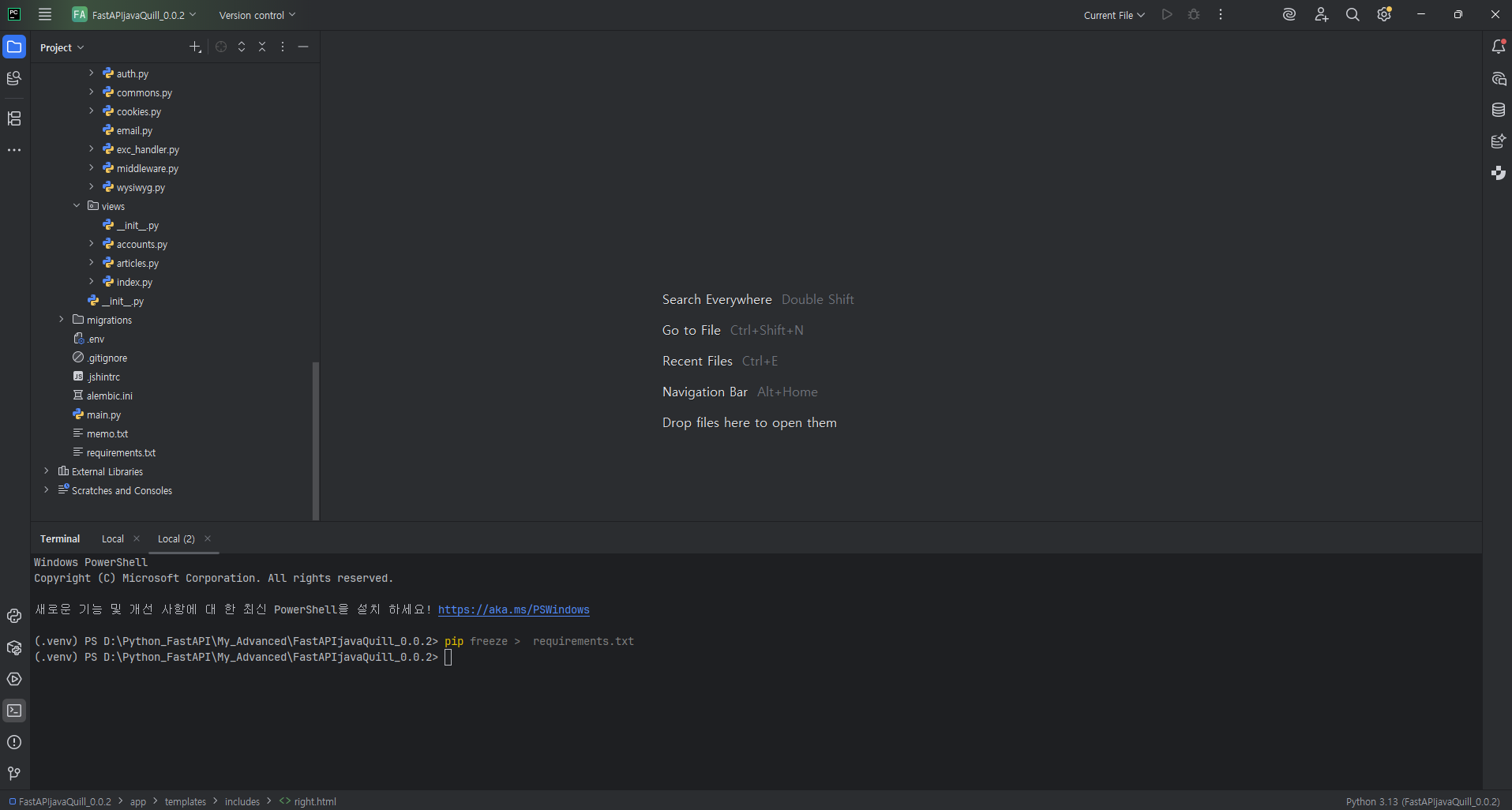
'FastAPI' 카테고리의 다른 글
| Multi-Worker Redis 연결 문제 해결(Claude Agent) (0) | 2025.12.26 |
|---|---|
| 로또 번호 맞추기(FastAPI) (0) | 2025.12.05 |
| Article CURD(fastAPI+Javascript+Jinja) (0) | 2025.11.23 |
| User CURD(fastAPI+Javascript+Jinja) (0) | 2025.11.18 |
| FastAPI + Jinja Template (DB, Redis Setting) (0) | 2025.11.13 |


